

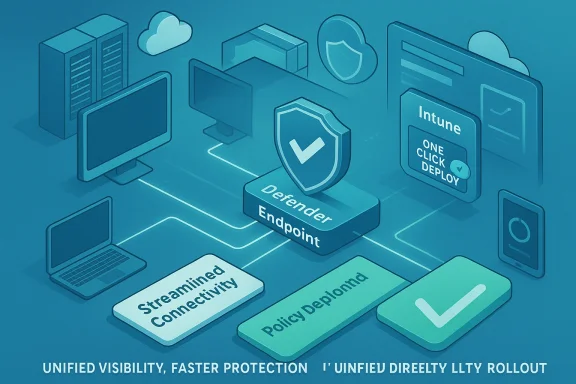
Microsoft's latest push to simplify Defender onboarding removes a lot of the old friction for IT teams: clearer, streamlined connectivity options, tighter Microsoft Intune integration, and migration tooling that lets organizations move existing endpoints onto the newer, lower‑touch onboarding path without full offboarding or complex scripting — changes that should materially shorten the time between device provisioning and full endpoint protection.
Microsoft Defender for Endpoint (and the related Defender for Business and Defender stack) has long offered multiple onboarding paths — local scripts, Group Policy, Intune (MDM), Configuration Manager and manual packages — to meet the diversity of enterprise environments. Each path has tradeoffs: local scripts are immediate but manual; Group Policy works in AD-bound shops but requires GPO management; Intune provides a modern, scalable route but requires MDM adoption and correct tenant connectivity. The Defender portal has exposed these choices for years and provides downloadable onboarding packages for each supported OS and deployment method.
Historically, onboarding has been a common operational choke point. Admins told Microsoft they wanted predictable, auditable onboarding with better visibility into device state and faster time to coverage. Microsoft’s response has been iterative: UI improvements and automation inside Intune and the Defender portal, and more recently a formalized “streamlined connectivity” migration path intended to reduce repeated manual offboarding/onboarding steps for large fleets.
Key operational notes:
The streamlined onboarding method and Intune UX improvements deliver a meaningful operational win for organizations that already use or plan to adopt Intune and modern management. The ability to migrate devices without full offboarding, and to manage onboarding from a centralized Intune experience with preconfigured policies, reduces friction and risk in the common device‑lifecycle paths that cause gaps in protection.
That said, the change is not a “one‑button” universal fix. If your environment depends on legacy OS builds, heavy Group Policy reliance, or multiple third‑party EDR solutions without documented mutual exclusions, you should pilot first and plan reboots, exclusions, and tenant configuration checks. The migration guidance and prerequisites in Microsoft’s onboarding docs are explicit about when reonboarding will work and when a full offboard is required — follow those checklists and validate in a controlled ringed rollout.
The payoff is highest when organizations follow a disciplined rollout: inventory and prerequisites, pilot and test migration, validate exclusions and identity policies, and expand with health gates. Do that, and you’ll convert a once‑tedious, manual step into a reliable, repeatable part of device provisioning — giving security and operations teams faster coverage and better confidence in their endpoint posture.
Source: Neowin Microsoft is making it easier for IT admins to onboard devices to Defender
 Background
Microsoft Defender for Endpoint (and the related Defender for Business and Defender stack) has long offered multiple onboarding paths — local scripts, Group Policy, Intune (MDM), Configuration Manager and manual packages — to meet the diversity of enterprise environments. Each path has tradeoffs: local scripts are immediate but manual; Group Policy works in AD-bound shops but requires GPO management; Intune provides a modern, scalable route but requires MDM adoption and correct tenant connectivity. The Defender portal has exposed these choices for years and provides downloadable onboarding packages for each supported OS and deployment method.Historically, onboarding has been a common operational choke point. Admins told Microsoft they wanted predictable, auditable onboarding with better visibility into device state and faster time to coverage. Microsoft’s response has been iterative: UI improvements and automation inside Intune and the Defender portal, and more recently a formalized “streamlined connectivity” migration path intended to reduce repeated manual offboarding/onboarding steps for large fleets.
What Microsoft changed — a practical overview
Streamlined connectivity and a migration path
Microsoft introduced and expanded a streamlined connectivity onboarding method for Defender for Endpoint. This method reduces configuration complexity on endpoints by centralizing connectivity and configuration checks and letting administrators reonboard devices to the streamlined model with a single updated onboarding package and a restart — in many cases without performing a full offboard/onboard cycle. The migration guidance covers Windows, macOS, Linux and servers and includes device‑specific instructions and known limitations.Key operational notes:
- Reonboarding to streamlined generally requires running the updated onboarding package and a reboot on Windows devices (service restart for macOS/Linux).
- For older Windows builds (examples listed in the docs), full offboarding may still be required. Admins must read the prerequisites and limitations per OS.
Deeper Intune integration and admin UX improvements
Intune has added a streamlined endpoint security experience and preconfigured deployment workflows that expose onboarding health, connector status, and a one‑click “deploy preconfigured policy” button for Defender and EDR. The goal is simple: move the most common provisioning and visibility tasks into Intune’s Endpoint Security blade so operations teams can get a single-pane view of onboarding status and take remediation actions quickly. These UI enhancements also include an EDR Onboarding Status tab and dashboard cards showing coverage and device state.Continued support for multiple deployment methods
Microsoft is not forcing a single path. The Defender portal and Microsoft Learn still document local script, Group Policy, Intune, Configuration Manager, and VDI onboarding methods. The streamlined method is an option — one that offers benefits for modern, cloud-first management scenarios but still respects hybrid and on‑premises management patterns.Operational telemetry and onboarding visibility
Microsoft also improved the visibility tools — an Onboarding card and device inventory views — that show onboarding rate and which devices are reporting a heartbeat. These telemetry and reporting improvements are intended to help admins quickly identify devices that didn't complete onboarding or that show configuration issues. Having that telemetry inside the Defender/M365 portals and surfaced into Intune speeds troubleshooting and reduces the “is it installed or not?” calls to the service desk.Why this matters to IT teams — benefits and immediate gains
- Faster time to coverage: Streamlined connectivity and Intune‑led deployment reduce manual steps and accelerate the time between handing a device to a user and that device being fully protected and reportable in Defender. This matters for onboarding new hires, device refresh waves, and remote provisioning.
- Lower operational cost: Less hand‑holding, fewer scripting edge cases and a migration route that avoids full offboarding in many scenarios will cut admin labor and reduce helpdesk tickets tied to onboarding issues.
- Better first‑mile telemetry: The Onboarding card and EDR onboarding status give security teams a faster feedback loop to confirm devices are actually connected — leading to faster triage when devices fail to report.
- Standardized rollout paths: Preconfigured Intune deployment policies and the “deploy preconfigured policy” workflow help create consistent configurations across rings, reducing the configuration drift that causes tools to miss coverage or produce false positives.
Practical limitations, gotchas and risks
No operational change is risk‑free. The improvements reduce friction but introduce new considerations IT teams must evaluate.Dependency on modern management stacks
The streamlined experience and the Intune UX improvements deliver the most value to organizations already using Intune or modern MDMs. Organizations that still rely heavily on on‑prem Group Policy or legacy Configuration Manager workflows will gain less and may need phased adoption plans. If your environment is AD‑heavy and you aren’t ready to attach Configuration Manager to Intune or expand Intune enrollment, the payoff is smaller.Reboot and service restart requirements
Migration to the streamlined method typically requires a restart (Windows) or service restart (macOS/Linux) to complete the connectivity switch. For large fleets, restarts done en masse can affect availability windows and may conflict with existing maintenance windows. Plan ringed rollouts and ensure users receive clear restart notifications.Version and platform limitations
Some older OS versions and legacy images are not supported for the reonboarding shortcut and may require a full offboard/onboard or additional remediation steps. Test in a pilot ring and confirm that the endpoints meet the documented prerequisites before scale deployment.Third‑party EDR/AV interactions
If you run third‑party AV or EDR alongside Defender, you must manage mutual exclusions and compatibility. Microsoft’s onboarding docs explicitly call out the need to set mutual exclusions to avoid conflicts when running multiple endpoint solutions. Failing to do so can cause performance issues and gaps in telemetry. Validate exclusions and test performance on target hardware.Tenant and identity coupling
Some onboarding flows create a trust with Microsoft Entra ID and can automatically enroll a device into Intune as part of the process. That convenience requires careful tenant configuration: conditional access policies, MFA, and enrollment restrictions may interfere with low‑touch onboarding in some orgs. Review Entra ID policy impact before broad deployment.Gaps in public reporting and external coverage
Third‑party reporting of Microsoft’s changes (for example, coverage behind bot protection or paywalls) can sometimes be inaccessible; for authoritative details, rely on Microsoft’s Learn documentation and Tech Community posts for configuration and migration specifics. Where third‑party articles summarize these changes, confirm the vendor documentation before changing your production rollout plan. (Note: the Neowin article referenced in the briefing appears to be behind bot/protection behavior during verification attempts; the facts used in this article are validated against Microsoft’s documentation and Intune communications.)A recommended rollout plan for IT administrators
Below is a pragmatic, ring‑based approach you can apply to reap the benefits while avoiding common pitfalls.- Inventory and prerequisites check
- Identify the current management method for each device group (Intune, ConfigMgr, AD/GPO, unmanaged).
- Use Defender and Intune inventory views to capture OS versions, management state and agent health.
- Pilot group selection
- Choose a small pilot (50–200 devices) covering a mix: corporate laptops, a few remote worker devices, and a representative set of apps and AVs.
- Validate that the pilot devices meet the streamlined connectivity prerequisites or document additional steps needed.
- Test reonboarding and roll‑back steps
- Run the migration package on pilot devices and verify the expected reboot/service restart behaviour.
- Confirm device visibility in Defender’s Devices view and Intune’s EDR Onboarding Status tab.
- Validate exclusions and compatibility
- Verify mutual exclusions for any third‑party AV/EDR and run performance tests and sample attacks (controlled) to ensure the Defender sensor reports correctly.
- Expand rings and monitor onboarding telemetry
- Use a ring approach: 5%, 20%, 50%, 100% with health gates at each stage. Monitor onboarding card metrics and device heartbeat telemetry, and keep a rollback plan for each ring.
- Post‑deployment hardening and policy tuning
- After devices are onboarded and reporting reliably, apply EDR configuration and threat‑protection policies via Intune preconfigured policy flows to ensure consistent policy application.
Checklist: What to prepare before you migrate
- Confirm device OS version support and catalog exceptions.
- Map current management state (Intune, ConfigMgr, GPO) and plan how each group will adopt the streamlined method.
- Ensure Microsoft Entra ID policies (conditional access, enrollment restrictions) are compatible with low‑touch onboarding.
- Prepare user communication templates describing required reboots and expected behavior.
- Document the rollback steps and test them for at least one pilot device type.
Technical details admins should know (concise reference)
- Onboarding package behavior: Running the updated onboarding package for streamlined connectivity changes the device connectivity method — in many cases no full offboard required; reboot or service restart completes switch.
- Onboarding methods still supported:
- Local script (manual, up to small batches)
- Group Policy
- Microsoft Intune (recommended for cloud‑managed fleets)
- Configuration Manager / hybrid flows
- VDI guidance for non‑persistent desktops.
- Visibility and monitoring locations:
- Defender portal: Assets > Devices and Onboarding card
- Intune: Endpoint security Overview and EDR Onboarding Status tab
- Microsoft Purview / Defender for Business portals (for Defender for Business specific guidance).
- Exclusions: Add Defender for Endpoint to exclusion lists for existing third‑party AV where required; follow Microsoft guidance on mutual exclusions to avoid conflicts.
Security and governance considerations
- Auditability: The streamlined onboarding path reduces manual steps, but organizations should preserve audit trails for changes to onboarding packages and Intune policy assignments to ensure compliance and post‑incident forensic clarity. Use Intune and Defender logs to record changes and assignments.
- Least privilege: Only grant the minimum permissions necessary for onboarding and policy deployment operations. Restrict who can generate onboarding packages and who can assign tenant‑wide policies.
- Privacy and telemetry: Evaluate the telemetry being reported during onboarding — device identifiers, health status, and OS telemetry are used to verify connectivity. Ensure you’ve documented what telemetry is collected and that it fits your governance model.
- Change control: Treat onboarding migrations like any large‑scale configuration change: schedule maintenance windows, keep communications channels open, and stage rollouts with clear rollback criteria.
What administrators should watch for next
Microsoft’s docs and Intune blog posts indicate an ongoing pattern: incremental improvements to reduce friction and give a single pane of glass for endpoint security operations. Expect future updates to add:- More automation for offboarding/reonboarding edge cases.
- Expanded preconfigured policy sets for common industry workloads.
- Tighter hooks between Defender telemetry and Microsoft Security Copilot/automation for policy remediation.
Final analysis — should you move to the streamlined method now?
Short answer: probably, but only after testing.The streamlined onboarding method and Intune UX improvements deliver a meaningful operational win for organizations that already use or plan to adopt Intune and modern management. The ability to migrate devices without full offboarding, and to manage onboarding from a centralized Intune experience with preconfigured policies, reduces friction and risk in the common device‑lifecycle paths that cause gaps in protection.
That said, the change is not a “one‑button” universal fix. If your environment depends on legacy OS builds, heavy Group Policy reliance, or multiple third‑party EDR solutions without documented mutual exclusions, you should pilot first and plan reboots, exclusions, and tenant configuration checks. The migration guidance and prerequisites in Microsoft’s onboarding docs are explicit about when reonboarding will work and when a full offboard is required — follow those checklists and validate in a controlled ringed rollout.
Conclusion
Microsoft’s recent investments to make Defender onboarding easier — centered on streamlined connectivity, better Intune integration, migration tooling and richer onboarding telemetry — are an operational improvement that most modern IT shops will appreciate. These changes shorten the critical path from provisioning to protection and make it easier to sustain consistent policy application across fleets.The payoff is highest when organizations follow a disciplined rollout: inventory and prerequisites, pilot and test migration, validate exclusions and identity policies, and expand with health gates. Do that, and you’ll convert a once‑tedious, manual step into a reliable, repeatable part of device provisioning — giving security and operations teams faster coverage and better confidence in their endpoint posture.
Source: Neowin Microsoft is making it easier for IT admins to onboard devices to Defender
