

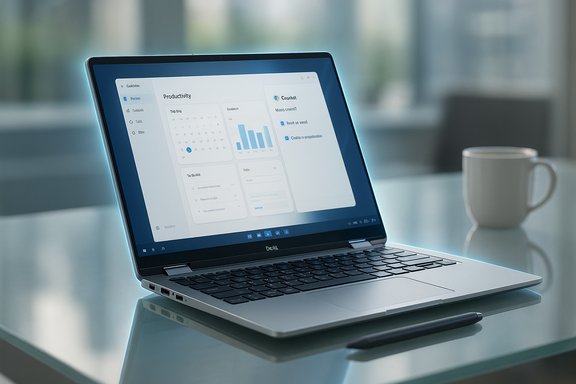
Dell’s new 14-inch convertible makes a strong case for being the company’s most advanced hybrid for the UK market, blending next‑generation Intel Core Ultra silicon, onboard AI acceleration, Intel Arc graphics, and a polished convertible chassis that targets mobile professionals and creators who want real laptop power in a tablet‑style package.
The 14 Plus 2‑in‑1 arrives as part of Dell’s recent push to move mainstream and premium laptops into the “AI‑ready” era. The range mixes Intel Core Ultra family CPUs and AMD Ryzen AI options across regional configurations, a 14‑inch 16:10 touchscreen at a 2K FHD+ resolution, and convertible hardware—360° hinge, active pen support, and a slim aluminium chassis. Dell has also baked Windows’ Copilot capabilities into the platform, positioning the machine as a productivity tool that leans on both local neural acceleration and cloud‑assisted AI services.
The product aims at a wide cross‑section of users: business users needing solid video conferencing and remote collaboration features, creatives who want a color‑accurate, portable canvas for editing, and knowledge workers who will benefit from AI assistance for email triage, summarization, and workflow automation.
However, two important caveats:
Thermal improvements in the convertible’s engineering appear focused on quieter operation during bursts of activity. That’s valuable for meeting‑heavy professionals and creators who need lower fan noise in shared spaces. Yet, potential buyers should not assume silence under high sustained loads—expect fans to ramp and thermal throttling to kick in when the CPU and GPU are stressed for long periods.
Privacy and control caveats:
Practical advice:
Where Dell trails some rivals:
At the same time, prospective buyers must weigh the regional configuration caps and inherent trade‑offs of thin convertibles: limited RAM upgrade paths, modest display brightness, and reduced thermal headroom under heavy, prolonged loads. The machine will be an excellent fit for many, but not a substitute for a desktop workstation or a high‑end mobile creative workstation for sustained high‑load tasks.
Buyers in the UK should confirm the exact configuration limits at purchase time, consider storage and RAM limits relative to their workload, and weigh whether the convertible’s portability and AI features align with their long‑term needs. For those who value a convertible with genuine compute muscle and modern connectivity, Dell’s offering is among the most interesting choices available today—especially for hybrid professionals who want a laptop that acts smarter and adapts to evolving workflows.
Source: techsputit.com Dell 14 Plus 2 in 1 could be Dell’s most advanced hybrid laptop for the UK – Tech Sputit
 Background
The 14 Plus 2‑in‑1 arrives as part of Dell’s recent push to move mainstream and premium laptops into the “AI‑ready” era. The range mixes Intel Core Ultra family CPUs and AMD Ryzen AI options across regional configurations, a 14‑inch 16:10 touchscreen at a 2K FHD+ resolution, and convertible hardware—360° hinge, active pen support, and a slim aluminium chassis. Dell has also baked Windows’ Copilot capabilities into the platform, positioning the machine as a productivity tool that leans on both local neural acceleration and cloud‑assisted AI services.The product aims at a wide cross‑section of users: business users needing solid video conferencing and remote collaboration features, creatives who want a color‑accurate, portable canvas for editing, and knowledge workers who will benefit from AI assistance for email triage, summarization, and workflow automation.
What the 14 Plus 2‑in‑1 brings to the table
Design and build
- The chassis uses aluminium in key structural areas for rigidity while keeping a slim profile and a weight in the ~1.5–1.6 kg range.
- The 360° hinge supports laptop, tent, stand and tablet modes, and the hinge feel is tuned to avoid wobble while letting the display flip smoothly.
- Dell offers at least one two‑tone colorway and an option set that includes a backlit keyboard with a dedicated Copilot key and a fingerprint reader integrated into the power button on certain SKUs.
Display: 14‑inch, 16:10, 2K touchscreen
- 14.0‑inch 16:10 touch panel
- Native resolution around 1920 × 1200 (FHD+ / 2K)
- Typical peak brightness listed at about 300 nits
- Touch and stylus support with 360° usability
Processors and AI hardware
- UK configurations ship with Intel Core Ultra processors across the Ultra 5, Ultra 7 and Ultra 9 family in various SKUs.
- These Ultra chips combine performance and efficient cores and include an on‑die neural processor (NPU) for local AI acceleration measured in tens of TOPS on some models.
Memory, storage and upgradability
- Memory is LPDDR5X soldered onto the motherboard in current designs; UK configurations top out at 16GB in many listings.
- Storage uses NVMe M.2 SSDs; some regions offer up to 1TB on review units but the UK retail options may be limited to 512GB in maximum factory configurations.
- The RAM is not upgradeable; the SSD is typically user‑replaceable (M.2 slot).
Ports and connectivity
- Thunderbolt 4 is present on UK SKUs, bringing PCIe passthrough for docks and high‑speed peripherals.
- HDMI 2.1 is included on the port array in higher configurations, allowing modern external displays and game consoles to run at high refresh and HDR via a single cable.
- Wi‑Fi 7 and Bluetooth 5.4 are offered for fast wireless networking and low‑latency peripheral pairing.
Webcam, audio and conferencing
- A 1080p webcam supports clearer video calls, and dual‑array microphones are implemented.
- Dell integrates AI‑based noise reduction and other camera enhancements to improve the remote meeting experience.
Performance expectations: real‑world vs. marketing
The Core Ultra family delivers notable improvements in synthetic benchmarks and real‑world application responsiveness, particularly for workloads that can take advantage of hybrid core scheduling and local AI acceleration. Integrated Intel Arc hardware closes the gap with previous integrated GPU generations and provides a competent platform for image editing, light GPU rendering, and even casual gaming.However, two important caveats:
- Sustained performance depends heavily on thermal design. Thin convertibles trade sustained thermal headroom for portability, so peak scores can be followed by throttling during long renders or heavy parallel workloads.
- AI acceleration is only as useful as the software ecosystem. Local NPU benefits are clear for optimized apps and OS‑level features (e.g., Copilot tasks that can run on device), but many creative and productivity apps still rely on either CPU/GPU acceleration or cloud services.
Battery life and thermal management
- The notebook houses a 64 Wh battery— a commonly used capacity for 14‑inch thin‑and‑light devices.
- Dell advertises AI‑assisted power management that moderates performance and thermals to extend battery life during mixed‑use scenarios.
Thermal improvements in the convertible’s engineering appear focused on quieter operation during bursts of activity. That’s valuable for meeting‑heavy professionals and creators who need lower fan noise in shared spaces. Yet, potential buyers should not assume silence under high sustained loads—expect fans to ramp and thermal throttling to kick in when the CPU and GPU are stressed for long periods.
Software and AI features: Copilot integration and on‑device assistance
Windows Copilot integration is a headline feature. Dell offers Copilot+ PC configurations that combine local neural acceleration with Microsoft’s Copilot services to:- Summarize emails and meetings
- Generate written content and iterate on drafts
- Provide system‑level assistance such as performance tuning and battery suggestions
Privacy and control caveats:
- Many Copilot features still rely on cloud processing for the most advanced models; users and organisations should confirm where data is processed if privacy or regulatory compliance matters.
- IT administrators will want to verify enterprise management controls and data handling policies before deploying Copilot‑enabled machines in sensitive environments.
Who should buy it — and who should look elsewhere
The 14 Plus 2‑in‑1 is a strong pick for:- Mobile professionals who need a convertible with real processing power.
- Hybrid workers who require a good webcam, quiet fans, and a productivity‑focused keyboard with direct AI shortcuts.
- Creators on the go who edit photos and short videos and want the flexibility of laptop/tablet modes without the weight of a workstation.
- A professional video editor or 3D artist who depends on sustained discrete GPU performance and large RAM capacities.
- A colour‑critical photographer or video professional who needs a brighter panel with wider color gamut and higher peak brightness.
- A power user who needs RAM upgradeability; many UK SKUs top out at 16GB soldered RAM.
Regional caveat: UK configuration limits matter
Dell’s line‑up shows that regional SKUs vary meaningfully. In the UK, factory configurations commonly cap RAM at 16GB and storage at 512GB for several models, while other regions can offer higher factory RAM and larger SSD options. That limitation is critical for buyers who expect long life or who run RAM‑heavy workloads.Practical advice:
- Confirm exact UK SKUs and the upgrade policy before buying; factory options and regional limits change over time.
- If you need more storage, verify whether the model supports a larger M.2 SSD and whether the process for swapping is straightforward.
- If RAM beyond 16GB is a requirement, consider alternative models or regions that permit a 32GB option, or choose a different family of machines.
Competitive landscape and market positioning
Dell’s convertible competes in a crowded field against other premium 14‑inch convertibles and ultraportables. Its strengths—modern Intel Ultra silicon with on‑die AI, Intel Arc graphics on higher SKUs, Thunderbolt 4, HDMI 2.1, and Wi‑Fi 7—make it one of the better‑rounded offerings for users who need convertible flexibility plus performance.Where Dell trails some rivals:
- Display brightness and premium OLED options are more limited in the base panel; competing machines sometimes offer brighter or wider‑gamut panels at similar price points.
- RAM upgradeability: some competitors in the premium space allow 32GB or user‑replaceable RAM options.
- Battery life in sustained workloads: machines tuned for endurance or efficiency (including some ARM or special silicon-based rivals) will last longer on light workloads.
Strengths — what stands out
- AI readiness: On‑die NPU and Microsoft Copilot integration make this machine future‑proof for many emerging workflows.
- Connectivity: Thunderbolt 4 + HDMI 2.1 + Wi‑Fi 7 represent a solid modern port and networking stack.
- Form factor: A genuinely usable 2‑in‑1 hinge and a 14‑inch 16:10 screen give flexibility for meetings, sketching, and on‑the‑go editing.
- Balanced performance: Intel Core Ultra chips deliver excellent mixed‑use performance for productivity and light content creation.
- Conference‑focused hardware: 1080p webcam and AI noise reduction are practical upgrades for hybrid work.
Risks and trade‑offs — what to watch
- Regional limits on RAM and storage: UK SKUs often cap RAM at 16GB and limit SSDs; this constrains future‑proofing and heavier workflows.
- Modest display brightness: 300 nits is adequate indoors but underwhelming outdoors and for HDR workflows.
- Sustained performance vs. thermals: Thin convertibles face throttling under prolonged heavy workloads; expect fans and reduced peak performance during long renders.
- Dependency on software ecosystem: Local NPU advantage is only realized when applications and system features are optimized to use it.
- Privacy and cloud reliance: Many Copilot features will still utilize cloud processing at times; organisations must plan data governance carefully.
Buying guidance and recommended configurations
- If you primarily use office apps, video calls, web conferencing and occasional creative tools: a UK Core Ultra 5 or Ultra 7 model with 16GB and 512GB SSD will be a strong, cost‑effective choice.
- If you work with heavier photo editing or video work and can find a higher‑spec SKU (or import a higher‑RAM configuration), prefer Ultra 7/9 with Intel Arc Xe2 and the largest SSD available.
- For longevity, prioritize the largest SSD you can afford at purchase and consider using external storage or cloud for archiving large projects.
- Check serviceability: if you plan to keep the device for several years, verify the ease of opening the back panel and the availability of replacement parts in the UK.
Final analysis: where this model fits in Dell’s roadmap
The 14 Plus 2‑in‑1 signals Dell’s intent to make mainstream convertibles genuinely AI‑capable while keeping the design language and connectivity modern. It packs forward‑looking hardware—NPU, Intel Arc graphics, Wi‑Fi 7 and Thunderbolt—into a portable 2‑in‑1 chassis, and does so without going all the way to workstation extremes. For UK buyers who want a convertible that can act as a daily driver for office work, collaboration, and light creative tasks, it’s a compelling option.At the same time, prospective buyers must weigh the regional configuration caps and inherent trade‑offs of thin convertibles: limited RAM upgrade paths, modest display brightness, and reduced thermal headroom under heavy, prolonged loads. The machine will be an excellent fit for many, but not a substitute for a desktop workstation or a high‑end mobile creative workstation for sustained high‑load tasks.
Conclusion
Dell’s 14 Plus 2‑in‑1 is a balanced, savvy step forward for the convertible segment, blending AI‑friendly silicon and practical modern I/O into a form factor that suits hybrid work and on‑the‑go creativity. It stands out for its real‑world productivity enhancements, conference‑ready features, and connectivity—delivering what many professionals need in a single, flexible machine.Buyers in the UK should confirm the exact configuration limits at purchase time, consider storage and RAM limits relative to their workload, and weigh whether the convertible’s portability and AI features align with their long‑term needs. For those who value a convertible with genuine compute muscle and modern connectivity, Dell’s offering is among the most interesting choices available today—especially for hybrid professionals who want a laptop that acts smarter and adapts to evolving workflows.
Source: techsputit.com Dell 14 Plus 2 in 1 could be Dell’s most advanced hybrid laptop for the UK – Tech Sputit
