

A heavily discounted listing for a DELL XPS 17 9700—advertised with an Intel Core i7‑10875H, a 17.3" 3840×2400 UHD+ display, 16GB RAM, 1TB SSD, and an NVIDIA GeForce RTX 2060 Max‑Q (6GB)—has surfaced on a third‑party site described as a “clearance” or “new arrivals” offer; the configuration broadly matches genuine XPS 17 9700 options sold by Dell, but a close technical and provenance check shows several red flags and a few verifiable facts buyers must know before pulling the trigger.
Dell revived the XPS 17 with the 9700 generation and positioned it as a premium 17‑inch creator laptop in 2020, offering 10th‑generation Intel H‑series processors and discrete NVIDIA GPUs up to the GeForce RTX 2060 (Max‑Q). That launch and the initial spec framing were widely reported and in Dell’s product pages and support documentation.
The XPS 17 9700’s design focused on a near‑borderless InfinityEdge display, a large 97 Wh battery option, and a relatively thin chassis for the 17‑inch class. Dell offered multiple factory configurations—ranging from FHD+ to UHD+ (3840×2400) touch panels, and from Core i5 to Core i9 CPUs—so a configuration with an i7‑10875H and RTX 2060 Max‑Q is within the original OEM options.
However, third‑party marketplace listings sometimes conflate or misstate features (for example, listing an optical drive where there is none), mislabel warranty status, or offer devices without trustworthy provenance. The listing you provided includes at least one such discrepancy: the XPS 17 9700 was sold without an internal optical/DVD drive, but the third‑party ad mentions a DVD—this is an immediate technical mismatch that requires confirmation from the seller.
Source: ilrappuso.com Il Rappuso, magazine dedicato agli amanti del Rap
 Background / Overview
Dell revived the XPS 17 with the 9700 generation and positioned it as a premium 17‑inch creator laptop in 2020, offering 10th‑generation Intel H‑series processors and discrete NVIDIA GPUs up to the GeForce RTX 2060 (Max‑Q). That launch and the initial spec framing were widely reported and in Dell’s product pages and support documentation. The XPS 17 9700’s design focused on a near‑borderless InfinityEdge display, a large 97 Wh battery option, and a relatively thin chassis for the 17‑inch class. Dell offered multiple factory configurations—ranging from FHD+ to UHD+ (3840×2400) touch panels, and from Core i5 to Core i9 CPUs—so a configuration with an i7‑10875H and RTX 2060 Max‑Q is within the original OEM options.
However, third‑party marketplace listings sometimes conflate or misstate features (for example, listing an optical drive where there is none), mislabel warranty status, or offer devices without trustworthy provenance. The listing you provided includes at least one such discrepancy: the XPS 17 9700 was sold without an internal optical/DVD drive, but the third‑party ad mentions a DVD—this is an immediate technical mismatch that requires confirmation from the seller.
What the XPS 17 9700 actually is — verified hardware summary
Below are the key, verifiable hardware points for typical Dell XPS 17 9700 SKUs, cross‑checked against Dell’s listings and independent reviews:- CPU: Up to 10th‑Gen Intel H‑series processors; the i7‑10875H (base 2.30 GHz, turbo to ~5.10 GHz) was an offered option.
- GPU: Discrete NVIDIA options included the GeForce GTX 1650 Ti and the GeForce RTX 2060 6GB GDDR6 (Max‑Q variant on some SKUs). The RTX 2060 Max‑Q is a lower‑power variant tuned for thin laptops.
- Display: Configurations included a 17.0" UHD+ 3840×2400 InfinityEdge touch (500‑nits, anti‑reflective) and an FHD+ 1920×1200 option. The 4K UHD+ panel is marketed with broad color coverage (AdobeRGB/100% on certain SKUs).
- Memory: The XPS 17 9700 uses two SODIMM slots, supports dual‑channel DDR4‑2933, and can be upgraded up to 64GB (2×32GB). The factory 16GB configuration is common and removable/upgradeable.
- Storage: NVMe M.2 PCIe SSDs were standard; 1TB SSD configurations were factory options.
- Battery: Options included a 97 Wh internal battery for long endurance in some SKUs. NotebookCheck measured excellent battery runtimes in lighter loads for the 97 Wh unit.
- Ports: Four Thunderbolt 3 USB‑C ports, SD card slot, and a headset jack are part of the official layout. There is no internal optical drive in the standard XPS 17 9700 chassis.
Discrepancies and red flags to call out in the “clearance” listing
The third‑party ad contains two sorts of problems: likely errors in product description and potential marketplace risks. Here’s how they show up in practice.Technical mismatches (easily verifiable)
- The ad lists a DVD drive in the XPS 17 9700. Dell’s official specs and manual list no optical drive for the 9700 chassis; this strongly suggests a copy‑paste error, a bundled external drive is being misrepresented, or the seller has an incorrect SKU listing. Confirm with the seller and demand photos of the unit’s underside and ports (or a video showing the machine booting to BIOS).
- The item is advertised with Windows 10—that’s possible, but you should check activation status and whether a licensed OEM key is included. A legitimate Dell factory build will typically include a Windows license tied to the system’s service tag or a COA; refurbished or grey‑market systems may have volume or non‑transferable licensing. Ask the seller to prove activation status before purchase.
Marketplace and provenance concerns (policy/warranty)
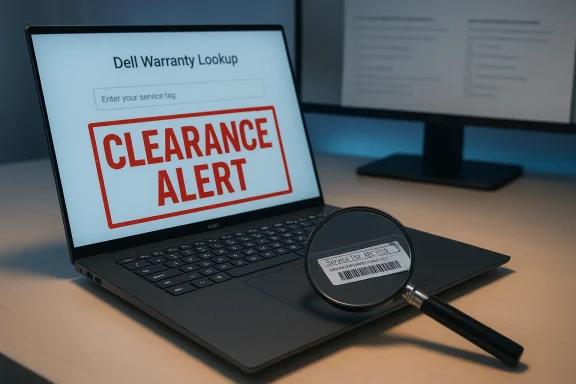
- Warranty and support: “Clearance” listings rarely include the original Dell warranty unless explicitly stated. Dell’s warranty lookup (service tag) is the authoritative way to verify coverage—buyers should obtain the service tag and run it through Dell Support to check warranty and original ship date.
- “New” vs “refurbished” wording: Ads that conflate “clearance,” “refurbished,” and “new arrivals” can be intentionally ambiguous. New, factory‑sealed XPS 17 9700 units are extremely rare years after initial production; most low‑price units will be refurbished, open‑box, or used. Demand clear labeling and return policy.
- Price vs market comparables: If the price is significantly lower than typical resale for similar specs (i7 + RTX 2060 + 1TB + UHD), that can be a legitimate deal or a bait‑and‑switch. Cross‑check recent resale pricing from multiple marketplaces and independent sellers before concluding it’s an automatic bargain. NotebookCheck’s historical price references and review pages are a useful comparator for MSRP and street price trends at release.
Performance, thermals and real‑world behavior — what reviewers found
The XPS 17 9700 with a Comet Lake H CPU and an RTX 2060 Max‑Q sits between a thin‑and‑light and a desktop‑replacement laptop in practice: the big chassis helps, but the Max‑Q GPU variant and slim profile impose power/thermal limits.- GPU expectations: The RTX 2060 Max‑Q is a lower‑power design compared with full‑TGP RTX 2060 desktop parts. It is capable for 1080p gaming and creator workloads but won’t match thicker 17‑inch gaming laptops with full‑power GPUs. NotebookCheck’s benchmarking of the RTX 2060 Max‑Q in the XPS 17 shows respectable 1080p frame rates for modern titles and solid acceleration for content‑creation tasks that leverage CUDA and RTX features, but with thermal ceiling behavior under sustained load.
- Thermals and sustained performance: Independent reviews measured thermal throttling under heavy CPU+GPU workloads if the system is pushed to its sustained power limit; the XPS 17’s cooling is good for a thin chassis but not infinite. For prolonged 3D rendering or extended gaming sessions at high settings, users may see reduced clocks to keep thermals in check. NotebookCheck’s lab reported load battery life minima of around two hours under maximum stress tests, underscoring that intense loads are power‑hungry.
- Battery life: With the 97 Wh battery, the XPS 17 can achieve excellent light‑use runtimes (NotebookCheck measured ~15 hours Wi‑Fi websurfing at moderate brightness in some configurations), but battery life collapses under heavy GPU/CPU use. If you buy a used unit, check current battery health and cycle count.
- Display quality: The Sharp‑built UHD+ panel in many XPS 17 units delivers very high pixel density and accurate color coverage suitable for photo and video editors. However, touch glass and glossy coatings on some panels can increase reflections; confirm the exact panel variant with the seller if that matters to your workflow.
Step‑by‑step buying checklist for the clearance listing
If you are considering the advertised XPS 17 9700, follow these sequential steps to verify legitimacy and avoid surprises:- Ask for the service tag (Dell serial) and immediately check it on Dell Support for original configuration, ship date, and warranty status. Use the official Dell support warranty lookup or Dell‑recommended tools to confirm. Do not buy without this.
- Request high‑quality photos and a short video showing: the machine powered on to BIOS/System Info (to confirm CPU, S/N, and installed RAM/SSD), the bottom sticker (service tag), the full keyboard/palmrest area, all ports (to verify there is no optical bay), and the display powered with sample desktop content. Any reluctance is a red flag.
- Confirm Windows activation and license type (digital license/OEM). Ask the seller to show Settings → System → About or run “slmgr /dli” in Windows to reveal licensing info. Unactivated systems or systems with non‑transferable volume licensing are riskier.
- Request proof of purchase or refurbishment certificate if the seller claims “new” stock. Ask whether the machine is manufacturer refurbished (with Dell reconditioning) or seller‑refurbished. Manufacturer‑refurbished units are preferable.
- Check battery health and cycle count—ask to see a battery report (Windows Powercfg batteryreport) or use third‑party tools. A heavily cycled battery may need replacement.
- Inspect storage health—request a SMART report for the SSD. A used SSD with many TBs written can indicate heavy previous use.
- Run stress / synthetic checks if buying in person: short GPU benchmark, CPU stress, display color check, and run Windows Update + driver checks. For remote purchases, insist on a generous return window and documented condition.
- Confirm return policy, shipping insurance, and payment protections—use payment methods with buyer protection and get tracking/insurance. Avoid wire transfers or opaque payment flows.
- Compare final price to comparable used/refurb peers—if it’s substantially cheaper than known reseller rates for similar configurations, treat with suspicion. NotebookCheck and other review yards show release‑era price bands and typical refurbished street prices you can use to benchmark.
Upgradability and long‑term considerations
One of the XPS 17 9700’s pragmatic strengths is serviceability relative to many modern thin laptops:- RAM is not soldered: the unit has two SODIMM sockets and supports up to 64GB DDR4‑2933, so upgrading from 16GB is straightforward if you’re comfortable performing a RAM swap. This contrasts with many ultrabooks that solder RAM and force buyers to choose at purchase.
- Storage is a replaceable M.2 NVMe module; upgrading to larger NVMe SSDs is common and well supported by aftermarket vendors.
- GPU and CPU are not user‑replaceable—these are soldered to the motherboard. For heavy GPU upgrades you’ll need a different system.
Pricing expectations and how to value the deal
When evaluating a clearance price, balance the following variables:- Configuration: i7‑10875H + RTX 2060 Max‑Q + 1TB SSD + UHD+ = a higher tier. Lower resolution, lower RAM or smaller SSD should be discounted accordingly.
- Condition: New (factory sealed) vs Dell‑refurbished vs seller‑refurbished vs used. Factory/refurbished carry warranty; used typically does not.
- Included extras: power brick, original packaging, accessories, and whether Dell registered warranty transfers.
- Market comparables: Check multiple reseller marketplaces for recent sales of the same or similar SKU; NotebookCheck’s pages and Dell’s archived MSRP give context on release pricing and how much depreciation to expect.
Security and software checklist (pre‑purchase)
- Verify BIOS boots and is not password protected (or that the seller will remove the password).
- Confirm no presence of unknown corporate management agents or MDM that could lock the machine after sale.
- Run a fresh Windows install if you accept the unit; this cleans residual accounts and reduces privacy risk. Confirm the seller includes the original Windows activation key or clear digital entitlement via the Microsoft account.
- Check device encryption and ensure the seller can decrypt or provide recovery keys if BitLocker or similar is enabled. Never accept a device you can’t boot because it’s still linked to someone else’s account.
Bottom line — is this “clearance” listing worth pursuing?
- The technical spec in the ad (i7‑10875H, 3840×2400, 16GB, 1TB, RTX 2060 Max‑Q) matches real Dell XPS 17 9700 factory configurations; Dell’s product pages and the XPS 17 support manual confirm those options. Product performance and display quality are strong for content creators and demanding users, with caveats about thermal limits for sustained GPU‑heavy loads.
- The presence of an optical drive in the listing contradicts Dell’s published hardware; that single mismatch is enough to require deeper verification before purchase. Treat the ad as potentially legitimate but currently under‑documented and suspicious. Demand the service tag and full photographic/video proof, then check Dell’s warranty and configuration database.
- Follow the step‑by‑step checklist above: if the seller provides verifiable service tag data, clear photos, a return window, and pricing within market range, the unit can be a good value—especially because the XPS 17 9700 is upgradable for RAM and SSD, and its large battery and 4K panel still compete well for creators. If the seller refuses service tag disclosure or offers evasive answers, walk away.
Final recommendations (quick summary)
- Do not buy from the listing unless the seller provides the Dell service tag and you confirm the warranty/status on Dell Support.
- Verify the device pictures and BIOS/System Info video to confirm model, lack of optical drive, and installed components.
- Check battery cycles and SSD SMART before finalizing the purchase; factor potential replacements into the final price.
- Prefer manufacturer‑refurbished units or sellers with strong return policies; use payment methods that protect buyers.
- If the deal is verified, the XPS 17 9700 with i7‑10875H + RTX 2060 Max‑Q remains a capable 17‑inch workstation for creators who value a high‑quality 4K display and upgradeable RAM/storage, provided they accept the Max‑Q GPU’s sustained‑power trade‑offs.
Source: ilrappuso.com Il Rappuso, magazine dedicato agli amanti del Rap

