

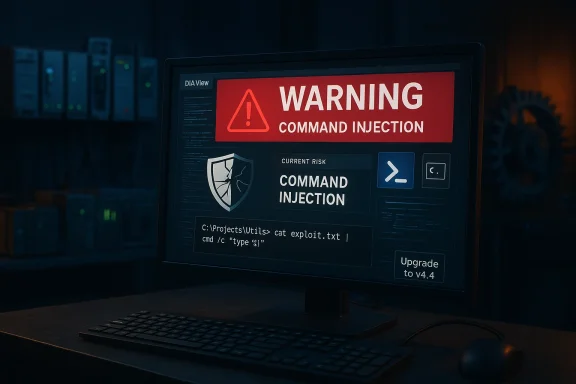
Delta Electronics’ DIAView has a command-injection flaw that lets project files execute shell commands, creating a direct path from a crafted project to arbitrary code running on Windows engineering hosts — a serious escalation risk for industrial control systems that rely on trusted engineering tools. Delta’s advisory identifies the defect as a command-injection weakness (CWE‑77) tracked as CVE‑2026‑0975 and requires an update to DIAView v4.4 or later; national vulnerability databases and coordinated disclosures confidentialityirm the technical details and scoring used to prioritize mitigation.
DIAView is Delta Electronics’ industrial automation management and visualization suite used for real‑time system control in manufacturing, energy, transportation and other critical sectors. Engineering workstations that run DIAView are frequently entrusted with configuration, file distribution and device management functions — making any vulnerability that allows execution of arbitrary commands particularly dangerous in OT (operational technology) contexts.
Delta’s advisory identifies a method in DIAView that can execute shell commands from within a project script. If an attacker can convince an operator to open a specially crafted project or deliver a malicious project archive, the embedded commands can run when the project starts. Delta’s published remediation instructs users to upgrade to DIAView v4.4 or later. For historical context, Delta’s product family has had multiple high‑impact file‑parsing and management vulnerabilities across different products in recent years; past advisories and third‑party writeups show a pattern of file-processing weaknesses that can be abused to read or write files and in some cases run code on Windows hosts. This history increases the operational priority of this particular DIAView fix.
This vulnerability should be treated with urgency even if the initial vector requires user interaction, because social engineering, file-exchange workflows and third-party file drops make accidental execution a realistic threat. Industry advisories recommend patching and aggressive segmentation to reduce risk.
Delta Electronics’ advisory and government coordination underscore an enduring lesson for industrial operators: manage engineering tooling with the same rigor applied to production systems, and assume that any mechanism which executes external or embedded project content represents an exploitable surface until proven otherwise.
Source: CISA Delta Electronics DIAView | CISA
 Background
DIAView is Delta Electronics’ industrial automation management and visualization suite used for real‑time system control in manufacturing, energy, transportation and other critical sectors. Engineering workstations that run DIAView are frequently entrusted with configuration, file distribution and device management functions — making any vulnerability that allows execution of arbitrary commands particularly dangerous in OT (operational technology) contexts.Delta’s advisory identifies a method in DIAView that can execute shell commands from within a project script. If an attacker can convince an operator to open a specially crafted project or deliver a malicious project archive, the embedded commands can run when the project starts. Delta’s published remediation instructs users to upgrade to DIAView v4.4 or later. For historical context, Delta’s product family has had multiple high‑impact file‑parsing and management vulnerabilities across different products in recent years; past advisories and third‑party writeups show a pattern of file-processing weaknesses that can be abused to read or write files and in some cases run code on Windows hosts. This history increases the operational priority of this particular DIAView fix.
Executive summary — what operators need to know
- Affected product: Delta Electronics DIAView.
- Vulnerability: Command injection vulnerability (CWE‑77), tracked as CVE‑2026‑0975.
- Impact: Arbitrary command execution in the context of the user that opens the malicious project; confidentiality, integrity and availability impacts are high.
- Affected versions: vendor advisory and public trackers identify vulnerable builds prior to the v4.4 update; operators should verify installed versions and upgrade to v4.4+.
- Remediation: Install DIAView v4.4 or later (vendor-supplied fix).
- Immediate mitigations: reduce network exposure, block untrusted file flows to engineering systems, and follow CISA/ICS hardening guidance where applicable.
Technical overview
How the flaw works
The vulnerable DIAView code exposes a method that constructs or invokes shell commands with data drawn from project scripts or project files without adequate neutralization of special shell characters. In practical terms:- A project file or embedded script provides input that ends up in a command string passed to the operating system shell.
- Because the input is not safely escaped or validated, an attacker-controlled project can embed separators, redirection operators, or command chains to run arbitrary commands on the host.
- When a legitimate operator opens the malicious project, DIAView executes the crafted script and the shell performs the attacker's commands.
Exploitability and scoring
Public trackers report a CVSS v3.1 score in the high range for CVE‑2026‑0975 (vendor-provided scoring lists AV:L/AC:L/PR:N/UI:R/S:U/C:H/I:H/A:H), reflecting a local / user-interaction vector that nonetheless offers high impact when triggered. At the time of disclosure there were no widely published, confirmed in‑the‑wild exploitation reports; however, low complexity combined with the privileged nature of engineering hosts makes rapid weaponization plausible once proof‑of‑concept code or automated exploit tooling appears.Why this matters to Windows and OT operators
Engineering workstations running Windows are an attractive target for attackers precisely because these hosts often:- Hold firmware, project files, and credentials for controllers and drives.
- Have broad network access to OT devices and may be allowed to push configuration or code to field equipment.
- Are used to import and process files from contractors, partners and external vendors — a common vector for malicious project files.
This vulnerability should be treated with urgency even if the initial vector requires user interaction, because social engineering, file-exchange workflows and third-party file drops make accidental execution a realistic threat. Industry advisories recommend patching and aggressive segmentation to reduce risk.
Vendor response and timeline
Delta Electronics prepared a vendor advisory (Delta‑PCSA‑2026‑00002) describing the issue and offering a fixed release. Vendor coordination timelines published by third parties indicate active disclosure handling and planned patch releases; public trackers show the remediation target is DIAView v4.4. Independent tracking entries (NVD / CVE aggregators) list the vulnerability and reference the vendor advisory and recommended update. Strengths in the vendor response:- A formal advisory and an explicit fixed version were published.
- The fix is distributable as a versioned software update, enabling organizations to follow standard patch management workflows.
- Some Delta products have had a sequence of file-processing and path-handling flaws in the prior 12–24 months; operators should treat fixes as high-priority and verify other product families in their estates.
Detailed remediation and response plan
The following is a practical, prioritized plan engineering teams can follow to remediate and to reduce exposure while you apply the vendor fix.1. Immediate (first 24–72 hours)
- Inventory: Identify all hosts running DIAView and capture installed versions. Make a short list of engineering workstations, servers and any jump boxes that have DIAView installed.
- Quarantine high‑risk assets: If any DIAView instance is directly reachable from untrusted networks, place an immediate network block or firewall rule to restrict external access.
- Block file ingestion from untrusted sources: Halt automated project imports and disable any unattended project start options where possible.
- Elevate monitoring: Turn on enhanced logging and EDR/AV sensors to watch for suspicious process launches, command-line invocation, and unexpected child processes spawned from DIAView. Capture baseline behavior for comparison.
- User awareness: Broadcast immediate guidance to engineering staff: do not open unsolicited project files or emails, verify file origins, and pause nonessential project imports.
2. Patch (next 72 hours — 2 weeks)
- Test the vendor update in an isolated lab: Validate DIAView v4.4 in a staging environment that mirrors production to confirm compatibility with existing projects and integrations.
- Plan deployment: Use phased rollout with rollback procedures. Prioritize systems exposed to higher risk (external connectivity, vendor file imports, or those with broad access to controllers).
- Apply updates: Deploy v4.4+ to production after testing. Log package checksums and installer artifacts for supply-chain traceability.
- Confirm defenses: Post-patch, validate that the vulnerable behavior is no longer present by attempting safe, non-malicious test cases that previously triggered the problematic command path (under controlled conditions).
3. Longer-term (2–12 weeks)
- Harden file workflows: Require cryptographic signing or integrity checks (hash verification) for project files delivered by third parties.
- Implement application allowlisting for engineering hosts to restrict which binaries can run.
- Revise network segmentation: Enforce least-privilege connectivity for engineering systems and prevent direct internet exposure of OT/engineering tooling.
- Update standard operating procedures (SOPs) for contractor file exchange and use sandboxing for new or untrusted projects.
- Conduct tabletop exercises and incident response drills focused on a compromised engineering host scenario.
Detection, monitoring and hunt techniques
If patching cannot be immediate, or to validate whether any suspicious activity occurred prior to remediation, implement the following detection rules and hunt steps:- Enable Windows process creation auditing and collect command‑line arguments; search for shell invocations (cmd.exe, powershell.exe, wscript.exe) spawned by DIAView processes.
- Deploy Sysmon with rules that capture parent/child process relationships and command-line logging for the DIAView binary.
- Create EDR/AV custom detections for unusual file writes in DIAView project directories, unexpected creation of executable files from archive extraction, or anomaly patterns in scheduled project execution.
- Monitor outbound network connections from engineering hosts; command injection exploitation sometimes downloads secondary payloads or callbacks to C2 endpoints.
- Audit file share logs, email gateway and gateway sandbox reports for evidence of project files delivered around potential compromise windows.
Mitigations if you cannot immediately patch
- Remove vulnerable systems from the internet and from any cross-network trust that allows automated deployments to controllers.
- Disable auto-processing of project files, automatic project starts, and any features that execute project-embedded scripts without explicit user approval.
- Enforce strict ACLs on project storage directories so that only authorized service accounts and administrators can write to them.
- Require staged validation of new project files in an isolated sandbox or VM before importing into production engineering hosts.
- Use VPNs and jump hosts with strict MFA for remote access to engineering systems; prefer out-of-band file transfer validation channels.
Attack scenarios and likely impact
- Targeted social-engineering campaign: An attacker distributes a malicious project as a vendor update or via contractor email; an engineer opening the project triggers the embedded commands and the attacker obtains remote foothold.
- Supply-chain compromise: If a third-party project repository is tampered with, automated importers can consume malicious projects and execute their payloads.
- Lateral movement: A compromised engineering host can harvest credentials, push modified projects or firmware to controllers, and attempt to persist via service modifications.
Critical analysis — strengths, weaknesses and residual risk
Vendor strengths
- Delta published a formal advisory and provided a versioned fix (v4.4), enabling organizations to follow standard patching procedures.
- Public trackers and vendor coordination with researchers indicate a coordinated disclosure process.
Residual weaknesses and risks
- Multiple prior vulnerabilities across Delta products (file parsing, path traversal and buffer overflows) suggest a repeated class of issues around input validation and archive handling; operators should not assume a single patch solves systemic engineering host risks.
- The command-injection pattern is powerful: even with user interaction required, optimized social engineering or automated distribution can trigger widespread impact in loosely governed file-exchange processes.
- Some advisories for similar Delta products historically offered limited or no viable workaround; if the pattern repeats, operators may have to rely on network-level isolation and procedural controls while waiting for patches.
Detection and operational readiness
- Many defender toolsets are capable of detecting command-injection activity, but success depends on logging retention, telemetry fidelity and action thresholds. Investing in telemetry and exercises will materially improve detection and response times.
Practical checklist (quick‑action list)
- Identify DIAView installations and record versions.
- If running a vulnerable version, schedule test and rollout of DIAView v4.4 immediately.
- Block internet exposure and untrusted file sources for engineering hosts until patched.
- Enable process and command-line logging; deploy Sysmon + EDR detections for suspicious child processes.
- Disable automatic project execution and untrusted auto-import features.
- Validate third‑party project files in an isolated environment before importing to production.
- Review and tighten ACLs on project directories and shared file storage.
- Conduct a post‑patch verification run to confirm the vulnerability is mitigated and monitor for anomalous activity.
What remains uncertain
- Public evidence of exploitation in the wild for CVE‑2026‑0975 was not present at the time of public disclosure; that does not imply the vulnerability is not being probed privately or by attackers who have targeted similar Delta products previously. Operators should assume exploitation attempts are possible and act accordingly.
- The relationship between this command-injection issue and other, earlier DIAView advisories (for example, path traversal issues in 2025) shows recurring classes of bugs; determining whether technical debt or systemic development issues exist inside large product families requires deeper vendor engagement and code-level review, which remains an area for operator due diligence.
Closing assessment
The DIAView command-injection vulnerability (CVE‑2026‑0975) is a high‑impact flaw for Windows engineering hosts used in industrial control contexts. The fix — upgrading to DIAView v4.4 or later — is the correct and actionable remediation; organizations should prioritize inventory, isolation and patch deployment immediately. Even after patching, operators must treat engineering workstations as high‑sensitivity assets: harden access, restrict file flows, add robust logging and detection, and incorporate file validation into operational procedures. The combination of an available vendor update, consistent ICS hardening practices and aggressive monitoring provides the best path to reducing residual risk from this and similar vulnerabilities.Delta Electronics’ advisory and government coordination underscore an enduring lesson for industrial operators: manage engineering tooling with the same rigor applied to production systems, and assume that any mechanism which executes external or embedded project content represents an exploitable surface until proven otherwise.
Source: CISA Delta Electronics DIAView | CISA
