

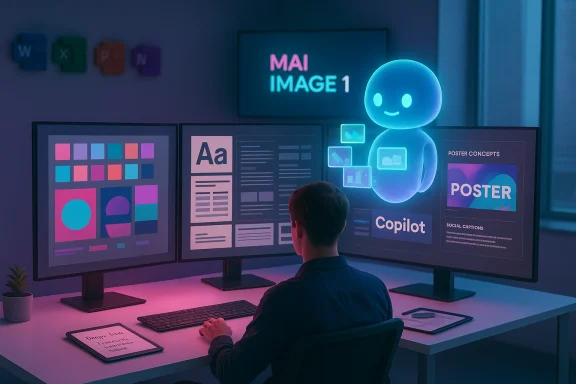
Microsoft’s latest guidance for creatives reframes Copilot from a novelty into a practical ideation partner: use it to generate mood boards, suggest visual styles, write copy for posters and social media, and propose color palettes and typography pairings — then take those outputs into design tools and refine them with human judgment. The company’s “Designing with Copilot” guidance (published December 24, 2025) pairs concrete prompt examples with a concise workflow that emphasizes iteration, human direction, and rights awareness, and it arrives alongside larger shifts in Microsoft’s creative stack, including the introduction of MAI-Image-1 (announced October 13, 2025) and tighter Designer integrations across Microsoft 365 apps. For designers, that combination promises speed and new creative directions — but it also raises important questions about provenance, licensing, and the limits of AI-driven aesthetics.
Background / Overview
Microsoft positions Copilot as an assistive AI that “helps you brainstorm, design, plan, and much more” — and for designers specifically the company recommends using Copilot to jump-start ideation (mood boards, visual directions), craft messaging that complements visuals, and structure creative briefs. The guidance lays out an iterative creative workflow: craft descriptive prompts, generate variations, and then refine outputs in traditional design apps like Photoshop and Illustrator. This is framed as AI + human rather than AI replacing craft.Behind the creative interface sits a growing portfolio of Microsoft-owned models and integrations. In mid–2025 Microsoft began rolling Designer-style suggestions into Microsoft 365 Copilot (design suggestions surfaced in PowerPoint for Copilot users in spring 2025), and in October 2025 Microsoft introduced MAI-Image-1, its first in-house text-to-image model. MAI-Image-1 debuted near the top ten on public benchmarks and has been added to Microsoft products such as Bing Image Creator and Copilot features, giving designers a built-in image model option in addition to other image providers available in the platform. These moves signal Microsoft’s push to offer end-to-end generative creative tools inside everyday productivity apps.
What Copilot brings to design workflows
Quick ideation and visual exploration
Copilot turns the blank-canvas problem into a conversation. Designers can ask for:- Mood boards for a campaign brief,
- Multiple visual directions for a brand identity,
- Color palettes tied to an emotion or season,
- Typography pairings for a headline-plus-body system.
Copy that fits the design
Copilot can generate headlines, taglines, captions, and short descriptions tuned to tone (e.g., playful, minimalist, luxury). This allows designers to test copy-and-visual combinations in situ, reducing friction between copywriting and layout decisions during early mockups.Structural support and documentation
The Copilot guidance emphasizes organization: outline a creative brief, summarize client feedback into action items, or produce a design checklist — functions that improve collaboration with clients and stakeholders and help preserve decisions made during iterative cycles.The practical prompt-to-polish workflow
Microsoft’s recommended workflow follows four clear stages; each stage maps to specific actions designers already take and shows where Copilot can augment them.- Craft an effective prompt.
- Be specific on subject, palette, style, and mood. Example from Microsoft: “Create a vibrant poster of a city skyline with tall skyscrapers in bold neon colors of pink, orange, red, green, and purple, outlined with thick graphic lines, set against a deep blue sky… pop-art style.”
- Generate and iterate.
- Request multiple interpretations, tweak adjectives, add or remove references, and re-run to refine composition and look.
- Refine with design tools.
- Export or re-create the AI output in Photoshop, Illustrator, Figma, or PowerPoint and apply typographic systems, vector cleanup, and brand tokens.
- Lead with human creativity.
- Use AI as a generative engine; make judgment calls on composition, accessibility, and narrative to finalize work.
Technical foundations: MAI-Image-1 and product integrations
Microsoft’s creative guidance is not just UI copy; it’s supported by product-level capabilities and new models. The most notable technical development is MAI-Image-1, introduced publicly in October 2025 as Microsoft’s first fully in‑house image-generation model. The company reported that MAI-Image-1 ranked in the top ten on community-driven benchmarks shortly after release and emphasized the model’s strengths in photorealism, lighting fidelity, and landscape detail. Microsoft began integrating MAI-Image-1 into Bing Image Creator and Copilot features, making it available as an option alongside other image engines.Separately, Microsoft has integrated Designer-style suggestions into Microsoft 365 Copilot and PowerPoint (a rollout for Copilot users occurred during 2025). These integrations mean designers can receive layout and template suggestions directly in PowerPoint and have Designer capabilities surfaced as “design suggestions” in Copilot experiences. Additionally, “Copilot for theme” capabilities in Microsoft Power Pages and other styling tools have reached general availability in many regions, enabling AI-assisted color theme generation inside Microsoft’s design and creation toolset.
Caution: benchmark placements, speed claims, and precise cross‑model comparisons are subject to change as models evolve and new evaluations are published. Public leaderboard positions reflect the state of play on the announcement dates and should be re‑checked before using them as a criterion for platform selection.
Real-world use cases: where Copilot makes a measurable difference
Rapid campaign concepting
Design teams can generate three or more visual directions for a campaign in the time it previously took to produce a single mood board. That accelerates stakeholder reviews and improves the odds of landing on an approved creative direction faster.Social-first content
Copilot can quickly produce platform-tailored variants: square hero images for Instagram, 16:9 visuals for YouTube thumbnails, or tall images for stories. It can also suggest punchy caption options that match the chosen visual style.Presentation and slide design
With Designer suggestions integrated into PowerPoint via Copilot, teams get automated layout recommendations, photo treatments, and style-consistent slide templates — useful when prototyping decks or preparing polished client-facing presentations.Branding exploration
By prompting for logo concepts, color systems, and typography pairings, solo designers and small studios can explore a broader set of directions without the overhead of a large design team. Copilot’s structured prompts for “three logo ideas” or “minimalist brand kit” provide quick starting points to iterate from.Best practices and ethical-legal guardrails
Microsoft’s guidance includes three practical rules that should become standard operating procedure:- Respect originality — use AI to augment creativity, not to replicate an individual artist’s distinctive style.
- Check copyright and usage rights — product-specific licensing and allowed commercial use vary; verify terms before deploying assets.
- Stay authentic — use AI to enhance, not replace, your voice and judgment.
- Model provenance and training data opacity: Most text-to-image models were trained on large scraped datasets, and the origins of specific visual elements in outputs can be unclear. Designers should treat AI outputs as inspiration, not definitive evidence of originality.
- Trademark and likeness risk: Generating imagery that includes recognizable logos, public figures, or trademarked characters can expose a project to legal risk.
- Attribution and disclosure: Some clients and industries require disclosure when AI tools contribute to creative output. Decide whether to disclose AI usage in contracts and deliverables.
Strengths — why designers should care
- Speed and quantity: Rapid exploration of multiple visual directions removes bottlenecks at the ideation stage.
- Ideation diversity: Copilot can surface style references, unexpected color combinations, and cultural cues that expand a designer’s palette.
- Accessibility and democratization: Designers with limited budgets can prototype brand concepts and campaign visuals without outsourcing or heavy tooling costs.
- Seamless integration: Embedding AI inside Microsoft 365 apps (PowerPoint, Designer, Bing Image Creator) reduces context switching and improves handoff to stakeholders who work within the Microsoft ecosystem.
Risks and limitations — practical mitigation
- Overreliance and homogenization: Relying exclusively on AI-generated aesthetics can lead to designs that feel derivative or genre‑constrained. Mitigation: always apply human refinement and consider purpose-built brand rules.
- Copyright and licensing ambiguity: Some products restrict commercial use of generated images or impose attribution requirements. Mitigation: check the product’s license, keep records of prompts and model choices, and avoid using outputs that obviously mimic a living artist’s unique style.
- Biases and representational errors: AI may reflect skewed datasets (e.g., underrepresenting certain body types or cultural styles). Mitigation: curate datasets where possible, request alternative representations explicitly in prompts, and involve diverse reviewers.
- Hallucinated content in copy or data-driven elements: Copilot can produce plausible but incorrect facts. Mitigation: verify all claims and dates the AI includes in marketing copy, especially when accuracy matters.
Prompt recipes: practical templates designers can use today
Below are structured prompts that designers can copy, adapt, and iterate. Each prompt has a basic and an advanced variant to show how small changes improve specificity and output control.- Basic mood board
- “Create a mood board for a modern fintech startup targeting Gen Z. Focus on clean shapes, blue and teal tones, and high-contrast photography.”
- Advanced mood board
- “Generate a mood board for a fintech app targeting Gen Z: minimal UI elements, neon-teal and navy palette, candid lifestyle photography, geometric iconography, and microanimations. Include 6 thumbnail images, 3 headline font pairings (with suggested sizes), and a sample tagline in a playful tone.”
- Poster / hero image
- “Produce a vibrant poster of a city skyline with tall skyscrapers in bold neon colors (pink, orange, red, green, purple), thick graphic outlines, deep blue sky, oversized green leaves in foreground, pop-art, playful modernist aesthetic.”
- Logo ideation
- “Generate three minimalist logo concepts for a sustainable coffee brand. Use earthy tones, hand-drawn leaf motifs, and a simple wordmark. Provide short rationales for each concept and suggested color hex codes.”
- Typography pairing
- “Suggest three typography pairings for a high-end tech product launch: headline serif for authority, sans-serif for body copy, and a monospace for code snippets. Include recommended font sizes and line-heights for web hero (1200×600 px).”
- Color system
- “Create a 5-color system for a summer travel campaign: primary, secondary, accent, background, and neutral. Provide hex codes and suggested usage (CTA, body, background).”
- Social ad copy + image combination
- “Write three short Instagram captions for a retro sneaker campaign, aligned with a neon-80s visual style. Then generate three image concepts that pair with each caption (describe composition, palette, and photography vs. illustration).”
- Name artists, styles, or specific eras when you want their flavor, but avoid requesting a living artist’s exact style if you intend to use the image commercially without explicit licensing.
- Specify aspect ratio, resolution, and use case (e.g., “Instagram story 1080×1920 (4:5)”) to get assets closer to final formats.
- Request multiple variations in the same run (e.g., “Produce 4 variations with different color schemes”).
From AI output to production-ready assets
- Export and cleanup:
- Convert raster outputs into layered working files where possible. Use AI output as a background or compositional layer, then recreate elements as vectors for scalability.
- Typography and accessibility:
- Test contrast ratios and scalable fonts. AI can suggest fonts, but designers must ensure legibility and WCAG contrast compliance.
- Versioning and provenance:
- Save prompts, model used, and timestamped exports to maintain a record of creative origins for future audits.
- Handoff:
- Deliver design tokens (HEX colors, font stacks, spacing units) alongside mockups, and include a short note if AI contributed to the initial concept.
Organizational adoption: how teams should operationalize Copilot
- Create an AI usage policy:
- Define permitted and forbidden uses, attribution rules, and IP ownership of AI-generated content.
- Build a style guardrail:
- Maintain brand libraries outside of AI tools so Copilot suggestions are checked against company identity systems.
- Train teams on prompts:
- Run workshops where designers and copywriters practice prompt engineering and iteration cycles.
- Audit outputs:
- Periodically review AI-generated work for bias, compliance, and brand fit.
Future outlook: what this means for design practice
Microsoft’s strategy to integrate Designer features and proprietary models like MAI-Image-1 into Copilot signals a push toward a more tightly coupled creative productivity platform. Designers should expect:- Faster ideation loops embedded directly in productivity apps (slides, document editors, and chat).
- More product-driven choices about which image model to use (built-in Microsoft models vs. third-party engines).
- Continuous model updates and capability changes — product features and model behaviors will evolve, requiring ongoing testing and policy adjustments.
Final assessment and recommended next steps
Microsoft’s “Designing with Copilot” guidance is a pragmatic primer: it explains how to use AI to ideate, iterate, and produce creative work while emphasizing human oversight. The combination of Copilot prompts, Designer integrations in Microsoft 365, and the arrival of MAI-Image-1 gives designers more choices for generating visuals directly within everyday apps. That increases throughput and lowers the barrier to entry for creative experimentation.Actionable next steps for design teams:
- Experiment: run internal pilots using Copilot for mood boards, poster concepts, and slide layouts.
- Document: record prompts, model choices, and usage contexts for traceability.
- Verify: confirm licensing terms and check for any commercial-use restrictions before publishing generated assets.
- Educate: teach prompt engineering and legal guardrails across creative and legal teams.
- Iterate: combine AI outputs with human refinement and robust accessibility reviews to produce polished final work.
AI is now a practical design partner rather than a distant promise. Used knowingly — with clear policies, thoughtful prompts, and careful human editing — Copilot can turbocharge ideation and reduce friction. The discipline for designers will be to use it as a creative multiplier, not a substitute, and to keep responsibility and craft at the center of every final deliverable.
Source: Microsoft AI Prompts: Designing with Copilot | Microsoft Copilot
