

New data from Similarweb — summarized and amplified by OfficeChai — makes one thing clear: generative AI remains a desktop-first phenomenon. Across the leading conversational and retrieval-based models, the majority of traffic originates from desktop and laptop devices, not smartphones. That pattern holds for both research‑oriented tools and many of the consumer-facing assistants, even as mobile apps and integrations steadily improve.
The generative AI market has matured fast: a handful of dominant web properties and apps now handle billions of visits each month, and third‑party analytics platforms like Similarweb are tracking not only overall traffic but the device mix behind it. The device distribution question — desktop vs mobile — matters because it affects UI design, product priorities, pricing and enterprise adoption strategies. Similarweb’s August analysis gives a snapshot of how people actually reach these models: via full browsers on desktops, web apps, or native mobile apps.
Businesses and product teams should treat the desktop advantage as a strategic asset to be optimized for, while investing deliberately in mobile experiences that complement and extend desktop workflows. Continuous measurement, regionally sensitive strategies, and device‑aware design will be the most reliable ways to capture the next phase of user adoption as generative AI moves from the workspace to the pocket.
Source: officechai.com The Split Between Desktop And Mobile Traffic For Top AI Models
 Background
The generative AI market has matured fast: a handful of dominant web properties and apps now handle billions of visits each month, and third‑party analytics platforms like Similarweb are tracking not only overall traffic but the device mix behind it. The device distribution question — desktop vs mobile — matters because it affects UI design, product priorities, pricing and enterprise adoption strategies. Similarweb’s August analysis gives a snapshot of how people actually reach these models: via full browsers on desktops, web apps, or native mobile apps. What the headline numbers say
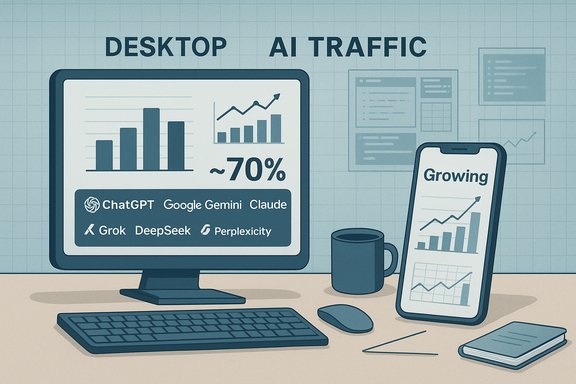
- Similarweb’s market analysis shows desktop traffic accounts for roughly seven out of ten visits to the top AI platforms in the period analyzed, with mobile contributing the remainder. That desktop share is consistent across multiple tools and has been remarkably stable in recent months.
- OfficeChai reports a set of per‑platform percentages derived from Similarweb data that emphasize the desktop lean: Claude at 88.9% desktop, Grok/DeepSeek/Perplexity around ~83% desktop, ChatGPT and Gemini near 70% desktop, Microsoft Copilot ~69%, and Meta AI at a relatively more balanced 74.3% desktop / 25.7% mobile. Those platform‑level numbers underline the size of the gap between AI usage and broader mobile web traffic.
Data, methodology and verification
Understanding what “desktop‑first” means depends on how traffic is measured. There are three important nuances that shape every public breakdown:- Website visits vs native app usage. Some analytics count only visits to a website (desktop + mobile browser), while app intelligence captures installs and MAUs from iOS/Android apps. Combining both without care can overstate or understate mobile usage.
- Global vs regional samples. Device shares vary by country: desktop is stronger in markets with heavy professional usage and less mobile‑first consumption; mobile dominates in regions where phones are primary computing devices. Aggregated global percentages obscure these local differences.
- Time window and product releases. New mobile apps, app updates, or enterprise integrations (for example, Copilot in Microsoft 365 or Gemini tie‑ins with Google Workspace) change behavior quickly. Monthly snapshots capture a moment in time — trends matter more than any single percentage.
Why desktop still dominates generative AI traffic
Several overlapping, evidence‑backed reasons explain the desktop bias for generative AI:1. Professional and academic workflows favor larger screens
Generative AI is heavily used for tasks that are work‑centric — report drafting, technical research, code generation and review, spreadsheet analysis, and document summarization. These tasks often require a keyboard, multiple windows and large canvases for editing and comparison, which makes desktops the natural environment. Microsoft Copilot’s deep integration with Microsoft 365 exemplifies this: when the assistant is embedded in desktop office suites, usage skews to desktop by design. Similarweb calls out this productivity‑oriented use pattern as a primary driver of desktop share.2. Task complexity and ergonomics
Coding, data analysis and long‑form writing are harder on small screens. Desktops afford:- Full‑size keyboards for rapid text input.
- Multiple panes and tabs for research and iteration.
- Easier file uploads, drag‑and‑drop and clipboard workflows.
3. Interface availability and maturity
Not all generative AI platforms have mature native mobile apps. While OpenAI’s ChatGPT and Google’s Gemini have invested in polished mobile apps, several research and enterprise‑oriented services remain web‑first or desktop‑oriented. Where mobile apps exist, users often reserve them for short interactions and use the desktop interface for longer sessions. Industry commentary and traffic breakdowns from Similarweb reflect this split.4. Enterprise deployment, security and compliance
Corporate IT teams tend to lock down mobile usage for sensitive workflows or favor managed desktop environments that comply with security controls. Enterprise integrations — such as Copilot for Microsoft 365 or Anthropic Claude embedded in workplace tooling — will therefore produce a higher desktop footprint. Analysts highlight enterprise adoption as a structural reason for desktop dominance.The platform picture: a closer look at individual models
The overall pattern — desktop > mobile — is consistent across most major players. The relative positions are useful to parse product strategies and audience types.- ChatGPT: A consumer‑friendly assistant with a strong desktop presence (roughly two‑thirds of visits from desktop in Similarweb’s snapshot) but with significant mobile traction from the official app. ChatGPT’s mix shows how a consumer product can still be desktop‑heavy if long‑session use cases are common.
- Google Gemini: Similarweb shows Gemini with a desktop majority as well, though Google’s broad mobile ecosystem and Workspace integrations make it a natural target for mobile growth. Recent spikes in Gemini traffic reported by independent outlets underline how ecosystem distribution (search, Android, YouTube) can rapidly affect traffic composition.
- Claude, Perplexity, DeepSeek, Grok: These tools skew more strongly toward desktop, consistent with their use in research, enterprise or developer workflows. OfficeChai’s per‑tool numbers emphasize this point — for example, Claude’s high desktop share — though exact percentages vary by data slice and should be treated as directional.
- Microsoft Copilot and Meta AI: Copilot’s integration with desktop productivity software helps keep its desktop share high. Meta’s AI shows a slightly more balanced distribution thanks to its social platforms and mobile‑first user behavior.
Mobile is gaining — but unevenly
Although desktop is dominant overall, mobile has clear areas of growth:- Casual conversational use: People increasingly use mobile AI for quick answers, brainstorming, and creative prompts. Short, single‑turn sessions map well to phones. Industry reports note that roughly one in four ChatGPT or Meta AI sessions now originates on mobile in recent snapshots.
- Image generation and social sharing: Mobile is ideal for camera‑first workflows — snapping a photo and generating variations, editing images, or generating memes for social platforms. Those use cases drive a higher mobile share for models with image tools exposed in mobile apps.
- Integration with social and messaging: Meta’s AI benefits from being embedded across WhatsApp, Instagram and Facebook, where interactions are inherently mobile and spontaneous. Google’s ecosystem similarly positions Gemini to capture mobile moments via Search, Android, and Recorder integrations.
Implications for product teams and enterprises
The desktop bias in generative AI traffic has concrete consequences for product managers, UX designers, and IT decision‑makers:- Prioritize rich desktop workflows where value per session is highest. For tools used in coding, finance, legal or research, invest in multi‑pane editors, keyboard shortcuts, and integrations with desktop productivity apps.
- Treat mobile as the quick‑action layer. Mobile should be optimized for ephemeral tasks: query, fetch, edit small snippets, and share. Offer frictionless cross‑device continuity (session sync, history, cloud documents) so users can start on mobile and finish on desktop.
- Enterprise rollout: Secure, desktop‑native integrations remain vital for corporate use cases. Work with IT to support SSO, data governance, and audit trails that align with desktop platform management.
- Metrics and feature flags: Track session length and task type by device. Implement device‑targeted experiments: if feature X boosts long‑form drafting, test on desktop first; if feature Y is a conversational shortcut, prioritize mobile rollout.
- Map your user tasks to device affordances.
- Optimize core flows for desktop where sessions are long.
- Deliver fast, bite‑sized mobile experiences for on‑the‑go use.
- Ensure seamless sync so work can move from phone to PC without friction.
Risks, limitations and open questions
The desktop dominance story is robust, but the data and its interpretation contain several risks and limitations that should temper decision‑making:- Sampling and measurement bias. Web‑intelligence platforms use panels, ISP partners and app store scrapes; those methodologies can undercount or overcount specific device classes in certain countries. Analysts caution that per‑model decimals should not be mistaken for exact truths.
- Rapid change and product updates. A major app launch or an operating‑system level integration can change device distribution within weeks. Planning based on a single monthly snapshot is risky; continuous monitoring is required.
- Privacy and data governance. Desktop‑heavy usage often corresponds with enterprise contexts where data sensitivity is high. That increases regulatory and contractual obligations for vendors — and the potential reputational and legal costs of a misstep.
- Digital divide and global variation. The global average masks dramatic regional differences. In mobile‑first economies, phones dominate; in desktops‑oriented professional markets, PCs lead. Product teams must localize device strategies accordingly.
Strategic recommendations — design and product priorities
For product leaders building or integrating generative AI capabilities, the desktop‑first reality suggests a two‑track approach:- For productivity and developer tools:
- Design for full keyboard + multi‑window sessions.
- Build deep integrations with desktop productivity suites (document editors, IDEs, spreadsheets).
- Prioritize features that reduce context switching — e.g., inline citations, code previews, and exportable docs.
- For consumer and social experiences:
- Optimize the mobile experience for speed and immediacy.
- Embed camera and social sharing flows (image generation, short video prompts).
- Use lightweight models on device for offline or low‑latency tasks when privacy matters.
- Cross‑cutting:
- Implement session continuity: every mobile session should sync to the cloud so users can pick up on a desktop.
- Measure and optimize for task‑completion by device rather than raw visit counts.
- Protect enterprise data via device‑aware policies (e.g., block certain exports when on unmanaged mobile networks).
The future: will AI migrate to the pocket?
The headline question is whether the desktop advantage is structural or transitional. The answer is mixed:- Structural elements — complex tasks, keyboard dependency, enterprise controls — suggest a durable desktop core for productivity‑heavy use cases. Many knowledge workers will continue to prefer desktops for concentrated work.
- Transitional forces — better mobile UIs, faster networks, on‑device models and deeper platform integrations (Google on Android, Apple on iOS ecosystems, and Meta on social channels) — make mobile a powerful vector for growth in casual, creative and conversational scenarios. As mobile UIs get smarter about multi‑step tasks (for example, persistent drafts, mobile IDEs, or document editors designed for phones), the balance will shift for certain types of work.
Conclusion
Generative AI’s current footprint — with roughly 70% of traffic coming from desktop on many top platforms — underlines a fundamental truth for product teams and enterprises: AI is still very much a desktop‑centered productivity phenomenon. That reality is driven by task complexity, enterprise integrations and the ergonomics of long sessions. At the same time, mobile usage is meaningful and growing, especially for conversational, creative and camera‑driven flows.Businesses and product teams should treat the desktop advantage as a strategic asset to be optimized for, while investing deliberately in mobile experiences that complement and extend desktop workflows. Continuous measurement, regionally sensitive strategies, and device‑aware design will be the most reliable ways to capture the next phase of user adoption as generative AI moves from the workspace to the pocket.
Source: officechai.com The Split Between Desktop And Mobile Traffic For Top AI Models
