

Ten years after it first shipped with Windows 10, DirectX 12 has quietly transformed from a single-name API into a sprawling toolkit that now defines modern Windows graphics development — but it has not become the universal answer to every rendering problem.
DirectX 12 debuted as part of Microsoft's Windows 10 launch and marked a major shift from the driver-centric model of previous Direct3D releases to a low-overhead, developer-controlled model. The move was announced at GDC in March 2014 and rolled out commercially with Windows 10 on July 29, 2015. Its core promise was straightforward: give engine and renderer developers much closer-to-the-metal control over GPU work submission, synchronization, and memory management so they could wring out higher frame rates and lower CPU overhead on multi-core systems.
Over the past decade Microsoft has not left DirectX 12 static. Instead of releasing a full-numbered successor, the company has extended and evolved Direct3D through a steady stream of targeted feature additions, SDK updates, and new component APIs that slot into the DirectX 12 ecosystem. That incremental approach — add compute-first features, grow the tooling, and push new GPU capabilities via the Agility SDK and OS updates — has produced a platform that is far more feature-complete in 2025 than the “DirectX 12” label alone suggests.
DXR’s arrival catalyzed new real-time effects — reflections, realistic shadows, and global illumination approximations — and accelerated hardware vendors to add ray-tracing accelerators to consumer GPUs. Despite the attractiveness of photorealistic results, DXR also highlighted trade-offs: ray tracing is computationally expensive and requires careful hybridization with rasterization and denoising strategies to be practical in games.
Auto HDR is a system-level capability on Windows that attempts to convert compatible SDR titles to HDR automatically, augmenting color and brightness for capable displays. While visually appealing in some cases, Auto HDR is an image-space enhancement rather than a superset of rendering techniques, and its practical benefits depend heavily on display hardware and implementation serendipity.
There are pragmatic reasons for this. Modern rendering evolution is more about adding compute-first features (work graphs, SER, cooperative vectors) and improving shader models than delivering a blockbuster, incompatible new API. The “API of Theseus” analogy fits: much of what people think of as DirectX 12 today is a very different beast than 2015’s launch version, because the company prefers to evolve the platform piecewise.
So, rather than a formal DirectX 13, expect Microsoft to continue extending Direct3D, the Agility SDK, and the DXR spec over time. That lets vendors and developers iterate in lockstep and permits backward-compatibility for codebases that can’t be refactored every few years.
For players, the decade has delivered richer visuals and smoother experiences in pockets — but the pace of adoption varies. Expect Direct3D 12 to keep stretching forward, feature by feature, rather than reappearing under a new number. The API may yet celebrate another decade, but it will look different in 2035 than it did in 2015 — and that incremental reinvention is precisely why a new “DirectX 13” isn’t the obvious next step.
Source: PC Gamer DirectX 12 is now 10 years old but even with all its updates, it's still not the API to rule them all
 Background
DirectX 12 debuted as part of Microsoft's Windows 10 launch and marked a major shift from the driver-centric model of previous Direct3D releases to a low-overhead, developer-controlled model. The move was announced at GDC in March 2014 and rolled out commercially with Windows 10 on July 29, 2015. Its core promise was straightforward: give engine and renderer developers much closer-to-the-metal control over GPU work submission, synchronization, and memory management so they could wring out higher frame rates and lower CPU overhead on multi-core systems.Over the past decade Microsoft has not left DirectX 12 static. Instead of releasing a full-numbered successor, the company has extended and evolved Direct3D through a steady stream of targeted feature additions, SDK updates, and new component APIs that slot into the DirectX 12 ecosystem. That incremental approach — add compute-first features, grow the tooling, and push new GPU capabilities via the Agility SDK and OS updates — has produced a platform that is far more feature-complete in 2025 than the “DirectX 12” label alone suggests.
Overview: Why Direct3D 12 mattered then — and still matters
Direct3D 12 changed the development calculus for PC games in a few, enduring ways:- Low-overhead multi-threading: By handing command-list recording and submission control to the application, Direct3D 12 dramatically reduced driver CPU overhead and allowed developers to parallelize work more effectively across many CPU cores.
- Explicit resource management: Developers gained finer control over memory residency, heap layouts, and copy scheduling — useful for maximum-performance engines and streaming-heavy open worlds.
- A platform for future features: The API design made it straightforward for Microsoft to layer new, specialized capabilities such as raytracing, sampler feedback, and work-graph style GPU autonomy on top of the same runtime.
How DirectX 12 evolved: a decade of additions
DirectX 12’s decade-long road map is best understood as an accretion of function-specific APIs and shader/language improvements that reflect where real-time rendering research has moved: toward compute-driven pipelines, hybrid raster/compute techniques, and machine-assisted rendering workflows.DirectX Raytracing (DXR) — bringing ray tracing to real time
Ray tracing arrived as a first-class DirectX 12 feature in the Windows 10 October 2018 update with the introduction of DXR. Instead of inventing an entirely separate GPU engine, DXR treated ray tracing as a compute-style workload that could coexist with rasterization. That architectural decision made DXR practical for a wide class of engines and hardware.DXR’s arrival catalyzed new real-time effects — reflections, realistic shadows, and global illumination approximations — and accelerated hardware vendors to add ray-tracing accelerators to consumer GPUs. Despite the attractiveness of photorealistic results, DXR also highlighted trade-offs: ray tracing is computationally expensive and requires careful hybridization with rasterization and denoising strategies to be practical in games.
DirectX 12 Ultimate — a common feature set across PC and console
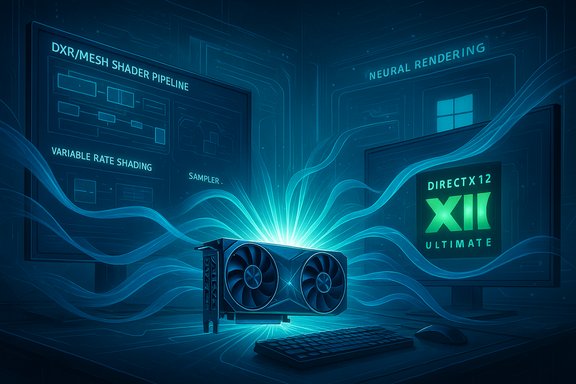
Rather than issuing a new major version name, Microsoft packaged several high-impact features under the “DirectX 12 Ultimate” banner in 2020 to guarantee a baseline of capabilities across PC GPUs and the Xbox Series hardware. The quartet of headline features — updated DXR (1.1), mesh shaders, variable rate shading (VRS), and sampler feedback — pushed a healthier parity between console and PC development while opening new engine-level optimizations.- Mesh shaders rework the geometry stage and enable flexible on-GPU culling and amplification.
- VRS allows adaptive shading density, focusing power where visual benefit is highest.
- Sampler feedback enables smarter streaming and texture-space shading workflows by telling the renderer which texels are actually being sampled.
DirectStorage and Auto HDR — IO and HDR improvements for modern PCs
Two non-graphics but game-impacting additions came in the early 2020s: DirectStorage and Auto HDR. DirectStorage, adapted from Xbox Velocity Architecture, gives game engines a path to submit large batches of IO with minimal CPU overhead and to exploit GPU decompression strategies. It’s designed to reduce load times and enable richer streaming in open-world games.Auto HDR is a system-level capability on Windows that attempts to convert compatible SDR titles to HDR automatically, augmenting color and brightness for capable displays. While visually appealing in some cases, Auto HDR is an image-space enhancement rather than a superset of rendering techniques, and its practical benefits depend heavily on display hardware and implementation serendipity.
Work Graphs, Opacity Micromaps, SER, and Cooperative Vectors — compute-first era
From 2023 onward Microsoft’s Direct3D additions shifted emphatically toward compute-driven autonomy and raytracing efficiency:- Work Graphs (2024) introduce GPU-side scheduling primitives that let the GPU spawn and manage complex, dynamic chains of compute work without the CPU issuing every dispatch. This is particularly relevant to Nanite-style, GPU-driven pipelines where the CPU would otherwise be a bottleneck.
- Opacity Micromaps (OMM) optimize raytracing for alpha-tested, “cutout” geometry by encoding fine-grained opacity information in compact, hardware-friendly structures — reducing wasted shading on invisible fragments.
- Shader Execution Reordering (SER, 2025) gives applications the ability to hint or request runtime reordering of shading work to improve coherence — especially useful for divergent, raytraced workloads.
- Cooperative Vectors (2025) are designed to let graphics shaders take advantage of specialized hardware acceleration for vector-math patterns common in machine-learning inference, opening the door to neural rendering and hybrid AI-driven shading techniques.
Strengths: what DirectX 12 does exceptionally well
DirectX 12’s decade of upgrades gives it several compelling strengths that keep it central to Windows graphics development:- Breadth of functionality: The API now covers rasterization, compute, raytracing, texture streaming heuristics, and GPU-driven scheduling — all under one familiar programming model.
- Close hardware collaboration: Microsoft’s Agility SDK and coordinated introductions (often shown at GDC) let GPU vendors and engine teams converge on features like DXR 1.2, OMM, and SER such that day-one tooling and drivers can support them.
- Incremental evolution, not reinvention: Instead of forcing a “big bang” version change, Microsoft layers new capabilities into the same Direct3D base. That reduces churn for large codebases while enabling modern features.
- Strong tooling: PIX and the developer toolchain have continued to improve with API access, visualizers, and capture workflows that are essential when hunting GPU-bound bugs or tuning raytraced effects.
- Platform alignment with consoles: The DirectX 12 Ultimate feature set helped narrow differences between Xbox Series consoles and high-end PCs, simplifying cross-platform engine work.
Risks and real costs: complexity, fragmentation, and adoption gaps
But the strengths come at a real cost. Several risks and friction points remain active concerns for developers and players.1) Complexity and engineering overhead
The more control Direct3D gives, the more responsibility lands on engine teams. Implementing mesh shaders, work graphs, or SER is non-trivial: teams must design new shader stages, author complex HLSL logic, and validate correctness across diverse hardware. For smaller studios, that complexity can outweigh the performance benefits.2) Fragmented adoption and optional features
Hardware and driver implementations do not always support every new feature at once. Many Direct3D enhancements begin as preview features in the Agility SDK, with vendor-specific drivers required for acceleration. That means developers must either ship multiple code paths or accept that some players won’t get the same visual or performance benefits.3) Tooling and validation lag
Advanced features require mature tooling and documentation before they are widely usable. While Microsoft and hardware vendors have made rapid progress with PIX, sample code, and Agility SDK releases, adoption still depends on the pace at which engine teams update pipelines and test suites.4) Competition from cross-platform APIs
Vulkan (and in some niches Metal) remains an attractive, low-level, cross-platform alternative. For studios targeting Windows, consoles, and Linux, Vulkan’s cross-platform nature and the portability of SPIR‑V can outweigh the convenience of Direct3D’s feature set. In practice, many games continue to ship on DirectX 11 (or Vulkan) because those APIs hit a better balance of developer effort vs. visual payoff.5) Feature bloat vs. “master API” expectations
With so many targeted sub-APIs and feature flags (DXR tiers, Shader Model versions, Agility SDK releases), it can feel like Direct3D is becoming a complex suite rather than a single clean interface. That complexity is necessary to express modern rendering ideas, but it challenges the notion that any one API can be the “API to rule them all.” Direct3D 12 is powerful, but it is not always the simplest or most appropriate choice for every project.Where developer dollars are actually spent: case studies and realities
The theory that “more advanced API equals better visuals” doesn’t always hold in practice. There are illustrative examples across the industry:- Some high‑profile titles with cutting‑edge visuals still ship and run excellently on older APIs. For example, a number of major RPG and strategy titles continue to rely on DirectX 11 or Vulkan and do not necessarily look or perform better when reworked for Direct3D 12.
- Conversely, games ported from consoles that mirror Xbox Series X hardware characteristics often adopt DirectX 12 Ultimate features more aggressively. Raytracing, sampler feedback, and mesh shaders are attractive when consoles provide identical feature sets and you can amortize development cost across platforms.
The DirectX 13 question: will there be a successor?
Ten years on, the obvious question is whether Microsoft plans a DirectX 13. The public answer from Microsoft engineering leadership has been deliberately noncommittal: the company reiterates continued evolution of DirectX while having “nothing to share” about a new version.There are pragmatic reasons for this. Modern rendering evolution is more about adding compute-first features (work graphs, SER, cooperative vectors) and improving shader models than delivering a blockbuster, incompatible new API. The “API of Theseus” analogy fits: much of what people think of as DirectX 12 today is a very different beast than 2015’s launch version, because the company prefers to evolve the platform piecewise.
So, rather than a formal DirectX 13, expect Microsoft to continue extending Direct3D, the Agility SDK, and the DXR spec over time. That lets vendors and developers iterate in lockstep and permits backward-compatibility for codebases that can’t be refactored every few years.
Practical advice for developers and studios
Given where DirectX 12 stands in 2025, here are pragmatic guidelines for teams deciding whether — and how — to adopt its modern features.- Prioritize based on platform targets:
- If you target Xbox Series and Windows, DirectX 12 Ultimate features will likely be the most cost-effective route.
- If multi‑OS portability (Windows + Linux + Steam Deck/Proton) is a requirement, evaluate Vulkan as a first-class option.
- Incrementally adopt new features:
- Start with lower-risk gains such as sampler feedback and VRS for runtime savings.
- Reserve heavy refactors (work graphs, mesh-shader-first pipelines) for later stages after validating driver support and tooling.
- Invest in robust testing and fallback paths:
- Feature queries and capability checks are essential. Design engines to detect missing shader models or raytracing tiers and fall back gracefully.
- Leverage vendor previews carefully:
- Agility SDK preview bits and driver previews are powerful for prototyping but should not be considered ship-ready without vendor support.
- Match the feature to the art direction:
- Ray tracing, neural rendering, and other compute-driven techniques are expensive. Use them where they add meaningful artistic value, not as a checkbox.
What gamers should understand
For PC gamers the evolution of DirectX 12 has both visible and invisible consequences:- Visible: you’ll see raytraced reflections, better global illumination, and color improvements via Auto HDR where developers choose to implement them.
- Invisible: many performance improvements come from behind-the-scenes changes — better texture streaming (sampler feedback), lower CPU overhead on multi-core systems (Direct3D 12 command lists, Work Graphs), and faster game installation/load experiences (DirectStorage).
- Caveat: feature presence doesn’t equal ubiquity. Not all titles will use DirectStorage, DXR, or the newest D3D features; adoption varies by studio priorities, engine, and target platforms.
Cross-checks and unverifiable claims
A few common assertions around DirectX 12 deserve cautious treatment:- Claim: “DirectStorage radically reduces all load times.” Reality: DirectStorage reduces CPU overhead on IO and enables better streaming patterns, but the end-user benefit depends on storage hardware (NVMe vs SATA), engine IO design, and whether the game actually implements DS effectively. Adoption among shipped titles remains limited and uneven; some ports and new releases have embraced it, but it is not yet a universal standard across PC games.
- Claim: “All GPUs support the latest Direct3D features.” Reality: hardware support is staggered. Many features debut in preview and require driver updates; older GPUs may not accelerate new features even if they expose a compatibility layer. Developers must still provide fallback code paths.
- Claim: “DirectX 12 is always the best choice.” Reality: The best API depends on your constraints. For cross-platform ambitions or low-variance projects, older but simpler APIs may still be more pragmatic.
The next ten years: likely directions
If the last decade is any guide, the next ten years of DirectX evolution will be about enabling flexible, hybrid rendering models that mix rasterization, raytracing, compute, and neural methods. Expect:- Continued refinement of DXR (more efficient traversal primitives, better denoising toolchains).
- Further compute-first constructs that reduce CPU‑to‑GPU synchronization costs and enable GPU-driven pipelines for culling, LOD, and material evaluation.
- Increasing integration of machine-learning primitives into shaders and render pipelines (neural denoisers, learned upscalers, neural lighting).
- A longer tail of feature previewing and phased vendor support via the Agility SDK so that engine teams can prototype early and ship later when drivers stabilize.
Conclusion
DirectX 12 at ten years old is not a static relic; it is an evolving, modular suite that now exposes one of the most comprehensive sets of graphics and GPU tools available to game developers. That evolution has delivered concrete benefits — from ray tracing to smarter texture streaming and faster IO — while also creating a more complex engineering landscape. For studios, the choice is pragmatic: pick the features that move your game forward, invest in fallbacks, and treat the DirectX 12 ecosystem as a toolbox rather than a monolithic silver bullet.For players, the decade has delivered richer visuals and smoother experiences in pockets — but the pace of adoption varies. Expect Direct3D 12 to keep stretching forward, feature by feature, rather than reappearing under a new number. The API may yet celebrate another decade, but it will look different in 2035 than it did in 2015 — and that incremental reinvention is precisely why a new “DirectX 13” isn’t the obvious next step.
Source: PC Gamer DirectX 12 is now 10 years old but even with all its updates, it's still not the API to rule them all
