

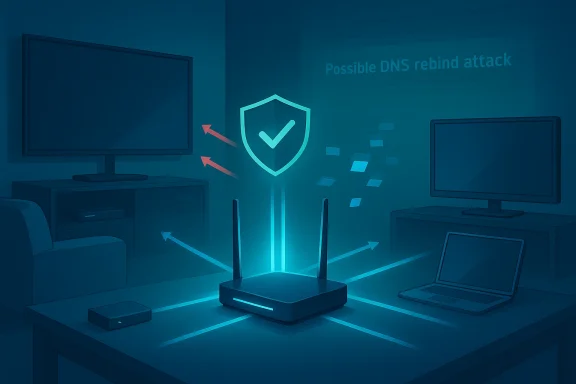
The problem turned out to be embarrassingly domestic: noisy, streaming smart‑TVs behaving like overenthusiastic network clients were triggering a series of router log entries — flagged as “Possible DNS rebind attack” — and causing intermittent Wi‑Fi dropouts across an otherwise healthy home network. What started as a mystery of momentary blackouts and router reboots became a lesson in why modern homes need the same defensive thinking as corporate networks: the call can indeed be coming from inside the network.
In recent months, attacks that abuse DNS — whether large‑scale infrastructure hijacks, amplification DDoS, or the more subtle client‑side DNS rebinding technique — have moved from esoteric security research into mainstream exposure because of two converging trends: the explosive growth of Internet‑connected devices in the home, and the lack of hardened network software on many consumer devices. The result is a fragile mix where noisy or poorly designed IoT clients can amplify or expose weaknesses that look, in router logs, like an external attack. High‑profile coverage and advisories have highlighted both IoT‑driven DDoS (Mirai and its derivatives) and DNS‑targeting campaigns that can hijack or redirect traffic — warnings that apply equally to the home as to larger networks. tncident, explains the technical mechanics behind the terms you’ll see in routers and logs (especially DNS rebinding), and then lays out a practical, prioritized plan for diagnosing and defending a home network when the symptoms are intermittent dropouts and suspicious log messages. Wherever possible, I cross‑check common recommendations with public advisories and security research so the guidance is grounded in verifiable practice.
Rather than assume an immediate external breach, the homeowner followed the log trail. Verizon’s router blocked the anomalous behavior, preventing actual compromise, but the timing of the log entries matched the network dropouts. After a tepid response from tech support, the homeowner turned to an AI assistant that parsed the logs and highlighted a repeated domain name used by streaming/recommendation services. Because several smart TVs — and three large smart monitors used in a TV‑production studio — were active on the same SSID, the assistant suggested network segmentation: move the TVs to the router’s guest SSID.
Once the TVs (including the studio monitors that were smart‑enabled) were shifted to the guest network, the dropouts stopped. The routers could still absorb the stream‑related noise on the guest SSID without affecting the primary SSID used for laptops, tablets, and production gear. The problem was not malicious code successfully penetrating the LAN; instead, well‑behaved but chatty clients were creating conditions that the router saw as suspicious. That distinction matters: the network was not breached, but it was being destabilized by internal clients behaving in a way that triggered defensive heuristics.
Why does this matter for a home network? Because many consumer devices — smart speakers, streaming sticks, TVs, media players, printers — expose simple HTTP or UPnP endpoints for discovery and control. If a malicious page can trick a browser on your laptop or phone into contacting those endpoints as if the endpoints are the same origin, then sensitive on‑LAN services can be probed or abused. That’s what the 2018 research into streaming devices showed: DNS rebinding can give an attacker a path from a web page into local device control if those devices present unprotected APIs.
Important operational note: DNS rebinding is distinct from DNS hijacking or infrastructure manipulation (where DNS records are altered at registrars or resolvers). Rebinding uses rapid, controlled DNS responses to pivot a client’s view of the network; hijacking changes the authoritative mapping of domains at a higher level. Both are dangerous, but they operate on different layers. Adviybersecurity centers focus on the larger scope (infrastructure hijacks) while researchers and vendors have written about rebinding as a client‑side threat.
A few dynamics make streaming devices particularly noisy:
Key defensive mechanisms include:
Specifically:
For help reproducing this troubleshooting sequence on your own network, start with the inventory and segmentation steps above; they are low‑risk, reversible, and often fix the problem the fastest. If you uncover signs of real reconnaissance or data leakage, preserve the evidence and involve your ISP or a local security professional.
Security is often a series of small steps that add up. Segmentation is one of the highest‑value steps a homeowner can take today — and in the case above, it turned a baffling set of dropouts into a solved problem without disabling any protective features or replacing equipment. That’s the kind of win every home network deserves.
Source: Jewish Community Voice The call is coming from inside the network - Jewish Community Voice
 Background / Overview
In recent months, attacks that abuse DNS — whether large‑scale infrastructure hijacks, amplification DDoS, or the more subtle client‑side DNS rebinding technique — have moved from esoteric security research into mainstream exposure because of two converging trends: the explosive growth of Internet‑connected devices in the home, and the lack of hardened network software on many consumer devices. The result is a fragile mix where noisy or poorly designed IoT clients can amplify or expose weaknesses that look, in router logs, like an external attack. High‑profile coverage and advisories have highlighted both IoT‑driven DDoS (Mirai and its derivatives) and DNS‑targeting campaigns that can hijack or redirect traffic — warnings that apply equally to the home as to larger networks. tncident, explains the technical mechanics behind the terms you’ll see in routers and logs (especially DNS rebinding), and then lays out a practical, prioritized plan for diagnosing and defending a home network when the symptoms are intermittent dropouts and suspicious log messages. Wherever possible, I cross‑check common recommendations with public advisories and security research so the guidance is grounded in verifiable practice.The incident: intermittent Wi‑Fi outages, router logs, and a clever fix
A household began seeing their Fios‑supplied Wi‑Fi drop for a few minutes several times each day. Sometimes devices recovered on their own; other times the only fix was a full power cycle of the ISP terminal. Standard ISP troubleshooting — firmware checks, troubleshooting apps, and tech‑support calls — produced little. The turning point came when the homeowner examined the router’s security logs and found repeated entries marked “Possible DNS rebind attack.”Rather than assume an immediate external breach, the homeowner followed the log trail. Verizon’s router blocked the anomalous behavior, preventing actual compromise, but the timing of the log entries matched the network dropouts. After a tepid response from tech support, the homeowner turned to an AI assistant that parsed the logs and highlighted a repeated domain name used by streaming/recommendation services. Because several smart TVs — and three large smart monitors used in a TV‑production studio — were active on the same SSID, the assistant suggested network segmentation: move the TVs to the router’s guest SSID.
Once the TVs (including the studio monitors that were smart‑enabled) were shifted to the guest network, the dropouts stopped. The routers could still absorb the stream‑related noise on the guest SSID without affecting the primary SSID used for laptops, tablets, and production gear. The problem was not malicious code successfully penetrating the LAN; instead, well‑behaved but chatty clients were creating conditions that the router saw as suspicious. That distinction matters: the network was not breached, but it was being destabilized by internal clients behaving in a way that triggered defensive heuristics.
What is DNS rebinding — in plain language and in practice
At its core, DNS rebinding is an attack technique that abuses how DNS responses can be changed over time to make a browser or other client treat an attacker‑controlled domain as if it were a local resource. The attacker serves JavaScript (or similar client code) from a domain they control; the code uses the domain repeatedly, while the attacker's DNS server rapidly changes the IP address associated with that domain. By first resolving to the attacker’s server (so the page loads) and then resolving the same domain to internal/private IP addresses, the browser’s same‑origin checks are effectively bypassed and the client code can interact with internal devices. That interaction can read exposed APIs, trigger actions, or exfiltrate data.Why does this matter for a home network? Because many consumer devices — smart speakers, streaming sticks, TVs, media players, printers — expose simple HTTP or UPnP endpoints for discovery and control. If a malicious page can trick a browser on your laptop or phone into contacting those endpoints as if the endpoints are the same origin, then sensitive on‑LAN services can be probed or abused. That’s what the 2018 research into streaming devices showed: DNS rebinding can give an attacker a path from a web page into local device control if those devices present unprotected APIs.
Important operational note: DNS rebinding is distinct from DNS hijacking or infrastructure manipulation (where DNS records are altered at registrars or resolvers). Rebinding uses rapid, controlled DNS responses to pivot a client’s view of the network; hijacking changes the authoritative mapping of domains at a higher level. Both are dangerous, but they operate on different layers. Adviybersecurity centers focus on the larger scope (infrastructure hijacks) while researchers and vendors have written about rebinding as a client‑side threat.
Why smart TVs and streaming devices can look like an attack
Not every presence of a “Possible DNS rebind attack” log entry signals a malicious intruder. Consumer streaming stacks are increasingly “chatty”: they poll recommendation servers, check for targeted advertising, update content metadata, and maintain presence channels for remote control and casting. Those background behaviors often perform many DNS lookups and short connections per minute.A few dynamics make streaming devices particularly noisy:
- Many smart TVs pull program recommendations, thumbnails, and ad manifests continuously, hitting domains owned by content and ad vendors.
- Telemetry and content‑discovery services sometimes use rapidly rotating subdomains and short TTLs (time‑to‑live), which resemble the DNS behavior that rebinding detectors look for.
- Device firmware and platform differences mean that authentication and TLS practices vary widely; some services fall back to nonstandard ports or plain HTTP for certain discovery tasks.
- If multiple smart devices all query the same domain aggressively, spikes of DNS traffic can generate false positives in consumer routers that implement basic heuristic detection.
How routers detect and block rebinding-like activity (and why that can cause side effects)
Consumer routers implement several layers of protection against DNS‑based threats: blocking requests that map external hostnames to RFC‑1918 private addresses, flagging unusually short TTL‑driven changes, or applying DNS filters/blacklists. Those protections are legitimate — they stop genuine rebinding and hijacking attempts — but they work by using heuristics that can misclassify aggressive, legitimate clients.Key defensive mechanisms include:
- DNS filtering: blocking responses that try to resolve public hostnames to private IP ranges.
- DNS pinning / anti‑rebind rules: pinning the first resolved IP to a hostname or refusing to follow IPs that change too quickly.
- Domain reputation and blocklists: preventing DNS lookups for known malicious domains.
Prioritized troubleshooting checklist (practical, step‑by‑step)
When you see intermittent Wi‑Fi dropouts and your router logs include DNS‑related warnings, follow this prioritized, actionable path. Start at the top and only proceed downward as needed.- Quick inventory and isolation
- Identify all streaming and IoT devices on the affected SSID. Prioritize TVs, streaming sticks (Roku, Fire TV), smart speakers, printers, and networked cameras.
- Temporarily turn off or disconnect the most suspicious devices for 24 hours to see if the issue disappears.
- Inspect router logs for patterns
- Look for repeated domain names, short TTL values, or clusters of entries that coincide with outages.
- If the router reports a specific domain repeatedly, note the timestamps and which clients were active at those times.
- Segment noisy devices immediately
- Move smart TVs and streaming boxes to the guest network or a VLAN dedicated to IoT. In many residential routers the guest SSID is a quick and effective segmentation tool.
- Confirm whether the primary SSID stabilizes after the move. In the reported case, moving three smart monitors to the guest network resolved the issue.
- Apply updates and hardening
- Update TV and streaming device firmware. Many vendors have pushed patches for DNS‑related vulnerabilities in the past; unpatched devices remain the largest single risk.
- Update the router’s firmware and change any default admin passwords. If your ISP manages the gateway, confirm they’re running a current firmware build and ask for escalation if you suspect device compromise.
- Tighten DNS / resolver settings
- If your router supports DNS filtering or blocking of A records that resolve to private IP ranges, keep that enabled.
- Consider using a resolvers service that includes rebinding protections if your router allows third‑party DNS configuration. But avoid changing resolver settings blindly; do it only if you understand how it affects client behavior.
- Monitor an8–72 hour log of DNS and device activity after changes. If the problem reappears, the log will help determine if it’s an internal client or an external probe.
- If you suspect external attack activity
- Preserve logs and contact your ISP’s security team. For large‑scale attacks or infrastructure hijacks, coordinated work with the ISP and CERTs may be required. Public advisories exist for DNS infrastructure hijacking and other DNS threats.
Deep dive: network segmentation and the guest SSID — trade‑offs
Segmentation is the single most powerful mitigation for noisy or vulnerable clients. Here’s why it works, and what you should know about using it.- Why it helps
- Separates traffic volumes and DNS behavior between device classes. A router can absorb aggressive requests on the guest SSID without impacting the production network.
- Limits lateral movement. If an IoT device is compromised, it is confined to the guest network (assuming the guest network does not allow access to your internal NAS or printers).
- Implementation options
- Use the router’s built‑in guest SSID for quick isolation.
- For advanced users, implement VLANs or separate APs for IoT vs. user devices.
- If you run a single ISP gateway that doesn’t let you create isolated VLANs, consider deploying a consumer access point or firewall that supports VLAN tagging behind the gateway.
- Trade‑offs and limitations
- The guest SSID often applies NAT and client isolation; devices on it may not be able to talk to each other, which is good for security but may break casting or device pairing workflows.
- Some consoles, printers, or smart home hubs need cross‑network connectivity to function. In those cases, plan a separate controlled subnet with firewall rules rather than a blunt guest SSID.
Security hygiene: firmware, default credentials, and exposing devices
A large body of public guidance stresses that vendor ded routers are weak links unless patched and hardened. The U.S. government’s NCCIC/CISA recommendations and industry analysis repeatedly call out legacy or unauthenticated services on network devices and urge owners and ISPs to apply best practices: disable legacy network management protocols, change default credentials, and apply updates promptly. Those same principles apply to consumer smart TVs and streaming devices.Specifically:
- Change default passwords on any device that allows local admin access.
- Disable open services (Telnet, unsecured HTTP, legacy UPnP) if the device options.
- Keep firmware current — even when vendors are slow, check support channels for security updates periodically.
AI tools and privacy: what to consider before uploading logs
Using an AI assistant or cloud analysis tool to parse router logs can be powerful and fast — as demonstrated in the incident where an assistant identified a repeated streaming domain and suggested segmentation. But uploading logs to any third‑party service raises privacy, policy, and security questions:- Logs can contain device names, local IP addresses, and sometimes identifiers that reveal device types and usage patterns.
- If your logs include DHCP hostnames, public IP addresses, or personally identifying telemetry, treat the data cautiously.
- Prefer anonymizing sensitive fields (device names, MAC addresses) before uploading, or use a local analysis tool when possible.
When router protections block legitimate traffic: what not to do
If your router blocks traffic and you see frequent “Possible DNS rebind” messages, resist the impulse to disable the detection features outright. Turning off protections trades short‑term uptime for exposure. Safer alternatives include:- Isolate noisy clients.
- Raise logging detail to get better evidence for targeted fixes.
- Update firmware on both the router and the devices causing the alerts.
- If the router’s heuristic is flaky and you control all devices, consider switching to a router or firmware with more fine‑grained controls (some open source and third‑party firmwares offer better DNS controls and logging).
For power users: advanced diagnostics and evidence collection
If you want to go beyond the immediate fix and gather evidence for a sustained solution:- Capture full router logs covering a 24–72 hour window and export them to a secure host.
- Correlate log timestamps with DHCP assignments and device power cycles to identify which MAC or hostnames were active during events.
- Use a packet capture (tcpdump/Wireshark) on a wired client or AP to collect DNS and HTTP flows for analysis.
- If you find clear patterns of domain rotation or unusual external IP resolutions, report the evidence to your ISP’s security team and to CERT, preserving logs in a time‑stamped format.
Risk profile and final recommendations
- Most likely cause in this class of incidents: benign but noisy clients (streaming devices, smart TVs) that trigger router heuristics. Segmentation fixes the symptom and improves resilience.
- Next most likely: misconfigured or outdated firmware on TVs or the router. Firmware updates and hardening reduce future risk.
- Less likely (but high impact): a true rebinding exploit or DNS infrastructure hijack. Preserve logs and escalate if you see clear signs of data exfiltration or targeted traffic diversion.
- Move smart TVs and streaming devices to a guest SSID or VLAN immediately and test stability.
- Patch router and device firmware and change default credentials.
- Increase router logging and retain logs for at least 7 days for correlation.
- If you use cloud analysis tools (AI or otherwise) to parse logs, anonymize device identifiers and confirm retention policies.
Conclusion
The lesson from this incident is both simple and important: modern home networks look more like small networks than isolated islands. The same kinds of threats that worry enterprises — DNS manipulation, IoT recruitment for botnets, and client‑side attacks like DNS rebinding — are relevant in the living room because the attack surface has multiplied. But the remedies are practical: segment noisy devices, patch firmware, harden management surfaces, and keep good logs. In many cases the problem isn’t an external attacker at the gate so much as a misbehaving device inside the house making the router think the call is coming from outside — when the call is actually coming from inside the network.For help reproducing this troubleshooting sequence on your own network, start with the inventory and segmentation steps above; they are low‑risk, reversible, and often fix the problem the fastest. If you uncover signs of real reconnaissance or data leakage, preserve the evidence and involve your ISP or a local security professional.
Security is often a series of small steps that add up. Segmentation is one of the highest‑value steps a homeowner can take today — and in the case above, it turned a baffling set of dropouts into a solved problem without disabling any protective features or replacing equipment. That’s the kind of win every home network deserves.
Source: Jewish Community Voice The call is coming from inside the network - Jewish Community Voice