

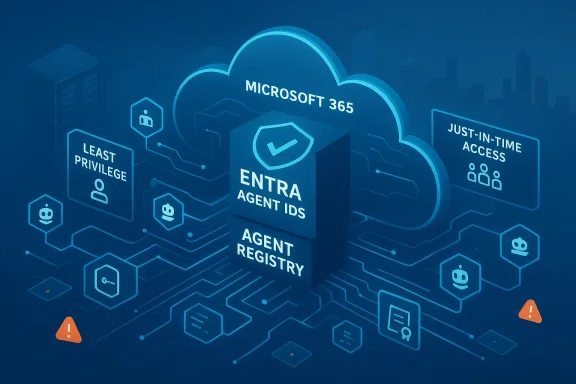
AI agents have moved from experimental curiosities to everyday tools inside Microsoft 365, Azure, and Windows — and that shift forces a reorientation of enterprise security where Entra ID becomes the new control plane.
Background: why identity is the perimeter now
The modern AI agent is not a human sitting behind a screen. It is a software-first actor: an autonomous, task-oriented process that reads mail, writes summaries, calls APIs, and drives workflows. When those agents operate inside a Microsoft-centric environment, they do so with identities exposed in Microsoft Entra (the identity platform formerly known as Azure AD). That simple fact changes the threat model.Historically, access controls were built around users and their devices. Today, every Copilot, Copilot Studio agent, or custom automation instantiates a new non-human identity — often an application registration, service principal, managed identity, or the new Entra Agent Identity construct. These workload identities hold tokens, permissions, and the ability to act at scale. Treating them as second-class citizens in identity governance is no longer an option.
This article unpacks the technical changes Microsoft has introduced for agent identities, analyzes the security consequences, and offers a practical, prioritized playbook to harden Entra ID for an agent-first world. It synthesizes vendor documentation, independent security research, and industry guidance to provide an actionable roadmap for Windows and Microsoft 365 administrators.
Overview: what Microsoft changed — Entra Agent IDs and the Agent Registry
What an agent identity is (and why it’s different)
Microsoft formalized a dedicated identity model for AI agents. Rather than shoehorning agents into the same app-registration/service-principal model used by traditional integrations, Entra Agent IDs are treated as first-class non-human identities. They:- Are created from reusable templates called agent identity blueprints, enabling consistent policy and metadata across many instances.
- Authenticate without passwords — using managed identities, federated credentials, certificates, or client secrets — and obtain tokens via OAuth 2.0 / OpenID Connect flows appropriate for non-interactive actors.
- Can have an optional agent user when a legacy system strictly requires a user-like object, but the primary model is app-first.
- Can be sponsored by a human owner, making accountability and incident response quicker.
The Agent Registry: discovery and governance at scale
Alongside agent identities, Microsoft introduced an Agent Registry: a central metadata store and discovery service for agents running across Microsoft 365 and integrated environments. The registry provides:- A comprehensive inventory of deployed agents, agent blueprints, and agent metadata.
- Discovery-before-access controls and collection-based policies to limit which agents can discover or interact with others.
- Integration with Entra’s core directory to enforce access policies and lifecycle operations centrally.
The threat model: why agents amplify risk
AI agents magnify speed and scope. They can read thousands of documents, synthesize sensitive information, and execute actions across collaboration platforms. That scale creates three principal risks:- Rapid data exfiltration. An agent with broad Graph permissions can package and transmit data faster than a human, often without raising traditional behavioral flags if operating under a legitimate identity.
- Token abuse and consent phishing. Low-code agent frameworks that let you embed sign-in or consent flows can be abused to harvest OAuth tokens or obtain delegated permissions through social engineering.
- Lateral movement via over-permissioned workload identities. Service principals or agent identities that hold high-scope permissions (Files.ReadWrite.All, Mail.ReadWrite, Sites.ReadWrite.All) enable downstream privilege escalation and persistent access.
Technical reality check: what’s verifiable today
- Entra Agent IDs are implemented as a specialized service principal/identity type in Microsoft Entra with dedicated schema, blueprints, and metadata attributes. Their credential options include managed identities, federated credentials, certificates, and client secrets. This is defined in Microsoft’s Entra documentation and corroborated by multiple product announcements.
- The Agent Registry is a central metadata and discovery store closely integrated with Entra that enforces discoverability and policy controls for agents. It stores agent cards, collections, and supports discovery APIs.
- Copilot Studio agents and similar low-code agents can be configured with interactive “Login” topics and custom topics; in certain configurations they can redirect to consent screens or external endpoints, which adversaries can abuse to harvest tokens if governance controls are lax. Independent security labs have published demonstrations of this attack pattern and Microsoft has acknowledged the risk and planned mitigations.
Practical hardening: prioritized steps to treat Entra as the AI control plane
Below is a prioritized, actionable plan organized by quick wins, recommended configuration, and ongoing operational tasks.Quick wins (days)
- Inventory and tag every workload identity
- Use automated scripts to enumerate app registrations, service principals, managed identities, and newly visible agent identities from the Agent Registry or Entra admin center.
- Tag each identity with owner, purpose, creation source (Copilot Studio, custom app, third-party), and expiration.
- Lock down app consent
- Disable user consent for high-risk delegated permissions.
- Require admin consent workflows for any application that requests Graph scopes like Mail.ReadWrite, Files.ReadWrite.All, or Sites.ReadWrite.All.
- Review past consents and revoke suspicious grants immediately.
- Enforce Conditional Access for non-interactive sign-ins
- Extend Conditional Access policies to include workload identities and non-interactive authentication scenarios. Require trusted networks or compliant runtimes for high-scope tokens if possible.
- Block legacy auth methods for applications and agents.
- Shorten token lifetimes and enforce session controls
- Reduce the lifetime of refresh tokens and access tokens for app-only scenarios. Use Conditional Access session controls where available to enforce token revalidation and revocation.
Recommended configuration (weeks)
- Agent identity blueprints and sponsorship
- Standardize agent identity blueprints for any repeated agent type. Embed sponsor metadata and lifecycle rules so every agent has a human accountable for its behaviour and decommissioning.
- Privileged Identity Management for workload admins
- Enforce PIM for all privileged roles — including roles assigned to service principals and managed identities. Use just-in-time elevation, approval steps, and time-bound role assignments.
- Discovery and registry governance
- Publish and enforce Agent Registry policies: create collections that define which agents are discoverable or allowed to interact with sensitive data sources.
- Mark certain agent types as blocked-by-default until a security review is completed.
- App registration hygiene
- Implement naming conventions, ownership links, and automated lifecycle policies for app registrations and secrets. Rotate certificates and secrets programmatically.
- Remove stale, unused service principals and orphaned app registrations.
Ongoing operations (months and continuous)
- Continuous monitoring and alerting
- Build detection rules around unusual token usage, new consent grants, addition of credentials to rarely-used applications, and cross-tenant activity.
- Monitor Copilot Studio and agent creation events; trigger reviews when an agent requests sensitive scopes.
- Threat modelling and inclusion of NHIs
- Integrate workload identities into your threat models, attack trees, and tabletop exercises. Simulate agent compromise scenarios and rehearse containment.
- Identity risk metrics and governance KPIs
- Define and report identity-specific KPIs such as number of agent identities with high-risk permissions, mean time to revoke a compromised token, proportion of privileged roles in PIM, and percentage of app registrations with valid sponsors.
- Developer and user training
- Train developers and automation authors on least-privilege design, secure agent blueprints, and safe topic design for Copilot Studio or other low-code agent tooling.
- Educate users about OAuth-consent phishing and the visual cues of unauthorized agent sign-in flows.
Policy recommendations: concrete Conditional Access and PIM patterns
Conditional Access for workload identities
- Create policy blocks for legacy authentication flows referencing application IDs.
- Require managed runtime attestations (device or runtime compliance) for agents that access high-risk data.
- Use location-based controls to restrict where tokens can be requested from sensitive agents.
PIM and role assignment
- Never assign permanent directory or privileged roles to service principals. Use PIM to grant time-bound elevation only when needed.
- Require approval workflows and multifactor verification for human approvals of agent-level privileged requests.
App consent governance
- Disable “users can consent to apps” for high-sensitivity tenants.
- Implement “admin consent” workflows, and require verification for any app requesting high-scope Graph permissions.
- Maintain regular app consent reviews and revoke unused or untrusted grants.
Detection and incident response: what to monitor and how to respond fast
High-priority telemetry to collect
- Agent identity creation and deletion events in the Entra audit log.
- New app credential additions (client secrets or certificates) for rarely-used applications.
- Consent grants for high-risk scopes (Mail.ReadWrite, Files.ReadWrite.All, Sites.ReadWrite.All).
- Token issuance anomalies: sudden spikes in app-only token requests or abnormally high Graph call volumes from a single agent identity.
- Agent Registry discovery requests and failed discovery attempts.
Fast containment playbook (incident triage)
- Identify the agent identity and immediately disable its service principal/agent identity in Entra.
- Revoke active refresh tokens and rotate any exposed secrets or certificates.
- Check the agent sponsor and contact that human accountability owner.
- Run a Graph API activity sweep for data exfiltration actions tied to the agent’s app ID or object ID.
- Revoke compromised user consents where applicable and force reauthentication for affected users.
- Review and remediate the agent blueprint or Copilot Studio topic configuration that enabled the exploit.
Cultural and organizational shifts: identity-first governance
Technical controls will fail without organizational buy-in. Identity governance for AI agents requires changes across teams:- Security and compliance must be co-owners for any Copilot or agent deployment, not merely reviewers after the fact.
- Developers and automation authors must be trained and certified in least-privilege agent design.
- Product owners and business leaders must accept identity KPIs as security objectives, not just operational metrics.
- Procurement and vendor-risk teams must insist on agent blueprints, supplier accountability, and documented sponsorship before deploying third-party agents that will run inside your tenant.
What good looks like: a maturity snapshot for Entra governance
Use this maturity snapshot as a quick yardstick. Aim for the “Optimized” column.- Basic: Manual onboarding of agents, ad-hoc app registrations, user consent enabled, no PIM for workload roles.
- Managed: Automated inventory of app registrations and service principals; Conditional Access applied to users only; occasional app consent reviews.
- Advanced: Conditional Access extended to workload identities; PIM enforced for privileged roles; agent blueprints used for standardization.
- Optimized: Agent Registry governance in place; automated tagging and lifecycle; short token lifetimes and session controls; identity risk KPIs reported to leadership.
Strengths and limitations of Microsoft’s approach
Notable strengths
- Treating agents as first-class identities aligns security tooling with the operational reality of AI agents.
- Agent identity blueprints enable consistent, scalable governance across many agent instances.
- The Agent Registry provides a centralized inventory and discovery control, which is essential for applying Zero Trust principles to agent-to-agent and agent-to-service interactions.
- Support for managed identities and federated credentials reduces reliance on long-lived secrets and improves key management.
Potential risks and gaps
- Governance complexity increases: every new agent becomes an identity to manage, and at scale that introduces operational overhead that many teams are not staffed to handle.
- Low-code platforms and configurable topics introduce social-engineering vectors that cannot be fully mitigated by identity controls alone.
- Visibility and detection depend on correct logging and tenant configuration; default telemetry may not show the full attack chain across Copilot Studio, Agent Registry, and downstream Graph activity without careful diagnostics setup.
- The human factor remains the weakest link: consent phishing (where users or even admins approve permissions) bypasses many controls if consent policies are lax.
Checklist: an operational playbook to implement this week
- Inventory and tag all workload identities and agent identities.
- Disable user-level app consent for high-risk scopes.
- Configure Conditional Access policy blocks for legacy auth and non-compliant runtimes.
- Enforce PIM for all directory and privileged roles, including service principals where supported.
- Shorten token lifetimes and implement Conditional Access session controls.
- Establish sponsor ownership and lifecycle policies for agent identities and blueprints.
- Configure alerts for suspicious app credential additions and anomalous token issuance.
- Run tabletop exercises simulating agent compromise and token exfiltration.
- Update procurement and vendor policies to require agent blueprints and sponsorship documentation.
Conclusion: identity as strategy, not infrastructure
AI agents will continue to embed themselves into the productivity fabric of Windows, Microsoft 365, and Azure. The organizations that gain advantage from agents will be those that treat identity as the strategic control plane — a place where policy, audit, and accountability are enforced in code and culture.Microsoft’s Entra Agent IDs and the Agent Registry are major steps toward a governance model fit for agentic AI, but they are not a substitute for disciplined identity hygiene, strict consent governance, robust monitoring, and cross-team accountability. Start by inventorying workload identities, lock down consent and tokens, and extend Conditional Access and PIM to non-human actors. Parallel to that, build the organizational routines and KPIs that make identity an ongoing priority.
In short: if your security model still thinks of the perimeter as a network boundary or a user login, you will be outpaced. Identity is the perimeter now — and Entra ID is the battleground. Treat it as strategy.
Source: Petri IT Knowledgebase AI Agents vs. Identity: Entra ID Is the New Control Plane
