

ESET Small Business Security arrives as a compact, familiar-looking security suite that wraps ESET’s long-standing antivirus engine into a small‑business‑friendly package — but the reality beneath the polished interface is a mixture of rock‑solid lab results, practical business controls, and some hands‑on weaknesses you must plan around.
ESET Small Business Security targets the smallest organisations: owners who run operations without a dedicated IT team, often managing 5–25 devices themselves. The suite bundles endpoint protection, server protection for Windows Server, a set of administrative tools (device control, SysInspector, network scanning), and a VPN — the latter licensed from an external provider rather than operated in‑house. The vendor positions this SKU as an easy-to-deploy, low-administration solution for micro and very small businesses. That positioning matters. Small businesses face a disproportionate share of commodity attacks, phishing campaigns, and ransomware campaigns — but they usually lack the staff to run complicated security stacks. ESET’s approach is to provide strong baseline malware protection with features that map directly to typical small‑business needs: device control to limit data exfiltration by removable media, network inspection to track unknown devices, and anti‑theft/remote lock for laptops. The package looks and feels like ESET’s consumer products, but it adds business‑oriented management and server coverage.
Note: MSRP and reseller pricing are volatile. Confirm the quoted price at purchase time; first‑term discounts, bundled reseller promotions, and local taxes commonly change the effective cost.
Hands‑on testing highlighted two important observations:
Note on verification and caveats: the technical and pricing details discussed above are accurate to the vendor pages and independent lab reports available at the time of reporting; pricing and promotion models vary by channel and region, and some vendor‑partner relationships (VPN backends) are disclosed indirectly by technical traces and vendor forum posts rather than explicit marketing copy. Confirm the current price, contract terms, and the VPN provider’s enterprise terms before purchasing.
Source: PCMag UK ESET Small Business Security
 Background / Overview
ESET Small Business Security targets the smallest organisations: owners who run operations without a dedicated IT team, often managing 5–25 devices themselves. The suite bundles endpoint protection, server protection for Windows Server, a set of administrative tools (device control, SysInspector, network scanning), and a VPN — the latter licensed from an external provider rather than operated in‑house. The vendor positions this SKU as an easy-to-deploy, low-administration solution for micro and very small businesses. That positioning matters. Small businesses face a disproportionate share of commodity attacks, phishing campaigns, and ransomware campaigns — but they usually lack the staff to run complicated security stacks. ESET’s approach is to provide strong baseline malware protection with features that map directly to typical small‑business needs: device control to limit data exfiltration by removable media, network inspection to track unknown devices, and anti‑theft/remote lock for laptops. The package looks and feels like ESET’s consumer products, but it adds business‑oriented management and server coverage.What’s in the box: key features at a glance
- Core antivirus (ESET NOD32 engine) with real‑time protection, exploit mitigation and behavioral detection.
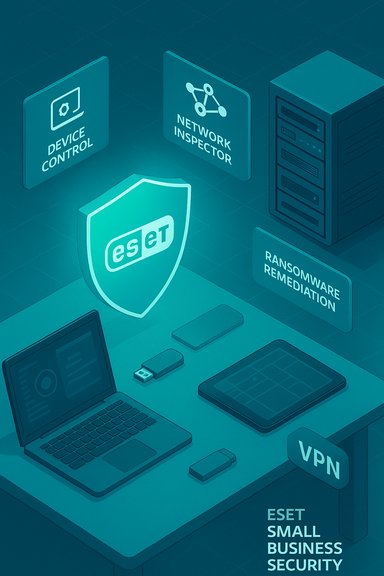
- Ransomware-focused layers: Folder Guard (protected folders), Ransomware Remediation (automatic backup & restore of suspiciously modified files).
- Device control (USB and peripheral policy enforcement).
- Network Inspector (local network device discovery and alerts).
- Secure Banking & Browsing sandboxed browser mode.
- VPN included (ESET licenses VPN technology from a third‑party provider and bundles it as an app).
- Server variant (ESET Safe Server) tailored for Windows Server installations, with slightly trimmed user‑facing features.
How it’s licensed and priced
ESET’s retail and web pages show the Small Business plan configured for small seat tiers (5–25 devices), and the vendor notes that listed prices are normally for the first term only. Third‑party sellers and resellers can and do run promotional pricing on the 5‑user SKU, while direct ESET channels list pricing per seat in tiers. Practical pricing snapshots from retailers and aggregator sites confirm variation by region and channel, so expect list prices to move with promotions and local currency adjustments. For comparative context, industry reviews have shown that ESET’s 5‑device small‑business bundle is marketed at a modest entry price relative to some competitor SMB bundles, with per‑device pricing rising modestly as you scale. Meanwhile, many competing small‑business suites (for example Bitdefender’s Ultimate Small Business bundle) include additional identity monitoring and mobile coverage at higher list prices — an important consideration if you need dark‑web scanning or employee identity services.Note: MSRP and reseller pricing are volatile. Confirm the quoted price at purchase time; first‑term discounts, bundled reseller promotions, and local taxes commonly change the effective cost.
Getting started and deployment basics
Installation is straightforward: after purchase you receive an activation key and a link to the ESET online console. From there you can deploy agents to Windows, macOS, Android and (in server form) Windows Server. The desktop UI aligns closely with ESET’s consumer apps — a large status banner and big tile buttons for major modules — so end‑user training is minimal. The admin workflow is deliberately light: create an ESET account, associate your subscription, and either download the installer for each endpoint or use emailed deployment links. A few practical deployment notes for small‑business owners:- Disable automatic logins and ensure all accounts have strong passwords before enabling anti‑theft and device control features.
- Export a fully configured policy once you’ve dialed it in; import that configuration across endpoints to avoid inconsistent settings.
- Expect to do local remedial fixes for Windows endpoints — the web console can flag issues, but not all remedial actions are remotely executable from the dashboard.
Antivirus effectiveness: lab pedigree vs. hands‑on behavior
ESET’s core detection technology has a consistently strong track record in third‑party lab testing. Recent AV‑Comparatives Real‑World and Business tests show ESET among the higher‑performing engines with protection rates in the 99%+ range for the test windows cited, and MRG‑Effitas certification activity confirms ongoing participation in strict real‑world and online‑banking test suites. These lab results are a major strength and should feature prominently in any procurement decision. That said, hands‑on testing can reveal nuances that broad lab numbers mask. In a detailed, practical evaluation of ESET Small Business Security:- Full system scan performance was quicker than the average consumer scan time, with optimized subsequent scans that ran very fast.
- Aggregate detection across a mixed malware corpus produced solid but not flawless results — a long tail of evasive or novel samples sometimes required behavioral or additional protection layers to catch. The hands‑on test reported a total detection figure below the absolute top scorers in that dataset.
Ransomware: a deeper look
Ransomware protection is one of the most critical considerations for SMBs. ESET ships multiple anti‑ransomware features — behavioral detection, privileged process control, Folder Guard (controlled folder protection), and a newer Ransomware Remediation tool that snapshots suspiciously modified files for later restoration.Hands‑on testing highlighted two important observations:
- A small set of wiper and full‑disk encryptor samples bypassed initial on‑sight detection and proceeded to encrypt files on the test VM in one case, causing full system wipe. This is an uncommon but high‑impact failure mode; most modern AV suites in the same test set blocked these samples immediately.
- When Folder Guard was configured and correctly applied to user data folders (Documents, Pictures, etc., it prevented many encrypting operations. However, attacks that ran with sufficient privileges or which targeted files outside the protected folders still managed to cause damage — in one retest, Folder Guard stopped three out of four evasive samples but could not prevent encryption of files that were not added to the protected list. The remediation system would restore backed‑up copies but left encrypted versions intact, complicating recovery in some scenarios.
- Proactively configure Folder Guard for every user (start with Documents, Pictures, Music, Videos).
- Maintain off‑device, immutable backups (daily or more frequent incremental snapshots) and test restores regularly.
- Combine endpoint defenses with operational controls (MFA, least privilege, segmented backups) to close the recovery window.
Exploit and phishing defenses
ESET includes exploit mitigation and a browser extension that flags malicious pages and phishing attempts. In testing, exploit protection blocked a nontrivial fraction of automated exploit payloads — not top‑tier across all testers, but better than many consumer brands — and the phishing protection reached top marks in recent comparative phishing collections. These are meaningful bonuses: phishing and browser‑delivered attacks remain prime vectors for SMB compromise.VPN: functionality, partner and privacy implications
ESET bundles a VPN app rather than building one from scratch; the VPN technology used by ESET is the same engine licensed from an established third‑party provider. Technical traces and vendor forum disclosures point to Windscribe technology powering ESET’s VPN implementation — the bundled client uses a WireGuard service named for ESET and file and forum evidence indicate Windscribe as the underlying partner. ESET’s consumer pages note a third‑party VPN partnership without naming the vendor explicitly, but public engineering traces and community confirmations support Windscribe as the backend. Windscribe is an established VPN provider with a transparent policy posture and a good performance profile in independent tests, but the operational reality is this: when you rely on a vendor‑bundled VPN, your privacy and metadata handling are governed by the VPN operator’s policies and infrastructure. If your small business is subject to regulatory or contractual privacy constraints (for example, healthcare or finance), you should:- Review the VPN provider’s logging and data‑processing policy.
- Confirm whether any anonymised metadata (connection metrics, session tokens) are retained for operations and how long they are stored.
- Consider a business VPN solution under your control (self‑hosted or provider with enterprise contractual SLAs) if data residency and auditability are required.
Management and enterprise features for small teams
ESET’s Small Business Security provides several administration tools aimed at non‑technical managers:- Device control (block or allow classes of external devices; granular policies by user or group).
- Network Inspector (discovers and names devices on the local network; alerts on new devices).
- SysInspector & logs (helps troubleshoot what changed on a device after an incident).
- Configuration export/import (apply the same baseline settings to all endpoints).
Server protection (ESET Safe Server)
ESET provides a server‑specific installer and product called Safe Server for Windows Server hosts; it strips user‑facing modules that don’t apply to servers (anti‑theft, VPN, some user tools) while retaining core scanning, device control, HIPS and server‑relevant safeguards. This distinction is useful: production servers typically require a leaner, stability‑focused agent with remote manageability and fewer UI distractions. Both ESET and competitors (for example Bitdefender) offer server SKUs, and ESET’s documentation covers feature differences for server deployments.Strengths — where ESET Small Business Security shines
- Proven detection pedigree: consistent high marks in AV‑Comparatives and MRG‑Effitas testing cycles.
- Low overhead and polished UX: quick scans and a familiar ESET interface reduce admin friction for non‑technical owners.
- Practical device control and lightweight management tools that address real small‑business risks (unauthorised USB copies, unexpected network devices).
- Bundled VPN simplifies secure remote access for employees — convenient for small teams that can’t manage a separate VPN supplier.
Risks and limitations — what to watch closely
- Hands‑on ransomware gaps: in practical tests a few evasive ransomware samples and a destructive wiper slipped past initial detection and caused real damage unless Folder Guard was actively configured and comprehensive backups were in place. Ransomware Remediation helps, but recovery may be messy if encrypted copies remain. This makes a tested backup strategy essential.
- Remote remediation limitations: web console visibility and remote remediation are not as complete as some rivals; Bitdefender and a few other vendors allow many issues to be fixed remotely. If you expect to manage devices entirely remotely, validate the console’s capabilities for your workflow.
- VPN privacy considerations: the VPN is operated by a third party (Windscribe is strongly indicated). For privacy‑sensitive or regulated SMBs, contractual review is necessary before relying on a bundled VPN.
- Feature lifecycle caveats: certain shared consumer features (for example, some password manager and parental controls in the Home line) have announced end‑of‑life timelines; check whether any bundled features you depend on have sunset notices.
Practical deployment checklist for SMB owners
- Purchase the correct seat tier and register the admin console.
- Create a golden endpoint configuration and export it for rapid deployment.
- Enable and populate Folder Guard for every user (Documents, Pictures, Music, Videos) and verify protection.
- Establish immutable, off‑device backups (weekly full image + daily incremental; test restores).
- Configure device control policies (block mass storage by default; allow exceptions).
- Review VPN privacy policy and decide if bundled VPN is acceptable; if not, procure a managed enterprise VPN solution.
How ESET Small Business Security compares to alternatives
- Bitdefender Ultimate Small Business Security: more feature‑rich in identity monitoring, dark‑web scanning, and sometimes in remote remediation. Price can be higher but includes identity/dark‑web services many SMBs find useful.
- Avast/AVG business SKUs: often emphasise remote management and scale pricing across large seat counts; historically strong in management features but vary in lab results.
- Norton Small Business / Malwarebytes for Teams: similar small‑business focus but with different tradeoffs in device coverage and identity services. Compare renewal pricing carefully; promos can mask higher long‑term TCO.
Judgement call: who should pick ESET Small Business Security?
Choose ESET Small Business Security if:- You want a low‑friction, high‑quality antivirus engine with clear small‑business features.
- You prefer an unobtrusive agent with good performance and easy user experience.
- You can commit to configuring Folder Guard and maintaining robust backups and incident playbooks.
- You need server‑side remote remediation from the console for every endpoint without local interventions.
- You require bundled identity monitoring, dark‑web scanning and mobile device coverage in the same SKU at no extra cost.
- Your compliance posture requires tight contractual control over VPN metadata and residency.
Final verdict
ESET Small Business Security delivers a sensible, well‑engineered set of protections tailored to micro and very small businesses: a respected antivirus core, thoughtful device‑level controls, and a suite of convenience features that reduce operational complexity. Its strengths are clear in independent lab programs and in a usability‑focused deployment model. However, hands‑on ransomware testing shows evolution is still needed — specifically, stronger defaults and tighter recovery workflows — and the bundled VPN requires privacy due diligence because it is provided via a third party. For the right small business — one that configures Folder Guard, enforces backups, and understands the suite’s remote‑management boundaries — ESET is a practical and cost‑effective choice. For organisations that need aggressive remote remediation, built‑in identity/dark‑web monitoring, or explicit contractual VPN controls, evaluate alternatives and consider a layered approach that combines ESET’s endpoint strengths with complementary tools.Note on verification and caveats: the technical and pricing details discussed above are accurate to the vendor pages and independent lab reports available at the time of reporting; pricing and promotion models vary by channel and region, and some vendor‑partner relationships (VPN backends) are disclosed indirectly by technical traces and vendor forum posts rather than explicit marketing copy. Confirm the current price, contract terms, and the VPN provider’s enterprise terms before purchasing.
Source: PCMag UK ESET Small Business Security
