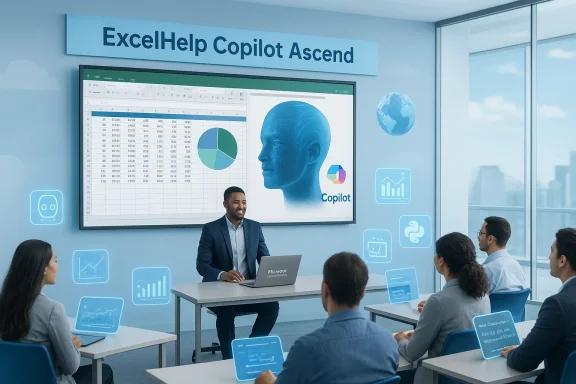
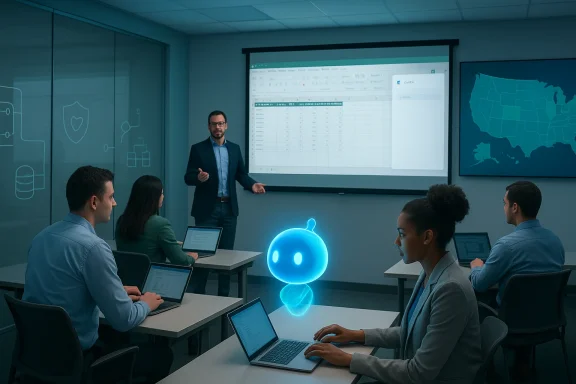
ESW’s expansion of ExcelHelp.com into a national Microsoft training and automation brand is a clear bet on one of the most urgent enterprise problems of 2026: organizations have bought into Microsoft 365 and Copilot, but they still need people who know how to use those tools safely, consistently, and at scale. The February 24 announcement from ESW framed ExcelHelp.com as a hands‑on, instructor‑led service delivering Excel, Copilot, and AI training across the United States, backed by the company’s automation and consulting practice.
Microsoft’s push to embed generative AI across Microsoft 365 — giving Copilot features inside Excel, Word, Outlook, Teams and beyond — has created a new axis of enterprise investment in 2025–2026. That shift has produced two persistent organizational gaps: first, a training gap where employees have access to powerful AI features but lack the skills and role‑specific guidance to apply them effectively; and second, a systems gap where legacy Excel automations and reporting stacks need modernization to take advantage of AI‑driven workflows. ESW positions ExcelHelp.com to address both gaps by combining instructor‑led upskilling with custom automation and consulting.
Excel remains the lingua franca of business reporting, finance, operations and HR. At the same time, Copilot features such as on‑grid formula suggestions, Agent Mode and Chat in Excel are fundamentally changing what an Excel workflow can look like — but those features are also evolving rapidly and require governance and human oversight. Microsoft’s recent documentation and admin guidance show that Copilot in Excel is useful, but the feature set and packaging change quickly, which makes stable training curricula and governance essential.
However, buyers should approach any Copilot‑centred engagement with disciplined governance, exact measurement criteria, and legal safeguards for data and ESI. Rapid feature churn from platform vendors means buying organizations must prioritize vendors who demonstrate an explicit process for curriculum updates and who provide transparent governance and maintainability commitments.
For HR and learning leaders, finance heads, and operations executives, ExcelHelp.com represents a pragmatic vendor option — especially for organizations seeking a single partner to both educate people and refactor the systems they use. The key to success will be how ESW operationalizes its claims: maintaining curriculum currency, formalizing governance for Copilot agents, and delivering durable automation that reduces maintenance overhead rather than increasing it.
There is a clear line between access and mastery: Copilot and Excel are powerful platforms, but software alone will not drive consistent results without trained people and resilient systems. ESW’s expansion of ExcelHelp.com responds directly to that gap by packaging instructor‑led learning with practical automation delivery. Buyers who pair rigorous governance and measurable pilots with that offering will maximize the chance that Copilot and modern Excel truly reduce workload and risk — rather than simply shifting it.
Source: GlobeNewswire ESW Expands ExcelHelp.com to Deliver Microsoft Excel, Copilot, and AI Training Nationwide
 Background
Microsoft’s push to embed generative AI across Microsoft 365 — giving Copilot features inside Excel, Word, Outlook, Teams and beyond — has created a new axis of enterprise investment in 2025–2026. That shift has produced two persistent organizational gaps: first, a training gap where employees have access to powerful AI features but lack the skills and role‑specific guidance to apply them effectively; and second, a systems gap where legacy Excel automations and reporting stacks need modernization to take advantage of AI‑driven workflows. ESW positions ExcelHelp.com to address both gaps by combining instructor‑led upskilling with custom automation and consulting.Excel remains the lingua franca of business reporting, finance, operations and HR. At the same time, Copilot features such as on‑grid formula suggestions, Agent Mode and Chat in Excel are fundamentally changing what an Excel workflow can look like — but those features are also evolving rapidly and require governance and human oversight. Microsoft’s recent documentation and admin guidance show that Copilot in Excel is useful, but the feature set and packaging change quickly, which makes stable training curricula and governance essential.
What ESW announced (the essentials)
- ESW has expanded ExcelHelp.com as a national training and automation brand focused on:
- Instructor‑led Microsoft Excel training (beginner through advanced)
- Copilot and AI training and agent design inside Excel, Word, Outlook, and Teams
- Productivity workshops for PowerPoint and Outlook
- Custom group training tailored to company data and workflows.
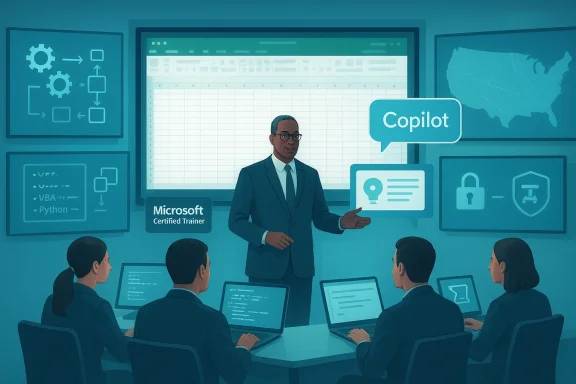
- Training modes: live, instructor‑led sessions available remote, on site, or hybrid across the United States, delivered by Microsoft Certified Trainers.
- Complementary services under ESW’s consulting umbrella:
- Custom Excel development and automation (VBA, Python, Add‑ins, macros)
- Database design and reporting
- Microsoft 365 workflow optimization and Copilot agent development.
Why this matters now: the market logic
Organizations have purchased Microsoft 365 seats and Copilot entitlements, but technology procurement alone rarely produces the productivity gains executives expect. The core problem is not feature access — it’s consistent, role‑appropriate usage that creates measurable improvements in timeliness, accuracy, and cost.- Many teams still rely on fragile Excel workbooks, manual copy/paste processes, and undocumented macros. Training alone will not modernize those systems; neither will automation without user adoption. ESW’s blended model — training teams while modernizing the underlying workbooks and workflows — addresses both sides of the adoption equation.
- Microsoft’s Copilot rollout has accelerated expectations for rapid upskilling. Training programs that focus on role‑based Copilot usage and practical workflows (rather than generic feature tours) are becoming the standard for enterprise enablement. ESW’s prior productization of role‑based programs (Copilot Ascend™) directly targets that demand.
- The training market itself is fragmenting: traditional Microsoft training providers are embedding Copilot into Office curricula, while consultancy firms are offering automation and agent services. That bifurcation makes third‑party integrators that can both train people and modernize systems attractive to HR, finance, and operations leaders. Evidence of this broader trend is visible across the training ecosystem.
What ExcelHelp.com offers in practice
Instructor credentials and delivery model
ExcelHelp.com emphasizes Microsoft Certified Trainers and live instruction as a differentiator. In practice, that means sessions will likely include:- Hands‑on labs using real company data or sanitized examples.
- Role‑specific modules (finance reporting, operations dashboards, HR analytics).
- Copilot workshops that pair prompting patterns with governance best practices and validation steps.
Curriculum highlights
Core course topics listed in the announcement include:- Excel fundamentals to advanced formula and data model techniques.
- Power Query and data transformation practices.
- Copilot and AI agent instruction inside Excel, Word, Outlook, Teams.
- Productivity workshops for PowerPoint and Outlook.
- Custom workshops built around company data, processes, and reporting needs.
Blended capability: training + automation
ExcelHelp.com’s tight linkage to ESW’s consulting and automation practice enables a “train + modernize” offering:- After training teams, ESW can implement durable automations (VBA, Python, Power Automate flows, add‑ins) to remove repetitive work.
- Database redesign and reporting modernization are available, reducing downstream technical debt.
- Copilot agents and Power Platform integrations can be supplied to operationalize AI‑assisted workflows.
Strengths: what ExcelHelp.com appears to get right
- End‑to‑end proposition. Combining training with delivery of automations and governance is the right architecture to produce outcomes rather than just certifications. When training is paired with immediate automation improvement, adoption rates and ROI tracking become measurable.
- Role‑based orientation. ESW’s earlier Copilot Ascend™ program signaled an emphasis on role specificity — a crucial element since Copilot’s value is heavily contextual to job tasks. Training that differentiates between staff, managers, and leadership expectations avoids the “one‑size‑fits‑all” trap.
- Microsoft alignment. Public-facing materials emphasize Microsoft certifications and integration with Microsoft 365 tools. Aligning with Microsoft’s platform, terminology and admin controls reduces friction for adoption inside enterprise tenants.
- Nationwide delivery and flexible modalities. The mix of remote, on‑site and hybrid delivery allows organizations to scale training across distributed workforces without losing hands‑on practice time.
Risks and open questions organizations should evaluate
1) Evolving product surface and feature changes
Microsoft’s Copilot features and packaging move fast. For example, Microsoft has modified certain Excel Copilot components and warned about deprecations and shifting capabilities that affect how training should be structured. Training vendors must maintain up‑to‑date curricula and rapidly refresh materials to avoid teaching deprecated workflows. Organizations should verify how vendors keep content current.2) Governance, data privacy and ESI concerns
Copilot and agentic AI raise legal and governance questions: where is the AI getting its grounding data, how are logs handled, and what is considered electronically stored information for compliance or litigation holds? Any vendor building Copilot agents or automations must provide a clear approach to data mapping, Purview/DLP alignment, and audit trails. ESW’s managed services narrative (Copilot Orbit™) states governance as a feature, but buyers should insist on concrete contractual and technical guarantees.3) Vendor lock‑in and maintainability
Custom Excel add‑ins, macros and Python workflows can create long‑term maintenance commitments. Organizations need clarity on handover: who maintains the automations after delivery, what documentation and unit tests exist, and what SLAs apply for downstream changes. Vendors who combine training and delivery should include transition plans and training for internal maintainers.4) Measurement and ROI transparency
Training programs often succeed in the short term but fail to produce persistent behavior change. Buyers should request baseline metrics and post‑training KPIs (time‑saved estimates, reduction in manual errors, report run‑times, ticket volumes) and a clear cadence for follow‑up measurement. ESW’s messaging around improving “real productivity” is promising, but executives should demand measurable targets and proof points.5) Security and supply‑chain risk
Any third party that touches corporate data (workbooks, connectors to SQL/SharePoint, agent credentials) must be vetted. Security controls, least privilege deployment, and secure development lifecycle practices must be validated before granting access to production systems.How to evaluate ExcelHelp.com (practical buyer checklist)
- Curriculum currency and refresh cadence
- Ask for a recent syllabus, version history, and the vendor’s process for updating materials when Microsoft changes features. Validate that trainers receive continuous updates and testing.
- Role specificity and sample exercises
- Request sample workshops mapped to specific job roles (e.g., month‑end reconciliation for finance, SKU reporting for operations). Confirm whether live company data can be used under NDA.
- Delivery and trainer credentials
- Verify the Microsoft certifications of trainers and request references from organizations of similar size and sector.
- Integration and automation roadmap
- If you plan to combine training with automation, require a clear roadmap, deliverables list, documentation standards, and handover plan for maintainability.
- Governance, security and data protection
- Insist on an explicit data governance appendix that covers data grounding for Copilot agents, logging/audit, Purview/DLP considerations, and incident response responsibilities.
- Measurable outcomes and SLA
- Define pre/post KPIs, and include a short pilot with metrics to validate learning transfer and automation benefits.
How ExcelHelp.com compares to alternative approaches
- Traditional Microsoft training houses are embedding Copilot into Office training, but many are still product‑centric rather than workflow‑centric. New Horizons and other providers are moving toward Copilot‑embedded curricula, which raises the baseline offering among training vendors. ESW’s advantage, if realized, will be its ability to pair training with deliverable automations and agent implementations.
- Large system integrators tend to sell governance and platform modernization at scale but have higher price points and less granular, hands‑on classroom delivery. Smaller boutique firms and local trainers may provide deep Excel expertise but lack agent design and enterprise governance services. ESW’s product stack sits between these extremes, offering practical training plus automation services that are more accessible to mid‑market buyers.
- Community resources and peer training remain valuable (forums, user groups), but they rarely translate to enterprise‑grade governance or automation delivery. Conversely, vendors that only deliver automation without user training risk low adoption and high rework. The blended model is purpose‑built to avoid that pitfall. Community discussion and industry threads have highlighted this tension repeatedly as organizations adopt agentic AI.
Implementation playbook — four steps to get started
- Discovery and baseline
- Audit current Excel workbooks, macros, and power users. Map the high‑risk, high‑value processes where automation and Copilot would drive measurable gains.
- Pilot: role‑based training + one delivered automation
- Run a compact pilot (4–8 weeks) combining a role‑based Copilot workshop with a single automation (e.g., AP reconciliation flow, monthly KPI dashboard automation). Use pilot metrics as the go/no‑go decision point.
- Governance and scale design
- Establish data access patterns, logging, credential management, and a Copilot agent governance policy. Align on Purview/DLP mapping and legal hold behaviors.
- Rollout and sustainment
- Move from pilot to phased rollout, pairing training cohorts with automation sprints. Build an internal champion network and an internal support playbook to sustain behavior change.
Realistic expectations: what training will and will not do
- Training will accelerate accurate usage of Excel features and teach sensible Copilot prompting and validation patterns. Done well, it reduces user errors and improves speed of routine tasks.
- Training alone will not modernize brittle spreadsheets, nor will it deliver long‑term automation savings if there is no governance or maintenance plan. The real returns come when training is coupled with durable automation and a handover strategy.
- Copilot and AI will reduce repetitive effort and provide smart suggestions, but Copilot is not a substitute for domain expertise or for audit‑grade controls. Human validation remains essential — particularly for financial reporting and regulated workflows. Microsoft’s guidance and community experience both emphasize that organizations must plan for oversight and periodic audits of Copilot outputs.
Final analysis: where ExcelHelp.com fits in the ecosystem
ESW’s expansion of ExcelHelp.com is a sensible response to a clear market need: enterprises must turn Copilot and modern Excel features into repeatable, auditable productivity gains. The strength of the proposition lies in the blend — pairing role‑based, hands‑on training with delivery capabilities to modernize underlying workbooks and workflows. That combination addresses the two principal failure modes of digital upskilling: lack of sustained adoption and persistent legacy technical debt.However, buyers should approach any Copilot‑centred engagement with disciplined governance, exact measurement criteria, and legal safeguards for data and ESI. Rapid feature churn from platform vendors means buying organizations must prioritize vendors who demonstrate an explicit process for curriculum updates and who provide transparent governance and maintainability commitments.
For HR and learning leaders, finance heads, and operations executives, ExcelHelp.com represents a pragmatic vendor option — especially for organizations seeking a single partner to both educate people and refactor the systems they use. The key to success will be how ESW operationalizes its claims: maintaining curriculum currency, formalizing governance for Copilot agents, and delivering durable automation that reduces maintenance overhead rather than increasing it.
Recommendations for buyers considering ExcelHelp.com
- Insist on a time‑boxed pilot that includes explicit KPIs and one delivered automation.
- Require a curriculum update pledge and sample cadence for retraining as Microsoft changes Copilot features.
- Demand a written governance plan covering data mapping, Purview/DLP alignment, logs, and incident response.
- Clarify long‑term maintainability and handover responsibilities for custom code and agents.
- Verify trainer certifications and ask for peer references from similar organizations.
There is a clear line between access and mastery: Copilot and Excel are powerful platforms, but software alone will not drive consistent results without trained people and resilient systems. ESW’s expansion of ExcelHelp.com responds directly to that gap by packaging instructor‑led learning with practical automation delivery. Buyers who pair rigorous governance and measurable pilots with that offering will maximize the chance that Copilot and modern Excel truly reduce workload and risk — rather than simply shifting it.
Source: GlobeNewswire ESW Expands ExcelHelp.com to Deliver Microsoft Excel, Copilot, and AI Training Nationwide