

Microsoft Excel hasn’t gone away — it’s been remixed. In 2026 the spreadsheet remains the lingua franca of finance, operations, and analytics, and the year’s most useful training lists mix classical workbook skills with new requirements: Power Query, Power Pivot/DAX, Copilot-aware workflows, and safe Python integration. A recent roundup of “Top 7” Excel programs — aimed at building practical spreadsheet and data-analysis skills for U.S. professionals — reflects that blend, but the devil is in the details: course length, credential value, and claims about market demand don’t always align between marketing copy and providers’ pages, and some widely quoted workforce stats require independent verification. rview
The UpscaleLivingMag-style roundup (the list that inspired this article) highlights seven programs that promise to move learners from spreadsheet fundamentals to dashboard-driven decision-making, financial modeling, and Power Pivot analytics. Those programs fall into three broad buckets:
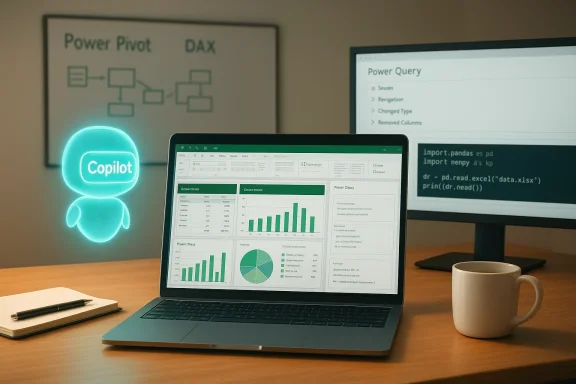
Why this matters now: AI features in Excel — notably Microsoft Copilot and agentic workflows — are changing how professionals interact with spreadsheets. Copilot now automates formula generation, explains logic, and supports multi-step “agent” tasks in Excel; and vendors like Anaconda provide local Python execution options that expand what a spreadsheet can do without leaving the grid. That means modern Excel competency is not just about memorizing formulas — it’s about designing auditable, repeatable workflows that mix Excel features, automated assistants, and external code safely.
The roundup lists these seven programs as the best paths for 2026:
Excel in 2026 is not a single skill — it’s a layered craft that blends spreadsheet ergonomics, robust data prep, model-driven thinking, and an awareness of AI/tooling boundaries. The “Top 7” roundups are useful signals, but the smart investment for a career in analysis or finance is to choose a pathway that pairs project-based learning (to prove competence) with specialized depth (Power Pivot/DAX or Python-in-Excel) where your job requires it. Verify provider claims against course pages, build a portfolio of real work, and treat Copilot and Python as accelerants — not substitutes — for disciplined spreadsheet design.
Conclusion
Excel remains a career-defining skill in 2026 because organizations still need people who can convert messy business data into auditable, actionable insights. The best courses teach practical, repeatable workflows and give learners projects they can show. Use short courses to bootstrap knowledge, a structured specialization to build rigor, and advanced Power Pivot/DAX or Python-in-Excel training to scale analysis across millions of rows and enterprise models. Above all, verify the actual course deliverables on the provider’s site before enrolling — and build a portfolio, because demonstrable work outranks the prettiest certificate every time.
Source: www.upscalelivingmag.com Top 7 Excel Courses to Build Spreadsheet and Data Analysis Skills in 2026 | Upscale Living Magazine
The UpscaleLivingMag-style roundup (the list that inspired this article) highlights seven programs that promise to move learners from spreadsheet fundamentals to dashboard-driven decision-making, financial modeling, and Power Pivot analytics. Those programs fall into three broad buckets:
- Short, focused practical courses for rapid skill gains (hours to low tens of hours).
- Multi-course specializations or bootcamps that teach a complete workflow (weeks to months).
- Deep technical offerings that target Power Query, Power Pivot/DAX and the Excel → Power BI transition (dozens of hours).
Why this matters now: AI features in Excel — notably Microsoft Copilot and agentic workflows — are changing how professionals interact with spreadsheets. Copilot now automates formula generation, explains logic, and supports multi-step “agent” tasks in Excel; and vendors like Anaconda provide local Python execution options that expand what a spreadsheet can do without leaving the grid. That means modern Excel competency is not just about memorizing formulas — it’s about designing auditable, repeatable workflows that mix Excel features, automated assistants, and external code safely.
 Quick summary of the seven programs (what the roundup recommends)
The roundup lists these seven programs as the best paths for 2026:- Master Data Analytics in Excel — Great Learning Academy
- Excel Skills for Business Specialization — Macquarie University (Coursera)
- Excel for Beginners — Great Learning Academy (free)
- Microsoft Excel: Data Analysis with Excel PivotTables — Maven Analytics
- Excel for Business Professionals — Noble Desktop (live or in-person)
- Modern Excel Mastery (Power Pivot & DAX) — Chandoo.org
- Data Analysis with Excel — LinkedIn Learning
1) Master Data Analytics in Excel — Great Learning Academy
What the roundup says
The roundup frames this as a premium “Excel for data analysis” course (10.5 hours, 48 interactive exercises, 3 major projects including a COVID tracker and sales dashboard) with 24/7 AI-driven assistance and a professional certificate.What providers list (verification)
Great Learning’s course page lists an Excel-for-data-analysis course that focuses on data cleaning, PivotTables, visualization, and projects; the provider’s own page currently shows roughly 5–5.5 hours of video content and two guided projects for the Academy-level offering, and certificates are gated behind their Pro+ subscription model. That is materially shorter than the roundup’s 10.5-hour figure and the project count differs in the live listing. Learners who want guaranteed project credentials should confirm the exact package (free vs Pro+ tier) before enrolling.Strengths
- Hands-on, business-focused projects that mimic real datasets.
- Project-based learning helps with portfolio-building and interviews.
Risks / Caveats
- Marketing copy often bundles “project certificates” behind subscription tiers; verify what you get without recurring fees.
- If you need deep Power Pivot or DAX skills, this course alone is unlikely to be sufficient.
2) Excel Skills for Business Specialization — Macquarie University (Coursera)
What the roundup says
Described as the most comprehensive Excel path in 2026 (3–6 months), focusing on clean-data principles, advanced formulas (XLOOKUP, LET, LAMBDA), and workbook auditing.What providers list (verification)
The Coursera specialization from Macquarie University is a multi-course program with four courses; each course is modular and the provider lists estimated completion time and hours per course. Coursera’s official pages list individual course hours (e.g., 26–28 hours per module) and recommend a 3-month timeline at a typical weekly commitment. The specialization is university-backed and issues a shareable professional certificate. Expect roughly 3+ months if you work through all four courses at a steady pace.Strengths
- Structured, academically designed curriculum with peer and faculty support.
- Strong focus on clean-data practices and auditing — valuable for corporate reporting.
- Teaches modern functions (LET, LAMBDA) that matter in large workbooks.
Risks / Caveats
- Time commitment is real: the specialization is not a weekend crash course.
- If you need in-person coaching or faster hands-on workshops, a bootcamp-style course may be a better fit.
3) Excel for Beginners — Great Learning Academy (free)
What the roundup says
Presented as a free, 1.5-hour self-paced introduction to spreadsheet fundamentals with a free certificate.What providers list (verification)
Great Learning does offer short, free entry-level Excel modules and Academy content that cover interface basics, basic formulas, formatting, and simple charts. The provider pages show multiple introductory modules ranging from short micro-lessons (20–90 minutes) to longer academy tracks. If you’re truly new, these are effective primer options — but they will not replace time spent on intermediate features like PivotTables or Power Query.Strengths
- Low barrier: free and fast — ideal for absolute beginners.
- Good orientation to the Excel UI and fundamental formulas.
Risks / Caveats
- Short courses cannot produce deep analytical skill; consider stacking this with a longer program later.
4) Microsoft Excel: Data Analysis with Excel PivotTables — Maven Analytics
What the roundup says
A focused, no‑fluff course on PivotTables (12 hours), aimed at delivering executive-ready reports and advanced calculated fields.What providers list (verification)
Maven Analytics’ PivotTable course is indeed highly focused and widely respected. Official course credentials and badge pages cite approximately 11–12 course hours and emphasize real-world case studies and a practical, hands‑on approach. Maven’s path credentials (Excel Specialist track) indicate extended learning opportunities (paths up to 90 hours) if learners want deeper mastery. For anyone who relies on PivotTables daily, this course is a strong, efficient pick.Strengths
- Deep, practical focus on the most productive analytical feature in Excel.
- Case-study approach accelerates pattern recognition for real business problems.
Risks / Caveats
- Narrow focus: PivotTable mastery is powerful but must be complemented by data-prep skills (Power Query) for messy, real-world datasets.
5) Excel for Business Professionals — Noble Desktop (Live Online / NYC)
What the roundup says
Promoted as a live, NYC‑based program (18 hours) that emphasizes speed, keyboard efficiency, professional formatting, and includes a free one-year retake.What providers list (verification)
Noble Desktop’s Excel Bootcamp lists an 18‑hour, instructor-led curriculum with small class sizes, 1‑on‑1 bonus training, and a single free retake within one year — consistent with the roundup. The live format and guaranteed retake make Noble’s option appealing for professionals who need fast, coached outcomes and cohort interaction.Strengths
- Live instruction with personalized feedback — ideal for workplace-ready skills.
- Fast path from basics to advanced workflows; great for teams and corporate upskilling.
Risks / Caveats
- Live courses are schedule-bound and usually cost more than self‑paced alternatives.
- They favor breadth and speed rather than deep specialization in Power Pivot/DAX.
6) Modern Excel Mastery (Power Pivot & DAX) — Chandoo.org
What the roundup says
Positioned as an advanced course for technical users handling large datasets, teaching Power Pivot and DAX with 20+ hours of content.What providers list (verification)
Chandoo.org offers several advanced training bundles — Power Pivot, Excel School, and Modern Data Analyst courses — with extensive video hours (Power Pivot and Advanced Excel modules frequently exceed 18–50 hours depending on the bundle). Chandoo’s reputation as a Microsoft MVP–led site and the course content (Power Pivot, DAX, dashboards) aligns with the roundup’s description. Expect substantial hours of study and project work for mastery.Strengths
- One of the best-known independent Excel educators — deep practical knowledge and community support.
- Teaches Power Pivot/DAX in a way that maps directly to enterprise BI workflows and Power BI transitions.
Risks / Caveats
- Advanced technical focus — not suitable for beginners.
- DAX and model design are conceptually different from classic row-by-row Excel; learners must internalize relational thinking.
7) Data Analysis with Excel — LinkedIn Learning
What the roundup says
A fast, 4–6 hour path aimed at managers who need to translate business questions into Excel outputs without becoming full-time analysts.What providers list (verification)
LinkedIn Learning hosts multiple short, business-oriented Excel courses — including “Excel with Copilot” (≈1h 38m) and several “Data Analysis” modules. Course lengths vary widely; some concise management-focused offerings fall into the 1–6 hour range, while more comprehensive LinkedIn Learning paths take longer. If the roundup calls the LinkedIn course 4–6 hours, it likely refers to a typical management-focused module or curated playlist rather than a single canonical course. Verify the exact LinkedIn course or playlist before assuming a fixed duration.Strengths
- Short, business-friendly modules that teach KPI extraction and reporting logic.
- Certificates auto‑attach to LinkedIn profiles — useful for visibility.
Risks / Caveats
- Short modules are ideal for managers but won’t replace hands‑on practice needed for analyst-level roles.
Cross-checks, contradictions, and verifiable facts
- Course durations and project counts in third‑party roundups often differ from providers’ official listings. Example: Great Learning’s provider page currently lists about 5–5.5 hours for its Excel data-analytics course, while the roundup reported ~10.5 hours. Always verify the provider page for the current syllabus and what’s included in any certificate tier.
- Macquarie University’s Coursera specialization is a 4-course series with significant total study hours (measured in tens of hours); Coursera’s site lists course hour estimates per module and recommends a 3‑month timeline at moderate weekly pace. That aligns with the roundup’s 3–6 month estimate.
- Maven Analytics’ PivotTable course and Maven’s credential badges list course hours around 11–12 hours and emphasize case studies, matching the roundup’s focus. For analysts whose work depends on rapid summarization of large tables, Maven is an efficient, targeted option.
How Copilot, Python, and AI reshape what to learn in Excel (practical implications)
AI and embedded code change the job profile of “Excel power user.” Here’s what matters in 2026:- Learn auditable workflows, not only formulas. Excel Copilot can generate formulas and automate steps, but auditors and hiring managers expect transparent logic, versioning, and error-checking. Copilot helps you move faster, but you still need to design defensible spreadsheets.
- Combine Excel skills with data‑prep tools. Power Query and best practices for cleaning data remain essential; PivotTables and Pivot‑based dashboards depend on solid upstream transformations. Coursera and many bootcamps treat data‑prep as core modules because messy datasets are the rule, not the exception.
- Understand when to use Python vs Excel formulas. “Python in Excel” and add‑ins like Anaconda Code enable local Python execution inside the workbook; that expands the analytic reach but introduces environment, reproducibility, and governance questions. Learn Python-in-Excel workflows as an advanced adjunct, not as a substitute for basic Excel literacy.
- Focus on model design (Power Pivot & DAX) if your datasets are relational or huge. Chandoo and similar programs teach the mental model shift from cells to data‑model thinking — essential when you move into enterprise BI or Power BI.
Choosing the right course: practical decision framework
Pick a course based on three questions:- What outcome do you need in 90 days?
- Produce executive-ready dashboards? Prioritize a PivotTable + dashboard course (Maven + short dashboard module).
- Support budgeting/financial modeling? Choose a hands‑on bootcamp with financial model exercises (Noble/Desktop-style or specialized financial modeling classes).
- Move into analytics roles that require model-driven reporting? Invest in Power Pivot/DAX training (Chandoo or advanced Coursera specializations).
- How do you prefer to learn?
- Live coaching with immediate feedback: pick Noble Desktop or an instructor-led bootcamp.
- Structured university-backed path: pick Coursera (Macquarie) for credibility and depth.
- Self‑paced skill stacking with community support: pick Chandoo or Maven.
- What will hiring managers value?
- Certificates from recognized universities/platforms help get noticed for junior/transition roles.
- Project portfolios (sales dashboards, forecasting models, live datasets) matter more than badges for analyst roles.
- If your target employers use Power BI or relational models, certificates alone won’t substitute for demonstrable model-building experience.
Practical learning path (a recommended sequence)
- Start with an introductory course (1–5 hours) to get comfortable with the interface, tables, and basic formulas.
- Move to a hands-on PivotTable course to learn aggregation, slicers, and basic dashboarding. Invest time practicing with real datasets.
- Learn Power Query for data cleaning and automation.
- Add Power Pivot/DAX if your work uses multi-table models or you plan to transition to Power BI.
- Learn Copilot-savvy workflows and how to audit AI-generated formulas safely.
- Optionally, experiment with Python-in-Excel (Anaconda Code) for reproducibility and heavier transforms — but maintain versioned, auditable workbook outputs.
Key strengths and notable risks across the roundup
Strengths (why these programs deserve attention)
- Emphasis on practical, business-aligned skills (pivoting, dashboarding, what‑if analysis) rather than trivia.
- A mix of self‑paced and live options lets learners match learning mode to schedule and budget.
- Modern syllabuses increasingly include Power Query, Copilot-aware instructions, and guidance for Python use in Excel — reflecting real workplace needs.
Risks & weak signals to watch
- Marketing vs reality: course descriptions in roundups sometimes overstate length, projects, or support options; always verify on the provider’s page before paying.
- Certificate value: university-backed certificates (Coursera/Macquarie) and well-known bootcamps carry more hiring cachet than proprietary platform badges — but projects matter more than badges for analyst roles.
- Over-reliance on Copilot: AI can speed common tasks, but leaning on Copilot without understanding underlying formulas and audit trails is risky — both technically and for compliance.
- Security and reproducibility when running code: local Python execution tools (Anaconda Code) solve performance and privacy concerns, but they introduce environment management and sharing complexities that teams must govern.
Final recommendations for professionals and hiring managers
- For analysts and finance professionals (who need modeling rigor): prioritize structured, multi-course programs that combine data prep, PivotTables, and Power Pivot/DAX. Follow up with project-based practice and a public portfolio.
- For managers and executives who need quick wins: pick short LinkedIn Learning modules or selective Maven lessons for fast KPI extraction and reporting — then delegate analytic depth to trained analysts.
- For teams adopting Copilot and Python in Excel: mandate workbook standards (version control, audit worksheets, named ranges, and formula comments), and require at least one team member to own environment reproducibility and governance.
- When evaluating a course, verify these five items on the provider page: total hours, number and type of projects, certificate conditions (included vs subscription), instr and refund/retake policies.
Excel in 2026 is not a single skill — it’s a layered craft that blends spreadsheet ergonomics, robust data prep, model-driven thinking, and an awareness of AI/tooling boundaries. The “Top 7” roundups are useful signals, but the smart investment for a career in analysis or finance is to choose a pathway that pairs project-based learning (to prove competence) with specialized depth (Power Pivot/DAX or Python-in-Excel) where your job requires it. Verify provider claims against course pages, build a portfolio of real work, and treat Copilot and Python as accelerants — not substitutes — for disciplined spreadsheet design.
Conclusion
Excel remains a career-defining skill in 2026 because organizations still need people who can convert messy business data into auditable, actionable insights. The best courses teach practical, repeatable workflows and give learners projects they can show. Use short courses to bootstrap knowledge, a structured specialization to build rigor, and advanced Power Pivot/DAX or Python-in-Excel training to scale analysis across millions of rows and enterprise models. Above all, verify the actual course deliverables on the provider’s site before enrolling — and build a portfolio, because demonstrable work outranks the prettiest certificate every time.
Source: www.upscalelivingmag.com Top 7 Excel Courses to Build Spreadsheet and Data Analysis Skills in 2026 | Upscale Living Magazine
