January 2026 Excel Update: Agent Mode Goes Wide, Web Power Query and Import Functions

  • Thread Author
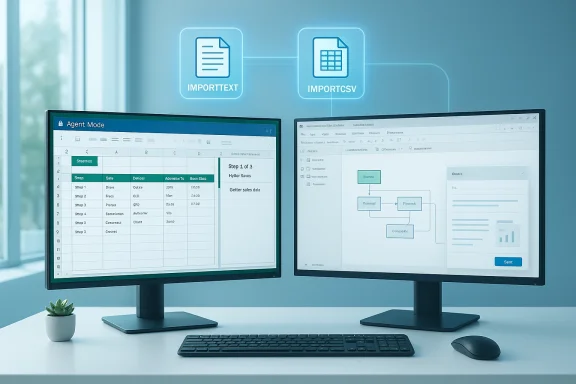
Dual-monitor setup showing a spreadsheet on the left and a workflow diagram on the right.
Microsoft’s January 2026 Excel update is one of the most consequential monthly refreshes in recent memory: Agent Mode moved out of limited previews and into broader availability on desktop, the full Power Query experience landed in Excel for the web, Microsoft introduced lightweight formula-based import functions for text and CSV data, and Office Scripts picked up cross-platform PDF save-and-email capabilities—changes that collectively accelerate everyday data work while raising fresh questions about governance, accuracy, and operational risk.

Background​

Microsoft has been accelerating AI and data tooling across Microsoft 365, folding Copilot capabilities into Word, Outlook, PowerPoint and especially Excel—the app where most businesses do their numbers, models, and reporting. January’s additions are part of that broader roadmap: expanding Copilot-driven workflows, removing friction in data import and shaping, and improving error visibility for workbook authors. These moves reflect Microsoft’s strategy of embedding AI assistants directly into productivity surfaces while also making powerful data-preparation capabilities available on the web.

What arrived in January 2026: a quick inventory​

  • Agent Mode in Excel: Generally available on Windows and rolling out to Mac; web rollout began earlier. Includes model selection and web search grounding.
  • Power Query in Excel for the web: The full Power Query Editor and import wizard are now available in the browser.
  • New Import Functions (Insiders): Formula-based IMPORTTEXT and IMPORTCSV to bring text-based files into the grid as dynamic arrays.
  • Descriptive error cards (Insiders): Improved error diagnostics and cards to help users identify and fix formula and data issues faster.
  • Office Scripts: save & email as PDF (cross-platform): Scripts can convert workbooks to PDF and email them programmatically across platforms.
Together these features move Excel along two axes: (1) making advanced data tasks easier and faster, and (2) embedding AI-assisted workflows that can act on spreadsheets rather than only advising users.

Agent Mode: Excel’s new multi-step assistant​

What Agent Mode actually does​

Agent Mode is the Copilot experience designed to execute multi-step workflows inside a workbook. That includes generating formulas, building PivotTables and charts, reshaping data, and making iterative changes after presenting a proposed plan to the user. The January update expanded Agent Mode’s availability on Windows, added web search grounding (so it can pull current web data), and introduced a model selector that lets eligible tenants choose between OpenAI and Anthropic models.
This is not a single-shot help tool; Agent Mode is explicitly multi-step. It can propose a plan, run actions (in a sandbox preview), and then apply selected changes to the workbook after user approval. That design aims to keep users in control while automating repetitive analyst tasks.

Why it matters for power users​

  • Agent Mode lowers the barrier to complex modeling tasks for non-experts by combining natural language prompts with direct workbook edits.
  • It shortens iterations: ask for a trend analysis, tell Agent Mode to add a smoothing column and a chart, then accept or tweak the proposed changes.
  • For teams, Agent Mode can standardize recurring reports and reduce repetitive formula authoring.

Controls, choices, and the model switcher​

A notable addition in January is the model selector, which gives tenants the option to use different reasoning engines—commonly OpenAI models or Anthropic’s models—depending on policy, preference, or performance. Microsoft documented that organizations can choose which models are permitted, subject to admin controls. This is significant because different models have different strengths, latency profiles, and safety characteristics.

Risks and limitations​

  • Hallucinations and accuracy: Agent Mode’s outputs still require human validation. Even with web grounding, model-generated formulas or dataset joins can be logically incorrect or subtly biased by prompt context. Users should not treat agent edits as authoritative without review.
  • Data exfiltration and grounding: When Agent Mode uses web search grounding, organizations must consider whether requests could surface proprietary data or sensitive third-party content. Admins should review policies for Copilot connectivity and grounding sources.
  • Governance complexity: Model selection introduces governance overhead—admins must decide permitted models, monitor performance, and handle audit trails for automated edits. Larger enterprises will need guardrails around model use, approvals, and change logging.

Power Query arrives in the browser—what changes for modern workflows​

Full Power Query Editor on the web​

The full Power Query experience—complete with the import wizard and the Power Query Editor—became generally available in Excel for the web in January. That represents a major shift: previously, advanced transformations required the desktop app; now users can do the same transformations directly in a browser session. For distributed teams and workers on Chromebooks or locked-down devices, this closes a capability gap.

Practical benefits​

  • No desktop required: Transform, clean, and shape data in the web app without switching to desktop Excel.
  • Consistent queries: Queries built in the browser are compatible with desktop, enabling hybrid editing.
  • Faster collaboration: Coauthoring around data shapes and transformations becomes practical when the entire team can review queries online.

Caveats​

  • Credentialed data sources: Some authenticated sources still require a desktop refresh or specific authentication flows; administrators should test refresh behaviors for data sources that need enterprise credentials.
  • Performance: Very large transforms may still perform better on desktop, especially when local compute and memory advantages matter.

New Import Functions: IMPORTTEXT and IMPORTCSV (Insiders)​

What are the Import Functions?​

Microsoft introduced formula-based import functions—IMPORTTEXT and IMPORTCSV—as a lighter-weight alternative to Power Query for bringing text and CSV data into the grid. These functions return a refreshable dynamic array, letting users maintain a live import footprint with a single formula cell rather than a heavier query UI. The new feature began rolling out to Insiders in January and is documented on Microsoft Support pages.

Why formula-based import matters​

  • Simplicity: A single formula can import and parse a CSV or a delimited text file without navigating the full Power Query editor.
  • Dynamic arrays: Imported ranges expand automatically and can be referenced by downstream formulas and tables.
  • Parameters: The functions accept parameters for delimiters, encoding, row filtering, and locale—making them flexible for global datasets.

Typical use cases​

  1. Quickly pulling a CSV published on an intranet or accessible by URL for immediate analysis.
  2. Embedding light ETL into a workbook that must remain portable and formula-based.
  3. When users want programmatic imports that can be refreshed via the standard Data ribbon.

Limitations and differences from Power Query​

  • Not a full replacement: Import functions are intended to complement, not replace, Power Query. They lack the GUI-driven transformations and advanced connectors that Power Query provides.
  • Refresh semantics: Imported data doesn’t auto-refresh continuously; users must use Refresh All or script the refresh operation in automation scenarios.

Descriptive error cards: better error handling for formula debugging​

January’s Windows Insiders build added descriptive error cards, a usability-focused feature that explains common error conditions and suggests fixes. Instead of terse error codes, Excel now surfaces contextual guidance and remediation steps—speeding debugging for complex formulas and reducing time spent tracking down obscure mistakes.
This is a low-friction, high-impact enhancement: by improving error messaging, Microsoft reduces the cost of adopting more advanced formulas and promotes spreadsheet correctness across teams.

Office Scripts: save and email as PDF across platforms​

Office Scripts—Microsoft’s automation framework for Excel—now supports converting workbooks to PDF and sending them via email programmatically from any supported platform. The Microsoft Learn documentation includes sample scripts demonstrating OfficeScript.convertToPdf(), OfficeScript.downloadFile(), and OfficeScript.sendMail(), and the Excel January blog confirms the cross-platform rollout. This makes it easier to automate report generation and delivery without relying on desktop-only automation paths.
Practical implications:
  • Scheduled reporting pipelines can convert workbooks to PDFs and dispatch them directly from the cloud.
  • Teams that relied on desktop macros for emailing reports can migrate to a cloud-first workflow.
  • Sensitivity labels and protection policies still apply; scripts may be blocked if a file’s sensitivity label prevents external emailing.

How these features fit together: a short workflow example​

  1. Use IMPORTCSV to pull a nightly sales export into a tracking workbook.
  2. Clean and transform data in the browser with Power Query (no desktop required).
  3. Use Agent Mode to ask Excel to generate summary charts, a PivotTable, and a written executive summary draft.
  4. Save the finalized sheet to PDF and email it automatically with an Office Script.
That end-to-end path—ingest, transform, analyze, automate, deliver—can now be executed with fewer tool switches and with automation embedded inside the workbook itself.

Security, privacy, and governance: what IT must plan for​

Data leakage and data residency​

Agent Mode’s web grounding and Copilot interactions mean that prompts and potentially workbook context may be sent to external models. Administrators must understand how Copilot handles data, what is logged, and where model processing occurs. GDPR, HIPAA, and other data residency regulations may place constraints on sending sensitive data to third-party models even if processing is routed via Microsoft’s infrastructure. Organizations should review their Copilot and Microsoft 365 data handling policies before enabling web grounding broadly.

Audit trails and change control​

Agent Mode can apply multi-step edits to workbooks. Enterprises need:
  • Audit logging for agent-initiated changes.
  • Version control and change approvals so analysts can validate agent edits before they are used in production reports.
  • Policies to control which users can run agents and which models they can invoke.

Model risk and explainability​

Different models behave differently. Anthropic and OpenAI models have distinct reasoning and output styles; switching models may change result wording, explanation quality, and occasionally result correctness. Organizations should treat AI-driven outputs as suggestions, validate them, and document which model and prompt were used for important decisions.

Licensing and access controls​

While Microsoft has been expanding free Copilot-style capabilities, some advanced features and model options may still be gated by licensing tiers or tenant settings. IT teams should inventory who has access, test the feature behavior under current licensing, and reconcile usage with compliance and budget policies.

Practical guidance for Excel users and administrators​

For end users: quick checks and first steps​

  • Check your build: Import functions and some Insiders-only items require specific Insider builds on Windows. If you don’t see a feature, verify your Excel channel and build number.
  • Try in a safe workbook: Use Agent Mode and Office Scripts first in test files to understand how the agent proposes changes and how scripts handle PDFs and email.
  • Validate everything: Treat agent edits as drafts—scan formulas, check sample outputs, and confirm they match your domain rules.

For IT and governance teams: policies to implement​

  1. Enable logging: Ensure Copilot and Office activity logs are retained and monitored to trace agent-driven edits.
  2. Limit models where needed: Use the model selector to restrict bright-line use of external models for sensitive work.
  3. Define approval workflows: Require sign-off for agent-applied edits to financial models or regulatory reports.
  4. Test data flows: Validate how Power Query web refreshes handle credentials and service accounts for authenticated sources.

Strengths and strategic value​

  • Productivity uplift: Automating repetitive analytics tasks and making advanced data tools available in the web client shortens time-to-insight for many teams.
  • Accessibility: Formula-based import functions and web Power Query reduce friction for users on non-Windows devices.
  • Automation parity: Office Scripts’ cross-platform PDF/email support finally gives cloud-first automation parity with many desktop-driven macro workflows.

Potential risks and open questions​

  • Overreliance on AI: Without disciplined validation, agent-suggested changes could propagate errors. The human-in-the-loop remains essential.
  • Governance gaps: Rapid capability expansion can outpace policy and training, creating compliance exposure.
  • Performance and scale: Browser-based Power Query is powerful, but large-scale ETL still favors desktop or server-based solutions in many scenarios.
  • Licensing nuance: Feature availability sometimes depends on channel, build, or license—expect uneven user experiences across organizations.

Final verdict: a pragmatic embrace with strong guardrails​

The January 2026 Excel refresh is a meaningful step toward making data work less tedious and more accessible. Agent Mode’s multi-step automation, Power Query in the web, and the new import functions simplify common pain points for analysts and casual users alike. Office Scripts’ PDF/email enhancements bring practical automation that many teams will immediately adopt.
That said, the power of these features depends on careful governance. Organizations should treat Agent Mode and model selection as capabilities that require policy, auditing, and training, not as turnkey replacements for analytical rigor. For everyday analysts and spreadsheet authors, the advice is straightforward: experiment eagerly, validate consistently, and ask IT to help set sensible guardrails.

Quick reference: how to try January’s features today​

  1. Confirm your Excel channel and build (Insiders vs. production) if you want early access to Import Functions and descriptive error cards.
  2. Open Excel for the web and look for the Power Query / Get Data experience in the Data ribbon to try the new web editor.
  3. In desktop Excel, check the Copilot pane for Agent Mode and try a small workflow; review the model selector if your admin permits it.
  4. Use the Office Scripts code samples to create a “Save as PDF and email” script and test delivery with a non-sensitive workbook.

Microsoft’s January updates to Excel make the application both more capable and more consequential. The new capabilities reduce friction for common workflows, enable cloud-first automation, and bring AI-assisted editing closer to mainstream use—but they also force organizations to think critically about model governance, data handling, and change control. Adopt these tools with intention: they’ll save time and unlock new possibilities when used with clear policies and consistent validation.

Source: Neowin https://www.neowin.net/news/here-are-all-the-features-microsoft-added-to-excel-in-january-2026/
 

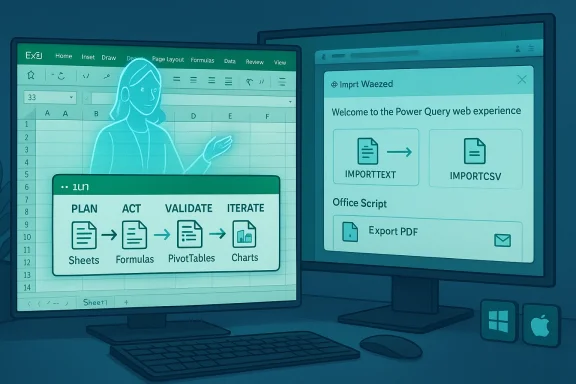
Two monitors show an Excel sheet and a Power Query UI with an illustrated figure.
Microsoft’s January refresh for Excel isn’t a light set of tweaks — it’s a deliberate push to make advanced spreadsheet work feel less like coding and more like directing an assistant. The headline move is Agent Mode, a Copilot-powered, multi-step assistant that now operates inside desktop Excel, but January’s rollout also delivers practical productivity wins: lightweight import formulas for text and CSV workflows, clearer error diagnostics, the full Power Query editor inside Excel for the web, and cross-platform Office Scripts that can save workbooks as PDF and email them automatically. Together these changes reduce friction for everyday analysts while raising important questions about governance, accuracy, and licensing. osoft.com]

Background​

Microsoft has been on a clear trajectory: embed Copilot-style intelligence across Microsoft 365 and extend Power Query and automation so that data prep, analysis, and delivery happen with fewer context switches. January 2026’s additions continue that work, shifting more of the “heavy lifting” into guided workflows and making web-based Excel substantially closer to the desktop experience for data transformation tasks. The timing matters: Agent Mode moved from web preview into desktop availability in late January, and Power Query for the web became generally available around the same time, signaling that Microsoft is trying to achieve parity across platforms while preserving the auditability of native Excel artifacts.

What changed in January 2026 — quick inventory​

  • Agent Mode (Copilot) in Excel — multi-step, in-canvas agent available on Windows and rolling out to Mac; web preview preceded desktop launch. (techcommunity.microsoft.com
  • Power Query (full experience) in Excel for the web — import wizard and Power Query Editor are now generally availacrosoft 365 plans. (techcommunity.microsoft.com)
  • New Import functions (Windows Insiders) — formula-based IMPORTTEXT/IMPORTCSV-style functions to bring .txt/.csv into the grid without launching Power Query.
  • Descriptive error cards (Windows Insiders) — improved, contextual error messages to make formula debugging easier.
  • Office Scripts: Save & email as PDF — cross-platform scripting support to export sheets as PDF and send automatically.
Below I unpack each of these changes, explain how they work in practice, and weigh the benefits against operational and governance risks.

Agent Mode and Copilot features​

What is Agent Mode?​

Agent Mode takes Copilot beyond single-turn help and into a multi-step orchestration model. Instead of suggesting a single formula or chart, Agent Mode can:
  • Interpret a plain-English goal,
  • Produce a stepwise plan (sheets, tables, formulas, PivotTables, charts),
  • Apply edits directly to the workbook as native Excel objects,
  • Validate results and iterate based on your feedback.
This “plan → act → validate → iterate” loop intentionally produces editable Excel artifacts so outputs remain inspectable and auditable. Microsoft describes the feature as an active collaborator that performs workbook edits rather than returning text-only advice.

Where it’s available and licensing notes​

Agent Mode was announced as generally available on Windows desktop on January 27, 2026, with Mac rolling out shortly after; the web rollout preceded desktop availability during December 2025. Access requires appropriate Microsoft 365 entitlements — commercial Microsoft 365 Copilot seats or Microsoft 365 Premium (and Personal/Family tiers with AI credits in certain markets). There are geographic and tenant nuances: some consumer availability restrictions (notably the EU/UK for certain consumer tiers) and tenant-level admin controls for enterprise customers. IT admins can also control model routing in tenant settings.

Why it matters​

Agent Mode is transformational for three user groups:
  • Casual analysts who know the business but not advanced formulas can ask for outcomes (for example, “build a loan amortization schedule with monthly breakdown”) and get a fully structured worksheet.
  • Power users can prototype faster: the agent writes the scaffolding and leaves final hardening to analysts.
  • Teams benefit because agents produce native Excel artifacts, making reviews, versioning, and automation traceable inside the workbook.
That said, the approach assumes human review. Agents can accelerate correct work, but they can also multiply mistakes across a workbook if outputs are accepted uncritically.

Model choice and grounding​

Microsoft has added a model selector so tenants can route tasks to different providers (OpenAI models or Anthropic models like Claude), and Agent Mode supports web-grounded search for pulling current facts. These choices affect behavior, latency, and safety chaent models have different hallucination and style profiles, which makes governance a heavier lift for IT. Independent coverage has observed that Copilot in Excel now supports multiple backend models and web-grounding features, though exact model versions and routing behavior can vary by tenant settings and admin policies.

Import functions and formula-driven data ingestion (Windows)​

What changed​

Excel for Windows Insiders now includes new Import functions that let users import data from .txt and .csv files using formulas instead of opening Power Query. These functions return dynamic arrays and are intended as a lightweight path for simple, structured imports. For many quick the overhead of opening Power Query while maintaining refreshability.

Practical benefits​

  • Faster one-cell import: a single formula can pull a CSV and spill the resulting table.
  • Dynamic arrays: downstream formulas and tables can reference the imported range reliably.
  • Portability: formula-driven imports keep the workbook self-contained in ways that a query object sometimes does not.

Limits versus Power Query​

  • Not a replacement for full ETL: Import functions lack the GUI-driven transform steps and advanced connectors in Power Query.
  • Authentication and complex connector workflows remain Power Query’s domain.
  • Refresh semantics differ — users must understand Refresh All and script-based refresh if they require scheduled upindependent community write-ups agree these functions are complementary: they lower the barrier for simple imports but don’t retire Power Query for heavier transformation work.

Descriptive error cards — better troubleshooting​

Excel’s error messages have long been concise to the point of cryptic. The January Insiders build adds descriptive error cards that try to explain why a formula failed and suggest remediation steps. That’s a practical win for complex workbooks where tracing an error across interdependent sheets can cost hours.
  • Expect context-aware guidance instead of terse #REF! or #VALUE! labels.
  • Designed to reduce time spent debugging large models and to make formula adoption less intimidating.
This feature was announced as part of the Windows Insiders channel and is still reaching production users, so broader availability will lag the Insiders release cadence.

Power Query on Mac and in Excel for the web​

Power Query: desktop parity on the web​

One of January’s largest platform moves is the full Power Query experience in Excel for the web. The web client now includes the import wizard and the Power Query Editor, enabling the full import-transform-load journey inside a browser tab. This expands where teams can build and iterate on transform steps, and it makes hybrid device workflows (Chromebooks, managed browsers) far more viable for data work.

Licensing nuance​

The full Power Query experience in the web is available to Microsoft 365 subscribers on Business or Enterprise plans, while viewing and refreshing queries is broadly available to subscribers. That distinction means some advanced editing scenarios in the browser will require the commercial subscription tiers. Organizations should plan licensing accordingly if they intend to move significant ETL workloads to browser-based editors.

Mac parity​

Agent Mode and many Power Query capabilities are rolling out to Mac users to align experiences across platforms. Microsoft’s goal appears to be functional parity: the same natural-language workflow you get on Windows should be availablor UI differences. Expect staged rollouts as Microsoft smooths platform-specific authentication and connector behavior.

Practical implications​

  • Teams can build queries in the browser and have them work on desktop Excel — easing collaboration.
  • Some authenticated data sources still require careful testing in enterprise environments; credential flows and refresh behavior can vary across environment and connector type.
  • Very large transforms may still perform better on desktop machines with more memory.

Office Scripts: PDF export and email automation​

Office Scripts now supports cross-platform automation to save a workit via email, closing a common gap for cloud-first automation. This tackles repeated manual tasks (exporting monthly reports, emailing to disets teams migrate desktop macro-dependent workflows to a centralized cloud script.
  • The feature is available across Windows, Mac, and Excel for the web.
  • Sample scripts and APIs are documented for converting to PDF, downloading, and sending mail programmatically.
  • Sensitivity labels and DLP policies still apply — scripts that try to send externally might be blocked depending on label settings.

Cross-checks and independent confirmation​

I verified Microsoft’s announcements on the Excel Community Hub and support pages and cross-referenced independent coverage to confirm the most significant claims:
  • Agent Mode desktop general availability on Jan 27, 2026 — confirmed in Microsoft’s desktop announcement and corroborated by independent hands-on coverage.
  • Full Power Query experience in Excel for the web (import wizard + editor) — confirmed on the Excel Community Hub and discussed by community and independent sites.
  • Import functions and descriptive error cards limited to Insiders on Windows — mentioned in Microsoft’s January roundup and community files and are currently rolling to Insiders.
  • Office Scripts save-and-email-as-PDF cross-platform support is in the January notes and illustrated in sample scripts.
Where Microsoft’s documentation did not publish granular technical specifics (for example, exact model version numbers used by Copilot by default), I flagged those items as subject to variation and tenant-level configuration; do not treat vendor model names or internal versioning as immutable unless Microsoft explicitly documents them. Windows Central’s coverage points to multi-model support and web grounding but uses different phrasing when naming specific model versions, so treat model-version claims cautiously.

Risks, governance, and operational guidance​

Microsoft’s January updates are powerful, but they amplify three governance areas that IT must address proactively.

1. Accuracy and overreliance​

Agent Mode speeds model construction but can produce incorrect formulas or inappropriate joins. Always:
  1. Treat agent edits as suggestions until validated.
  2. Use test datasets and sanity checks before deploying agent-generated worksheets in production.
  3. Keep a human-in-the-loop signoff process for financial or regulatory reporting.

2. Data handling and data exfiltration​

Agent Mode’es and multi-model routing mean prompts or workbook excerpts may be processed by external models. Admins should:
  • Review Copilot data handling and tenant logging settings.
  • Consider restricting web search grounding or third-party model routing for sensitive files.
  • Ensure DLP and sensitivity labels are configured to block risky automations.
Microsoft’s own documentation warns about sensitive or shared files being edited by Agent Mode and recommends AutoSave and version history checks where appropriate.

3. Licensing complexity and uneven availability​

Feature availability currently depends on channel (Insiders vs. production), platform, and subscription tier (consumer vs. business). To avoid user confusion:
  • Inventory who has Copilot and Power Query entitlements.
  • Pilot new features with a small group before broad rollout.
  • Communicate licensing and feature differences to stakeholders so end-users don’t assume parity across devices.

Practical rollout checklist for IT and analysts​

  1. Confirm entitlement: verify which users have Copilot, Microsoft 365 Premium, and Power Query editing entitlements.
  2. Start small: pilot Agent Mode and Office Scripts in test tenants with non-sensitive data.
  3. Train power users: teach reviewers how to inspect agent-generated formulas and where to look for validation sheets the agent creates.
  4. Update policies: enforce audit logging for Copilot actions and define approval gates for agent-applied edits.
  5. Test connectors: validate credential flows for Power Query web against enterprise deeds.com]

Tips for power users (quick wins)​

  • Use Agent Mode to scaffold repetitive reports: have the agent create the skeleton, then lock critical cells and audit formulas before distribution.
  • Try the new Import functions for quick CSVs — they’re great for intranet-hosted exports where a full query is overkill.
  • Move transform-heavy steps to the Power Query Editor in the web for asynchronous collaboration — peers can review applied steps without opening desktop Excel.
  • Replace desktop-only macros that export and email PDFs with Office Scripts to centralize scheduled reporting.

Final assessment​

January 2026’s Excel updates mark a meaningful nudge toward a more natural-language, web-first, and automation-ready spreadsheet experience. Agent Mode changes the UX model: Excel is no longer only a formula canvas but also a stage where an AI agent can plan and execute tasks under human direction. Power Query in the web reduces platform friction for data prep, while Import functions and descriptive error cards lower barriers for people who struggle with more advanced spreadsheet tooling. Office Scripts’ new PDF/email automation closes a long-standing gap for cloud-first reporting.
Those wins come with real trade-offs. Organizations must treat agent-driven edits as draftable outputs that require validation, and IT must extend governance to model choices, web grounding, and cross-platform automations. For analysts and teams, the pragmatic path is clear: pilot aggressively, validate thoroughly, and pair the new productivity gains with concrete policies and training so the speed of delivery doesn’t outpace the controls that keep your reports reliable.
If you’ve already seen these features appear in your tenant, start with small, reversible experiments (test files, small datasets) and document the model choices and prompts that produce consistently useful results. If you don’t see these features yet, check your Excel channel (Insiders vs. production), subscription tier, and tenant admin settings — rollout patterns and licensing thresholds explain most of the variability users are encountering today.

The January 2026 changes reframe how spreadsheets are built and shared: Excel is getting easier to tell what to do, and harder to mistake for a finished product without proper review. Treat these tools as accelerators — powerful helpers that still need expert oversight to convert uptime into reliable outcomes.

Source: Gizbot From Agent Mode to Power Query: Microsoft Details New Excel Features Rolled Out in January 2026
 

Back
Top