

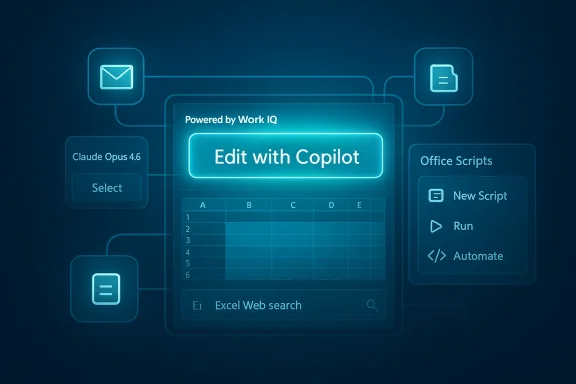
Microsoft’s March 2026 Excel update is less a routine feature drop than a clear signal about where Microsoft 365 Copilot is headed next: deeper context, broader model choice, and tighter integration with the daily workflows that define modern office work. The headline change is Edit with Copilot, now powered by Work IQ context, which lets the assistant draw on emails, meetings, chats, and files to carry out more relevant multi-step edits. Microsoft also expanded language support, added Claude Opus 4.6 to the model selector for eligible enterprise users, refreshed the Office Scripts interface, and made Excel Web search faster and more direct for people juggling large file libraries. Those moves may sound incremental on paper, but together they point to an Excel that is becoming more ambient, more agentic, and more deeply connected to the rest of Microsoft’s productivity stack.
Excel has always been more than a spreadsheet app. For decades it has functioned as a planning tool, a reporting engine, a light database, and in many organizations the unofficial operating system of finance, operations, and analysis. That is why nearly every meaningful change to Excel matters beyond the product itself. A small interface shift can alter how teams build models, and a new AI capability can change who is expected to perform analysis at all.
Microsoft’s broader Copilot strategy helps explain why March 2026 mattered. The company has spent the last several release cycles pushing Copilot from a narrow drafting assistant into an agentic system that can plan, execute, and return finished work. In Microsoft’s own framing, the goal is no longer simply to generate text or summarize content, but to help users complete longer workflows across Word, Excel, Outlook, Teams, and shared files. That direction has been reinforced by the introduction of Work IQ, the contextual intelligence layer that feeds Microsoft 365 apps with signals from a user’s work environment.
The Excel changes in March should also be viewed against the backdrop of intensifying competition in spreadsheet-native AI. Anthropic has pushed Claude deeper into Excel, including a direct spreadsheet experience designed to challenge Copilot where power users actually work. Meanwhile, Microsoft has been widening model options across its own stack, signaling that it does not want AI assistance to be a one-model story. In that context, adding Claude Opus 4.6 to the model selector is not just a feature update; it is a strategic statement about Microsoft’s willingness to support model pluralism when it improves enterprise adoption.
There is also a governance angle here. The more Microsoft ties AI to real documents, real calendars, real meetings, and real spreadsheets, the more it must convince enterprises that the system is trustworthy, controllable, and auditable. That tension has only grown stronger in 2026, as Microsoft’s Copilot roadmap has increasingly blended productivity, automation, and policy controls. The result is a product line that is becoming more powerful at the exact moment it becomes harder to govern. That is precisely why the March Excel updates matter.
The platform’s centrality also explains why Microsoft is moving carefully. If Copilot can edit a workbook, it must preserve structure, formulas, formatting, and business logic. If automation becomes easier, it must also become safer. The challenge is not building a clever assistant; it is building one that understands spreadsheet norms well enough to avoid breaking them.
This matters because spreadsheet work is rarely isolated. A sales forecast may depend on the latest deal notes in email, a staffing model may depend on a meeting recap, and a budget revision may depend on a policy document that is not embedded in the workbook itself. Work IQ is Microsoft’s attempt to collapse those silos so Copilot can act less like a prompt responder and more like a context-aware analyst. That is an important step, but it also raises the bar for accuracy, because the model is now making decisions with more hidden dependencies.
But context also creates a new failure mode: the assistant may be confidently wrong in a more sophisticated way. If Work IQ surfaces the wrong meeting note or an outdated file, Copilot could make edits that are internally consistent but externally incorrect. For finance, audit, and compliance use cases, that is not a small issue.
In strategic terms, this helps Microsoft defend its moat. If Copilot understands the user’s work graph better than rival assistants, it becomes harder for competitors to match usefulness without matching the ecosystem. That is a powerful advantage in enterprise software, where integration often matters more than raw model quality.
This is competitive and pragmatic at the same time. Competitive, because Microsoft knows rivals will market model quality aggressively. Pragmatic, because enterprise customers rarely want philosophical purity; they want the best tool for a given job. By exposing Claude in the selector, Microsoft acknowledges that different models may excel at different reasoning, writing, or transformation tasks.
The tradeoff is complexity. More choice can mean more confusion, more inconsistent output, and more governance overhead. Enterprises will need clear policies about which model is approved for which task, how outputs are validated, and what gets logged for review.
That is a smart move, because it makes the company less dependent on any one model brand while still keeping users inside Microsoft 365. In other words, Microsoft can benefit from model competition without surrendering the customer relationship.
For multinational enterprises, language support affects more than convenience. It influences training, rollout speed, regional compliance, and user trust. If Copilot only works well in a handful of languages, organizations end up creating a two-tier experience where some teams can rely on AI and others cannot. Expanding support helps reduce that divide.
It also improves accessibility for smaller offices and local teams that do not operate primarily in English. In global deployments, that can be the difference between enthusiastic experimentation and awkward pilot programs that never scale.
This update may be less flashy than Copilot, but it is arguably just as important. Automation only spreads when it is discoverable. Many organizations have low-code tools that technically solve problems yet remain underused because they are awkward to navigate or hard to maintain. A cleaner Office Scripts experience suggests Microsoft understands that usability is part of automation strategy, not a cosmetic afterthought.
The new UI could encourage a hybrid model where users combine Copilot for ideation and Office Scripts for execution. That is a compelling pattern because it separates creative assistance from repeatable automation, which is often how organizations prefer to manage risk.
It also dovetails with Copilot. If AI helps users understand what to automate and scripts help them lock in the process, Microsoft gets a more complete productivity stack. That stack becomes harder to replace.
This is the kind of improvement that often looks trivial until you work in a high-volume cloud workspace. Once a team accumulates hundreds or thousands of files, search speed becomes workflow speed. Even a few seconds saved per lookup can compound into meaningful productivity gains over time.
It also reinforces the reality that Excel is now part of a broader content ecosystem. Files do not live in isolation, and Microsoft increasingly treats discovery as a cross-app experience rather than a single-app problem. That is an important design principle for a workplace where people move constantly between spreadsheets, documents, and presentations.
That matters because the easier it is to stay inside the ecosystem, the more likely users are to discover and adopt adjacent features like Copilot, scripts, and shared file collaboration. In product strategy terms, search is not just retrieval; it is retention.
For small and midsize businesses, the question is whether Copilot’s new context awareness justifies the added cost and training. For many SMBs, the answer will depend on how often they work across emails, meetings, and files in messy, fast-moving projects. If the answer is “all the time,” Work IQ becomes attractive almost immediately.
Enterprises may also see strategic value in the new model choice. The ability to select Claude Opus 4.6 alongside Microsoft’s existing ecosystem may help reduce model risk and improve performance testing. But it will also require procurement, security, and AI governance teams to coordinate more tightly than before.
This is a classic platform power move. Microsoft is not merely competing on features; it is competing on distribution. If users can access Claude through Microsoft 365 and get contextual editing, Microsoft can absorb some of the appeal of third-party AI tools without losing the app-level relationship.
For Google, the challenge is different. It must prove that Sheets and the broader Workspace AI experience can match Microsoft’s combination of context, automation, and file discovery. That is a difficult proposition when Excel remains the default in so many business settings.
That is why model pluralism inside Microsoft can be so powerful. Users may feel they are choosing among leading AI systems, but they are still choosing inside Microsoft’s environment. The platform remains the center of gravity.
The second question is whether Microsoft can keep balancing openness and control. Multi-model support is attractive, but it also introduces complexity that enterprises hate unless the value is obvious. Work IQ is promising, but its usefulness will depend on how accurately it surfaces the right business context. In short, the next phase of Excel’s evolution will be judged less by the novelty of AI features and more by how safely and consistently they fit into real work.
Source: Windows Report https://windowsreport.com/microsoft-added-these-new-features-to-excel-in-march-2026/
 Background
Excel has always been more than a spreadsheet app. For decades it has functioned as a planning tool, a reporting engine, a light database, and in many organizations the unofficial operating system of finance, operations, and analysis. That is why nearly every meaningful change to Excel matters beyond the product itself. A small interface shift can alter how teams build models, and a new AI capability can change who is expected to perform analysis at all.Microsoft’s broader Copilot strategy helps explain why March 2026 mattered. The company has spent the last several release cycles pushing Copilot from a narrow drafting assistant into an agentic system that can plan, execute, and return finished work. In Microsoft’s own framing, the goal is no longer simply to generate text or summarize content, but to help users complete longer workflows across Word, Excel, Outlook, Teams, and shared files. That direction has been reinforced by the introduction of Work IQ, the contextual intelligence layer that feeds Microsoft 365 apps with signals from a user’s work environment.
The Excel changes in March should also be viewed against the backdrop of intensifying competition in spreadsheet-native AI. Anthropic has pushed Claude deeper into Excel, including a direct spreadsheet experience designed to challenge Copilot where power users actually work. Meanwhile, Microsoft has been widening model options across its own stack, signaling that it does not want AI assistance to be a one-model story. In that context, adding Claude Opus 4.6 to the model selector is not just a feature update; it is a strategic statement about Microsoft’s willingness to support model pluralism when it improves enterprise adoption.
There is also a governance angle here. The more Microsoft ties AI to real documents, real calendars, real meetings, and real spreadsheets, the more it must convince enterprises that the system is trustworthy, controllable, and auditable. That tension has only grown stronger in 2026, as Microsoft’s Copilot roadmap has increasingly blended productivity, automation, and policy controls. The result is a product line that is becoming more powerful at the exact moment it becomes harder to govern. That is precisely why the March Excel updates matter.
Why Excel remains the center of gravity
Excel is where feature announcements become operational reality. Finance teams use it for forecasts, HR uses it for headcount planning, and operations teams use it for inventory or resource analysis. When Microsoft adds AI to Excel, it is not entering a peripheral app; it is entering the room where decisions are made.The platform’s centrality also explains why Microsoft is moving carefully. If Copilot can edit a workbook, it must preserve structure, formulas, formatting, and business logic. If automation becomes easier, it must also become safer. The challenge is not building a clever assistant; it is building one that understands spreadsheet norms well enough to avoid breaking them.
- Excel changes tend to have outsized enterprise impact.
- Spreadsheet logic is fragile, so “smart” edits need guardrails.
- AI adoption in Excel often spreads laterally across departments.
- Microsoft’s challenge is usefulness without destructive overreach.
The Headline: Edit with Copilot Gets Work IQ
The biggest update is Edit with Copilot, now driven by Work IQ context. In practical terms, that means Copilot can do more than react to the text in a workbook. It can use surrounding work signals—emails, meetings, chats, and files—to infer what a user likely means and execute multi-step changes that are better aligned with current business context. Microsoft says the capability is available to users with a Microsoft 365 Copilot license.This matters because spreadsheet work is rarely isolated. A sales forecast may depend on the latest deal notes in email, a staffing model may depend on a meeting recap, and a budget revision may depend on a policy document that is not embedded in the workbook itself. Work IQ is Microsoft’s attempt to collapse those silos so Copilot can act less like a prompt responder and more like a context-aware analyst. That is an important step, but it also raises the bar for accuracy, because the model is now making decisions with more hidden dependencies.
What “context” changes in practice
Context is the difference between a generic rewrite and a business-appropriate edit. If a user asks Copilot to update a workbook, Work IQ can help it prioritize the right numbers, the latest assumptions, and the newest stakeholder messages. That should reduce the amount of back-and-forth required for routine revisions.But context also creates a new failure mode: the assistant may be confidently wrong in a more sophisticated way. If Work IQ surfaces the wrong meeting note or an outdated file, Copilot could make edits that are internally consistent but externally incorrect. For finance, audit, and compliance use cases, that is not a small issue.
- Pulls in signals from emails, meetings, chats, and files.
- Supports multi-step edits rather than one-off suggestions.
- Aims to reduce manual copy-and-paste between apps.
- Increases dependency on Microsoft’s context ranking and retrieval.
Why this is a platform move, not just a feature
Microsoft is not simply adding a smarter button inside Excel. It is attempting to make the entire Microsoft 365 fabric feel like a single reasoning surface. That is the real significance of Work IQ: it is a bridge between productivity apps and AI orchestration.In strategic terms, this helps Microsoft defend its moat. If Copilot understands the user’s work graph better than rival assistants, it becomes harder for competitors to match usefulness without matching the ecosystem. That is a powerful advantage in enterprise software, where integration often matters more than raw model quality.
Model Choice and the Claude Addition
March also brought Claude Opus 4.6 into the model selector for users with Microsoft 365 Premium or enterprise Copilot licenses. That move is notable because it reflects Microsoft’s increasingly multi-model posture. Rather than forcing all workloads through one AI family, Microsoft is offering users and IT teams more than one option for advanced editing tasks.This is competitive and pragmatic at the same time. Competitive, because Microsoft knows rivals will market model quality aggressively. Pragmatic, because enterprise customers rarely want philosophical purity; they want the best tool for a given job. By exposing Claude in the selector, Microsoft acknowledges that different models may excel at different reasoning, writing, or transformation tasks.
What model plurality means for enterprise users
For businesses, multiple model options can improve outcomes in workflows where one model is better at nuance and another at structure. In Excel, that could translate into improved handling of explanations, transformations, or multi-step logic. It also gives IT and business teams a little more leverage when testing which model performs best for specific types of work.The tradeoff is complexity. More choice can mean more confusion, more inconsistent output, and more governance overhead. Enterprises will need clear policies about which model is approved for which task, how outputs are validated, and what gets logged for review.
- Gives users more advanced AI editing options.
- Supports model comparison across real workloads.
- Raises governance and standardization questions.
- Reinforces Microsoft’s willingness to embrace model diversity.
The broader AI market implication
The addition of Claude to Microsoft’s model selector also mirrors a broader market shift. The enterprise AI story is moving away from single-vendor lock-in and toward portfolio intelligence: organizations want the right model in the right place under the right policy. Microsoft is positioning itself as the orchestration layer for that reality.That is a smart move, because it makes the company less dependent on any one model brand while still keeping users inside Microsoft 365. In other words, Microsoft can benefit from model competition without surrendering the customer relationship.
Language Expansion and Accessibility
Microsoft also said Copilot’s editing capabilities now support all standard supported languages. That sounds modest, but for a global productivity suite it is a major adoption lever. Language coverage is not a decorative feature; it determines whether AI assistance feels native or foreign in day-to-day use.For multinational enterprises, language support affects more than convenience. It influences training, rollout speed, regional compliance, and user trust. If Copilot only works well in a handful of languages, organizations end up creating a two-tier experience where some teams can rely on AI and others cannot. Expanding support helps reduce that divide.
Why language parity matters
The value of AI drops sharply when users have to switch languages or translate prompts unnaturally. A spreadsheet analyst in one region should be able to use Copilot in the same workflow style as a counterpart in another region. Microsoft’s broader language support makes that goal more realistic.It also improves accessibility for smaller offices and local teams that do not operate primarily in English. In global deployments, that can be the difference between enthusiastic experimentation and awkward pilot programs that never scale.
- Improves adoption outside English-first markets.
- Makes enterprise rollout more consistent across regions.
- Reduces the need for local workaround processes.
- Helps Microsoft compete in multilingual business environments.
Office Scripts Gets a Friendlier Face
Microsoft also updated the Office Scripts interface to make automation more approachable. The redesign is aimed at helping users find, create, manage, and share scripts faster, with clearer navigation and a more consistent layout. For beginners, that should lower the intimidation factor. For experienced users, it should reduce friction when working through repetitive Excel tasks.This update may be less flashy than Copilot, but it is arguably just as important. Automation only spreads when it is discoverable. Many organizations have low-code tools that technically solve problems yet remain underused because they are awkward to navigate or hard to maintain. A cleaner Office Scripts experience suggests Microsoft understands that usability is part of automation strategy, not a cosmetic afterthought.
Automation still matters in an AI era
AI gets the headlines, but deterministic automation is still the backbone of real work. Scripts offer repeatability, traceability, and control in ways that AI-generated actions do not always guarantee. In many enterprises, that makes scripts the safer choice for production workflows.The new UI could encourage a hybrid model where users combine Copilot for ideation and Office Scripts for execution. That is a compelling pattern because it separates creative assistance from repeatable automation, which is often how organizations prefer to manage risk.
- Better discoverability for non-experts.
- Faster management of existing scripts.
- More consistent user experience across automation flows.
- Potential bridge between Copilot ideas and script-based execution.
The enterprise value proposition
If Microsoft can make scripts feel less like a niche power-user feature, it can broaden automation adoption across departments. That is especially relevant for teams that need lightweight process automation but are not ready to invest in custom development. In those environments, usability is often the difference between a tool that gets deployed and a tool that gets ignored.It also dovetails with Copilot. If AI helps users understand what to automate and scripts help them lock in the process, Microsoft gets a more complete productivity stack. That stack becomes harder to replace.
Excel Web and the Search Shortcut
The final update worth noting is a small but practical one: Excel Web now lets users type directly into the homepage search bar and see matching Word, Excel, or PowerPoint files in an immediate drop-down list. Instead of scanning the homepage manually, users can get to the right document faster.This is the kind of improvement that often looks trivial until you work in a high-volume cloud workspace. Once a team accumulates hundreds or thousands of files, search speed becomes workflow speed. Even a few seconds saved per lookup can compound into meaningful productivity gains over time.
Why file discovery is still a bottleneck
Cloud productivity tools are only as good as their retrieval. If users cannot quickly find the latest workbook, the most recent deck, or the right draft, AI assistance ends up layered on top of friction. Microsoft’s search enhancement attacks that problem at the root.It also reinforces the reality that Excel is now part of a broader content ecosystem. Files do not live in isolation, and Microsoft increasingly treats discovery as a cross-app experience rather than a single-app problem. That is an important design principle for a workplace where people move constantly between spreadsheets, documents, and presentations.
- Faster discovery of recent and relevant files.
- Reduced dependence on homepage scanning.
- Better fit for file-heavy teams and shared workspaces.
- A small change with measurable productivity impact.
The quiet importance of search UX
Search UX is often where enterprise software wins or loses trust. If users repeatedly fail to find the right file, they develop their own workarounds and stop using the platform’s native tools. Microsoft’s new search bar behavior is a subtle attempt to keep workflows inside the Microsoft 365 environment.That matters because the easier it is to stay inside the ecosystem, the more likely users are to discover and adopt adjacent features like Copilot, scripts, and shared file collaboration. In product strategy terms, search is not just retrieval; it is retention.
Consumer, SMB, and Enterprise Impact
The March updates do not affect every Excel user equally. Consumers and small businesses will notice the new search behavior and some interface improvements, but the most meaningful changes sit in the paid Copilot tiers. That is consistent with Microsoft’s broader approach: basic convenience features spread widely, while advanced AI and model selection remain attached to premium licensing.For small and midsize businesses, the question is whether Copilot’s new context awareness justifies the added cost and training. For many SMBs, the answer will depend on how often they work across emails, meetings, and files in messy, fast-moving projects. If the answer is “all the time,” Work IQ becomes attractive almost immediately.
Enterprise buyers will care about governance first
Large organizations will focus less on the wow factor and more on controls, reliability, and auditing. They will want to know how context is selected, whether the right data boundaries are enforced, and how to prevent accidental edits from becoming business incidents. Those concerns are especially relevant in finance, legal, healthcare, and regulated manufacturing.Enterprises may also see strategic value in the new model choice. The ability to select Claude Opus 4.6 alongside Microsoft’s existing ecosystem may help reduce model risk and improve performance testing. But it will also require procurement, security, and AI governance teams to coordinate more tightly than before.
- Consumers get the least dramatic changes.
- SMBs may benefit most from faster context-aware edits.
- Enterprises gain flexibility but also more governance burden.
- Premium licensing remains the gatekeeper for top-tier AI.
Competitive Pressure on Google and Anthropic
Microsoft’s March Excel update intensifies pressure on both Google and Anthropic, though in different ways. Google has long pushed Sheets as the collaborative spreadsheet alternative, but Microsoft’s deeper AI integration gives Excel a stronger claim to being the most capable enterprise spreadsheet platform. Meanwhile, Anthropic’s own spreadsheet ambitions become more complicated when Microsoft includes Claude inside its ecosystem.This is a classic platform power move. Microsoft is not merely competing on features; it is competing on distribution. If users can access Claude through Microsoft 365 and get contextual editing, Microsoft can absorb some of the appeal of third-party AI tools without losing the app-level relationship.
Why this matters for rival AI vendors
For Anthropic, being available inside Microsoft’s stack is a win, but it is also a reminder that distribution can be as important as model performance. A great model without a seamless workflow is harder to monetize than a good-enough model inside the dominant productivity platform. That is why enterprise partnerships matter so much in 2026.For Google, the challenge is different. It must prove that Sheets and the broader Workspace AI experience can match Microsoft’s combination of context, automation, and file discovery. That is a difficult proposition when Excel remains the default in so many business settings.
- Microsoft is bundling AI with the workflow, not just the model.
- Anthropic benefits from visibility but risks commoditization.
- Google faces pressure on enterprise spreadsheet relevance.
- Platform integration increasingly outweighs standalone model hype.
The economics of lock-in
The deeper Microsoft makes Copilot feel native to Excel, the harder it becomes for users to consider external tools. That creates a kind of soft lock-in: not coercive, but highly convenient. Over time, convenience often beats ideological openness.That is why model pluralism inside Microsoft can be so powerful. Users may feel they are choosing among leading AI systems, but they are still choosing inside Microsoft’s environment. The platform remains the center of gravity.
Strengths and Opportunities
Microsoft’s March Excel changes are strongest when viewed as part of a larger strategy rather than a standalone feature list. The company is aligning AI, automation, search, and language support around the reality of how work actually happens. That creates real opportunities for productivity gains if the company can keep quality high and governance tight.- Work IQ makes Copilot materially more context-aware.
- Claude Opus 4.6 adds useful model diversity for advanced users.
- Expanded language support improves global reach and adoption.
- The Office Scripts redesign lowers friction for automation.
- Excel Web search becomes more practical for file-heavy teams.
- Microsoft strengthens Excel’s role as a full workflow platform.
- The updates reinforce Microsoft 365’s ecosystem advantage.
Risks and Concerns
The same features that make March’s update compelling also create new operational and governance risks. Context-aware automation is powerful, but it can also amplify bad inputs, stale data, or misunderstood intent. The more Excel starts acting like an agent, the more critical it becomes to ensure that humans remain able to verify what it does.- Context retrieval could surface the wrong document or message.
- Multi-step edits may introduce errors that are harder to spot.
- Model choice can create inconsistent outputs across teams.
- Enterprises may struggle to define acceptable AI usage policies.
- Greater automation can encourage overtrust in Copilot results.
- New AI capabilities may widen the gap between licensed and unlicensed users.
- Security and compliance teams will need more oversight, not less.
Looking Ahead
The key question for the rest of 2026 is whether Microsoft can turn these March changes into durable behavior change. Features matter, but adoption patterns matter more. If users begin to trust Copilot for context-aware edits, scripts for repeatable automation, and Excel Web search for faster retrieval, Microsoft will have moved Excel another step from application to platform.The second question is whether Microsoft can keep balancing openness and control. Multi-model support is attractive, but it also introduces complexity that enterprises hate unless the value is obvious. Work IQ is promising, but its usefulness will depend on how accurately it surfaces the right business context. In short, the next phase of Excel’s evolution will be judged less by the novelty of AI features and more by how safely and consistently they fit into real work.
- Watch for broader rollout details beyond Microsoft 365 Copilot licensing.
- Monitor how enterprise admins configure model choice and guardrails.
- Track whether Office Scripts usage rises after the UI redesign.
- Pay attention to user feedback on Work IQ’s contextual relevance.
- See whether Excel Web search changes behavior in file-heavy teams.
Source: Windows Report https://windowsreport.com/microsoft-added-these-new-features-to-excel-in-march-2026/
