

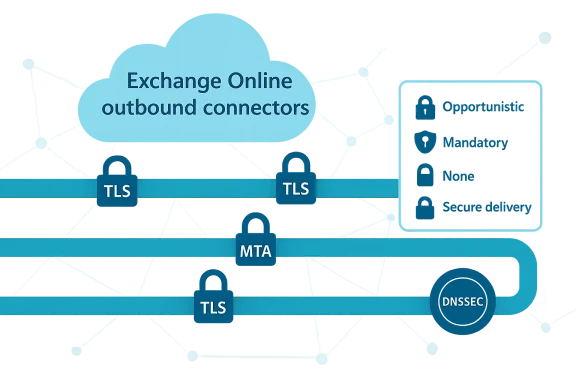
Microsoft has added per‑connector control for SMTP DANE and MTA‑STS validation in Exchange Online outbound connectors, giving administrators explicit, granular settings to balance strict transport security with real‑world delivery reliability. Instead of a single enforcement posture for all outbound mail, tenants can now choose an Opportunistic default that attempts validation when available, a Mandatory option for strict SMTP DANE enforcement, or None to disable validation on a per‑connector basis. This change is rolling out as part of Exchange Online’s continuing deployment of modern transport security features and is intended to help organizations enforce strong protections where partners are ready, while preserving delivery to legacy or partially configured partners.
Email transport security has evolved beyond simple opportunistic STARTTLS. Two complementary standards now sit at the center of the conversation:
However, real‑world MTA implementations historically vary—some may favor MTA‑STS lookups or not implement full DANE semantics—so administrators must test target paths. Microsoft’s rollout gives you the tools to adapt while you and your partners resolve differences.
Source: Microsoft Exchange Team Blog Announcing SMTP DANE & MTA STS Connector Modes in Exchange Online | Microsoft Community Hub
 Background / Overview
Email transport security has evolved beyond simple opportunistic STARTTLS. Two complementary standards now sit at the center of the conversation:- SMTP DANE (DNS‑based Authentication of Named Entities for SMTP) uses DNSSEC and TLSA records to bind the receiving MTA’s TLS identity to DNS. When DNSSEC validates the TLSA record, a sending MTA can securely verify the exact certificate or public key used by the destination MX host—this defends strongly against downgrade and MX redirection attacks.
- MTA‑STS (Mail Transfer Agent Strict Transport Security) provides a DNS TXT signal and an HTTPS‑hosted policy that tells senders to only deliver over TLS and what MX hosts are legitimate. MTA‑STS leverages PKI (X.509) and HTTPS for policy delivery rather than DNSSEC, which lowers deployment friction.
What changed in Exchange Online
Exchange Online outbound connectors now support configurable validation modes for SMTP DANE and MTA‑STS on a per‑connector basis. The behavior options that Microsoft has announced are:- Opportunistic (default): Exchange Online attempts DANE and MTA‑STS validation if the destination advertises them, but will continue delivery if the destination does not support the protocols or if validation is unavailable. This preserves delivery while taking advantage of protections when present.
- Mandatory (SMTP DANE only): Exchange Online enforces full SMTP DANE validation with DNSSEC for connectors set to this mode. If DANE validation fails or the destination lacks DANE support, the message is queued instead of being delivered. (Microsoft’s announcement currently limits the mandatory enforcement to SMTP DANE.)
- None: Disables SMTP DANE and/or MTA‑STS validation on that connector. Use this to preserve compatibility for specific partners or appliances that do not interoperate with these checks.
Why this matters: security, reliability, and operational control
This change matters for three core reasons:- Stronger, targeted enforcement. SMTP DANE with DNSSEC is arguably the strongest transport‑level protection available today because it pins identities in DNSSEC‑validated TLSA records. By offering mandatory DANE enforcement on a connector, Microsoft enables tenants to enforce that higher bar for mailflows where partners have already adopted DANE.
- Granular risk management. Not every partner will be able to adopt DNSSEC and TLSA records quickly. Per‑connector modes let administrators carve out exceptions for legacy partners, avoiding a blunt tenant‑wide enforcement that could cause business disruption.
- Measured migration path. Organizations can gradually increase enforcement: start with Opportunistic for discovery and monitoring, selectively flip connectors to Mandatory for cooperating partners, and keep None for partners that require manual migration. This operational runway reduces outages and speeds safe adoption.
Technical deep dive
How SMTP DANE works (brief)
- A sending MTA performs a normal MX lookup for the recipient domain.
- For each MX host, the sender requests the corresponding TLSA records for the destination hostname and port (for SMTP over STARTTLS, TLSA records under _25._tcp.<mx-host>).
- DNSSEC must validate the MX, A/AAAA and TLSA records; a DNSSEC failure invalidates the DANE trust chain.
- The sending MTA compares the TLSA constraints against the TLS certificate chain presented during the SMTP TLS handshake; if they match, the TLS connection is considered authenticated by DANE.
How MTA‑STS works (brief)
- The domain publishes a TXT policy record at _mta‑sts.<domain> and serves a policy file over HTTPS at the policy host (the MX policy host specified in the TXT).
- A sending MTA that supports MTA‑STS fetches the policy and caches it for the policy lifetime. The policy declares expected MX hosts and the mode (enforce/testing/none).
- If a policy is in enforce mode and a delivery attempt cannot establish TLS with a certificate that matches the policy, the sending MTA must treat that as a hard error and hold or fail delivery according to its local policy.
- MTA‑STS relies on HTTPS + CA trust to secure policy delivery, so it does not require DNSSEC; that tradeoff is why MTA‑STS is easier to adopt but arguably weaker than DANE in certain threat models.
Interplay between DANE and MTA‑STS
Standards and implementers treat DANE as the stronger mechanism: a valid DANE validation must not be overridden by a conflicting MTA‑STS outcome. In other words, implementations are expected not to let a successful MTA‑STS policy validation cause a sender to ignore a failing DANE validation. This aims to keep DANE’s cryptographic binding of TLS to DNS authoritative where present.However, real‑world MTA implementations historically vary—some may favor MTA‑STS lookups or not implement full DANE semantics—so administrators must test target paths. Microsoft’s rollout gives you the tools to adapt while you and your partners resolve differences.
What administrators need to know (practical guidance)
This is a practical checklist and migration playbook administrators can use when adopting the new connector modes.1) Inventory outbound partners and mail paths
- Identify every external destination (vendor SMTP gateways, B2B partners, third‑party receivers) and group them by business criticality.
- Record how mail is routed today: direct to MX, via smart host, through third‑party appliances, or via on‑prem relays.
- For each destination, note whether you control the destination DNS (rare) or whether you must coordinate with the partner to enable DNSSEC/TLSA.
2) Start with monitoring in Opportunistic mode (default)
- Keep the global or existing connectors at Opportunistic to avoid disruption while you discover which partners support DANE/MTA‑STS.
- Enable SMTP TLS reporting (TLS‑RPT) and collect reports. TLS‑RPT will identify TLS negotiation failures, certificate mismatches, and policy mismatches—valuable data for planning.
- Use Exchange Online message trace and the security center’s reporting tools to correlate delivery behavior with destinations.
3) Coordinate with partners
- For partners where you want strict enforcement, confirm whether they:
- Have DNSSEC enabled for their zone(s).
- Publish TLSA records for their MX hosts (format: _25._tcp.<mx-host> TLSA).
- Publish an MTA‑STS policy (TXT record at _mta‑sts.<domain> and policy file over HTTPS).
- Exchange technical details: what TLSA usage/type/hash do they publish, and what certificate names do their MX hosts present?
4) Test and validate DANE/TLSA and MTA‑STS
- Use TLSA/DANE validation tools to verify DNSSEC and correct TLSA fingerprint/hash type for each MX host.
- Use MTA‑STS policy checkers to ensure the policy file is discoverable and lists the MX hosts correctly.
- Validate end‑to‑end by sending test mail and watching TLS‑RPT and Exchange message tracing.
5) Move to targeted Mandatory enforcement
- Once a partner’s DANE/TLSA posture is validated and stable, create or update an outbound connector scoped to that partner and set SMTP DANE to Mandatory for that connector.
- Avoid turning entire tenant connectors to mandatory unless you’ve validated all outbound recipients in scope.
- Keep monitoring TLS‑RPT and message traces for any queued or held messages after enabling Mandatory.
6) Fallback plan and rollback
- Have a rollback plan: keep a connector configured with None or Opportunistic that you can quickly switch to if Mandatory causes unexpected queuing.
- Use short policy lifetimes and testing windows with partners before committing to permanent enforcement.
Testing and monitoring: the admin toolbox
Proactive validation and observability reduce the chance of outages.- TLS‑RPT (SMTP TLS Reporting): Enable RFC‑compliant TLS‑RPT for your domains to receive aggregated failure reports from senders. These reports identify TLS handshake failures, certificate name mismatches, or policy application problems.
- DNS/DNSSEC checks: Use DNSSEC validators and TLSA lookup tools to verify DNSSEC signatures and TLSA record correctness for MX hosts. Ensure both the policy domain and each MX host’s zone have valid DNSSEC chains.
- Message trace in Exchange Admin Center: Use traces to see when a message was held or queued due to validation failures; pairing message trace with TLS‑RPT gives a complete picture.
- Test mailflows and staging: Send test messages from Exchange Online to the partner under test while you toggle connector settings. Start with Opportunistic, observe behavior, then test Mandatory for validated pairs.
Real‑world compatibility and gotchas
Be aware of common pitfalls:- Partial DNSSEC adoption: DANE requires DNSSEC on the policy domain and on all MX host zones. If a destination uses third‑party MX hosts in zones that aren’t signed, DANE will fail.
- CNAMEs and MX host naming: Some implementations rely on resolving CNAMEs for MX targets. RFC guidance and DANE can treat CNAMEs inconsistently; test how the partner’s MX host certificate names align with TLSA bindings.
- MTA‑STS policy mismatches: MTA‑STS policies list expected MX hosts. If the policy MX list does not match observed MX records, sending MTAs may treat the policy as failing depending on policy mode.
- Appliances and middleboxes: Some third‑party secure gateways or mail appliances terminate or re‑issue TLS certificates; if these middleboxes aren’t reflected in TLSA records or MTA‑STS policies, validation will fail.
- Implementation differences: Although standards prescribe interactions (for example, DANE should take precedence over MTA‑STS if DANE fails), different MTAs and appliances might implement behavior differently. Test each outbound path.
Risk management and mitigation
Enforcing the strictest settings without adequate preparation can cause delivery delays or queuing. Use the following mitigations:- Phased enforcement: Move from Opportunistic → testing/monitoring → Mandatory for fully validated partners.
- Scoped connectors: Use connector scoping (recipient domains, smart host targets, or transport rule scoping) so only the intended traffic is affected.
- Fallback relays: Maintain a fallback path (a connector with None or Opportunistic) that can be enabled quickly for business‑critical mail if an enforced connector starts queuing messages.
- Communication with partners: Coordinate change windows and provide validation guidance to partner teams so they can publish TLSA records and correct MTA‑STS policies.
- Automated monitoring: Integrate TLS‑RPT ingestion into your security telemetry pipeline to trigger alerts on new TLS issues or validation failures.
Operational examples — recommended connector configurations
1.) High‑value vendor that supports DANE fully- Connector scope: recipient domain(s) for that vendor.
- Validation mode: SMTP DANE = Mandatory; MTA‑STS = Opportunistic or None (depending on partner).
- Rationale: Enforce strict DANE verification for this partner while using Opportunistic MTA‑STS to accept policy if present.
- Connector scope: partner domain list.
- Validation mode: SMTP DANE = Opportunistic; MTA‑STS = Opportunistic.
- Rationale: Collect telemetry and avoid delivery disruption while partner moves toward DNSSEC/TLSA.
- Connector scope: smart host to gateway.
- Validation mode: SMTP DANE = None; MTA‑STS = None.
- Rationale: Gateways that perform active TLS re‑termination break DANE pinning; rely on other compensating controls and vendor SLAs.
The bigger picture: how this fits into email security strategy
This per‑connector capability is a practical step in the industry’s steady hardening of email transport. It complements other protections such as:- DMARC/ DKIM / SPF for sender authentication and phishing/impersonation mitigation.
- TLS‑RPT and MTA‑STS for transport visibility and policy‑driven enforcement.
- SMTP DANE + DNSSEC for the strongest, cryptographically bound transport security.
Final recommendations
- Audit outbound mailflows and classify partners by criticality and readiness.
- Keep the tenant’s default connectors in Opportunistic while you discover who supports DANE and MTA‑STS.
- Enable TLS‑RPT on your domains to gather operational telemetry and detect TLS failures early.
- Coordinate with partners to deploy DNSSEC and TLSA records, and to publish correct MTA‑STS policies if they plan to be strict.
- Use connector scoping and phased rollout—flip individual connectors to Mandatory only after end‑to‑end testing.
- Maintain a fallback connector configuration for business‑critical routes and automate alerts on queued messages and TLS report anomalies.
Conclusion
Exchange Online’s new SMTP DANE and MTA‑STS connector modes give administrators precisely the kind of control they asked for: the ability to raise the security bar where partners are ready, while preserving deliverability where they are not. The feature acknowledges that adoption of DNSSEC, TLSA, and strictly configured MTA‑STS policies is uneven across the ecosystem and solves for that reality by enabling per‑connector risk decisions. For organizations ready to invest in DNSSEC and coordinated partner rollout, the Mandatory DANE option is a significant upgrade in transport security. For everyone else, Opportunistic operation plus rigorous monitoring provides a safe path forward: stronger protections without unnecessary business interruption.Source: Microsoft Exchange Team Blog Announcing SMTP DANE & MTA STS Connector Modes in Exchange Online | Microsoft Community Hub
