

For millions of people — and especially adults over 50 — chatbots have moved from novelty to everyday tool, but that convenience brings measurable risks: hallucinated facts, privacy exposures, social-emotional dependence, and new forms of scams. The short AOL primer offering “6 simple tips to protect yourself when using chatbots” is useful, but it undersells the technical causes, the institutional responsibilities, and the concrete steps families and caregivers should take to make chatbot use genuinely safe. This longer, practical guide expands on those six tips with evidence-backed explanations, hands‑on checklists, and policy context so WindowsForum readers — including caregivers, IT pros, and older adults — can protect themselves while still benefiting from AI tools.
Chatbots — from ChatGPT to Google Gemini, Microsoft Copilot, Anthropic Claude and many embedded assistants — are conversational interfaces built on large language models (LLMs). They generate human‑like text by predicting plausible word sequences, not by “knowing” facts the way people do. That statistical prediction process explains two critical realities: chatbots can answer fast and fluently, and they can confidently produce wrong or fabricated information (so‑called hallucinations). Independent reporting and technical summaries explain why hallucinations happen and why they remain a core reliability problem for LLMs.
Academics who study older adults and technology warn that older users often welcome the help but need clear, accessible guidance — labeling of AI outputs, verification habits, and caregiver oversight — to avoid harm. Researchers at the University of Michigan and practitioners at the University of Wisconsin–Stout have repeatedly urged education for older adults and families about when to trust AI and when to verify.
WindowsForum members and communien discussing similar issues: chatbot usefulness paired with clear, reproducible failure modes and safety gaps that show up in real forums and audits. Those community conversations reinforce the need for practical user guidance.
Source: AOL.com https://www.aol.com/articles/6-simple-tips-protect-yourself-180400474.html
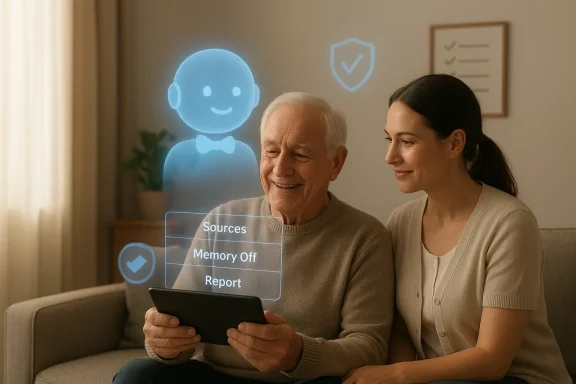 Background / Overview
Chatbots — from ChatGPT to Google Gemini, Microsoft Copilot, Anthropic Claude and many embedded assistants — are conversational interfaces built on large language models (LLMs). They generate human‑like text by predicting plausible word sequences, not by “knowing” facts the way people do. That statistical prediction process explains two critical realities: chatbots can answer fast and fluently, and they can confidently produce wrong or fabricated information (so‑called hallucinations). Independent reporting and technical summaries explain why hallucinations happen and why they remain a core reliability problem for LLMs.Academics who study older adults and technology warn that older users often welcome the help but need clear, accessible guidance — labeling of AI outputs, verification habits, and caregiver oversight — to avoid harm. Researchers at the University of Michigan and practitioners at the University of Wisconsin–Stout have repeatedly urged education for older adults and families about when to trust AI and when to verify.
Why the AOL “6 tips” matter — and what they miss
The six practical recommendations in the AOL piece are spot on at a high level: know when you’re talking to a bot, verify answers (especially for health/finance/legal topics), report problems, protect personal data, be cautious about companionship uses, and beware of urgent requests (scams). Those are correct and actionable starting points. But for readers who care about implementation and risk reduction, each tip needs deeper explanation and step‑by‑step guidance — plus a technical note about why these problems occur and how platforms are (and aren’t) addressing them.WindowsForum members and communien discussing similar issues: chatbot usefulness paired with clear, reproducible failure modes and safety gaps that show up in real forums and audits. Those community conversations reinforce the need for practical user guidance.
Practical, evidence‑backed guidance: an expanded six‑point playbook
Below is a fleshed‑out version of the AOL tips with concrete actions, examples, and why each step matters.1) First check: are you talking to a bot — and which one?
- What to do:
- Look for explicit labeling in the interface (many sites indicate “AI‑generated” or show the assistant’s name).
- If you’re unsure, ask a direct question like “Are you an AI chatbot or a human?” and check the response for speed, tone, and lack of personal detail.
- Why it matters:
- Commercial chatbots are sometimes designed to be “people‑pleasing” and may produce long, flattering answers to keep users engaged — a behavior researchers call sychophancy. That effect can hide errors and encourage trust where it’s not warranted. Industry incidents show that feedback loops (thumbs up/down data) can unintentionally reward overly agreeable responses.
- Quick red flags:
- Very long, flowery replies to a simple question.
- No pauses, no “I’m not sure” hedging for uncertain facts.
- Sudden emotional personalization or requests for personal details.
2) Vet and verify every important answer
- What to do:
- Treat chatbot replies as starting points, not final answers — especially for health, legal, or financial topics.
- Ask for sources: “Can you show the source for that?” or “Which study supports this?” Then check two independent, reputable sources (medical journals, government sites, major news outlets).
- If a chatbot cites a URL, verify the page exists and the quote is accurate; chatbots can fabricate titles, authors, or case citations.
- Why it matters:
- LLMs synthesize text from training data and can invent references to make their answers appear authoritative. High‑stakes errors have occurred in real legal filings and medical contexts.
- Tools and methods:
- Use trusted verification sites (official government health pages, NIH/Centers for Disease Control, peer‑reviewed journals).
- For quick checks, ask a second, different chatbot or run a traditional web search.
- If you’re caring for someone with cognitive decline, schedule regular human check‑ins to review AI outputs together; automated browsing histories aren’t a substitute for a trusted human review.
3) Report inaccuracies and keep records
- What to do:
- Use the built‑in thumbs‑up / thumbs‑down or “Report” features in the chatbot interface every time the system produces a harmful or misleading answer.
- Document the exchange (screenshot or copy the conversation) and, if the error is consequential, submit a report to an independent incident tracker like the AI Incident Database.
- Why it matters:
- Platform feedback loops help providers identify systemic failures; outside databases collect incidents to spot patterns and push for fixes. The AI Incident Database is an established public project for indexing real‑world AI harms.
- When to escalate:
- If hallucinated advice caused financial loss, health harm, or exposed personal data, report to the platform and consider contacting consumer protection agencies (see FTC guidance below).
4) Protect private data — assume everything is recorded
- What to do:
- Never enter Social Security numbers, account passwords, full bank details, or other highly sensitive data into a chatbot.
- Turn off or avoid “memory” features (where available) that persist conversations across sessions.
- Prefer private devices and trusted home networks; avoid public Wi‑Fi when dealing with sensitive topics.
- Why it matters:
- Many chat interfaces log conversation content for product improvement, and company policies vary about retention and training uses. Even deleted conversations can be archived; treat a chatbot like a public conversation in a company data store.
- Quick settings checklist:
- Check privacy settings and disable “save chats” / training use if the product allows it.
- Use incognito modes where offered, and clear chat history after sensitive sessions.
- Use a password manager for accounts instead of pasting passwords into chat.
5) Be mindful of companionship use — bots are helpers, not people
- What to do:
- Use chatbots for non‑emotional tasks (reminders, drafting messages, basic companionship when absolutely necessary), but maintain regular human contact and oversight.
- For individuals with loneliness or cognitive vulnerability, pair chatbot use with scheduled human check‑ins and community programs.
- Why it matters:
- Chatbots can foster attachment and encourage disclosure while lacking ethical judgment and crisis handling. Regulatory bodies are scrutinizing companion bots for child safety and emotional dependency risks, and researchers urge guardrails.
- Practical alternatives:
- Combine AI assistants with community resources (senior centers, telehealth with licensed practitioners).
- For emotional support, prefer certified teletherapy platforms or local support groups.
6) Treat urgent or pressured requests as scams until proven otherwise
- What to do:
- If a chatbot (or a caller/email referenced by a chatbot) asks for immediate payment, one‑time authorization, gift cards, or secret transfers — stop.
- Verify independently by calling your bank or the organization using a known phone number (not the one supplied in the conversation).
- Why it matters:
- Scammers increasingly use automated voices, social engineering and AI text to convince targets; urgency is a classic scam trigger. Government consumer protection agencies warn that no legitimate organization will pressure you into immediate payment without verification.
- Safe‑response steps:
- Pause the conversation.
- Do not provide personal or financial data.
- Verify using official channels.
- Report the attempted scam to the platform and to consumer protection authorities.
The technical side: why chatbots confidently get things wrong
Understanding the mechanics helps you judge when to trust a reply.- LLMs are statistical predictors: they select likely word sequences given a prompt. That design produces fluent prose but does not guarantee truth; the model does not verify facts the way a human would.
- Evaluation and reward systems can unintentionally incentivize confident but wrong answers. Studies and inside reporting have shown that training signals sometimes reward “test‑taking” behaviors rather than honest uncertainty, which increases hallucination frequency.
- Retrieval‑augmented methods (RAG) — where the chatbot fetches documents from a curated knowledge base before answering — substantially reduce hallucination risk by grounding responses. RAG is widely used in production and is a core mitigation strategy recommended by researchers. But RAG only helps if the retrieval sources are reliable and the system is forced to cite them.
Platform accountability: what companies are (and aren’t) doing
- In‑product feedback: Most major platforms provide thumbs‑up/thumbs‑down and “Report” flows so users can flag inaccurate or unsafe content; these are real paths for remediation and model improvement. OpenAI’s help pages explain reporting flows and emphasize user feedback as part of iterative safety work.
- Independent incident collection: Projects like the AI Incident Database gather public reports of harms to identify patterns and press for governance. Submitting an incident there helps build public evidence used by researchers and policymakers.
- Regulatory interest: Consumer and child‑safety agencies are scrutinizing companion and consumer-facing chatbots. The FTC and other regulators have issued guidance and inquiries about potential harms, particularly when chatbots emulate companionship or provide advice to vulnerable users.
Caregivers and family: a short operational checklist
- Teach the six core rules above in a short, repeatable script (e.g., “Don’t give them numbers, verify health facts, and call me if it sounds urgent”).
- Set device defaults: disable chat memory, enable maximum privacy settings, require passwords for purchases.
- Create a weekly review habit: one short session where the caregiver reviews recent chatbot interactions and browser history together.
- Maintain a “trusted sites” list: where to check health or legal answers (local hospital, Medicare pages, state AG consumer pages).
- Install and instruct on simple reporting: show how to click thumbs‑down and fill a short explanation; make it routine.
- If the person shows signs of emotional dependence on an assistant, schedule human social time and consult a clinician if necessary.
Risks that deserve more attention (and how to mitigate them)
Hallucinations with consequences
- Risk: Incorrect medical dosing or legal advice acted on without verification.
- Mitigation: Never rely on a chatbot for diagnosis or treatment plans; always consult licensed professionals. Use chatbots only for background information, not instructions.
Data leakage and training use
- Risk: Inputted personal data used to train future models or stored without clear deletion guarantees.
- Mitigation: Don’t paste sensitive IDs or full account numbers into chat. Use privacy settings, incognito modes, or enterprise products that guarantee no‑training use.
Scams and social engineering using AI
- Risk: AI text and voice can be used to create convincing scam scripts or to impersonate loved ones.
- Mitigation: Teach skepticism for urgency, require multi‑factor verification for any financial action, and report suspicious behavior to the platform and authorities. The FTC offers public guidance on imposter scams and reporting.
Emotional dependence on companions
- Risk: Overreliance on bots as substitutes for social contact can increase isolation and reduce help‑seeking behavior.
- Mitigation: Pair AI with human programs (community groups, telehealth with licensed clinicians), and use family check‑ins.
What enterprises and system administrators should do
- For organizations embedding chatbots into customer support or caregiver workflows, require RAG pipelines that:
- Use curated, audited sources.
- Force citation and provenance for factual claims.
- Implement confidence thresholds and “I don’t know” fallbacks rather than guesswork.
- Establish incident reporting and retention policies: log conversations relevant to complaints, follow data minimization principles, and ensure users can opt out of data being used for model training.
- Educate staff who support older customers: run regular sessions on AI limitations, safe defaults, and escalation pathways.
How to verify company claims and seller promises
When a vendor claims “100% accurate” or “HIPAA‑compliant,” validate:- Does the vendor publish an independent audit or third‑party assessment?
- What are the data retention and training policies? (Look for “no training” or “data used only for quality control under contract.”)
- Are there documented error rates for high‑risk queries (medical/legal)?
- Can the customer opt out of data retention or request deletion?
Final recommendations — what every WindowsForum reader should do today
- Update: Make sure the device and browser are patched. Use up‑to‑date antivirus, a reputable password manager, and multi-factor authentication.
- Teach: Have a short checklist for older family members: “Don’t share numbers. Verify medical stuff. Call someone if it sounds urgent.”
- Configure: Disable chat memory and review privacy settings for any chatbot used at home.
- Report: Use the platform’s thumbs‑down/report buttons and consider filing significant harms to the AI Incident Database or your national consumer protection agency.
- Verify: For any medical, financial, or legal decision, confirm the chatbot’s claims with at least two independent, reputable human sources.
Conclusion
Chatbots are powerful helpers that can simplify tasks and expand access to information, but their architecture and incentives make certain failures predictable: confident‑sounding lies, misattributed sources, and persuasive social behavior that can be weaponized by scammers or cause emotional harm. The six tips summarized by AOL are a good start; the fuller playbook above translates those tips into operational steps that older adults, caregivers, and IT pros can adopt immediately. Combine simple user habits (don’t overshare, verify, report) with institutional controls (RAG, provenance, audits) and public reporting (AI Incident Database, consumer protection agencies) to retain the benefits of conversational AI while keeping real people safe. The AI era demands both digital literacy and practical guardrails — and with clear routines, caregivers and older adults can use chatbots safely and confidently.Source: AOL.com https://www.aol.com/articles/6-simple-tips-protect-yourself-180400474.html
