

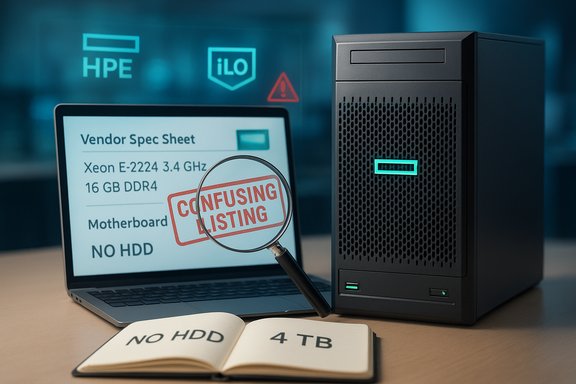
A recent online listing circulating under the headline “Micro Server HP PROLIANT ML30 GEN10 ENTRY X E-2224 3.4GHZ 16Go NO HDD” bundles several HPE product names, aXeon E-2224 CPU spec, a 16GB memory claim and conflicting notes about included hard drives — and the resulting mash-up demands a careful fact-check before anyone clicks Buy. The ad mixes parts of the HPE ProLiant ML30 Gen10, HPE ProLiant MicroServer Gen10 Plus, and generic accessory copy, creating an ambiguous offer that can confuse buyers and put businesses at risk if they assume an official HPE configuration. This feature unpacks the listing, verifies the hardware claims against vendor documentation and independent sources, highlights strengths and practical uses of the underlying platforms, and documents the red flags and buyer precautions you must follow before paying for what looks like a bargain.
2. Request photographs of the chassis front, rear and the OEM product label that contains the serial number and part number. Compare the part number to HPE QuickSpecs.
3. Ask for the exact memory and drive part numbers that are shipping. For memory: vendor part numbers, capacity and whether modules are ECC UDIMMs. For drives: vendor model numbers and whether they’re SATA or SAS.
4. Confirm whether drives are physically installed or shipped separately; demand a written statement and packaging list.
5. Verify warranty status using the HPE warranty lookup (by serial number) or ask the seller to provide the remaining warranty/coverage in writing.
6. If the RAID controller matters to you, confirm the installed RAID controller part number (S100i, P408i, etc.. If you need hardware RAID with battery-backed cache, insist on a hardware controller.
7. If price seems extraordinarily low, budget for additional expenses: drives, licensed OS, power/UPS compatibility, and possible controller upgrades.
Source: theglobalfilipinomagazine.com https://theglobalfilipinomagazine.com/index.php/687099/ENTRY-X-E-2224-3-4GHZ-16Go-NO-HDD/
 Background
Why this listing matters
Small businesses, remote offices and home labs routinely hunt for compact tower servers like the HPE ProLiant ML30 Gen10 and the MicroServer Gen10 Plus because they deliver enterprise-level management features, ECC memory support and RAID storage options at relatively modest prices. Sellers often reconfigure or bundle these servers in many regional marketplaces, and inconsistent or sloppy product descriptions are a common source of buyer confusion and warranty headaches. The headline in this case mixes model names and contradictory inventory statements — creating a high-risk buying scenario that requires verification. Verified vendor documentation and independent reseller pages show what these products actually are and how they differ, which is essential context before any purchase.Overview: what the listing claims
- Processor: Intel Xeon E-2224 Quad-Core 3.4 GHz (listed with up to 4.6 GHz Turbo).
- Memory: 16GB (2 x 8GB) DDR4 PC4-21300 2666MHz unbuffered (the ad alternately lists 1 x 16GB or 2 x 8GB in different places).
- Storage: conflicting statements — an explicit “NO HDD” claim is paired with a line listing 4TB (2 x 2TB) 7.2K SATA 3.5” drives. Another line says drives are “included separately NOT installed.”
- RAID: HP Smart Array S100i SR Gen10 (software RAID overlay on chipset SATA).
- Power: Single power supply (varies between MicroServer and ML30 SKUs).
- Networking: Onboard Quad Port 1GbE NIC (four 1GbE ports commonly found on MicroServer Gen10 Plus variants).
- Warranty/OS: unclear — other copy fragments mention Windows Server 2019 as a possible preinstall in different SKUs.
Background / Technical context
HPE ProLiant ML30 Gen10 vs HPE ProLiant MicroServer Gen10 Plus — two different products
It’s essential to recognize that HPE ProLiant ML30 Gen10 (a traditional tower designed for SMBs with up to four 3.5" drive bays and iLO remote management) and the HPE ProLiant MicroServer Gen10 Plus (an ultra-compact micro tower with its own SKUs and port maps) are separate product lines — despite overlapping CPU and memory support. The ML30 Gen10 typically supports the Intel C246 chipset, 4 DIMM slots (ECC UDIMM support up to 64GB), HPE Smart Array S100i, and multiple PCIe expansion options; the MicroServer Gen10 Plus has a smaller footprint, fewer DIMM slots and different embedded NIC and power profiles. Always match the SKU (part number) to vendor documentation rather than trusting a vendor headline.Intel Xeon E-2224 — what it actually is
The Intel Xeon E-2224 is a 4-core, 4-thread Coffee Lake-derived server/workstation CPU with a base frequency of 3.40 GHz, Max Turbo 4.60 GHz, 8 MB Smart Cache and a TDP of 71 W. It supports DDR4-2666 memory and is socketed for LGA1151 server/socket platforms commonly used in many single-socket HPE tower servers. This part is a solid choice for light virtualization, file and print services, and modest application hosting — but it’s not intended for high-density virtualization or CPU-bound heavy compute tasks. Verify the CPU spec against Intel’s ARK or reputable CPU databases before assuming performance.Deep-dive: verifying the listing’s key claims
Processor and memory claims
- Claim: Xeon E-2224 3.4 GHz (Turbo 4.6 GHz) — Verified by Intel documentation and multiple reseller spec sheets. This is correct for the stated CPU.
- Claim: 16GB DDR4 (2 x 8GB) PC4-21300 2666MHz unbuffered — HPE servers support DDR4 UDIMMs at 2666 MT/s with ECC on many SKUs; 16GB is a common factory or configured size. However, compatibility depends on the ML30 or MicroServer SKU and the exact memory part numbers. Always confirm the module type (UDIMM ECC vs non-ECC) and the vendor part number.
Storage and RAID controller
- Claim: 4TB (2 x 2TB) 7.2K 6Gb/s SATA 3.5 hard drives versus NO HDD — Contradictory. HPE resellers list multiple configurations: some ship with 0 drives (barebones), others with 1×1TB or 2×2TB drives depending on SKU. The seller’s page is ambiguous and cannot be relied on to decide whether drives are included or whether they’re placeholders in the listing template. Treat “4TB included” as unverifiable unless the seller provides an invoice or a shipping manifest.
- Claim: HP Smart Array S100i SR Gen10 — This is the software RAID overlay that uses chipset SATA ports (SATA-only, not a hardware-backed SAS controller). That controller is present on many Gen10 platforms as a driver/firmware overlay and supports RAID 0/1/5/10 in software — but it has limitations (it’s not a full hardware RAID with battery-backed cache) and some users report drive compatibility pitfalls with SAS vs SATA drives and with certain firmware versions. If your intended use relies on robust RAID features or SAS drives, demand confirmation about which RAID controller is actually installed (S100i vs P408i or other HPE Smart Array controllers).
Networking and power
- Claim: Onboard Quad Port 1GbE NIC — That aligns more often with MicroServer Gen10 Plus SKUs, which commonly offer 4×1GbE ports. ML30 Gen10 often ships with dual 1Gb ports (HPE 332i or 361i, depending on SKU). Confirm the exact NIC part number on the sales invoice.
- Claim: Single power supply — Both product lines frequently have single fixed PSUs in common SKUs; redundancy is optional or reserved for larger chassis. Expect a single PSU unless the seller explicitly lists a second. Confirm wattage (180 W vs 350 W vs 500 W depending on configuration and hot-plug support).
Strengths of the underlying hardware (what buyers get when the ad is accurate)
- Enterprise management and security features: HPE’s iLO (Integrated Lights-Out) remote management, silicon root of trust, TPM support and UEFI secure boot are standard features that differentiate ProLiant platforms for business use. These features make remote diagnostics, firmware updates and secure provisioning simpler for SMB and remote deployments.
- ECC memory support and robust baseline: Both the ML30 and MicroServer Gen10 Plus support ECC UDIMMs — an important feature for data integrity in business workloads. For file services, light virtualization (several small VMs or containers), and domain controllers, ECC-backed memory reduces silent data corruption risk.
- Compact, upgradeable tower form factor: These towers fit small offices or home lab racks, and they expose multiple PCIe slots and DIMM sockets for later expansion — a strong balance of size, quiet operation and upgradability for SMBs.
- Flexible storage topologies: With 4 drive bays (in many ML30 variants) and support for NVMe M.2 in some SKUs, you can tailor a server for a fast OS cache drive and larger bulk storage pool behind RAID, a useful pattern for hybrid OS/data setups.
Risks, limitations and red flags
1) Conflicting listing data — the biggest red flag
The seller copy alternates between “NO HDD” and listing 2×2TB drives. A single ad that contradicts itself is almost never a simple typo — it’s either a copy-paste error from template data or worse, a bait listing. Before paying, demand:- A photographed serial-tag on the chassis showing the HPE part number (SKU).
- A seller invoice or RMAs showing the exact drives included (model numbers and capacities).
- Written confirmation about whether drives will be preinstalled, shipped separately, or delivered at an additional cost.
2) RAID controller capabilities and drive compatibility
The S100i is a software overlay using the chipset SATA ports — it is not a full hardware RAID controller and may not support SAS drives without additional hardware. Using enterprise SAS drives in a system expecting SATA-only controllers can result in undetected drives or degraded behavior. For workloads requiring high reliability, invest in a true Smart Array P-series controller with cache (P408i or higher) or use an HBA certified for SAS.3) Warranty and EOL considerations
Some Gen10 product SKUs have reached or are approaching End of Life (EOL) and end of service dates. If continuity of warranty and long-term firmware support matters, verify the server’s exact SKU and warranty start date with HPE or the reseller. End-of-support windows can affect firmware updates and repair part availability.4) Mixed product names == possible misconfiguration
Marketing copy that mixes ML30 Gen10 and MicroServer Gen10 Plus could indicate the seller didn’t actually verify which chassis they have. That often leads to mismatched expectations about DIMM slots, NICs, drive bays, and PSU wattage. Confirm the server chassis model number printed on the case and cross-reference with HPE QuickSpecs.5) OS, licensing, and preinstall issues
The listing text references Windows Server 2019 in places — don’t assume that an OS license is included unless it’s explicitly listed as a transferable retail license on the invoice. Many refurbished units ship without OS or with OEM images that are not transferable. Confirm licensing separately.Practical buying checklist (step-by-step)
1. Ask the seller for the SKU / HPE part number (for example, P06761-B21 or P18584-421). If they refuse, walk away.2. Request photographs of the chassis front, rear and the OEM product label that contains the serial number and part number. Compare the part number to HPE QuickSpecs.
3. Ask for the exact memory and drive part numbers that are shipping. For memory: vendor part numbers, capacity and whether modules are ECC UDIMMs. For drives: vendor model numbers and whether they’re SATA or SAS.
4. Confirm whether drives are physically installed or shipped separately; demand a written statement and packaging list.
5. Verify warranty status using the HPE warranty lookup (by serial number) or ask the seller to provide the remaining warranty/coverage in writing.
6. If the RAID controller matters to you, confirm the installed RAID controller part number (S100i, P408i, etc.. If you need hardware RAID with battery-backed cache, insist on a hardware controller.
7. If price seems extraordinarily low, budget for additional expenses: drives, licensed OS, power/UPS compatibility, and possible controller upgrades.
Installation and immediate configuration recommendations
- If you receive drives preinstalled, check SMART data immediately and run a short surface test to confirm drive health before configuring RAID or copying data.
- Update firmware (iLO, BIOS, and firmware for storage controller) to HPE-recommended versions before deploying workloads. HPE iLO allows remote management and firmware staging. Always follow HPE’s patching guidance for Gen10.
- Configure the OS drive on an NVMe or dedicated SSD for best performance; keep data stores on separate RAIDed HDD arrays.
- For production usage, enable ECC and run a memory test if the vendor did not provide an original HPE memory part number — counterfeit or incompatible RAM is a risk.
- Keep an offline backup of crucial configuration files (iLO settings, RAID controller metadata where possible) and ensure you have spare power cables and a tested UPS sized to the server’s PSU wattage.
Recommended configurations by use case
- Small office file & print server (5–25 users): Xeon E-2224, 16–32GB ECC, OS on a 240–500GB NVMe/SSD, data on RAID1 or RAID10 of 2–4x 2TB SATA drives. Hardware RAID preferred.
- Light virtualization (2–4 VMs): Xeon E-2224 or higher, 32–64GB ECC, use an NVMe for hypervisor/boot and 2–4 drives in RAID10 for VM storage; allocate enough RAM to guest OS.
- Home lab / homelab testing: A barebones MicroServer variant with 16–32GB non-production drives is acceptable, but avoid relying on a software-only RAID for critical data.
- NAS / backup target: Use enterprise-rated NAS drives and prefer an HBA or hardware RAID controller with proven compatibility for multi-drive arrays.
Final verdict and buyer guidance
The hardware elements invoked by the listing — Xeon E-2224, 16GB DDR4 ECC-capable memory, HPE S100i controller, and compact tower chassis — are real and useful for SMB and remote-office deployments when correctly documented and configured. Official HPE QuickSpecs and independent reseller pages confirm these parts and configurations are sold in multiple valid SKUs. However, the listing you supplied contains direct contradictions (e.g., “NO HDD” vs “4TB included”) and mixes product families in a way that suggests lazy editing or intentional ambiguity. That ambiguity converts an otherwise reasonable server purchase into a risky transaction.- If you’re buying: insist on the SKU, serial number, and a photographed parts list; verify warranty status and whether an OS license is included. Do not rely on the page copy alone.
- If you plan to deploy for business-critical workloads: budget for a hardware Smart Array controller or an HBA, enterprise drives, and additional memory. Treat the seller’s HDD and memory language as unverified until proven by invoice or photos.
Closing summary
The listing’s headline promises a compact, capable entry-level tower server powered by the Xeon E-2224 and 16GB of DDR4 — components that, when properly specified and installed, deliver dependable performance for light virtualization, domain services and file sharing. But the page’s contradictory claims (no HDD vs 2×2TB included), mixed product naming (ML30 Gen10 vs MicroServer Gen10 Plus) and templated accessory copy are precise reasons to pause. The safest path is to request SKU-level proof, serial numbers and a clear packing list; if the seller can’t or won’t provide those, treat the offer as unreliable and move on. When the hardware details are confirmed, these HPE towers can be a pragmatic, upgradeable platform — but only after you confirm what’s actually in the box.Source: theglobalfilipinomagazine.com https://theglobalfilipinomagazine.com/index.php/687099/ENTRY-X-E-2224-3-4GHZ-16Go-NO-HDD/
