

Microsoft’s pledge to make 2026 the year Windows 11 stops being a trial-by-fire moment is welcome — but after January’s Patch Tuesday meltdown, words won’t be enough. The operating system needs stable, well‑tested updates that restore confidence for everyday users and IT pros alike. February’s update window is the first real test of whether Microsoft is learning from its mistakes, or if the industry should keep hitting “Pause updates” until core reliability is demonstrably fixed.
Windows updates are never purely routine, but January 2026 crossed a line many users and administrators won’t forget. The regular Patch Tuesday security rollup shipped on January 13, 2026, and within days telemetry and reports revealed multiple regressions affecting shutdown and hibernation on Secure Launch devices, authentication and Remote Desktop failures, and — in a subset of configurations — crashes and cloud‑storage hang ups that forced Microsoft to issue emergency, out‑of‑band (OOB) fixes on January 17 and again later in the month.
Microsoft responded with a series of OOB packages and hotpatches to plug the most severe gaps. Those emergency fixes did fix a subset of regressions, but they also revealed the complexity and fragility of modern Windows servicing: fixes can interact with firmware, device drivers, and cloud apps in unexpected ways. The January sequence ended with multiple mitigations, but also with lingering questions about QA, rollout controls, and how quickly Microsoft can regain trust.
February matters for two reasons:
Key items in the preview include:
February’s update cycle (the next Patch Tuesday) is the first high‑visibility checkpoint for Microsoft’s 2026 reliability pledge. If that update is stable, well‑communicated, and installs cleanly across a wide cross‑section of devices, it will be an important step toward rebuilding trust. If it introduces fresh regressions or forces more emergency out‑of‑band patches, the credibility hit will deepen and enterprises will harden further against automatic updates.
For readers and administrators: be pragmatic. Expect a continuing cadence of fixes and feature previews — but demand disciplined rollout behavior and clear post‑release transparency. Back up systems, test updates on pilot rings, and treat preview builds as a lab rather than production.
Windows 11’s future should be about delivering frictionless computing: fewer surprise reboots, predictable behavior, and meaningful improvements that don’t break the basics. February can be a pivotal moment — but only if Microsoft demonstrates it has changed how it validates, stages, and communicates updates. Until then, skepticism is not only understandable; it’s a responsible stance for anyone who depends on their PC to just work.
Source: Windows Central Will Microsoft’s February update be a win or another Windows 11 disaster?
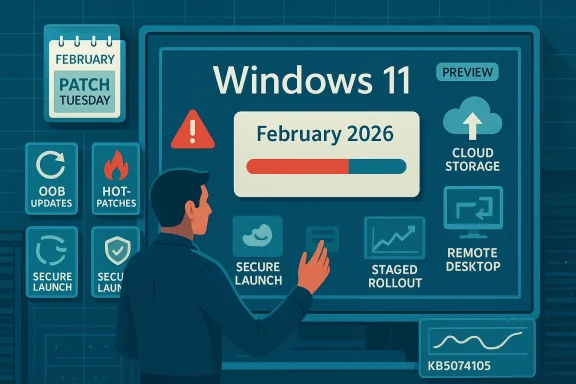 Background: how we got here and why February matters
Windows updates are never purely routine, but January 2026 crossed a line many users and administrators won’t forget. The regular Patch Tuesday security rollup shipped on January 13, 2026, and within days telemetry and reports revealed multiple regressions affecting shutdown and hibernation on Secure Launch devices, authentication and Remote Desktop failures, and — in a subset of configurations — crashes and cloud‑storage hang ups that forced Microsoft to issue emergency, out‑of‑band (OOB) fixes on January 17 and again later in the month.Microsoft responded with a series of OOB packages and hotpatches to plug the most severe gaps. Those emergency fixes did fix a subset of regressions, but they also revealed the complexity and fragility of modern Windows servicing: fixes can interact with firmware, device drivers, and cloud apps in unexpected ways. The January sequence ended with multiple mitigations, but also with lingering questions about QA, rollout controls, and how quickly Microsoft can regain trust.
February matters for two reasons:
- The February Patch Tuesday security rollup (the second Tuesday of the month) is the next major moment when broad, automatic installs occur for hundreds of millions of devices. A reliable February release would be a quick, visible confidence builder.
- Parallel to security fixes, Microsoft has already published a non‑security preview (KB5074105) that previews a host of functional improvements and features scheduled to ship widely over the next few weeks. That preview shows intent — but intent and reliable delivery are different things.
What broke in January — a short, verifiable timeline
The January update episode is textbook for modern OS lifecycle problems: a security rollup interacts with protected‑mode features and cloud integrations in ways that couldn’t be exhaustively simulated in lab testing.- January 13, 2026 — Regular Patch Tuesday cumulative updates were released. Soon after, users began reporting:
- Devices with System Guard Secure Launch enabled sometimes restarting instead of shutting down or hibernating.
- Remote Desktop and certain cloud‑brokered desktop sign‑in/authentication failures.
- In some configurations, cloud storage operations (OneDrive, Dropbox) and certain Outlook setups hanging or losing mail items.
- January 17, 2026 — Microsoft released out‑of‑band cumulative fixes targeted at the most severe regressions, addressing Secure Launch shutdown/hibernate issues and Remote Desktop authentication failures for affected servicing branches.
- Late January 2026 — Additional emergency updates and hotpatches were published to address continuing app unresponsiveness, cloud‑storage hangs, and Outlook problems (including a second out‑of‑band release that rolled earlier fixes and addressed newly reported breakages in cloud clients).
What Microsoft shipped as immediate remedies
Microsoft used three servicing mechanisms to calm the crisis:- Out‑of‑band (OOB) cumulative updates — these carry both the servicing stack update (SSU) and the latest cumulative LCU to affected servicing branches. They’re intended to be fast, broad fixes for regressions that break essential functionality.
- Hotpatch updates — designed to install without restarting devices, useful for small but urgent fixes in cloud or enterprise environments.
- Known Issue Rollback (KIR) / Group Policy mitigations — when a fix causes new issues, KIR and targeted group policy controls can be used to revert a single change without full uninstall.
The February preview (KB5074105): features, fixes, and the reality of staged rollouts
On January 29, Microsoft published a non‑security preview update for Windows 11 (KB5074105) covering versions 24H2 and 25H2. This preview is not the same as a security rollup — it’s a delivery vehicle for features and quality improvements that Microsoft expects to ship broadly during the February cycle or soon after.Key items in the preview include:
- Cross‑Device Resume improvements — tighter integration that lets selected Android phone users (HONOR, OPPO, Samsung, Vivo, Xiaomi) resume work on online files opened in the Microsoft Copilot app on their phone and continue on PC in the corresponding Microsoft 365 app or browser. This expands continuity features and demonstrates Microsoft’s push for smoother phone‑to‑PC handoff.
- Windows MIDI Services — revamped MIDI support with extended MIDI 1.0 and MIDI 2.0 handling, shared ports, loopback/app‑to‑app MIDI, and improved performance for music professionals. An SDK and tools package are available separately (unsigned at the time of preview).
- Narrator enhancements — more granular controls over what Narrator announces and the order of announced controls to better match user navigation preferences.
- Settings: Device card — a Device card on the Settings home page showing key specs and usage details when signed in with a Microsoft account.
- Smart App Control (SAC) toggle — the ability to enable or disable Smart App Control without a clean install, from Windows Security > App & Browser Control.
- Voice Access and Voice Typing upgrades — simpler setup, more accurate speech models, and a Wait time before acting option for voice typing to adapt to different speaking styles.
- Windows Hello ESS fingerprint support — Extended Sign‑in Security (ESS) now supports peripheral fingerprint readers, enabling desktops and non‑built‑in devices to use the stronger ESS flows.
- Numerous UI and stability fixes — Start Menu placement bugs in RTL languages, File Explorer responsiveness improvements on network locations, Windows Sandbox start‑up hangs, desktop icon movement bugs, input repeat delay label fixes, and various other targeted reliability items.
- Microsoft explicitly rolls out some preview features gradually. Two identical test PCs may not get the same feature set because Microsoft uses controlled feature flags and staged deployment. That is intended to limit blast radius, but it complicates broad acceptance testing for IT teams.
- Preview builds are a testbed. They are not the final, automatic updates that Patch Tuesday installs — which means the security rollup in February remains the more consequential event for most users.
Can the February update be a win? The pragmatic analysis
Short answer: it could be — but only if Microsoft nails three core disciplines over the next few weeks: rigorous validation, conservative staged rollout, and transparent post‑release telemetry and mitigation.Strengths that could make February a positive turning point
- Rapid remediation infrastructure exists. Microsoft demonstrated it can issue OOB fixes and hotpatches quickly when critical functionality breaks. That operational capability reduces the chance of prolonged outages when regressions are found.
- Feature previews show purposeful work. The KB5074105 preview contains clear, user‑facing improvements — accessibility enhancements, cross‑device continuity, and professional features like MIDI updates — that matter to specific user groups.
- Public acknowledgement and commitment. Leadership has publicly stated that 2026 will focus on addressing Windows 11 pain points — prioritizing performance, reliability, and the overall experience. Publicly recognizing the problem is the first step toward accountability.
The weaknesses and risks that still make February precarious
- Quality assurance under strain. The January episode shows that real‑world configurations — Secure Launch, specific firmware/BIOS versions, cloud PST/OneDrive setups, third‑party drivers — remain a hard problem for lab testing. If Microsoft’s validation matrix and canary rings don’t catch these interactions, similar regressions can recur.
- Complex dependency web. Modern Windows is an ecosystem: OS servicing interacts with firmware, drivers, virtualization features, and cloud clients. The more cross‑component changes you push, the higher the risk of unpredictable interactions.
- Staged feature flags cause confusion. Staggered rollouts make troubleshooting harder for admins trying to validate fixes on representative devices. Two PCs on the same image can behave differently if features are gated.
- Trust deficit. After a high‑impact outage, many admins and power users will default to caution. Even a technically fine February release may not immediately repair the trust gap unless communications and telemetry prove it’s stable at scale.
What Microsoft needs to do — measurable actions that would restore confidence
To meaningfully shift perception and reduce risk, Microsoft needs a prioritized checklist tied to measurable outcomes:- Strengthen the canary ring and telemetry thresholds. Expand early‑stage deployment to diverse hardware/firmware combinations, and delay broader push until telemetry shows stable metrics for a fixed observation window.
- Publish targeted roll‑out plans and mitigations publically. Clear guidance on any known interactions (e.g., Secure Launch, certain BIOS versions) lets admins plan mitigations before updates install automatically.
- Make rollback and mitigation easier for enterprises. KIR and Group Policy mitigations should be straightforward to apply and documented with step‑by‑step guidance for SCCM/Intune environments.
- Drive improved device firmware coordination. Work more closely with OEMs to identify firmware versions that are high‑risk for updates that touch low‑level subsystems.
- Increase post‑release transparency. Faster disclosure of root causes when regressions happen — even preliminary hypotheses — helps admins triage issues without blind guesswork.
- Extend staged release windows for high‑risk fixes. Let fixes sit longer in optional/preview channels when they touch low‑level or widely used components.
Practical recommendations for users and IT admins
Every organization and power user must balance security risk against stability risk. Here’s pragmatic advice for most Windows 11 environments facing a tense update season.- For home users who prefer maximum stability:
- Continue to use the Pause updates feature until February’s Patch Tuesday has been out a few days and media/communities show limited reports of problems.
- If you rely on cloud PSTs or heavy OneDrive integration, avoid installing preview or optional non‑security updates on your primary machine until Microsoft confirms fixes are benign.
- For IT administrators and enterprises:
- Test in a representative pilot ring that includes the diverse hardware/firmware combinations you run in production.
- Deploy to a small group (pilot) after a 48–72 hour observation window, then gradually widen deployment if no regressions emerge.
- Use Known Issue Rollback and Group Policy mitigations proactively, and ensure your SCCM/Intune playbooks include steps to roll back an LCU+SSU package if needed.
- Backup and snapshot critical VMs and endpoints before applying updates; verify recovery steps for WinRE and removable media boot scenarios.
- Monitor Microsoft Release Health and support KBs closely for hotfixes, hotpatches, and guidance on mitigations.
- For power users and Windows Insiders:
- Install the non‑security preview on lab or secondary devices only; use Feedback Hub to report regressions promptly.
- If you rely on creative/audio workflows, test the new Windows MIDI Services in a controlled environment before making it part of your production audio chain.
A cautionary note on unverifiable claims
Some reports and community telemetry pointed toward interactions between updates and early device firmware/BIOS as a root cause for certain boot or power management failures. While firmware‑OS interaction is a plausible explanation and has precedent, root causes are frequently complex and multi‑factor. Until Microsoft publishes a confirmed post‑incident analysis, treat specific firmware blame as possible but unverified. Administrators should still assume potential firmware interactions and be cautious about devices with older BIOS/UEFI.Conclusion — can February be a win?
The math is straightforward: Microsoft has the capability to fix regressions quickly and to ship new features that people want. The hard part isn’t whether Microsoft can correct problems — it’s whether the company can consistently avoid creating new ones when it does.February’s update cycle (the next Patch Tuesday) is the first high‑visibility checkpoint for Microsoft’s 2026 reliability pledge. If that update is stable, well‑communicated, and installs cleanly across a wide cross‑section of devices, it will be an important step toward rebuilding trust. If it introduces fresh regressions or forces more emergency out‑of‑band patches, the credibility hit will deepen and enterprises will harden further against automatic updates.
For readers and administrators: be pragmatic. Expect a continuing cadence of fixes and feature previews — but demand disciplined rollout behavior and clear post‑release transparency. Back up systems, test updates on pilot rings, and treat preview builds as a lab rather than production.
Windows 11’s future should be about delivering frictionless computing: fewer surprise reboots, predictable behavior, and meaningful improvements that don’t break the basics. February can be a pivotal moment — but only if Microsoft demonstrates it has changed how it validates, stages, and communicates updates. Until then, skepticism is not only understandable; it’s a responsible stance for anyone who depends on their PC to just work.
Source: Windows Central Will Microsoft’s February update be a win or another Windows 11 disaster?
