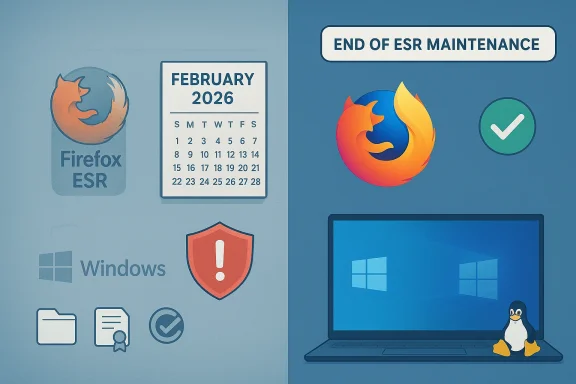
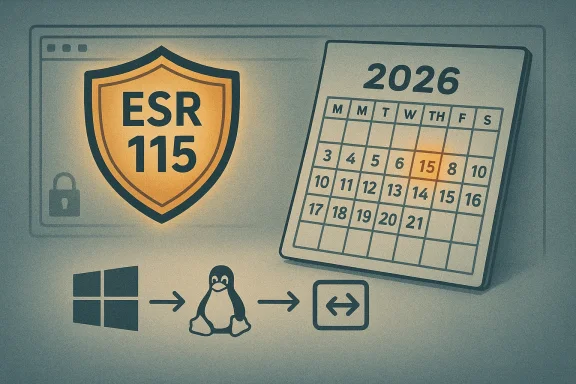
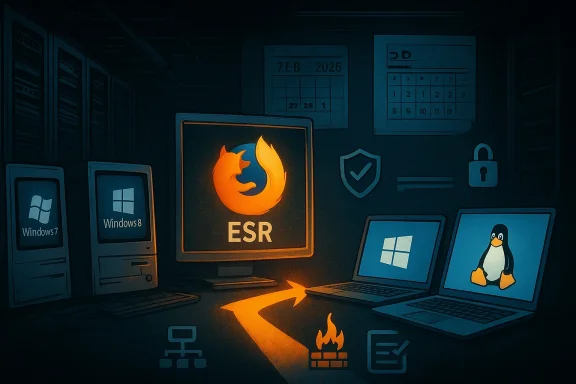
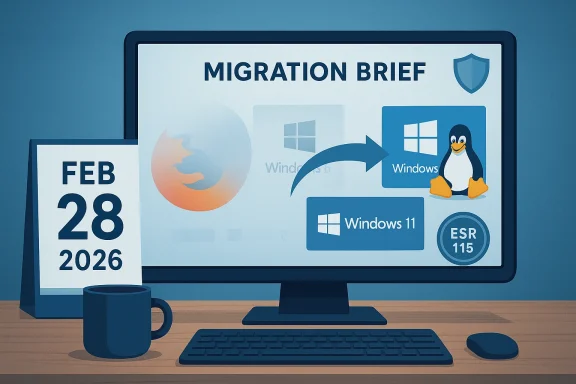
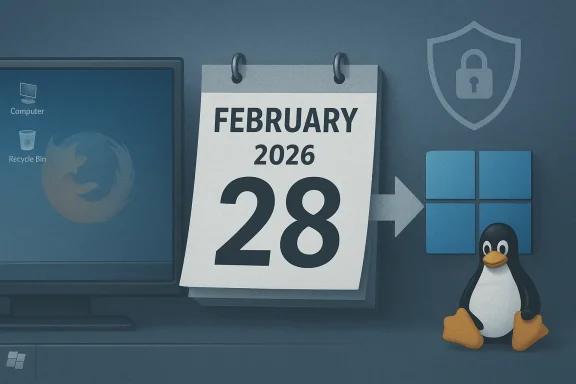
Mozilla’s support path for users running pre–Windows 10 desktops has reached a clear milestone: Firefox 115 ESR will be the last maintained Firefox build for Windows 7, Windows 8 and Windows 8.1, and Mozilla’s support documentation now states that security updates for those legacy installations will stop at the end of February 2026 (Feb 28, 2026). For anyone still relying on a Windows 7/8/8.1 PC, this is a hard warning: after that date there will be no more security updates from Mozilla for the last browser that continued to patch those platforms. This article explains what changed, why it matters, and the practical, technically sound options available to users and administrators who must keep older hardware running safely.
Firefox 115 shipped in July 2023 and was explicitly designated as the final mainstream Firefox release compatible with pre–Windows 10 desktops. To avoid leaving those users stranded immediately after Microsoft stopped providing OS-level security updates for those operating systems, Mozilla placed legacy Windows (and several older macOS) installations on an Extended Support Release (ESR) branch — Firefox 115 ESR — and backported critical security fixes there.
Over the past two years Mozilla repeatedly extended the maintenance window for ESR 115. Those extensions were pragmatic: telemetry showed a non‑trivial population of Firefox users still on older Windows versions, and backporting fixes to a frozen codebase gave Mozilla a controlled way to reduce browser-side risk without pushing incompatible features. Public communications from Mozilla and numerous tech outlets documented several successive extensions; the support page that now governs the policy states that updates for ESR 115 on Windows 7/8/8.1 will be delivered until the end of February 2026.
Why do dates move? Mozilla’s release team has treated ESR 115’s end-of-life (EOL) as conditional, extending the branch where necessary while balancing engineering cost. That flexibility benefitted users who could not immediately migrate, but it also created uncertainty about a final cutoff. The current guidance is definite: plan for no browser security updates after Feb 28, 2026, and treat any later extensions as unlikely and temporary.
For ESR 115 on legacy Windows:
Mozilla’s official support documentation and release notes are the authoritative sources for lifecycle commitments and exact cutoff language. Treat any secondary reporting as useful context but confirm dates against Mozilla’s pages and release calendar before making migration decisions.
For most users and organizations, the only durable, secure path forward is migration: either to a supported Windows version (Windows 11) on compatible hardware, or to a supported alternative operating system such as a modern Linux distribution that receives ongoing security updates. If migration is genuinely impossible in the short term, implement rigorous compensating controls and limit the legacy machine’s exposure.
Finally, treat the February 28, 2026 cutoff as a real deadline. Security teams should not assume additional extensions will be granted. Use the time remaining to migrate, harden, and validate — and if you must keep using older hardware afterward, do so with full awareness of the increasing security liabilities and operational constraints.
The ESR window bought time. It was never designed as a permanent safe harbor. With that window closing, the path is clear: modernize, isolate, or accept the increasing risk.
Source: Neowin Mozilla is ending Firefox support on Windows 7
 Background and timeline: how we got here
Firefox 115 shipped in July 2023 and was explicitly designated as the final mainstream Firefox release compatible with pre–Windows 10 desktops. To avoid leaving those users stranded immediately after Microsoft stopped providing OS-level security updates for those operating systems, Mozilla placed legacy Windows (and several older macOS) installations on an Extended Support Release (ESR) branch — Firefox 115 ESR — and backported critical security fixes there.Over the past two years Mozilla repeatedly extended the maintenance window for ESR 115. Those extensions were pragmatic: telemetry showed a non‑trivial population of Firefox users still on older Windows versions, and backporting fixes to a frozen codebase gave Mozilla a controlled way to reduce browser-side risk without pushing incompatible features. Public communications from Mozilla and numerous tech outlets documented several successive extensions; the support page that now governs the policy states that updates for ESR 115 on Windows 7/8/8.1 will be delivered until the end of February 2026.
Why do dates move? Mozilla’s release team has treated ESR 115’s end-of-life (EOL) as conditional, extending the branch where necessary while balancing engineering cost. That flexibility benefitted users who could not immediately migrate, but it also created uncertainty about a final cutoff. The current guidance is definite: plan for no browser security updates after Feb 28, 2026, and treat any later extensions as unlikely and temporary.
What “ESR” means in practice
ESR is security stabilisation, not new features
The Extended Support Release (ESR) model exists to give organizations and legacy installations long-term stability. ESR branches receive point releases that include security patches and, in rare emergency cases, high‑impact quality fixes. They do not receive ongoing feature work, regular API changes, or broad compatibility updates.For ESR 115 on legacy Windows:
- Updates provided through the ESR channel were limited to security and critical fixes.
- No backporting of new features or modern web platform improvements was planned.
- Point releases were scheduled to coincide with regular Firefox releases so high-risk patches could be delivered without introducing new feature regressions.
Security vs platform risk
A maintained browser reduces the window of exposure for web‑browser vulnerabilities, but it cannot remove the systemic risk of running an unsupported OS. Kernel vulnerabilities, flawed drivers, deprecated system services, and outdated local components remain attack vectors even with an updated browser. Put simply: a patched browser helps, but it’s not a full mitigation.What the change means for users and organizations
Short-term (until Feb 28, 2026)
- If you are still on Windows 7/8/8.1 and running Firefox, you should confirm you are on Firefox 115 ESR and that automatic updates in that channel remain enabled. ESR point releases up to the documented cutoff will include security fixes.
- Continue to apply browser updates promptly while they are available, keep antivirus/endpoint protection current, and reduce attack surface where possible (disable unnecessary services, avoid legacy plugins).
- Use compartmentalization: perform risky browsing tasks on a more modern system or in an isolated virtual machine or separate device.
After the cutoff (March 1, 2026 onward)
- Firefox 115 ESR installations on those legacy Windows releases will no longer receive official security updates from Mozilla. That leaves web‑facing attack surfaces increasingly vulnerable to new exploits.
- Other mainstream browsers — notably Chromium-based browsers — had already stopped supporting Windows 7/8/8.1 in 2023, so Mozilla’s ESR was effectively the last major vendor offering continuing browser patches for those platforms. With ESR 115 EOL, mainstream browser support for these operating systems will have ended across the board.
- Continued browsing on unsupported OS + unsupported browser is high risk. Expect compatibility issues with modern websites, certificate changes, new TLS requirements, and browser-level exploits that will remain unpatched.
Why you should care: technical risks explained
Running an unsupported OS and then losing browser updates multiplies risk in several concrete ways:- Unpatched browser vulnerabilities: New remote code execution and sandbox escape bugs discovered after the EOL will not be patched on ESR 115 binaries targeting unsupported Windows kernels.
- OS-level attack surface: Even if the browser is patched today, Windows 7/8 components — network stacks, SMB, RDP, legacy drivers — will remain vulnerable to exploitation and can be used to pivot from a browser compromise to a full-system breach.
- Cryptography and certificates: Certificate authorities, TLS versions, cipher preferences, and modern PKI practices evolve. Older OS-level crypto libraries may stop negotiating modern cipher suites or handling new certificate validation paths, breaking secure connections or exposing downgrade risks.
- Web compatibility: New web APIs and standards (HTTP/3 improvements, new JavaScript/DOM behaviors, modern authentication flows) will not be backported. Over time sites may fail or degrade in older browser engines.
- Third-party ecosystem: Device drivers, GPU drivers, and accessories may stop receiving updates for older OSes; a compromise that targets a vendor driver bug will be impossible to mitigate through browser updates alone.
Practical options and recommended actions
If you or your organization still depend on pre–Windows 10 hardware, there are pragmatic steps to lower risk and buy time for a proper migration.1. Treat Feb 28, 2026 as the operational deadline
Plan migrations and compensating controls with that date as your planning milestone. Don’t assume the window will lengthen again — schedule work to meet or beat the cutoff.2. Upgrade to a supported OS where possible
- Windows 11 is Microsoft’s supported path forward. If the device meets Windows 11’s system requirements (TPM 2.0, Secure Boot, CPU generation requirements), upgrade and then update browsers normally.
- Windows 10 reached its support end in October 2025. It is not a safe upgrade target for long-term support unless you enroll in a paid Extended Security Updates (ESU) program offered to eligible customers. For most consumer setups, Windows 11 or a new device is the safer move.
3. Consider Linux as a life‑extension for older hardware
If the hardware cannot run Windows 11, many lightweight Linux distributions make long-term sense:- Ubuntu LTS and Linux Mint are beginner-friendly and include up-to-date browsers and long-term security maintenance.
- Lightweight distributions (Xubuntu, Linux Mint XFCE, Lubuntu) can revitalize older machines while keeping the browsing stack current.
- Migration will require validation of business apps (some Windows‑only software can be run under compatibility layers or virtual machines), but for general web browsing and email, Linux is a robust alternative.
4. Use modern devices for high‑risk activities
If a full migration is not immediately possible, migrate sensitive activities — banking, work portals, tax filings — to a supported machine or device. Use the legacy machine only for low-risk tasks and keep it network‑segmented if possible.5. Harden legacy endpoints while you transition
- Keep ESR 115 updated up to the cutoff and enable automatic updates.
- Use reputable endpoint protection (antivirus/EDR) and enable exploit mitigation features where available.
- Disable unneeded services (RDP, SMBv1) and restrict inbound access with a host firewall.
- Apply network segmentation and limit web access to trusted sites where feasible.
- Employ application whitelisting to reduce the risk of arbitrary code execution.
6. Evaluate third‑party browsers and projects with caution
Some community forks and third‑party browsers claim continued support for older Windows versions. Treat those options with skepticism:- They may lack the engineering resources to rapidly patch zero-day vulnerabilities.
- Forks may omit modern mitigations and sandboxing improvements present in mainstream builds.
- Using unvetted third-party binaries for sensitive browsing increases risk. When considering alternatives, prefer solutions with transparent development and security processes.
Enterprise considerations
For IT managers and enterprise operators, the end of ESR 115 on legacy Windows is a hard project deadline. The correct approach combines migration planning and compensating controls:- Inventory: Identify devices still running Windows 7/8/8.1 and catalog business-critical applications and legacy dependencies.
- Prioritise: Sequence migrations by risk (public-facing roles, privileged accounts, devices with internet exposure first).
- Test and validate: For applications that require older Windows, investigate application modernization, vendor upgrades, or virtualization strategies (VDI, application streaming).
- ESU and vendor support: For large fleets, consider Microsoft’s Extended Security Updates options where eligible, and check vendor driver support lifecycles.
- Network controls: Isolate legacy endpoints behind network segmentation, apply strict firewall rules, and require VPN or secure tunnels for remote access.
- Monitoring and detection: Increase logging and endpoint detection to detect anomalous behavior quickly on remaining legacy hosts.
What about alternative browsers and the “free Windows 10 upgrade” path?
Two important clarifications many users will notice in reporting:- The free Windows 10 upgrade route is no longer a reliable option. Windows 10 itself reached its end of support in October 2025, so upgrading a Windows 7/8 device to Windows 10 is not a long‑term solution unless you plan to purchase ESU or migrate later.
- Chromium‑based browsers and Edge stopped supporting Windows 7/8.x earlier (2023), so they are not viable long‑term alternatives for legacy Windows users. Mozilla’s ESR 115 was effectively the last major browser providing security fixes for those OSes; when ESR maintenance stops, mainstream browsers will have ended coverage for those platforms entirely.
A reality check on numbers and claims
Public commentary has referenced percentages of Firefox users still on Windows 7 and other legacy platforms. Telemetry snapshots and market-share figures change regularly and vary by region. Where I quote figures, treat them as approximations: exact user percentages are time‑sensitive and depend on the telemetry window Mozilla uses.Mozilla’s official support documentation and release notes are the authoritative sources for lifecycle commitments and exact cutoff language. Treat any secondary reporting as useful context but confirm dates against Mozilla’s pages and release calendar before making migration decisions.
Quick checklist: What to do this week
- On each legacy PC, open Firefox > Help > About and confirm you are on Firefox 115 ESR with automatic updates enabled.
- Export or back up critical data from those machines in case migration requires reimaging or reinstall.
- Assess hardware for Windows 11 compatibility (PC Health Check or vendor tools). If compatible, schedule upgrades; if not, evaluate Linux as an alternative.
- For enterprise fleets, start procurement and test plans now — Feb 28, 2026 is a firm planning milestone.
- Implement compensating controls: endpoint protection, firewall rules, network segmentation, and application whitelisting.
Strong recommendations and closing analysis
Mozilla’s decision to maintain ESR 115 for legacy Windows systems for an extended period was a pragmatic response to a real user need: some devices cannot be upgraded immediately for hardware, logistical, or budget reasons. The ESR approach reduced immediate browser risk and delayed the “hard choice” for a subset of users. But the decision to stop updates at the end of February 2026 closes that grace period.For most users and organizations, the only durable, secure path forward is migration: either to a supported Windows version (Windows 11) on compatible hardware, or to a supported alternative operating system such as a modern Linux distribution that receives ongoing security updates. If migration is genuinely impossible in the short term, implement rigorous compensating controls and limit the legacy machine’s exposure.
Finally, treat the February 28, 2026 cutoff as a real deadline. Security teams should not assume additional extensions will be granted. Use the time remaining to migrate, harden, and validate — and if you must keep using older hardware afterward, do so with full awareness of the increasing security liabilities and operational constraints.
The ESR window bought time. It was never designed as a permanent safe harbor. With that window closing, the path is clear: modernize, isolate, or accept the increasing risk.
Source: Neowin Mozilla is ending Firefox support on Windows 7