

School and district leaders can make an outsized difference in 2026 by becoming deliberate, governance‑minded power users of AI — and that starts with a small set of high‑leverage prompts that map directly to strategy, operations, communications, budgets and outreach.
The rapid spread of generative AI assistants into K–12 administration has moved the central question away from "if" and toward "how." District leaders now face a choice: treat AI as a drafting and decision‑support tool wrapped in strong safeguards, or let ad-hoc use proliferate with attendant privacy, equity and integrity risks. Recent practitioner guidance and district pilot playbooks emphasize three converging themes: prompt literacy as an operational skill, procurement and data‑use clauses as non‑negotiables, and assessment/operational redesign to resist automation‑driven shortcuts. These same sources also argue that a short list of repeatable prompts can transform workstreams — if those prompts are embedded in guarded, auditable workflows.
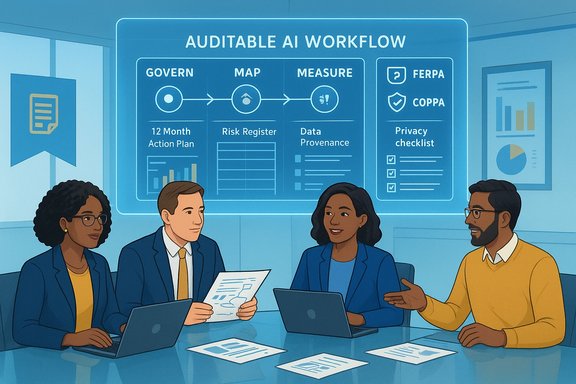
Regulatory and standards frameworks are reinforcing the need for structured adoption. The U.S. Federal Trade Commission’s COPPA obligations still govern online services used with children under 13 and require verifiable parental consent for covered data collection. At the same time, FERPA continues to define how education records are handled and disclosed, which affects whether prompts or chat logs created in district systems become sensitive records. National guidance like the NIST AI Risk Management Framework offers practical guardrails for governing AI risk — the same lifecycle approach (govern, map, measure, manage) applies equally to administrative AI as it does to classroom agents. The districtadministration.com column distilled five practical prompts every K–12 administrator should know; this article expands those prompts, tests them against governance best practices, and gives concrete templates and roll‑out advice so leaders can use AI productively without outsourcing responsibility.
Act as a K–12 district operations consultant. Using the inputs below, produce a 12‑month operational action plan aligned to district strategy. For each month list: milestones, responsible role(s), owners (name or role), success indicators (metrics), budget line items impacted, and top 3 risks with mitigations. Add a 90‑day quick‑wins section and a one‑page executive summary. Highlight any compliance tasks (FERPA, state reporting) and data needs. Inputs: Strategic goals: [paste]; Budget constraints and revenue outlook: [paste]; Staffing profile (FTE by department and vacancy rate): [paste]; High‑priority compliance items: [paste]. Output format: table for monthly plan + bullets for quick wins + numbered risk register.
Why it’s valuable
Convert these raw meeting notes into a formal leadership action plan. Output should include: (A) bold headings summarizing each key decision; (B) a table of action items with owner name/role, deliverable, deadline, and status; (C) a follow‑up questions section noting items that require clarification or additional data. Keep tone formal and suitable for internal minutes. Meeting context: [paste notes]; Meeting date: [paste]; Participants: [paste].
Why it’s valuable
Act as the superintendent communicating a major operational change. Draft three deliverables: (1) a full staff email that explains the change and next steps; (2) short administrator talking points for site leaders; (3) an FAQ for employees. Use a tone that is transparent, empathetic, and firm. Anticipate likely resistance and include recommended language for addressing those concerns. Change details: [paste]. Audience sensitivity: [e.g., unionized employees, bilingual staff]. Output: email + bullet talking points + FAQ.
Why it’s valuable
Act as a K–12 finance officer. Analyze this budget dataset and propose cost‑savings that minimize instructional impact. Produce three scenarios: conservative (target 2–4% reduction), moderate (5–8%), aggressive (9–12%). For each scenario, list line‑by‑line reductions, implementation steps, timing, operational impacts, and risk level (low/medium/high). Include a dashboard of expected savings by quarter and recommended stakeholder communications. Budget data: [paste CSV or summary]; Key constraints: [e.g., maintenance contracts, grant obligations].
Why it’s valuable
Generate five family‑friendly social media posts for Facebook and Instagram to promote [event name]. For each post include: 1) catchy headline, 2) suggested image or short video idea, 3) caption under 150 characters, 4) 5–8 hashtags, 5) suggested posting time and CTA. Ensure tone is enthusiastic and inclusive.
Why it’s valuable
Key legal and compliance drivers
Documented wins observed in real deployments include:
Note of caution: vendor blog posts and pilot anecdotes are useful but not definitive — verify claims (time savings, non‑training guarantees, feature lists) in your contract and through small local pilots before committing district resources or altering assessment policy. Regulatory backstops like COPPA and FERPA continue to require concrete procedural protections; treat them as design constraints, not optional checkboxes.
Source: districtadministration.com 5 AI prompts every administrator should know
 Background
The rapid spread of generative AI assistants into K–12 administration has moved the central question away from "if" and toward "how." District leaders now face a choice: treat AI as a drafting and decision‑support tool wrapped in strong safeguards, or let ad-hoc use proliferate with attendant privacy, equity and integrity risks. Recent practitioner guidance and district pilot playbooks emphasize three converging themes: prompt literacy as an operational skill, procurement and data‑use clauses as non‑negotiables, and assessment/operational redesign to resist automation‑driven shortcuts. These same sources also argue that a short list of repeatable prompts can transform workstreams — if those prompts are embedded in guarded, auditable workflows.Regulatory and standards frameworks are reinforcing the need for structured adoption. The U.S. Federal Trade Commission’s COPPA obligations still govern online services used with children under 13 and require verifiable parental consent for covered data collection. At the same time, FERPA continues to define how education records are handled and disclosed, which affects whether prompts or chat logs created in district systems become sensitive records. National guidance like the NIST AI Risk Management Framework offers practical guardrails for governing AI risk — the same lifecycle approach (govern, map, measure, manage) applies equally to administrative AI as it does to classroom agents. The districtadministration.com column distilled five practical prompts every K–12 administrator should know; this article expands those prompts, tests them against governance best practices, and gives concrete templates and roll‑out advice so leaders can use AI productively without outsourcing responsibility.
Overview of the five prompts (what they do and why they matter)
Each of the five prompts in the original column is small in scope but large in leverage if embedded into repeatable workflows. The prompts fall into two categories:- Strategic and operational planning (longitudinal, auditable outputs)
- Tactical communication and execution (meeting notes → action plans, staff messages, event marketing)
- Financial and compliance analysis (budget scenario planning, legal/contract checks)
1. Strategic planning and priority alignment
Prompt (production template):Act as a K–12 district operations consultant. Using the inputs below, produce a 12‑month operational action plan aligned to district strategy. For each month list: milestones, responsible role(s), owners (name or role), success indicators (metrics), budget line items impacted, and top 3 risks with mitigations. Add a 90‑day quick‑wins section and a one‑page executive summary. Highlight any compliance tasks (FERPA, state reporting) and data needs. Inputs: Strategic goals: [paste]; Budget constraints and revenue outlook: [paste]; Staffing profile (FTE by department and vacancy rate): [paste]; High‑priority compliance items: [paste]. Output format: table for monthly plan + bullets for quick wins + numbered risk register.
Why it’s valuable
- Aligns daily operations with board goals and prevents initiative overload.
- Produces an auditable deliverable (plan + owner + metric) that can be versioned in your district repository.
- Forces explicit budget linkages so program owners see tradeoffs.
- Add a prompt wrapper that instructs the model to "flag assumptions that require primary‑source verification" and to list documents used as context.
- Require human sign‑off (superintendent or COO) before publishing any version tied to public budgets.
- Log the prompt, model version, and output as part of your AI audit trail.
2. Turning meeting notes into action plans
Prompt (production template):Convert these raw meeting notes into a formal leadership action plan. Output should include: (A) bold headings summarizing each key decision; (B) a table of action items with owner name/role, deliverable, deadline, and status; (C) a follow‑up questions section noting items that require clarification or additional data. Keep tone formal and suitable for internal minutes. Meeting context: [paste notes]; Meeting date: [paste]; Participants: [paste].
Why it’s valuable
- Shortens the turnaround from meeting to execution, reduces dropped actions, and standardizes accountability.
- Works well with meeting transcription services when coupled with an accuracy pass by the notetaker.
- Avoid including student PII or confidential payroll data in raw notes submitted to public models; if meeting notes include sensitive data, use tenant‑grounded models or redact before prompt submission.
3. Staff communication and change management
Prompt (production template):Act as the superintendent communicating a major operational change. Draft three deliverables: (1) a full staff email that explains the change and next steps; (2) short administrator talking points for site leaders; (3) an FAQ for employees. Use a tone that is transparent, empathetic, and firm. Anticipate likely resistance and include recommended language for addressing those concerns. Change details: [paste]. Audience sensitivity: [e.g., unionized employees, bilingual staff]. Output: email + bullet talking points + FAQ.
Why it’s valuable
- Speeds consistent messaging across diverse audiences and reduces rumor‑driven escalation.
- Including administrator talking points helps front‑line leaders deliver the message with fidelity.
- Validate legal statements (e.g., about contractual changes or rights) with legal counsel before distribution.
- For any message that affects bargaining units, route the draft through labor relations for review.
4. Budget analysis and scenario planning
Prompt (production template):Act as a K–12 finance officer. Analyze this budget dataset and propose cost‑savings that minimize instructional impact. Produce three scenarios: conservative (target 2–4% reduction), moderate (5–8%), aggressive (9–12%). For each scenario, list line‑by‑line reductions, implementation steps, timing, operational impacts, and risk level (low/medium/high). Include a dashboard of expected savings by quarter and recommended stakeholder communications. Budget data: [paste CSV or summary]; Key constraints: [e.g., maintenance contracts, grant obligations].
Why it’s valuable
- Rapidly produces side‑by‑side scenarios for board and cabinet discussions.
- Forces explicit assessment of instructional impact and operational risk.
- Treat AI outputs as proposals, not final legal or fiscal documents. Cross‑check with your ERP/finance system and the CFO before any public presentation. Ask the model to “list three data points you could not verify from the provided budget.”
5. Social media campaign
Prompt (production template):Generate five family‑friendly social media posts for Facebook and Instagram to promote [event name]. For each post include: 1) catchy headline, 2) suggested image or short video idea, 3) caption under 150 characters, 4) 5–8 hashtags, 5) suggested posting time and CTA. Ensure tone is enthusiastic and inclusive.
Why it’s valuable
- Helps small communications teams rapidly produce tested copy and creative directions.
- Use the output as drafts to be edited by communications staff to preserve authentic voice.
- Always include a human review for accuracy (dates, locations) and accessibility checks (alt text for images, caption availability for videos).
Prompt engineering practices every administrator must adopt
Prompt quality determines output quality. Treat prompt writing as an operational skill: create standard templates, version them, and train staff. Key patterns to mandate across prompts:- Be explicit about role: “Act as a K–12 operations consultant” sharpens perspective.
- Provide constraints: timeframe, budget caps, staffing limits, compliance anchors.
- Ask for verifiability: "For each factual claim, list the source or indicate 'not verifiable from inputs'."
- Require outputs in machine‑friendly formats (tables, numbered lists) to ease ingestion into spreadsheets or dashboards.
- Curate a central prompt library with owners, risk classification, and approved wrappers (redaction, logging).
- Run regular "prompt drills" in PD sessions so non‑technical staff learn iterative prompting and how to spot hallucinations.
- Version prompts just like policies and link prompt templates to the workflow that consumes the output (e.g., action plan → project management system).
Privacy, legal, and procurement essentials
No amount of prompt craft excuses weak contracts or bad technical controls. Every district must treat procurement and configuration as primary controls.Key legal and compliance drivers
- COPPA: For services that collect information directly from children under 13, operators must obtain verifiable parental consent and meet FTC rule obligations — this affects deployed AI features aimed at elementary grades.
- FERPA: Many AI‑generated logs and outputs created by or on behalf of the district can be education records if maintained by the district or a party acting on its behalf; that affects data‑sharing and vendor obligations. Districts must map which artifacts become education records and contract accordingly.
- Require explicit non‑training clauses when you cannot tolerate vendor reuse of district inputs for public model training. Vendor marketing statements matter, but contractual text governs enforcement. Recent vendor education editions often exclude tenant inputs from training, but the precise SKU and tenant settings determine the legal protection. Cross‑check vendor claims with contract language and admin portal configuration.
- Insist on deletion and export rights for prompts and logs, and on audit access to telemetry. If a vendor cannot provide defined export or deletion mechanics, treat that as a procurement red flag.
- Build SLAs and data residency requirements into purchase orders for any system that handles student PII.
- Tenant isolation or private inference where feasible. Host model runtimes in your cloud tenancy or use education tenant protections to prevent telemetry exfiltration.
- Data Loss Prevention (DLP) and automated redaction for PII before it reaches any LLM endpoint.
- Prompt and response logging (immutable) that captures model version, timestamp, user, prompt template, and the final output for auditability.
- Vendor blogs and FAQs can say one thing while contractual terms say another. Verify vendor statements (e.g., "we do not use your data to train models") against the license terms and admin settings and seek written representations in the contract. Microsoft’s commercial data protection and Copilot FAQ contain explicit exclusions for certain account types — but those protections depend on tenant configuration and SKU. Confirm both the legal text and admin configuration before rollout.
Technical design patterns to reduce hallucinations and increase auditability
- Retrieval‑Augmented Generation (RAG): Configure agents to cite source documents and include provenance (document ID + snippet). Never allow a high‑stakes decision to rest on a model that cannot reference its evidence.
- Human‑in‑the‑loop gating: Classify outputs into Inform / Recommend / Act. Anything that is an "Act" (e.g., updating SIS, publishing a press release) must require human approval.
- Canary and shadow deployments: Run new prompts and agents in observation mode for a defined pilot group and measure hallucination frequency, user edits, and false positives before scaling.
- Drift monitoring: Track KPIs such as rate of factual corrections, human edits per output, and user satisfaction; set thresholds that trigger retraining of prompt templates or rollback of an agent.
Evidence and caution: what pilot data does — and does not — prove
Early pilots and case studies show promising time savings and scaled personalization — but interpret vendor or single‑district claims cautiously. For example, reports that a district’s staff saved 9.3 hours per week after piloting an assistant are notable but context‑dependent (task mix, pilot selection bias, and pre‑pilot baselines matter). Treat such figures as directional, not guaranteed. Use small internal pilots to replicate vendor claims in your environment before projecting district‑wide savings.Documented wins observed in real deployments include:
- Faster formative assessment turnaround when AI summaries augment teacher grading workflows.
- Time reclaimed on lesson scaffolding and parent communications when admins use assistants for drafting.
- Increased capacity to generate differentiated practice items for students at scale.
- Hallucinations remain a practical problem; detection tools are imperfect and cannot replace process redesign.
- Equity gaps: AI benefits can amplify advantages for students with device access and AI‑literate caregivers. District adoption must be accompanied by device parity programs and structured lab time.
A practical five‑step roadmap to responsible adoption
- Governance and policy (30–60 days)
- Create an Agent Governance Board (IT, legal, academic affairs, registrar, parents) and publish an AI use policy with review cadence.
- Procurement hardening (30–90 days)
- Require non‑training clauses, export/deletion rights, and tenant‑isolation options in vendor contracts. Test admin settings in a sandbox tenant.
- Pilot and measure (90–180 days)
- Run bounded pilots focused on high‑frequency, low‑risk tasks (meeting notes → action plans; communications drafting). Measure time saved, human edits per output, and any integrity incidents.
- Training and prompt libraries (ongoing)
- Build a prompt library with owners, risk rating, and approved wrappers (redaction + logging). Run short PD sprints to build prompt literacy.
- Scale with controls (after successful pilots)
- Expand use cases gradually; add automated DLP, logging retention policies, and public reporting of pilot metrics (usage, equity indicators, incidents).
Quick start prompt templates (copy & adapt)
- Strategic 12‑month action plan: (see section 1 template above).
- Meeting notes → action table: (see section 2 template).
- Superintendent message set: "Draft three versions: all‑staff email, administrator talking points, and employee FAQ; include anticipated questions and suggested reply scripts."
- Budget scenarios: "Provide conservative/moderate/aggressive cuts with impact statements and a risk heatmap."
- Event posts: "Five social copy variants, suggested media, CTAs, and post times."
Risk register (top items and mitigations)
- Data leakage / prompt telemetry: mitigate with tenant isolation, DLP, and contractual non‑training language.
- Hallucination / misinformation: require RAG provenance and human sign‑off for public communications and decisions.
- Academic integrity erosion: redesign summative assessments to require process artifacts and oral defenses.
- Equity gaps: fund device lending, scheduled lab time, and monitor disaggregated usage by demographic group.
- Feature volatility and vendor risk: treat policies as living documents and require contract exit clauses and data export.
Final checklist: governance, privacy and operational readiness
- Have you mapped which outputs are education records under FERPA? If yes, do vendor contracts reflect that treatment?
- Do your contracts contain a clear non‑training clause or opt‑out mechanism for model training? Confirm master service agreement exhibits.
- Are prompts and responses logged with model version and user ID, and is the log immutable for audit?
- Have you run a short pilot with measurable KPIs and an equity dashboard (device parity, usage by subgroup)?
- Is there a human‑in‑the‑loop gate for actions that change authoritative systems or public communications? If not, design one before scaling.
Conclusion
Becoming a power user of AI in K–12 is less about mastering every cutting‑edge model and more about mastering a disciplined workflow: a small set of high‑impact prompts, strong procurement protections, explicit pedagogical and privacy controls, and a repeatable human‑in‑the‑loop governance model. The five prompts outlined here — when wrapped in redaction, logging, and legal guardrails — move district offices from reactive drafting to proactive, measurable operations. For administrators who pair prompt literacy with these safeguards, AI becomes a time‑multiplier that preserves educational mission rather than undermining it.Note of caution: vendor blog posts and pilot anecdotes are useful but not definitive — verify claims (time savings, non‑training guarantees, feature lists) in your contract and through small local pilots before committing district resources or altering assessment policy. Regulatory backstops like COPPA and FERPA continue to require concrete procedural protections; treat them as design constraints, not optional checkboxes.
Source: districtadministration.com 5 AI prompts every administrator should know
