

If you’ve been resigned to surrendering your music listening to a feed-driven streaming UI, foobar2000 quietly reminds you that a music player can still be about your files—fast, lean, and utterly configurable in ways modern players forget to be.
Foobar2000 is a longtime, community-favorite audio player originally created by Peter Pawłowski and first released in December 2002. It was built with a modular design and an audiophile-leaning feature set from day one, and it has kept evolving rather than fossilizing—receiving regular updates across desktop and mobile platforms well into the 2020s.
The player’s stated design goal is simple: treat local audio files as first-class citizens, provide precise playback control, and let users extend the program with components so the base install stays small and focused. That architectural choice explains why foobar2000 continues to feel responsive and frictionless compared with contemporary streaming-centric apps.
This design is not nostalgia; it’s practical. People who keep local collections want reliability, consistent metadata handling, and predictable playback. Foobar2000’s media library and tagging features are built around those needs.
But there are constraints to be aware of:
The official changelog demonstrates frequent bugfixes and feature rollouts throughout 2024–2026, including UPnP renderer improvements and multiple fixes addressing real-world user scenarios—evidence that the project responds to current platform changes and user feedback.
Source: MakeUseOf This forgotten Windows music player is embarrassingly good in 2026
 Background
Foobar2000 is a longtime, community-favorite audio player originally created by Peter Pawłowski and first released in December 2002. It was built with a modular design and an audiophile-leaning feature set from day one, and it has kept evolving rather than fossilizing—receiving regular updates across desktop and mobile platforms well into the 2020s.The player’s stated design goal is simple: treat local audio files as first-class citizens, provide precise playback control, and let users extend the program with components so the base install stays small and focused. That architectural choice explains why foobar2000 continues to feel responsive and frictionless compared with contemporary streaming-centric apps.
Overview: What foobar2000 actually is in 2026
- Core philosophy: Local-file-first playback, minimal default UI, extensible via components.
- Platforms: Official support for Windows (primary), macOS, Android, and iOS; many users also run Windows builds under Wine on Linux.
- Active maintenance: The project receives incremental releases and bugfixes; the changelog shows updates and important fixes as recently as early 2026. That matters: foobar2000 is not abandoned.
- Extensibility: A robust component system covers output methods, format decoders, UI modules, UPnP tooling, and more. The official components repository and changelog document first-party and third-party add-ons.
Why foobar2000 still feels “embarrassingly good”
Local-first, not feed-first
Many modern players treat local files as an afterthought. Foobar2000 does the opposite: tell it where your folders live, and it indexes and surfaces exactly what you own—ripped CDs, FLAC archives, MP3s, or oddball game audio. The core workflow is instant playback and precise searches, with no background feed to slow you down.This design is not nostalgia; it’s practical. People who keep local collections want reliability, consistent metadata handling, and predictable playback. Foobar2000’s media library and tagging features are built around those needs.
Instant launches and minimal bloat
Because foobar2000 isn’t trying to be an app-store or content platform, it starts quickly, searches instantly, and carries very little runtime overhead. For users who value snappy behavior—the app that opens and simply plays—this is a huge quality-of-life win compared to big, integrated audio apps weighed down by streaming UI and promotions. The changelog and long history of incremental performance fixes underscore that priority.Audiophile and pro-friendly audio controls
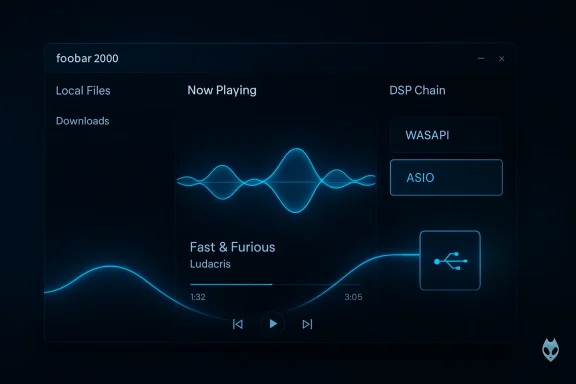
Foobar2000 puts advanced audio plumbing into reach without mystifying the novice:- WASAPI support: foobar2000 exposes WASAPI output options (shared and exclusive), letting you choose exclusive-mode output for true device control and minimal system interference. Exclusive mode is the Windows API path used to bypass the system mixer and avoid implicit resampling—important when you want predictable, bit-exact playback on a DAC. Microsoft’s WASAPI documentation and audio-engine guides explain why exclusive mode is used for bit-perfect playback.
- ASIO, Kernel Streaming, and more: Support for ASIO and kernel-streaming output is available via official components, enabling low-latency and professional-driver workflows for those who need them.
- DSP and converters: The player offers a DSP chain, resampling options, dithering/noise-shaping controls, and converters—features valued by listeners who want transparent and repeatable processing steps.
The component system: pick what you need, avoid the rest
The modular components model is foobar2000’s technical heart. The core is intentionally small; extra features arrive as optional components.- Benefits of components:
- You install only what you need—no monolithic bloat.
- Third-party developers can build format decoders, UI elements, and network tooling.
- A mature ecosystem covers obscure formats, SACD/DSD support, UPnP, ASIO, and more.
- Examples of useful components:
- foo_out_asio — ASIO output support for dedicated DACs and pro interfaces.
- foo_upnp — UPnP/DLNA renderer/server/control point for streaming to or from other networked devices. The component supports transcoding, album art streaming, and roles like renderer and server.
UPnP/DLNA and network playback: powerful but with real caveats
Foobar2000’s UPnP/DLNA tooling is notable: the foo_upnp component can act as a renderer, server, and control point; it can transcode on the fly and stream formats many hardware servers don’t. That means you can use a single PC to serve a central library to multiple rooms or control renderers on the network.But there are constraints to be aware of:
- Legacy bits: Many UPnP components were written years ago and were released as 32-bit builds; some users report installation issues on 64-bit players that require the 32-bit foobar2000 build. That’s a practical compatibility gotcha if you expect plug-and-play networking.
- Maintenance variance: Not all third-party components are actively maintained. While foobar2000 itself is actively updated, component authors vary, so check compatibility and recent updates before relying on older add-ons.
Customization and the UI paradox
Critics often call foobar2000’s default interface “plain” — fair— but that misses the point: the baseline UI is intentionally minimal to prioritize function over flash. The real power is the ability to craft bespoke layouts:- Columns UI and other panels let you build album-centric or playlist-centric views.
- Themes and skin packs exist, but skins are not a prerequisite; many users prefer the default for speed and clarity.
Formats and decoding: an impressively long list
Out of the box and with official decoders, foobar2000 supports virtually every mainstream codec:- Native support covers FLAC, ALAC, MP3, AAC/M4A, Ogg Vorbis, Opus, WavPack, Monkey’s Audio, WAV, AIFF, and more. There are also official and user-contributed decoders for SACD/DSD content and container formats.
Strengths: why audiophiles and power users still love it
- Speed and reliability: Lightweight base app launches and responds instantly.
- Configurability: From bit-perfect outputs to advanced tag rewriting, foobar2000 gives granular control.
- Format breadth: Native plus component decoders reach deep into lossless, lossy, and legacy formats.
- No tracking, no feed: The app’s focus is playback and library management—not engagement metrics or algorithmic nudges.
Risks, limitations, and what to watch out for
Foobar2000 is not a magic cure for every use case. Be realistic about these tradeoffs:- Component compatibility quirks: Some components, such as older UPnP plugins, remain 32-bit-only or unmaintained—forcing awkward workarounds. Always check component architecture and date before installing.
- Customization learning curve: The power to customize comes with a complexity tax. Expect to spend time learning the UI panels, title formatting syntax, and component interactions if you want a perfect setup. That’s a feature for power users and a barrier for casual listeners.
- Mobile parity: Mobile builds exist (Android/iOS), but not all desktop components and workflows translate to phones. If you want identical behavior across laptop and phone, be prepared for functional differences and occasional syncing chores.
- Not a streaming platform: If you prioritize curated discovery, algorithmic playlists, social features, or integrated subscription storefronts, foobar2000 isn’t intended to fill that role out of the box. You can extend it with integrations, but that’s not its sweet spot.
Practical setup: getting the best experience (step-by-step)
- Install tdesktop build for your platform (Windows is the most feature-rich target).
- Add your music folder(s) to the Media Library and let it index—use folder-watching for live updates.
- Select your output method in Preferences > Playback > Output:
- For general use, the built-in WASAPI/shared output is fine.
- For bit-perfect output to a DAC, choose WASAPI exclusive or install the ASIO component if your device provides ASIO drivers.
- Install components only as needed (ASIO, kernel streaming, UPnP) via Preferences > Components.
- Configure ReplayGain, DSP, and any resampling/dithering settings if you care about consistent loudness or format conversion.
- Build a layout: use Columns UI or Default UI panels to craft album lists, playlist windows, and a now-playing pane.
Real-world evidence: community trust and active development
Foobar2000 is not just a nostalgic relic: it’s actively maintained and broadly used by the community. Discussion threads and user posts across forums and hobbyist sites show ongoing reliance on foobar2000 for local music libraries and low-latency audio workflows.The official changelog demonstrates frequent bugfixes and feature rollouts throughout 2024–2026, including UPnP renderer improvements and multiple fixes addressing real-world user scenarios—evidence that the project responds to current platform changes and user feedback.
How foobar2000 compares to modern streaming-first players
- Streaming-first apps prioritize discovery, social features, and integrated stores. That’s an excellent model for casual listening and discovery—but it often comes with heavier memory usage, network dependence, and opaque audio processing decisions.
- Foobar2000 prioritizes deterministic playback and local library fidelity. It’s the right tool when your library matters more than a curated feed.
- For many listeners, a hybrid approach makes sense: use a streaming service for exploration and foobar2000 for deep listening or archival-quality playback.
Recommendations and closing verdict
- If you keep a serious local collection and want predictable sound and fast performance, foobar2000 still merits a place on your machine. Its component model and advanced audio plumbing are practical strengths, not academic ones.
- If you expect frictionless multiroom streaming without fiddling, test UPnP components carefully; some older plugins are 32-bit and may require specific builds or alternative servers.
- For users who don’t want to tinker: foobar2000’s default setup already performs excellently for local playback. You can choose to keep it minimal and still benefit from its speed and low overhead.
Source: MakeUseOf This forgotten Windows music player is embarrassingly good in 2026
