

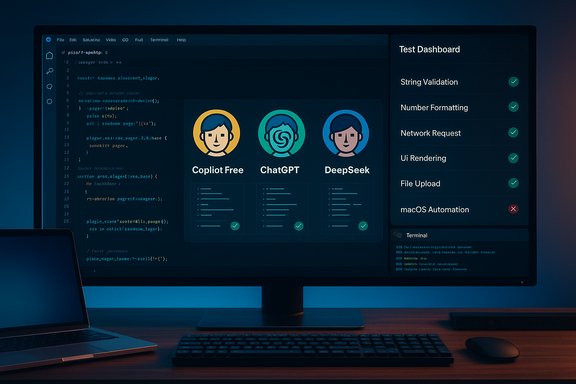
Short, sharp, and uncomfortably useful: a recent hands‑on review found that only three free AI chatbots reliably handled a set of practical coding challenges in 2025 — Microsoft’s GitHub Copilot Free, ChatGPT Free, and China’s controversial DeepSeek — while five other well‑known free chatbots (Claude, Gemini Flash, Meta’s offering, Grok, and Perplexity) produced frequent errors or outright failures in the same tests. This result is a clear reminder that not all free AI coding assistants are created equal, and that careful tool selection, validation, and governance remain essential for any developer or team that intends to rely on AI‑generated code.
The last three years have seen AI move from “helpful autocomplete” into full‑blown coding assistance: code generation, multi‑file edits, debugging, and even agent‑style workflows that can run tests, open PRs, or operate in an IDE/terminal context. That shift also produced a tiered market: powerful paid agents and more limited, budget‑friendly free tiers. The difference isn’t only about cost — model access, runtime limits, tool integration, and safety controls vary widely and materially between free tiers and paid plans. The tests under review focused on day‑to‑day developer tasks: building a simple WordPress plugin UI, rewriting a string validation function (dollars and cents), diagnosing a framework bug, and constructing a mixed macOS/Chrome/Keyboard Maestro automation script. The tests deliberately mix common, edge, and platform‑specific cases that trip up immature assistants.
Two immediate practical facts are worth confirming before diving deeper: OpenAI’s ChatGPT continues to offer a freemium plan alongside paid Plus ($20/mo) and Pro ($200/mo) tiers, and GitHub has published a free Copilot tier with specific usage quotas. Both of those claims are borne out in vendor documentation and community announcements: OpenAI’s pricing page lists Free, Plus ($20), and Pro ($200) plans with different model and quota access, and GitHub’s Copilot Free announcement shows the granular free allowances (2,000 code completions and 50 chat messages per month).
Two further contextual points are crucial:
Source: ZDNET The best free AI for coding in 2025 now - only 3 make the cut (and 5 fall flat)
 Background / Overview
The last three years have seen AI move from “helpful autocomplete” into full‑blown coding assistance: code generation, multi‑file edits, debugging, and even agent‑style workflows that can run tests, open PRs, or operate in an IDE/terminal context. That shift also produced a tiered market: powerful paid agents and more limited, budget‑friendly free tiers. The difference isn’t only about cost — model access, runtime limits, tool integration, and safety controls vary widely and materially between free tiers and paid plans. The tests under review focused on day‑to‑day developer tasks: building a simple WordPress plugin UI, rewriting a string validation function (dollars and cents), diagnosing a framework bug, and constructing a mixed macOS/Chrome/Keyboard Maestro automation script. The tests deliberately mix common, edge, and platform‑specific cases that trip up immature assistants.Two immediate practical facts are worth confirming before diving deeper: OpenAI’s ChatGPT continues to offer a freemium plan alongside paid Plus ($20/mo) and Pro ($200/mo) tiers, and GitHub has published a free Copilot tier with specific usage quotas. Both of those claims are borne out in vendor documentation and community announcements: OpenAI’s pricing page lists Free, Plus ($20), and Pro ($200) plans with different model and quota access, and GitHub’s Copilot Free announcement shows the granular free allowances (2,000 code completions and 50 chat messages per month).
Why this test matters to Windows and cross‑platform developers
AI helpers are now part of the IDE stack. Whether you work on Windows, macOS, Linux, or in cloud dev containers, an AI that can generate or fix code quickly is a productivity multiplier — when it’s accurate. But inaccurate assistance introduces risks that are harder to quantify: security vulnerabilities, broken logic, fragile workarounds, and licensing/IP complications from model training data. The review’s approach — practical, reproducible prompts that reflect everyday developer pain — provides a useful barometer for whether a free chatbot is fit for production or only useful for brainstorming.Two further contextual points are crucial:
- Paid coding agents (Copilot Pro, Claude Code, Google Gemini Pro, OpenAI Codex variants) are often considerably more capable, both because they run higher‑capacity models and because vendors allocate more runtime and tooling to paying customers. Heavy users often find the $20–$200/mo sweet spot necessary.
- Free models and flash variants are optimized for cost and latency, not for bleeding‑edge reasoning or tool use; you should expect gaps on corner cases like platform‑specific APIs or multi‑tool automations. The Gemini Flash vs Pro distinction is a helpful illustration: “Flash” variants prioritize speed and lower cost, and can deliver significantly different quality compared with Pro/Deep‑think models.
The short leaderboard — who passed, who failed
- Passed (majority of tests):
- GitHub Copilot Free — 4/4 in the tested suite.
- ChatGPT Free — 3/4, misfired on a platform‑specific AppleScript/Keyboard Maestro task on first pass.
- DeepSeek (DeepSeek‑V3.2 family) — 3/4; strong UI/code generation and debugging, but the final mixed automation test produced unusable variants. Note: DeepSeek is a Chinese company and has raised geopolitical and security flags in some jurisdictions.
- Failed or unreliable (passed one or two tests, but notable failings):
- Anthropic Claude (free) — 2/4; useful UI, but buggy validation and awkward shell‑based workarounds.
- Meta AI (free) — 2/4; functional UI code but errors in validation and ignoring a key tool in the final prompt.
- Grok (X / formerly Twitter) — 2/4 in Expert mode, but auto mode frequently failed and Expert mode is rate‑limited, so it’s not practical for continuous work.
- Perplexity — 2/4; functional plugin generation but crashes and brittle handling on null/undefined inputs, and Pro search quotas can limit follow‑ups.
- Google Gemini (2.5 Flash, free) — 1/4; the Flash variant available to free users produced the worst coding outcomes in the review, although the Pro coding model (Gemini 2.5 Pro) is far superior. Users of free Gemini should be careful.
What the winners did well — technical strengths and UX details
GitHub Copilot Free — reliable, IDE‑native, and pragmatic
- Strengths: deep integration with VS Code and GitHub flow, clear multi‑file handling, and pragmatic code suggestions that handled the test suite reliably. Copilot’s Quick Response mode produced correct outputs in every trial in the review. GitHub’s published free tier (2,000 completions / 50 chat messages per month) gives hobbyists and students a practical, no‑cost entry point.
- Why it works: Copilot benefits from tight IDE integration (context aware across files) and a model picker that includes tuned models for code. For many Windows developers using VS Code, Copilot’s integration is a workflow win.
ChatGPT Free — broadly capable, but watch platform specifics
- Strengths: strong general coding ability, solid debugging help, and a better conversational UX for iterative refinement than most rivals. The free tier can access core GPT models and scales smoothly into paid tiers for heavier needs. OpenAI’s published pricing and product pages confirm Free/Plus/Pro tiers and the practical differences between them (Plus at ~$20/mo and Pro at ~$200/mo).
- Weaknesses: lower‑tier free models sometimes substitute nonexistent platform functions (e.g., using a function that only exists with specific imports) — a cautionary sign that first‑pass code still needs review.
DeepSeek — surprising capability, but geopolitical risk
- Strengths: DeepSeek‑V3.x models can produce long, usable code and in the reviewer’s tests delivered multi‑part UI and debugging success. The company’s active model program (DeepSeek‑V3.2 and variants) aims at code and long‑context efficiency.
- Warnings: several governments and agencies have flagged DeepSeek for security and data‑handling concerns; for example, Taiwan restricted government department usage on national security grounds. That flags a non‑technical, real‑world risk for enterprises and anyone handling sensitive code or data.
Where the free chatbots fell short — recurring failure modes
- Hallucinated APIs or nonexistent functions: Several free bots returned code that used functions or APIs not present in the target runtime unless special imports/frameworks were explicitly enabled. This is dangerous because the code looks plausible but fails at runtime. The ChatGPT free tier and others showed precisely this kind of mistake on AppleScript/Keyboard Maestro tasks.
- Over‑complicated solutions: Some assistants responded to a simple case‑insensitive requirement by launching multiple shell forks or innefficient process forking, adding fragility rather than fixing the issue (observed in DeepSeek and Claude responses).
- Ignoring explicit prompt constraints: At least one model ignored a key tool named in the prompt (Keyboard Maestro) and produced code that didn’t integrate with the stated workflow. This is classic prompt underspecification or a model failing to parse multi‑tool instructions reliably.
- Rate limits and gating: Several free tiers lock better models, expert modes, or faster runtimes behind login, email confirmation, paid tiers, or strict per‑day query counts — making repeatable development work impractical without paying. Grok’s Expert mode, Perplexity’s Pro searches, and Gemini’s model gating illustrate this problem.
Security, licensing, and governance risks — practical guidance
AI‑generated code carries latent risks that are independent of whether the assistant is free or paid. Three categories deserve special attention:- Security vulnerabilities: AI can introduce insecure defaults (e.g., unsanitized input handling, incorrect cryptography usage, or open redirects). Treat AI code as a starting point — run static analysis, dependency scans, and security tests as you would for any new code artifact.
- IP and licensing: Generated code may mirror patterns learned from public repositories with varying licenses; organizations should establish policies about accepting AI code into private repos, and consider license scanning and provenance controls in CI. Vendors differ in data‑use guarantees — paid enterprise plans often include contractual protections about data not being used for training. Review vendor terms for your compliance needs.
- Data exfiltration and privacy: Sending private code, credentials, or PII to public free tiers is often disallowed in regulated projects. Use enterprise offerings with explicit data handling guarantees, or block public assistants from processing sensitive code. DeepSeek’s geopolitical scrutiny underlines how vendor trust and jurisdiction matter.
- Require human code review for every AI suggestion before merge.
- Run automated SAST/DAST and dependency checks in CI for AI‑produced code.
- Use isolated sandboxes for testing AI outputs (no production secrets).
- Prefer vendor enterprise contracts when code is sensitive; use free tiers only for prototyping or general learning.
- Maintain a log of AI usages and prompts linked to PRs for auditability.
How to use free AI coding assistants responsibly — a short playbook
- Start with the right tool for the job: Copilot Free is ideal for VS Code‑centric workflows; ChatGPT Free is a flexible conversational assistant for iterative debugging; DeepSeek can be tried for exploratory prototyping but evaluate jurisdiction and data‑use risk first.
- Prompt clearly and include constraints: tell the assistant required imports, runtime constraints, and failure behavior (e.g., “handle empty/null input without throwing exceptions”).
- Ask for tests: request unit tests or example inputs/outputs and run them. If the assistant can’t produce good tests, treat its code as suspect.
- Validate with tools: lint, run static analysis, and run the suggested code in a sandbox before integrating.
- Cross‑verify with a second assistant: because these free tools are free, run the same prompt through two different models to compare outputs. Divergence is a signal to investigate.
The vendor angle: what today’s free tiers actually buy you
- Copilot Free: a practically usable developer assistant tightly integrated with VS Code and GitHub flow; adequate for many personal projects thanks to a clear quota policy (2,000 completions / 50 chat messages). Community threads and official GitHub posts confirm the free‑tier details and its intended audience.
- ChatGPT Free: a broadly capable assistant with easy upgrade paths; vendor docs show Free/Plus/Pro tiers with distinct limits and capabilities, and Pro unlocks deeper research and higher‑capacity models. Use Free for experiments; upgrade if you need sustained, heavy usage.
- DeepSeek (free access to V3.2 variants): powerful and cost‑efficient for code generation, but organizational use requires a careful legal and security review given political and regulatory attention. Official DeepSeek announcements and independent reporting indicate rapid model development but also scrutiny.
- Gemini Flash (free): fast and cheap — but limited. Google’s free variants throttle pro‑grade features; the Pro model delivers substantially better code reasoning and larger context windows. For serious coding, consider Pro.
Cross‑checks and verifications performed for this feature
To avoid repeating claims that change rapidly, the most important vendor and market facts cited above were verified against live vendor pages, public announcements, and neutral reporting:- GitHub Copilot Free plan and quotas: confirmed via GitHub community discussions and official posts.
- OpenAI ChatGPT Free/Plus/Pro pricing and capabilities: confirmed via OpenAI’s pricing page and independent press coverage.
- DeepSeek model releases and geopolitical scrutiny: confirmed via DeepSeek’s official site and Reuters/Tom’s Hardware coverage documenting model launches and government scrutiny.
- Gemini Code Assist free tier and Flash/Pro model differences: confirmed via coverage of Google’s free coding assist rollout and technical comparisons of Flash vs Pro variants.
Final assessment — what developers should take away
- Free coding assistants are useful but uneven. GitHub Copilot Free and ChatGPT Free are the most practical starting points for many developers; DeepSeek shows impressive raw capability but brings extra governance baggage.
- Expect and plan for errors. Far from being a replacement for review, AI output must be disciplined into your existing validation pipelines. Add unit tests, security scans, and human review gates to every AI‑derived PR.
- Use the free tier to prototype and learn; budget for paid plans when you rely on AI for sustained productivity or for high‑stakes projects that need stronger service guarantees and data protections. Vendor pages and pricing plans make this trade visible: free tiers are generous, but paid tiers unlock better models, higher quotas, and explicit legal protections.
- For teams and organizations, the choice is rarely a single assistant — mix and match based on task. Use Copilot for tight VS Code integration, ChatGPT for exploratory debugging and conversation, and vendor enterprise plans when compliance and data guarantees matter.
Conclusion
The headline is both simple and sobering: among widely available free chatbots in mid‑2025, only a few can be trusted to pass a set of practical coding tests on first pass. GitHub Copilot Free and ChatGPT Free offer the best free starting points for most developers, while DeepSeek emerges as a capable but geopolitically sensitive third option. The other free assistants tested — Claude, Gemini Flash, Meta’s free assistant, Grok (auto mode), and Perplexity — produced significant failings in at least half the scenarios. These outcomes reinforce a plain truth of modern development: AI can accelerate work dramatically, but it amplifies errors and governance gaps just as effectively as it increases speed. Use these tools intelligently, validate everything, and treat AI output as draft code — not as a production‑ready substitute for engineering rigor.Source: ZDNET The best free AI for coding in 2025 now - only 3 make the cut (and 5 fall flat)
