

Free is no longer a dirty word in AI: you can try powerful GPT chat models and image-generation tools without handing over a credit card, but the trade-offs between speed, capability, and limits are real and evolving.
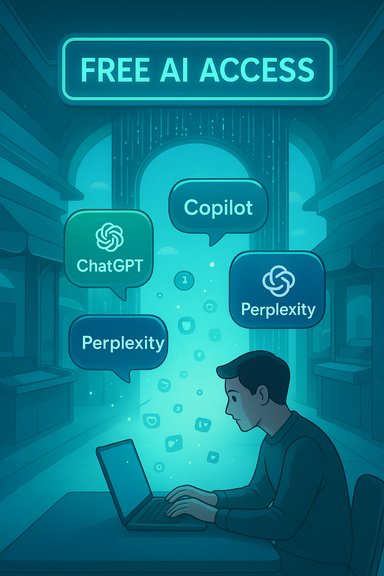
The quick roundup from Observer Voice naming five places to try GPT-style chat for free captures the consumer moment: mainstream AI is available in multiple flavors across vendors and aggregators. The original piece highlights OpenAI’s ChatGPT, Microsoft Copilot, Perplexity AI, Poe, and an aggregator called “Chat Got” as accessible, no-cost entry points for curious users.
Those recommendations are accurate in spirit, but the markets and product details have shifted rapidly. This feature dissects each recommendation, verifies the technical claims where possible, calls out unverifiable or out-of-date statements, and gives practical guidance for Windows users and web-savvy readers who want to experiment without paying. It cross-checks vendor documentation and independent reporting so you know what to expect when you “try GPT chat for free.”
Free GPT chat is accessible, valuable, and increasingly feature-rich — but free access is not identical to unrestricted access. The most practical approach is to pick the tool that matches your immediate need, verify model outputs with citation‑forward tools, and upgrade only when the limits of the free tier start to impede productivity or introduce compliance risk.
Source: Observer Voice The 5 Best Sites to Try GPT Chat for Free
 Background
The quick roundup from Observer Voice naming five places to try GPT-style chat for free captures the consumer moment: mainstream AI is available in multiple flavors across vendors and aggregators. The original piece highlights OpenAI’s ChatGPT, Microsoft Copilot, Perplexity AI, Poe, and an aggregator called “Chat Got” as accessible, no-cost entry points for curious users.Those recommendations are accurate in spirit, but the markets and product details have shifted rapidly. This feature dissects each recommendation, verifies the technical claims where possible, calls out unverifiable or out-of-date statements, and gives practical guidance for Windows users and web-savvy readers who want to experiment without paying. It cross-checks vendor documentation and independent reporting so you know what to expect when you “try GPT chat for free.”
How I verified the claims
- Vendor documentation was used for primary verification (OpenAI Help Center and pricing pages).
- Independent reporting and product blogs (Microsoft, The Verge, Bing blog) confirmed feature rollouts and limits for Copilot/Bing image services.
- Product reviews and guides (Tom’s Guide, Semrush, AI Tool Analysis) validated Perplexity and Poe behavior and free-tier limits.
- Where a claimed service name or product (for example, “Chat Got”) could not be reliably located in vendor pages or reputable coverage, that claim is flagged and treated as unverifiable.
Quick take: the five services (verified snapshot)
- OpenAI — ChatGPT: Free tier offers robust capabilities and limited access to advanced models (GPT‑4o and GPT‑4.1‑mini behavior is explicitly rate‑limited for Free users). Performance can vary under peak load.
- Microsoft — Copilot / Bing: Free web access to Copilot/Bing AI remains a strong option; it is web‑connected and includes image creation via DALL·E 3 and newer Microsoft image models with daily fast‑creation allowances. Expect session/turn limits.
- Chat Got: The name in the original roundup could not be independently validated as a distinct, reputable aggregator; treat this entry as unverified and prefer known aggregators (Poe, Hugging Face, etc..
- Perplexity AI: Designed as a research-first assistant that surfaces sources and inline citations; the free tier provides limited “Pro Search” uses per day and restricts some advanced features.
- Poe (Quora): A multi-model aggregator that offers many models under one roof and a points/compute system — generous for casual users but metered when you want premium models or long sessions.
1) OpenAI (ChatGPT) — the default starting point
Overview
ChatGPT remains the most accessible general-purpose GPT chat experience for new users. The Free tier gives access to capable models and an evolving set of tools, but the precise model available and advanced‑feature caps are gated by demand-based rate limits.What the Free tier actually includes (verified)
- Free users have access to modern model variants including GPT‑4o in a limited fashion and unlimited access to smaller “mini” models for everyday usage. OpenAI explicitly notes limited access to GPT‑4o based on overall ChatGPT demand and places per-window message caps.
- The free plan also offers access to web search, some file- and image-related tools, and the ability to try GPTs and other in‑app features — though advanced tools are subject to stricter, separate usage limits.
Strengths
- Broad capability: good for drafting, ideation, coding help, and casual conversation.
- Polished UX: consistent conversation history, plugin/GPT ecosystem, and multi‑platform clients (web, iOS, Android).
- Fast on common tasks: the model family used for free is tuned to be responsive for short queries.
Practical limits and risks
- Rate limits and availability: free users may encounter capacity constraints at high traffic times and will be switched to smaller models (or told to wait) when demand spikes. This is explicitly documented by OpenAI.
- Capability ceiling: free-model outputs are not always as nuanced as paid Plus/Pro tiers; expect occasional hallucinations, especially on specialized factual queries.
- Privacy & data handling: external verification is recommended if you plan to input sensitive data — read the specific data‑use and privacy policies before uploading confidential content.
How to try it (quick steps)
- Create a free account at the ChatGPT web page and confirm your email.
- Start a conversation and experiment with longer prompts or file uploads (watch for messages about rate limits).
- If you need sustained GPT‑4o access, consider Plus/Pro tiers or experiment during off‑peak hours to reduce contention.
2) Microsoft Copilot (Bing AI) — web‑connected GPT + free image generation
Overview
Microsoft’s Copilot family (Bing Chat/Copilot in Edge/Microsoft 365 integrations) bundles large‑model chat with web access, document context, and integrated image generation. For many users the big advantage is real‑time web grounding and built‑in image creators like DALL·E 3 and Microsoft’s own image models.Confirmed capabilities and limits
- Web connectivity: Copilot/Bing Chat uses live search results to ground answers and fetch up‑to‑date information. Microsoft documents this design and how web search is used to provide context.
- Image generation: Bing Image Creator and Copilot can create images using DALL·E 3 and newer Microsoft image models, with a daily allowance of fast creations (Bing documents a free tier of daily “fast” creations before switching to a rewards or point system).
- Session/turn restrictions: Copilot can impose conversation‑turn limits and per‑session caps (e.g., a limited number of turns per chat), particularly for anonymous or non‑signed-in users. Independent guides report typical session limits and the requirement to sign in for higher message allowances.
Strengths
- Real-time knowledge: particularly useful for current events, live research, and queries that need web sources.
- Integrated image tools: you can generate visuals in the same flow, useful for rapid prototyping (presentations, social posts).
- Deep Office integration: Copilot embedded in Word/Excel/PowerPoint can act on your actual documents (subject to configuration and licensing).
Risks and caveats
- Speed trade-offs: because Copilot often performs web lookups, response time can be slower than offline models.
- Turn and response limits: heavy, multi-turn workflows may require paid Copilot or enterprise licensing to avoid frequent resets.
- Policy & governance: enterprise usage that ingests corporate data needs careful configuration of Work IQ and data permissions for compliance.
How to try Copilot for free
- Visit Bing.com or use the Copilot button in Microsoft Edge.
- Sign in with a Microsoft account to unlock higher session limits.
- Try an image generation prompt (Bing Image Creator) and note the daily “fast creation” allowances before rewards/points kick in.
3) Chat Got — unverifiable claim (exercise caution)
What the Observer piece said
The original roundup lists a simple aggregator called “Chat Got,” described as a one-stop platform that routes queries to multiple models and cleans up the user experience.Verification status
- Searches of vendor pages, official docs, and technology press did not surface a reputable product under the name “Chat Got” or “ChatGot” at the time of verification. There is no clear canonical site, documentation, or industry coverage that verifies the platform’s existence as described in the roundup. This may be a mis‑name, a short‑lived service, or a local/regional site with no broad coverage.
What to do instead
- Prefer known aggregators such as Poe (Quora), Hugging Face Spaces, or multi-model UIs from major vendors. These services are documented and widely used.
Caveat
- Treat the “Chat Got” entry as unverified. If you encounter a site or app using that name, examine the domain, privacy policy, and whether it routes to reputable model providers before entering any personal or sensitive data.
4) Perplexity AI — the citation‑first research assistant
Overview
Perplexity positions itself as a research‑first assistant that produces concise answers and surfaces source citations inline — ideal for checks, news summarization, and initial fact‑finding.What the free plan offers (verified)
- The free plan provides standard searches and a small number of “Pro searches” per day (community reporting and published guides commonly state ~5 Pro searches/day on the free tier; Pro upgrades expand that allotment).
- Perplexity’s UI typically attaches small footnote-like links or inline source markers to answers, which makes rapid verification easier than a plain chatbot response. Independent reviews and analyses describe that citation-first behavior as a core advantage.
Strengths
- Transparency: answers are accompanied by source links so you can validate claims quickly.
- Good for research workflows: follow-up suggestions and a search‑hybrid UI make iterative exploration simple.
- Model diversity: Perplexity can route queries to multiple backend models for different kinds of tasks (depending on plan).
Limitations
- Not optimized for creative writing: dedicated creative assistants (ChatGPT, Claude) typically perform better for storytelling or long-form drafting.
- Free-tier caps: heavy researchers will quickly need a paid plan for large volumes of multi-step or document-based analysis.
How to try Perplexity
- Go to Perplexity.ai and type a question. Look for the small source footnotes attached to their summary.
- Reserve Pro searches for the complex, multi-step queries that require deeper synthesis.
5) Poe (Platform for Open Exploration) — multi‑model convenience with a compute budget
What Poe does
Poe aggregates many models (OpenAI, Anthropic, Google Gemini, Meta Llama variants and more) into one interface so you can switch brains, compare outputs, or build custom bots without separate accounts. The platform is mobile-friendly and designed for quick swapping between models.Confirmed mechanics and limitations
- Multi‑model access: Poe displays and hosts multiple official models and internal custom bots; you can compare responses side-by-side.
- Compute points / credits system: Poe uses a compute points model to ration access to premium models and longer sessions. Free users get a daily allowance sufficient for casual use; paid tiers provide large monthly compute budgets (published product articles and FAQ-style reviews describe tiered points allocations and Pro plans).
Strengths
- Convenience: single sign-on for many models and a fast mobile client.
- Comparison-friendly: helpful for evaluating which model is better for a specific prompt.
- Creator ecosystem: you can try community bots and experiment with custom configurations.
Weaknesses
- Metered for heavy use: pro models consume compute points quickly; the best bots are frequently paywalled for heavy usage.
- Quality variance: community bots vary in quality and moderation; treat outputs with the same verification rigor you’d use elsewhere.
How to try Poe
- Visit poe.com, sign in with an account (Google/Apple sign-in supported).
- Explore different bot tabs and watch your compute meter when using premium models. Consider a Pro plan only if you need sustained use of GPT‑4 class models.
Practical tips for getting the most from free GPT chat services
- Use the right tool for the job: Perplexity for source‑backed research, ChatGPT for general writing and ideation, Copilot for web‑grounded queries and images, Poe for multi‑model experimentation.
- Time your heavy sessions for off‑peak hours if you rely on free tier access — vendors expose usage limits that are more generous or less contested outside of peak times.
- Protect sensitive data: assume free consumer tiers may be used to improve models unless you’ve purchased an enterprise plan that explicitly forbids training‑use of your data. For confidential work, use enterprise contracts or on‑premise/private deployments where available.
- Cross‑check facts: when a model gives a specific fact (dates, numbers, legal claims), ask it to show sources or run the same query in Perplexity/Bing to obtain grounded references.
Costs and upgrade signals — when to pay
Free access is excellent for discovery, prototyping, and personal workflows, but there are clear upgrade signals:- You need sustained GPT‑4/GPT‑4o-level responses without waiting for rate limits.
- You require enterprise-grade data protections, non-training clauses, or auditability.
- You need document and file analysis at scale (bulk PDF ingestion, long transcripts, etc..
- You rely on image/video generation at volume and prefer predictable per‑asset costs.
Final analysis: strengths, risks, and what to watch next
Notable strengths across the five picks
- Low friction: you can try advanced AI with a few clicks — the barrier to entry is gone.
- Diversity of options: research-first (Perplexity), creative and generalist (ChatGPT), productivity+web context (Copilot), and multi-model comparison (Poe) together cover most common use cases.
- Rapid innovation: vendors regularly add image, voice, and multimodal features into free tiers as a way to onboard new users.
Key risks and caveats
- Rate limits and availability: free-tier access is explicitly limited and subject to change; don’t depend on it for business-critical flows.
- Hallucination and factual risk: even the best models make confident mistakes — always verify high‑stakes facts using source‑backed tools.
- Legal and IP uncertainty: training-data sourcing and IP law remain areas of litigation and regulatory scrutiny; organizations must consider contract terms and indemnities for production deployments.
- Unverified claims in brief roundups: quick lists occasionally include misnamed or ephemeral services (for example, “Chat Got” could not be verified). Treat such entries as leads — not endorsements.
Quick comparison (for fast decisions)
- Best for research and citations: Perplexity.
- Best generalist, fastest to start: ChatGPT (OpenAI Free).
- Best for web‑grounded, up‑to‑date answers and integrated images: Microsoft Copilot / Bing.
- Best for model comparison and experimentation: Poe.
How to start today (7-minute action plan)
- Pick one task (summarize an article, draft an email, generate a concept image).
- Open the relevant free service: ChatGPT for creative drafting, Perplexity for citation-backed summaries, Copilot for web-aware lookups and images, Poe for model comparisons.
- Ask the model to “list sources” or “show citations” on factual answers and validate at least two of them before publishing.
- If you hit a rate limit, try off‑peak hours or switch to a lighter mini model offered on the same page.
- For images, track your daily allowances and prefer Microsoft’s Bing Image Creator or Copilot if you want free DALL·E‑class generations in small quantities.
Free GPT chat is accessible, valuable, and increasingly feature-rich — but free access is not identical to unrestricted access. The most practical approach is to pick the tool that matches your immediate need, verify model outputs with citation‑forward tools, and upgrade only when the limits of the free tier start to impede productivity or introduce compliance risk.
Source: Observer Voice The 5 Best Sites to Try GPT Chat for Free
