

Fritzing 0.9.10 is a maintenance release that quietly restored a handful of long‑standing bugs, added a Japanese translation and higher‑resolution image export, and shipped a hidden beta of the project’s fledgling simulator — a change that set the stage for the official simulator introduced in the 1.0.x series.
Fritzing is an open‑source electronics design environment aimed at makers, educators, and hobbyists who want a gentle, visual path from breadboard prototyping to schematic capture and PCB fabrication. It has been widely adopted in classrooms and maker spaces because it maps real‑world wiring layouts to formal documentation and manufacturing outputs in a way that is easy to teach and learn. The project is maintained on GitHub and continues to be developed and packaged for Windows, macOS and Linux. The FileHippo entry the user referenced reproduces an editorial summary and download guidance for Fritzing 0.9.10, but it also notes that FileHippo does not always provide a direct publisher download and may offer its own “Safe Downloader” service instead — an important distinction for Windows users who prefer a direct, publisher-signed installer.
Source: FileHippo Download Fritzing 0.9.10 for Windows - Filehippo.com
 Background
Fritzing is an open‑source electronics design environment aimed at makers, educators, and hobbyists who want a gentle, visual path from breadboard prototyping to schematic capture and PCB fabrication. It has been widely adopted in classrooms and maker spaces because it maps real‑world wiring layouts to formal documentation and manufacturing outputs in a way that is easy to teach and learn. The project is maintained on GitHub and continues to be developed and packaged for Windows, macOS and Linux. The FileHippo entry the user referenced reproduces an editorial summary and download guidance for Fritzing 0.9.10, but it also notes that FileHippo does not always provide a direct publisher download and may offer its own “Safe Downloader” service instead — an important distinction for Windows users who prefer a direct, publisher-signed installer.What exactly is in Fritzing 0.9.10?
Official release data and scope
- Release version: 0.9.10
- Release date: May 22, 2022 (listed on the official releases page).
- Build identifier: Build 2134; described in the release notes as a maintenance/silent release that fixed a regression (issue #3959).
Key changes and feature highlights
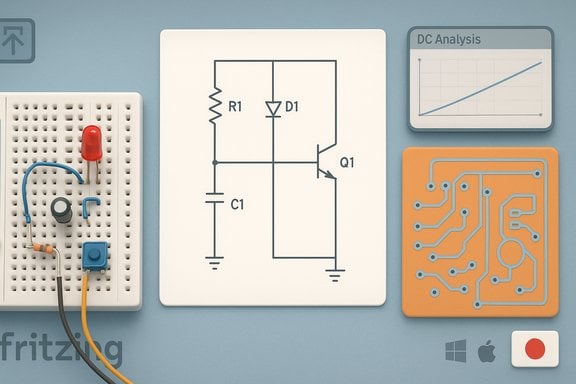
Fritzing’s 0.9.10 release is best described as a maintenance update with several usability and content additions rather than a sweeping rework:- Simulator (hidden beta): 0.9.10 introduced a hidden beta version of a basic DC circuit simulator — a major functional milestone because it signaled the project’s intent to add interactive educational features. The simulator in 0.9.10 was limited in scope (DC analysis only) and remained beta until the 1.0.0 line where it became officially supported.
- Language and translation updates: Japanese was added and multiple translations were updated (Bulgarian, Czech, French, German, Italian, Portuguese, Romanian, Russian, Slovenian, Slovak, Spanish, Turkish, Ukrainian, Vietnamese).
- Export improvements: Support for higher‑resolution image export for documentation and sharing.
- Parts updates: Several new parts were added (voltage regulators, Grove Beginner Kit, TDK ultrasonic module, Amica NodeMCU) and roughly 90 parts received minor fixes.
- Bug fixes: A long list of issue fixes was closed in the release (the official notes enumerate many issue numbers). These fixes addressed regressions and edge cases in the UI, parts handling and platform behavior.
Platform compatibility and testing
The Fritzing team listed the tested platforms for 0.9.10 as Windows 10 and Windows 11 (both 64‑bit and 32‑bit builds were produced), macOS High Sierra through Monterey, and multiple Linux distributions (glibc >= 2.27 for 64‑bit Intel/AMD). The release notes explicitly call out Windows 8, macOS High Sierra, Mojave and Catalina as supported in practice.Downloading Fritzing 0.9.10 for Windows: what to know
Official channels vs aggregator portals
The safest way to obtain Fritzing is to download the official binaries from the project’s site or the GitHub releases page. The maintainers publish binaries and sometimes checksums on the official release pages, and GitHub provides an asset trail you can verify. Third‑party aggregator sites like FileHippo maintain editorial pages and download indexes; they can be useful for discovery or archival browsing. However, aggregator downloads may route through a site‑specific “Safe Downloader” wrapper or present additional offers during installation. The FileHippo page explicitly notes that it sometimes avoids direct links and uses a controlled downloader — an important nuance for Windows users who want a clean, publisher-signed installer.Practical download checklist for Windows users
- Prefer the official Fritzing download on the project site or GitHub.
- If using a third‑party portal (FileHippo, Softpedia, etc., check whether the portal provides a direct publisher executable or wraps the download in a site launcher. FileHippo’s editorial page warns when a direct link is not provided.
- Verify digital signatures or checksums when available. The project’s CI or release pages sometimes publish MD5/sha256 values for release binaries; compare the checksum of the downloaded file before executing it.
- Scan the installer with your AV and consider running the installer initially in a sandbox or virtual machine if you’re concerned about bundled offers. Use Windows Sandbox or a disposable VM to verify behavior.
- Keep a current system backup or restore point before installing development or unsigned builds.
Installation notes and system requirements
Supported Windows versions
The 0.9.10 release packages were produced for both Windows 64‑bit and 32‑bit and were tested on Windows 10 and Windows 11. The official notes list wider backwards compatibility (Windows 8) but testing coverage emphasizes modern Windows 10/11 systems.Typical hardware and runtime needs
Fritzing is not resource‑heavy compared to full commercial EDA suites, but practical experience shows:- CPU: modest dual‑core or better (most modern Intel/AMD CPUs are fine).
- RAM: 4 GB minimum; 8 GB recommended for comfortable multitasking and working with large part libraries.
- Disk: small footprint for the application itself, but additional space for projects and generated Gerbers can be useful.
- Windows requirements: 64‑bit Windows recommended for the 64‑bit build; 32‑bit build exists for legacy systems. The Linux AppImage and macOS builds provide cross‑platform flexibility.
Troubleshooting installer issues
- If the download page attempts to take you through a payment or donation gate, there is a community precedent for a confusing donation UI that still offers a way to download the binary without paying — but the canonical download remains on the project’s GitHub releases if you prefer not to navigate donation prompts. Community discussion has documented that donation prompts can be confusing; when in doubt, get the binary from the GitHub assets.
The simulator: beta in 0.9.10, official in 1.0.x
One of the most notable functional additions in 0.9.10 was the hidden simulator beta. The simulator’s aim is educational: to provide DC circuit analysis tools within the breadboard and schematic views and to support basic measurement instruments like a multimeter within the environment. The release notes mark the simulator as a beta feature in 0.9.10 and the team later promoted the simulator to a supported, official feature in the 1.0.0 release series. This progression is important for educators and students who want in‑software feedback without switching to a separate SPICE workflow. Caveat: the 0.9.10 simulator was limited (DC analysis only) and intended for teaching basic concepts rather than full circuit verification. For anything beyond basic DC checks — transient analysis, AC behavior, or complex nonlinear device modeling — a dedicated simulator (Ngspice, LTspice, Qucs, etc. remains the proper tool.Parts library, custom parts, and PCB production
Fritzing is known for a broad parts library and an approachable parts editor that allows users to create or customize components if the out‑of‑the‑box library lacks a specific module. The 0.9.10 release added a number of parts and applied minor fixes to many existing entries, improving usability and hardware coverage. Fritzing’s workflow intentionally connects breadboard, schematic and PCB views so that hobby projects can move from prototype to manufacturable Gerber files. Fritzing also integrates with certain fabrication services (historically via Fritzing Fab/Aisler links), but users should verify current vendor integrations and check that the produced Gerbers meet the board house’s DRC rules before ordering. The project’s GitHub and help documentation describe part editing best practices for accurate footprints.Project health, maintainership, and licensing
Fritzing’s source code is GPLv3 and maintained on GitHub, with the project historically supported by a non‑profit foundation and a growing community of contributors. Since 2019 the project has seen renewed active maintenance and continuous delivery improvements, including automated builds and an evolving CI pipeline. The project’s GitHub repository and release notes are the authoritative places to check for binaries and build metadata. Community funding and “pay‑what‑you‑want” download prompts have sometimes led to confusion among new users; community threads on Reddit and the project forum document users encountering donation prompts or a payment UI while attempting to download. The GitHub releases remain a reliable alternative for those who want to avoid donation flows.Security, verification and best practices
- Prefer official releases: Download from fritzing.org releases or the GitHub releases page whenever possible. These are the most direct and trustworthy sources for official binaries.
- Check checksums: When MD5/sha256 checksums are published for binaries, verify them locally. This step prevents tampering during transit.
- Avoid wrapper installers: If a portal forces a “Safe Downloader” wrapper, consider obtaining the file from the official site or GitHub instead. FileHippo explicitly highlights when they do not offer a direct publisher download and route through their downloader.
- Scan before install: Run the installer through up‑to‑date antivirus and (optionally) test in a VM or Windows Sandbox prior to deploying on a production machine.
- Back up: Create a restore point or backup before installing if you are installing an unsigned or development build.
Strengths and who should use Fritzing 0.9.10
- Educators and learners: The breadboard‑centric workflow and the emerging simulator make Fritzing attractive as a classroom tool for translating hands‑on wiring into formal design artifacts. The simulator beta in 0.9.10 was an early step toward more classroom‑friendly interactivity.
- Hobbyists and makers: The parts library and custom part editor are well suited for hobby projects that start on a breadboard and later require a simple PCB. The integration pipeline from breadboard → schematic → PCB is one of Fritzing’s core strengths.
- Small prototyping runs: For makers ordering low‑volume boards, Fritzing produces Gerbers and supports basic export flows; it’s a pragmatic toolchain for one‑off or small projects.
Limitations and potential risks
- Not a professional EDA replacement: Fritzing lacks advanced simulation, timing analysis, signal integrity tools, and complex autorouter sophistication found in enterprise CAD tools (Altium, KiCad for advanced usage, Cadence, Mentor). For professional multi‑layer, high‑speed or RF designs, use an industry toolchain.
- Simulator maturity: The 0.9.10 simulator was a beta and limited to DC behavior; it’s useful for didactic checks but not a substitute for full SPICE analysis. The simulator only became officially supported later in 1.0.x.
- Distribution caveats: Aggregator sites can insert wrapper installers or donation prompts. FileHippo’s editorial page makes clear they sometimes route downloads through their own downloader rather than offering a direct publisher binary. Users who want a canonical, verifiable installer should use the project site or GitHub.
- Part accuracy and footprints: The parts library is broad, but community‑maintained parts vary in quality. Always inspect footprints and pad dimensions before ordering PCBs, and run your own DRC against the board house’s constraints.
Step‑by‑step: Safest way to get Fritzing 0.9.10 on Windows
- Visit the Fritzing official releases page and locate 0.9.10 or the latest 1.0.x build if you want the matured simulator and subsequent fixes.
- Download the Windows 64‑bit (or 32‑bit if required) asset from the GitHub releases or the project site — prefer that over third‑party portals.
- Check published checksums (if present) and verify the file locally.
- Create a Windows restore point and scan the installer.
- Install in a normal user context when possible and inspect any optional checkboxes for bundled software (rare if you use the official package). If you used a third‑party downloader, read each installer screen carefully.
Final assessment and recommendation
Fritzing 0.9.10 is a useful maintenance release that added translation coverage, improved export capabilities, refreshed parts and — notably — introduced a hidden simulator beta. Those changes made the tool more accessible for education and documentation workflows while keeping the application lightweight and approachable. The project’s ongoing maintenance and migration toward a 1.0.x series (with the simulator promoted and additional UI improvements) demonstrate active stewardship of the codebase. For Windows users who need a low‑barrier tool to go from breadboard to PCB, Fritzing remains a compelling choice — but with caveats: prefer official downloads (project site or GitHub), verify checksums, and treat the simulator as an educational aid until you adopt the 1.0.x releases if you need more robust simulation. If the FileHippo editorial page is your starting point, note its download workflow and prefer official binaries to avoid wrapper installers.Quick reference: verified facts (at a glance)
- Release: Fritzing 0.9.10 — released May 22, 2022.
- Build: 2134, fixes regression issue #3959.
- Notable additions: Japanese translation, hidden simulator beta, hi‑res image export, and a raft of parts updates.
- Recommended download sources: Official Fritzing releases page and GitHub releases; avoid wrapper installers from aggregators when possible.
- FileHippo’s editorial page describes its “Safe Downloader” and editorial checks — useful for discovery but not a substitute for official binaries.
Source: FileHippo Download Fritzing 0.9.10 for Windows - Filehippo.com
