

NVIDIA’s latest GeForce Game Ready Driver, version 591.44 WHQL, arrives as more than a routine performance tune — it folds a recent emergency hotfix into a full WHQL release, restores GPU-accelerated PhysX for a slate of beloved 32‑bit games on RTX 50‑series cards, and brings DLSS 4 optimizations targeted at two of the year’s biggest shooters. For Windows 11 users who saw sudden frame‑rate drops after Microsoft’s October cumulative (KB5066835), this is the driver update NVIDIA says will return many affected systems to expected performance levels; for owners of the new Blackwell‑architecture cards, it’s a partial course‑correction on backward compatibility that restores GPU PhysX acceleration for a curated list of legacy titles.
The autumn 2025 Windows servicing wave included a cumulative update identified as KB5066835, deployed in mid‑October. That update later proved to be problematic across several subsystems: local HTTP loopback (localhost) behavior was disrupted, the Windows Recovery Environment (WinRE) briefly stopped recognizing USB input in affected builds, and a segment of gamers began reporting severe frame‑rate declines and worse frame pacing in multiple titles. Microsoft acknowledged a subset of the issues and issued out‑of‑band fixes, but the gaming regressions triggered a parallel response from GPU vendors. NVIDIA’s immediate mitigation was a targeted hotfix — GeForce Hotfix Display Driver 581.94 — published as a rapid, manual download to restore performance while a fully‑tested WHQL Game Ready package was prepared. Hotfixes are deliberately narrow in scope and validated against a smaller test matrix to get fast remediation into the hands of affected users; they are not a substitute for the full release. The changes in hotfix 581.94 (and its subsequent reintegration) are explicitly called out by NVIDIA as addressing “Lower performance may be observed in some games after updating to Windows 11 October 2025 KB5066835.” At the same time, earlier this year NVIDIA’s decision to deprecate 32‑bit CUDA support with the RTX 50 Series left several legacy PhysX titles unable to run PhysX effects on the newer GPUs — forcing physics work back onto the CPU and reducing visual fidelity or performance for those games. Community feedback was immediate and vocal; 591.44 represents NVIDIA’s response: selective, customised re‑enablement of GPU‑accelerated PhysX for a curated set of 32‑bit games.
Key points for this driver release:
With 591.44 WHQL, NVIDIA implemented a custom compatibility layer that restores GPU‑accelerated PhysX for a selected set of high‑demand legacy games. The list NVIDIA published includes nine initial titles (Alice: Madness Returns; Assassin’s Creed IV: Black Flag; Batman: Arkham City; Batman: Arkham Origins; Borderlands 2; Mafia II; Metro 2033; Metro: Last Light; Mirror’s Edge), with promise of at least one more in early 2026. This is an important win for fans who want the original GPU effects and for preservation of classic visual fidelity on modern hardware. Important technical notes:
That said, performance fixes and feature claims should be validated on your specific hardware and game list. Don’t accept vendor benchmarks without testing your own workloads. If your system is mission‑critical, pilot the driver, collect objective telemetry (average FPS, 1%/0.1% lows, and frame‑time traces), and be prepared to roll back if you hit new regressions. NVIDIA’s action here is a model of pragmatic response — but the broader lesson remains: keep backups, measure changes, and treat driver updates as both an opportunity and a responsibility.
Conclusion
591.44 WHQL converts an emergency mitigation into a supported update that restores functionality, refines next‑generation upscaling behavior, and demonstrates that vendor responsiveness and community pressure still matter. For most gamers affected by the October Windows servicing wave, the path forward is clear: install the WHQL driver, verify your key titles, and keep a measured test‑and‑rollback plan ready. For the preservation‑minded, the partial return of GPU PhysX is a welcome reminder that modern hardware need not abandon the classics.
Source: TweakTown GeForce Game Ready Driver 591.44 WHQL released, fixes the recent Windows 11 performance bug
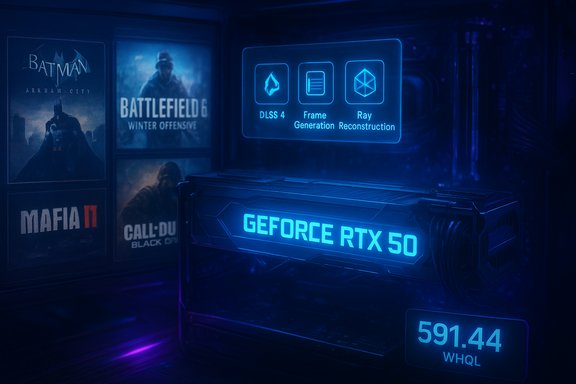 Background
The autumn 2025 Windows servicing wave included a cumulative update identified as KB5066835, deployed in mid‑October. That update later proved to be problematic across several subsystems: local HTTP loopback (localhost) behavior was disrupted, the Windows Recovery Environment (WinRE) briefly stopped recognizing USB input in affected builds, and a segment of gamers began reporting severe frame‑rate declines and worse frame pacing in multiple titles. Microsoft acknowledged a subset of the issues and issued out‑of‑band fixes, but the gaming regressions triggered a parallel response from GPU vendors. NVIDIA’s immediate mitigation was a targeted hotfix — GeForce Hotfix Display Driver 581.94 — published as a rapid, manual download to restore performance while a fully‑tested WHQL Game Ready package was prepared. Hotfixes are deliberately narrow in scope and validated against a smaller test matrix to get fast remediation into the hands of affected users; they are not a substitute for the full release. The changes in hotfix 581.94 (and its subsequent reintegration) are explicitly called out by NVIDIA as addressing “Lower performance may be observed in some games after updating to Windows 11 October 2025 KB5066835.” At the same time, earlier this year NVIDIA’s decision to deprecate 32‑bit CUDA support with the RTX 50 Series left several legacy PhysX titles unable to run PhysX effects on the newer GPUs — forcing physics work back onto the CPU and reducing visual fidelity or performance for those games. Community feedback was immediate and vocal; 591.44 represents NVIDIA’s response: selective, customised re‑enablement of GPU‑accelerated PhysX for a curated set of 32‑bit games. What’s new in GeForce Game Ready Driver 591.44 WHQL
Short summary of the headline items in this release:- DLSS 4 support and optimizations for Battlefield 6: Winter Offensive and Call of Duty: Black Ops 7, including Multi Frame Generation where applicable. NVIDIA claims very large frame‑rate multipliers on RTX 50 hardware when DLSS 4 features are used in tandem with DLSS Super Resolution and Frame Generation. These are vendor numbers and will vary by hardware, settings, and scene.
- Fixes Microsoft update–related performance drops traced to Windows 11 October 2025 cumulative (KB5066835) for users on recent driver branches — the hotfix previously distributed as 581.94 is now folded into this WHQL release. That means affected users can install the full, WHQL‑signed driver through the NVIDIA app or GeForce.com instead of the manual hotfix channel.
- Return of selected 32‑bit GPU‑accelerated PhysX on GeForce RTX 50 Series cards for a set of popular legacy games (examples: Batman: Arkham City, Borderlands 2, Metro 2033, Mirror’s Edge, Mafia II, Assassin’s Creed IV). NVIDIA lists the supported titles and says additional ones (e.g., Batman: Arkham Asylum) will follow in early 2026. This is a bespoke compatibility layer rather than a blanket restoration of full 32‑bit CUDA support.
- Stability and bug fixes across a range of titles and system issues — text rendering issues in Counter‑Strike 2, lighting/artifact fixes in other big releases, and a number of game‑specific stability patches that NVIDIA details in the full release notes.
Background: the Windows 11 regression explained
Microsoft’s KB5066835 was a broad servicing package that touched multiple components. The most visible outcomes for developers and gamers included:- Broken localhost/HTTP.sys behaviors that affected locally hosted services and developer tooling.
- A temporary loss of USB input functionality inside WinRE on some devices.
- A less uniform but serious set of gaming regressions — degraded average frame rates, worse 1%/0.1% lows, and inconsistent frame pacing in a subset of titles on affected Windows builds.
Technical deep dive: DLSS 4, Ray Reconstruction and what to expect
DLSS 4 represents the latest evolution of NVIDIA’s deep‑learning super sampling. For titles supporting the full DLSS 4 stack, NVIDIA pairs super‑resolution upscaling with frame generation and other AI‑based reconstruction techniques to increase effective frame rates while preserving — or in some cases improving — perceived image quality.Key points for this driver release:
- Battlefield 6: Winter Offensive — NVIDIA advertises that DLSS 4 with Multi Frame Generation, combined with DLSS Super Resolution and DLAA, can multiply frame rates on GeForce RTX 50 Series hardware by several times at 4K/Ultra settings in certain scenes. These figures come from NVIDIA’s testing and should be treated as vendor benchmarks: actual gains depend on scene complexity, ray‑traced lighting use, and player settings.
- Call of Duty: Black Ops 7 — the 591.44 driver is described as improving the fidelity of DLSS Ray Reconstruction when ray‑traced lighting is enabled. In plain terms, that means when a title uses ray tracing and DLSS Ray Reconstruction concurrently, image stability and artifact reduction in reconstructed pixels has been tuned. This is an incremental, game‑specific improvement rather than a wholesale redesign.
- Vendor frame‑rate multipliers are useful indicators but not universal guarantees. Reproducible validation requires side‑by‑side lab testing (same scene, same PC, identical settings) and attention to 1%/0.1% lows and frame‑time variance — not just average FPS.
- Frame generation techniques can improve average FPS while increasing perceived input latency in some configurations. NVIDIA’s pipeline attempts to minimize latency impact, but competitive players should benchmark with their own hardware and sensitivity settings before committing to new defaults.
The PhysX reversal: what NVIDIA changed and why it matters
When NVIDIA shipped RTX 50 Series GPUs, they signalled a deprecation of 32‑bit CUDA support; many legacy games with built‑in PhysX engines were designed as 32‑bit processes and thus could not use GPU PhysX on RTX 50 cards. The community reaction was immediate: several widely played titles lost GPU‑accelerated physics and were forced to run PhysX effects on the CPU — sometimes causing worse performance or visibly different effects.With 591.44 WHQL, NVIDIA implemented a custom compatibility layer that restores GPU‑accelerated PhysX for a selected set of high‑demand legacy games. The list NVIDIA published includes nine initial titles (Alice: Madness Returns; Assassin’s Creed IV: Black Flag; Batman: Arkham City; Batman: Arkham Origins; Borderlands 2; Mafia II; Metro 2033; Metro: Last Light; Mirror’s Edge), with promise of at least one more in early 2026. This is an important win for fans who want the original GPU effects and for preservation of classic visual fidelity on modern hardware. Important technical notes:
- This is a targeted compatibility adjustment rather than a general re‑enablement of all 32‑bit CUDA support. Expect NVIDIA to expand the list based on telemetry and community feedback, but do not assume every legacy PhysX game will be supported.
- The reinstatement was driven by community feedback and developer outreach; it demonstrates that vendor decisions around deprecation can be reversed when traditional behaviors materially affect user experience.
Installation, verification and rollback (practical guide)
For the WindowsForum audience — a practical, no‑nonsense path to update safely:- Back up and baseline
- Create a System Restore point or full disk image before installing major drivers.
- Record baseline metrics for any game where you noticed regression: average FPS, 1%/0.1% lows, and frame‑time graphs (tools: PresentMon, CapFrameX, OCAT, or FrameView).
- Choose the installer
- If you were impacted by KB5066835 regressions and used NVIDIA’s 581.94 hotfix, you can upgrade to 591.44 WHQL via the NVIDIA app or by downloading the WHQL package from GeForce.com for a WHQL‑signed, fully distributed driver. If you did not test the hotfix, install the WHQL package directly.
- Clean install recommended
- Use the NVIDIA installer’s Custom → Perform a clean install option to minimize leftover driver artifacts that can confound testing.
- Re‑test with identical scenes
- Reproduce the exact test scenarios you used in the baseline capture. Compare averages and low‑percentile metrics and review frame‑time plots for improved pacing.
- Roll back if necessary
- In Device Manager: GPU → Driver → Roll Back Driver (if enabled), or use DDU (Display Driver Uninstaller) in Safe Mode and revert to a known‑good driver. If the WHQL driver causes new problems you can always report logs and DxDiag to NVIDIA support for follow‑up.
Strengths: why this release matters
- Consolidation of a hotfix into WHQL — users get the Windows‑update mitigation with full WHQL signing and broader QA than the hotfix route, reducing manual patchwork and support fragmentation.
- Practical community‑driven reversal on PhysX — restoring GPU PhysX in high‑value legacy titles preserves the intended experience of those games on modern GPUs.
- DLSS 4 and Ray Reconstruction improvements — for players of Battlefield 6 and Call of Duty: Black Ops 7, driver‑side improvements should result in better frame‑rate outcomes or improved reconstructed image fidelity in ray‑traced scenes.
- Comprehensive bug fixes and stability improvements — the full release packages numerous fixes that were previously distributed piecemeal, reducing the need for multiple interim installs.
Risks and caveats: what to watch for
- Heterogeneous effects — the Windows 11 regression and NVIDIA’s mitigations produced widely varying results across hardware and software stacks. Improvements are not universal; in some configurations anti‑cheat modules, overlays, or chipset firmware interact with driver paths unpredictably. Test before full deployment.
- Hotfix QA tradeoffs still relevant — while 591.44 is WHQL, some change sets from hotfix branches may carry edge‑case regressions that escaped the original hotfix QA. Production and tournament rigs should be piloted with the driver before full rollout.
- Vendor benchmarks vs. real life — NVIDIA’s DLSS 4 performance claims are impressive but reflect specific test conditions; expect lower multipliers in real‑world play and scene‑dependent variance. Treat vendor numbers as directional rather than absolute guarantees.
- PhysX support is selective — users should not expect complete restoration of all 32‑bit PhysX titles. NVIDIA’s compatibility list is curated and subject to change; some legacy titles may remain CPU‑bound unless NVIDIA expands support further.
Recommended policy for gamers and system builders
- If you observed reduced FPS or worse frame pacing after installing Windows 11 October updates (KB5066835), update to 591.44 WHQL and validate with recorded benchmarks. The WHQL pack folds the hotfix changes into an officially supported release.
- If you have a mission‑critical rig that hasn’t shown regression symptoms, delay the update for a short pilot period: test the WHQL driver on a non‑primary machine or in a controlled environment to watch for regressions.
- Keep firmware and chipset drivers current: some interactions with Windows updates expose firmware mismatches that can aggravate driver‑level regressions.
- For owners of RTX 50 Series cards who play legacy PhysX games, enable GPU PhysX and validate the specific titles on NVIDIA’s supported list; if you have an unsupported title, report it to NVIDIA and developers to help prioritize future compatibility work.
Bigger picture: what this episode reveals about the Windows‑GPU ecosystem
This sequence — a Windows cumulative update causing regressions, rapid vendor hotfixes, and then a consolidated WHQL release — underlines three truths about the modern PC ecosystem:- Interdependence is unavoidable. OS servicing touches foundational components that interact with vendor drivers in unexpected ways. When something breaks, the impact can propagate beyond the initial subsystem to become a cross‑vendor concern.
- Community telemetry matters. Enthusiast testing, shared benchmarks, and forum telemetry quickly expose regressions that can be hard to reproduce in vendor labs; vendor responses increasingly reflect that feedback loop.
- Vendor flexibility is still critical. NVIDIA’s selective reinstatement of GPU PhysX support demonstrates that deprecation decisions can be reversed when user experience is materially harmed — a pragmatic posture that serves both preservation and customer goodwill.
Final assessment
GeForce Game Ready Driver 591.44 WHQL is a substantial release: it packages a critical Windows‑update mitigation into a full WHQL release, improves image‑quality and performance pathways in two major shooters, and undoes a particularly painful side effect of the RTX 50 Series’ 32‑bit CUDA deprecation for a core group of legacy titles. For gamers who were hit by the KB5066835 frame‑rate regressions, this driver should be the first stop for remediation; for owners of RTX 50 hardware who want to revisit the classic PhysX experience, it restores a meaningful slice of legacy behavior.That said, performance fixes and feature claims should be validated on your specific hardware and game list. Don’t accept vendor benchmarks without testing your own workloads. If your system is mission‑critical, pilot the driver, collect objective telemetry (average FPS, 1%/0.1% lows, and frame‑time traces), and be prepared to roll back if you hit new regressions. NVIDIA’s action here is a model of pragmatic response — but the broader lesson remains: keep backups, measure changes, and treat driver updates as both an opportunity and a responsibility.
Conclusion
591.44 WHQL converts an emergency mitigation into a supported update that restores functionality, refines next‑generation upscaling behavior, and demonstrates that vendor responsiveness and community pressure still matter. For most gamers affected by the October Windows servicing wave, the path forward is clear: install the WHQL driver, verify your key titles, and keep a measured test‑and‑rollback plan ready. For the preservation‑minded, the partial return of GPU PhysX is a welcome reminder that modern hardware need not abandon the classics.
Source: TweakTown GeForce Game Ready Driver 591.44 WHQL released, fixes the recent Windows 11 performance bug
