

Google has opened Gemini CLI to third‑party extensions, letting companies and independent developers publish plug‑ins that wire Figma, Stripe, Nanobanana (Google’s image model) and a growing list of tools directly into the terminal — an open, GitHub‑first ecosystem that intentionally avoids prior approval gating and pushes extensibility to the center of Google’s developer AI strategy.
Gemini CLI launched as an open‑source, terminal‑first AI agent in June 2025, intended to bring Gemini’s reasoning and multimodal capabilities directly into developer workflows. The project was released under a permissive Apache‑2.0 license, and Google framed it as a tool for coding, debugging, research, and even image/video generation from the command line. Within months Google reported adoption measured in the low millions among developers. On October 8, 2025 Google announced Gemini CLI Extensions, a formal framework that packages prompts, Model Context Protocol (MCP) servers, context files and custom commands into installable units developers can host on GitHub. Extensions can be installed with a simple Gemini CLI command and integrate third‑party services — from design and payment platforms to infrastructure and security tools — into interactive or scripted terminal sessions. Google also published an official extensions gallery and documentation alongside the launch. Two things distinguish this launch: (1) the ecosystem model is intentionally open — extensions are published in public Git repositories or GitHub releases and are installed manually by users — and (2) the feature plugs Gemini CLI directly into the broader toolchain (Figma, Stripe, Postman, Shopify, Snyk, Dynatrace and others were named as launch partners). These partners and early community packages give Gemini CLI immediate, practical integrations for product teams and dev workflows.
Gemini CLI Extensions are a major step toward making agentic AI a practical part of developer workflows. The platform’s open distribution model will unleash creativity and fast integrations, but it simultaneously shifts responsibility for safety, privacy and supply‑chain hygiene to teams and organizations. Measured adoption, careful vetting, and strong operational controls will decide whether the new ecosystem becomes a productivity multiplier — or an avoidable security headache.
Source: myhostnews.com Google opens Gemini CLI to third-party extensions: Figma, Stripe, and others already integrated
 Background / Overview
Gemini CLI launched as an open‑source, terminal‑first AI agent in June 2025, intended to bring Gemini’s reasoning and multimodal capabilities directly into developer workflows. The project was released under a permissive Apache‑2.0 license, and Google framed it as a tool for coding, debugging, research, and even image/video generation from the command line. Within months Google reported adoption measured in the low millions among developers. On October 8, 2025 Google announced Gemini CLI Extensions, a formal framework that packages prompts, Model Context Protocol (MCP) servers, context files and custom commands into installable units developers can host on GitHub. Extensions can be installed with a simple Gemini CLI command and integrate third‑party services — from design and payment platforms to infrastructure and security tools — into interactive or scripted terminal sessions. Google also published an official extensions gallery and documentation alongside the launch. Two things distinguish this launch: (1) the ecosystem model is intentionally open — extensions are published in public Git repositories or GitHub releases and are installed manually by users — and (2) the feature plugs Gemini CLI directly into the broader toolchain (Figma, Stripe, Postman, Shopify, Snyk, Dynatrace and others were named as launch partners). These partners and early community packages give Gemini CLI immediate, practical integrations for product teams and dev workflows. What exactly are Gemini CLI Extensions?
Anatomy and distribution model
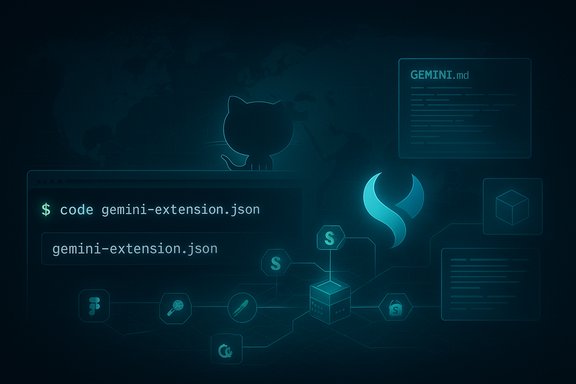
Extensions are directories containing a gemini‑extension.json manifest plus optional MCP server code, a GEMINI.md context file and any scripts or assets the extension requires. The CLI looks for installed extensions in the user’s home directory and exposes their commands and tools at runtime. Extensions can:- Expose custom commands that encapsulate repeatable prompts or workflows.
- Bundle an MCP server so Gemini can call external services as tools.
- Provide persistent context via a GEMINI.md file so the model “knows” project‑specific rules or domain data.
gemini extensions install command. That GitHub‑first approach keeps packaging and distribution outside Google’s review process and places trust in ecosystem norms (repo visibility, release tags, commit history). The official docs explicitly describe both Git repo and GitHub Releases as the supported release mechanisms. First wave partners and demos
At launch Google and third parties published a set of example and partner extensions including integrations for Figma, Stripe, Postman, Shopify, Snyk and monitoring vendors. Google also highlighted a Nanobanana extension (Nano Banana/NanoBananaAI), which bridges Gemini CLI to Google’s image generation/editing capabilities so users can generate or edit images directly from the terminal. Several vendors and the community already have sample extensions hosted on GitHub.Why Google chose an open, GitHub‑first ecosystem
Google’s public rationale is straightforward: make the platform extensible and egalitarian. Project leads described extensions as a necessary path to let developers compose Gemini’s reasoning into existing workflows rather than forcing developers to move into closed, curated app marketplaces. Google framed the move as consistent with the open‑source spirit of Gemini CLI itself. There’s also a product calculus: an open extension model accelerates network effects. Any company, code author, or tooling vendor can publish an integration that immediately reaches the CLI’s installed base. That lowers onboarding friction for partners, creates a richer gallery of capabilities, and helps position Gemini CLI as the connective tissue between developer tools and AI assistants. Google’s messaging shows a clear push to make the terminal a hub for agentic development, not just an experiment.How this compares to OpenAI’s ChatGPT Apps
OpenAI last week unveiled a developer SDK to build apps that run inside ChatGPT, with a curated app directory and an approval/review path for public listing. OpenAI’s approach centers on a managed app store model with selection, review processes and a platform‑level safety vetting flow. Google’s response is materially different: the Gemini CLI Extensions model purposefully removes prior gating and relies on GitHub hosting and manual installs. That means faster publication and broader participation — but with trade‑offs for safety, privacy, and enterprise governance. The timing of the announcements is close: OpenAI’s Apps SDK shipped publicly around October 7, 2025 and Google announced Gemini CLI Extensions on October 8, 2025, illustrating the intensifying platform competition between the two companies. Readers should note that media reporting uses different phrasings for how many days separated the launches; the primary sources show Google’s announcement followed OpenAI’s by roughly a day.Technical capabilities and limits you should know
- Gemini CLI exposes strong model access and tooling: Gemini 2.5 Pro model access, large token context windows, and built‑in tools (file operations, web fetch, shell execution). The official README and docs list key limits and the built‑in tooling surface.
- Free tier quotas for individuals were part of the original CLI release: Google documented a generous free allowance (common public figures cited are 60 model requests per minute and 1,000 model requests per day under a personal Code Assist license). These limits inform expected developer usage patterns and how quickly an extension could consume model requests in automated scenarios.
- Extensions can include MCP servers which allow the model to call out to external services as tools. MCP servers can be local or remote processes; they are the main mechanism through which an extension grants Gemini access to external APIs (for example, to list Stripe invoices or fetch Figma design metadata). The Geminicli docs provide examples for packaging and launching MCP servers in an extension.
Strengths: why developers and teams will care
- Terminal‑first productivity: Developers who prefer the terminal can keep working where they already are, with the AI assistant accessible without context switching. This matters for repetitive tasks, quick code fixes, or scripted automation.
- Rapid integration velocity: Vendors and open‑source maintainers can publish extensions on GitHub instantly, which shortens the time from idea to usable integration. This unlocks creative, domain‑specific tooling (security checks, infra queries, design manipulations) that would otherwise require bespoke automation.
- Composability: Because extensions can package prompts, custom commands and MCP tool servers, they allow developers to compose multiple functions — for example: query monitoring data, generate a patch, run tests, and create a Figma mockup — all from an extension‑driven workflow.
- Community and vendor participation: The GitHub distribution model invites third‑party tooling vendors to ship their own official or community extensions, creating choice and rapid feature growth without centralized gating. Early participation from major vendors gives immediate utility.
Risks and unresolved safety, security, and governance issues
The same openness that accelerates innovation also expands the attack surface. The Gemini CLI extension model introduces several concrete risks teams must address:- Unvetted code execution: Extensions may include MCP servers or scripts that run locally or accept remote commands. A malicious or compromised extension could execute harmful shell commands, exfiltrate secrets, or install persistence mechanisms. The gemini‑extension manifest can explicitly include or exclude certain tools (for example, to prevent automatic shell execution), but the default trust model is user‑installed code.
- Data leakage: Extensions that wire to external APIs can receive, store, or forward sensitive project data. If an extension uploads project files or chat contexts to a third party without clear privacy controls, that creates compliance exposure for regulated organizations.
- Supply chain and impersonation: Public GitHub repos are susceptible to typosquatting and malicious forks. Developers may accidentally install a look‑alike repo (e.g., "figma‑cli‑ext" vs. "figma/gemini‑extension"). The open release process makes it easier for threat actors to publish malicious packages that mimic trusted vendors.
- Model‑level tool abuse: MCP servers make the model capable of invoking tools with real effects (payments, deployments, ticket creation). Without strong confirmation flows and least‑privilege tokens, an extension could let the model take undesired actions. This is especially concerning for payment or production infra integrations like Stripe or CI/CD triggers.
- Ambiguity in platform responsibility: Because extensions are hosted and distributed outside Google’s reviewing process, liability and the responsibility for harmful behavior becomes murky. Users and organizations must assume the onus for vetting and incident response.
Practical mitigation strategies for developers and teams
Companies adopting Gemini CLI extensions should establish a measured approach. The following steps are actionable and map to features available in the CLI and in common security practices.- Establish an internal catalog:
- Mirror approved production extensions in a private GitHub org or internal package registry.
- Require pull request reviews and security scans before publishing into the internal catalog.
- Apply least privilege to API keys and MCP servers:
- Use short‑lived tokens, scoped API keys, and per‑extension service accounts for Stripe or Figma access.
- Avoid embedding long‑lived credentials in extension manifests or code.
- Sandbox and review before use:
- For any third‑party extension, run its MCP server in an isolated container or VM first and perform static code analysis.
- Inspect gemini‑extension.json and GEMINI.md for unexpected commands (especially anything using run_shell_command). The docs show how extensions can exclude tools, which is a useful way to limit capabilities.
- Operationalize monitoring and logging:
- Log all extension installs and commands executed by Gemini in team environments.
- Route extension network traffic through an egress proxy that can DLP‑scan outbound requests.
- Create human confirmation flows for side‑effectful commands:
- Require two‑step confirmations for payments, deploys or destructive infra changes.
- Implement a locked‑down “dry‑run” policy by default that prevents any command that would change remote state until a human approves.
- Vet supply chain with automation:
- Use automated SCA (software composition analysis) for dependencies used by extension MCP servers.
- Enforce signed releases or GPG verification for internal release artifacts.
Recommendations for extension authors and vendors
- Document clearly: Publish a security README that lists what data your extension collects, where it is stored, and how to revoke tokens.
- Tokenization and scopes: Design your integration API to accept narrowly scoped tokens and provide a clear token revocation path.
- Fail safe by default: Make any action that could cost money, reveal secrets, or modify production require an explicit opt‑in and interactive user confirmation.
- Provide an audited release channel: Maintain signed GitHub Releases and publish checksums so users and enterprises can confidently install trusted builds.
Enterprise adoption: governance checklist
- Policy: Define an enterprise policy for installing extensions (e.g., only from an internal registry unless explicitly approved).
- Inventory: Keep a real‑time inventory of which extensions are installed per developer, CI runner, and build agent.
- Breach plan: Prepare rapid token rotation and incident playbooks for compromised extensions.
- Training: Teach devs to review gemini‑extension manifests and to recognize impersonation attempts.
What to expect next: ecosystem dynamics and market implications
- Rapid growth of vertical extensions: Expect specialized extensions for security triage, compliance checking, accessibility audits, and data catalog lookups. The barrier to publish is low, so domain experts can ship tools quickly.
- Consolidation around trusted publishers: Over time enterprises will centralize on vendor‑maintained, signed extensions and internal mirrors, similar to how package registries are handled today.
- Competition with managed app stores: OpenAI’s curated ChatGPT Apps and Google’s open Gemini CLI approach are complementary market experiments — one favors control and a managed safety posture, the other favors speed and community participation. Users and organizations will choose based on desired trade‑offs in governance, security, and time‑to‑value.
Final assessment: promise and caution in equal measure
Gemini CLI Extensions is a pragmatic, developer‑centric move that converts the terminal into an extensible AI surface for real work. It unlocks fast integration of design tools, payment platforms, monitoring systems and bespoke infra in ways we’ve never seen in a command‑line AI agent before. The GitHub‑first release model will accelerate innovation and let vendors iterate quickly, which is invaluable to teams that need domain specificity and deep integrations. At the same time, the very openness that makes the platform powerful also creates a higher bar for organizational discipline. Unvetted repositories, service tokens with broad scopes, and model‑driven tool invocation present measurable security, privacy, and compliance risks. These are not hypothetical: MCP servers and extension code run with powerful callbacks and can originate actions outside the developer’s workstation. Until vendor and community best practices mature — and until enterprise tooling around cataloging, signing and sandboxing becomes widespread — teams should treat third‑party extensions as code to be reviewed and infrastructure to be managed, not as frictionless one‑click installs.Practical next steps for WindowsForum readers (developer checklist)
- If you use Gemini CLI today: run an audit of any installed extensions:
gemini extensions list- Inspect the
~/.gemini/extensions/<ext>/gemini-extension.jsonandGEMINI.mdfiles before enabling. - For infra and security teams: stand up a private extension registry:
- Mirror vendor repos to a locked GitHub org; require PR reviews and automated SCA scans before publishing an internal release.
- For extension authors: sign your releases and publish an explicit security policy and token handling guide.
- For product teams exploring integrations: prototype in isolated sandboxes with scoped API keys and audit logs enabled before provision in production.
Gemini CLI Extensions are a major step toward making agentic AI a practical part of developer workflows. The platform’s open distribution model will unleash creativity and fast integrations, but it simultaneously shifts responsibility for safety, privacy and supply‑chain hygiene to teams and organizations. Measured adoption, careful vetting, and strong operational controls will decide whether the new ecosystem becomes a productivity multiplier — or an avoidable security headache.
Source: myhostnews.com Google opens Gemini CLI to third-party extensions: Figma, Stripe, and others already integrated
