

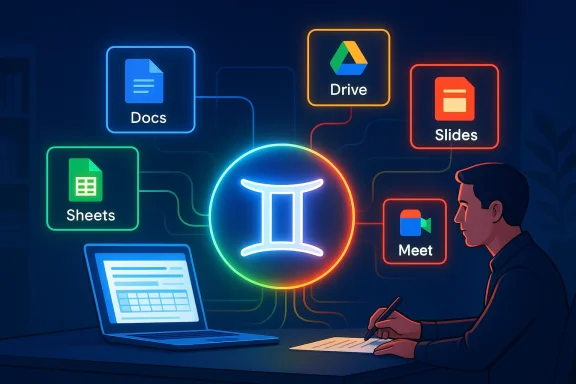
Google’s latest Workspace push quietly reframes AI from an optional assistant into an active co‑author across Docs, Sheets, Slides, Drive, Gmail and Meet — anchored by the new “Help me create” experience and a set of Gemini-powered features that scaffold document creation, automate spreadsheet generation, build slide decks, and surface contextual answers from your organization’s files.
What’s happening is more than another feature rollout: Google has begun embedding its Gemini models directly into the surface of Workspace applications, turning generative AI into a persistent productivity layer rather than a separate product. That repositioning stitches model access, contextual connectors to Gmail/Chat/Drive, and in‑app generation tools into everyday workflows, and it’s being delivered as a beta experience for Workspace subscribers at first.
This move aligns with a broader industry pattern: cloud providers and productivity vendors are packaging large models and agent tooling into seat‑based, enterprise offerings that trade on convenience, integrated data access, and centralized governance. Google’s approach is to treat Gemini as a co‑author and workflow partner rather than a sidebar novelty — a strategy that both accelerates productivity scenarios and raises new governance and security questions for IT teams.
For enterprises, the decision calculus will hinge on three vectors:
For IT and business leaders, the right approach is pragmatic and staged: pilot widely useful, low‑risk scenarios; lock down sensitive repositories; validate admin and audit controls; and codify human‑in‑the‑loop review points for high‑risk outputs. Done well, Gemini in Workspace can be a powerful productivity multiplier; done poorly, it can amplify compliance and exposure risks at scale. The next phase of enterprise AI will be decided not by the models alone but by how organizations choose to govern, verify, and operationalize them inside everyday tools.
Source: The Tech Buzz https://www.techbuzz.ai/articles/google-embeds-gemini-ai-across-workspace-with-new-help-me-create/
Source: The Tech Buzz https://www.techbuzz.ai/articles/google-embeds-gemini-ai-deeper-into-workspace-suite/
 Background / Overview
What’s happening is more than another feature rollout: Google has begun embedding its Gemini models directly into the surface of Workspace applications, turning generative AI into a persistent productivity layer rather than a separate product. That repositioning stitches model access, contextual connectors to Gmail/Chat/Drive, and in‑app generation tools into everyday workflows, and it’s being delivered as a beta experience for Workspace subscribers at first.This move aligns with a broader industry pattern: cloud providers and productivity vendors are packaging large models and agent tooling into seat‑based, enterprise offerings that trade on convenience, integrated data access, and centralized governance. Google’s approach is to treat Gemini as a co‑author and workflow partner rather than a sidebar novelty — a strategy that both accelerates productivity scenarios and raises new governance and security questions for IT teams.
What “Help me create” and the Gemini rollout actually deliver
A new in‑app authoring scaffold
“Help me create” in Google Docs is designed to take a single prompt and return a full, editable document scaffold — including suggested sections, headings, tone, and even initial content — that users can refine. The intent is to reduce the friction of starting creative or technical drafts and speed the move from outline to shareable draft. This is not simply a one‑line reply box; it’s a contextual generator that can draw on a user’s Drive files and conversation context to make the output more relevant to the organization.Sheets and Slides: generation and population
In Sheets, Gemini-powered features promise to build spreadsheets from prompts, infer data structures, and populate formulas — a capability aimed at analytic buyers and non‑technical users alike. Slides benefit from automatic deck generation: give Gemini a topic or source file and it will propose a sequence of slides, visual suggestions, and speaker notes that can be exported and edited inside Slides. These are explicitly pitched as time‑saving features for knowledge workers.Drive and Search: contextual retrieval and synthesis
Gemini’s Workspace integrations go beyond generation. The model is surfaced inside Drive and search flows to find, summarize, and synthesize documents — effectively offering a natural‑language layer on top of an organization’s stored content. That means a user can ask for “the latest Q3 marketing deck that mentions influencer metrics” and get a concise answer or pointers to the document and sections that match.Gmail and Meet: scheduling and recap automation
Small but tactical additions include a Gemini‑powered “Help me schedule” feature in Gmail that proposes calendar slots and can convert conversational availability into events, and Meet integrations that can generate meeting recaps, action items, and suggested follow-ups from a recording or transcript. These augment common productivity tasks and are designed to save time for busy teams.Why this matters to IT and enterprise buyers
Productivity gains at scale
Embedding Gemini inside the core apps millions of knowledge workers use daily converts AI from an occasional boost into a continuous productivity multiplier. Instead of users toggling to external tools or separate chatbots, teams get generative drafting, data extraction, and contextual search inside their canonical apps — reducing context‑switching and training overhead. For many organizations, that will translate into measurable time saved on drafting, data prep, and meeting follow‑ups.Vendor positioning and competitive pressure
Google’s Workspace integrations are simultaneously a product play and a competitive maneuver. By baking Gemini into Docs, Sheets, Slides and Drive, Google strengthens Workspace’s differentiation against Microsoft 365 and other productivity suites that are also investing heavily in in‑app assistants. The strategic goal is clear: make Gemini the default AI experience for the billions of users already tied into Google services. Industry observers frame this as part of Google’s broader enterprise AI packaging, which includes subscription tiers and agent tooling.Governance becomes a core requirement
The more deeply generative AI is integrated into business workflows, the more governance, access control, and auditability matter. For IT teams, the critical questions shift from “Can we use AI?” to “How do we control what the AI can read, write, and remember?” Google is positioning administrative controls and connector‑level governance as part of the enterprise story, but the rapid feature rollout makes careful IT evaluation essential.Technical and product details IT teams should verify
The Tech Buzz reporting and internal summaries indicate several claims and technical behaviors that deserve verification by procurement and IT teams before wide deployment.- Model residency and versioning: confirm which Gemini model (and model version) powers each Workspace feature and whether enterprises can select model fidelity or opt for on‑prem / private endpoints where available.
- Context sources and access scope: verify which data sources Gemini will access (Drive, Gmail, Chat, Calendar, third‑party connectors), and whether those accesses can be restricted by OU, group, or label.
- Data retention and telemetry: clarify what logs Google retains about prompts, outputs, and document edits generated by Gemini, and the retention windows for telemetry and debug traces.
- Admin controls and approvals: evaluate the available permissioning model for enabling or disabling features by user group, and whether granular approval workflows exist for content generation that might touch sensitive repositories.
Strengths: where Google’s approach works well
- Deep product embedding reduces friction. Putting Gemini inside the apps people already use — rather than as a separate assistant — meaningfully reduces context switching and accelerates adoption. For team leads and power users, that convenience translates directly into time saved.
- Multimodal and context-aware synthesis. Gemini’s multimodal capabilities (text, image, and potentially file structure signals) make it well suited to tasks like slide creation and document summarization that benefit from cross‑format reasoning. The contextual retrieval from Drive and Gmail makes outputs more relevant than generic web‑trained responses.
- Incremental enablement for admins. Google’s rollout patterns point to staged betas and admin controls rather than forced migrations, which helps IT teams pilot the features with a controlled subset of users before broad enablement. This approach is aligned with enterprise change management best practices.
- Time‑saving microtasks. Automations like “Help me schedule” and Meet recaps tackle high‑frequency but low‑value tasks. These micro‑optimizations compound over time and can materially improve daily team throughput.
Risks and blind spots IT leaders must plan for
Data leakage and over‑permissive context sharing
The convenience of pulling content from Drive, Gmail, and Chat raises the risk of accidental exposure. If Gemini has broad read access to corporate mailboxes or shared drives, generated content might inadvertently leak confidential details into drafts or external share links. Ensuring least‑privilege access (and default‑off data sources) is essential.Hallucinations and correctness: consequential for legal and financial documents
Generative models can produce fluent but incorrect facts — a phenomenon known as hallucination. When Gemini drafts financial statements, policy language, or client communications, an unchecked hallucination could cause reputational or legal harm. The suggested mitigation is human‑in‑the‑loop checks and conservative templates for high‑risk outputs.Governance and audit depth
High‑quality governance requires more than an on/off toggle. IT teams will need detailed audit logs that show prompt history, content sources used by the model, and the exact generated output at the time of insertion. The current reporting indicates Google includes governance features in its enterprise story, but teams should validate the granularity and retention policies before trusting the feature for regulated workflows.Third‑party connectors and supply‑chain risk
Workspace integrations often connect to third‑party systems (CRM, HRIS, ticketing). If Gemini agents can access these via connectors, then the organization must evaluate the security posture of those connectors and the API scopes they require. A connector misconfiguration could enable broader data exposure than intended.Practical rollout checklist for IT administrators
To move from pilot to production safely, IT teams should adopt a staged plan that balances productivity gains against governance exposure.- Inventory and risk‑rank high‑value repositories (legal, financial, HR) and apply conservative defaults: disable generative features for those OUs.
- Pilot with a cross‑functional group (product, legal, security, power users) for 4–6 weeks and document failure modes and hallucination examples.
- Validate admin controls: confirm per‑OU enablement, data source scoping, audit log detail, and retention policy.
- Define SLA and remediation paths for prompt leaks and wrong outputs — including escalation to legal if the model’s output led to external disclosure.
- Train end users on responsible prompt practices and verification requirements; create templates for sensitive tasks that require mandatory human review.
- Reassess connector permissions and third‑party APIs for least privilege and token rotation policies.
Governance patterns that work
Policy: role‑based enablement and document labeling
One pragmatic governance pattern is role‑based enablement: allow generative features for sales, marketing, and product drafting groups while keeping them off for legal and finance until compliance checks pass. Complement this with document labeling (sensitivity tags) that prevent the model from ingesting or citing labeled artifacts.Technical: data residency and enterprise model choices
If Google’s enterprise plans offer model residency, private endpoints, or the ability to run inference with stricter data controls, those options should be prioritized for regulated industries. Where private hosting is not possible, consider hybrid patterns that restrict model access to metadata only. Confirm the available deployment architectures and the contractual commitments around data use.Operational: auditability and human checks
Operationally, every AI‑generated deliverable intended for external distribution should carry a review step in the publishing workflow. Audit logs must capture prompt text, model version, and the exact pre‑edit output so organizations can reconstruct the provenance of any published content.Competitive implications and market context
Google’s strategy mirrors a market-wide pivot: productivity suites are becoming platforms for model-enabled features, and vendors are packaging models into seat‑based, governable offerings. Google’s emphasis on in‑app embedding gives it a distinct convenience edge, but competitors are responding with their own integrated copilots and enterprise agent frameworks.For enterprises, the decision calculus will hinge on three vectors:
- Data governance and compliance posture
- Feature fidelity and hallucination rates for domain-specific tasks
- Economic model: per‑seat pricing versus API/consumption billing
Real‑world scenarios: where Gemini inside Workspace will shine — and where it won’t
High‑value wins
- Rapid first drafts for marketing collateral and internal reports — reduces time to first draft and accelerates review cycles.
- Automated meeting recaps and follow‑ups — frees up human attention and improves meeting ROI.
- Template‑based slide and spreadsheet generation for recurring business operations — cuts repetitive work for small teams.
Poor fits and caution zones
- Legal agreements, financial filings, and compliance documentation — these require deterministic, audited content and should remain under strict human control.
- Sensitive internal investigations or HR matters — the model’s access to communications can increase exposure risk and must be tightly gated.
Recommendations for procurement and legal teams
- Contract language: insist on precise commitments about data residency, model training reuse, telemetry retention, and the vendor’s right to use prompt/response data for model improvement. If Google’s enterprise offering includes a “no‑training” or enterprise‑only model tier, capture that in the agreement.
- Certification and audits: require third‑party SOC or ISO attestation for connectors and any hosted model endpoints used by the organization. Ask for IAM and key‑management practices to be documented.
- eDiscovery and subpoenas: ensure legal has a clear understanding of how AI artifacts (prompts, generated text, derivation metadata) are captured in logs and discoverable in response to legal processes.
The human side: training, trust, and adoption
Introducing AI co‑authors into daily workflows changes habits. Early adopters will love the speed wins, but widespread, responsible adoption hinges on trust-building measures:- Teach users to treat AI output as draft material that requires verification.
- Provide easy access to “explain” or provenance features that show which documents and context the model used.
- Promote example prompts and shared templates that embody organizational tone and legal guardrails.
What to watch next
Over the coming months IT teams should monitor three things closely:- Administrative controls released to manage per‑OU enablement and data source scoping. The depth of these controls will determine whether the features can be deployed broadly in regulated environments.
- Audit and provenance capabilities for generated content — including retention windows and exportability for legal holds.
- Third‑party connector security and the list of data sources Gemini can read, especially as Google expands the agentic tooling that can act across apps.
Conclusion
Google’s embedding of Gemini into Workspace, anchored by features like “Help me create,” changes the calculus for workplace productivity tools: AI is no longer a peripheral assistant — it’s becoming an active, in‑app collaborator. The benefits are tangible — faster drafts, automated meeting outputs, and less context switching — but they come with real governance, privacy, and hallucination risks that enterprises must address deliberately.For IT and business leaders, the right approach is pragmatic and staged: pilot widely useful, low‑risk scenarios; lock down sensitive repositories; validate admin and audit controls; and codify human‑in‑the‑loop review points for high‑risk outputs. Done well, Gemini in Workspace can be a powerful productivity multiplier; done poorly, it can amplify compliance and exposure risks at scale. The next phase of enterprise AI will be decided not by the models alone but by how organizations choose to govern, verify, and operationalize them inside everyday tools.
Source: The Tech Buzz https://www.techbuzz.ai/articles/google-embeds-gemini-ai-across-workspace-with-new-help-me-create/
Source: The Tech Buzz https://www.techbuzz.ai/articles/google-embeds-gemini-ai-deeper-into-workspace-suite/
