

This month’s GitHub Actions update is a careful, pragmatic move toward making large-scale, heterogeneous CI/CD fleets easier to operate — and safer to run — outside of Kubernetes while extending the platform’s security controls and early access to new OS/tooling images for Windows and macOS. GitHub announced a public preview of the Actions Runner Scale Set Client, expanded action allowlisting to every plan tier, and published preview runner images including a Windows image that bundles Visual Studio 2026. These changes together signal a shift: GitHub is investing in flexible autoscaling primitives and governance controls while giving teams time and tooling to validate major image upgrades on their timetable. The new capabilities are significant, but they also expose operational trade-offs — especially when you depend on multi-vendor infrastructure or self-hosted compute — and they deserve a measured rollout plan.
GitHub’s early‑February 2026 changelog highlights three headline items:
Because action allowlisting is now broadly available, small teams can adopt the same basic supply‑chain hygiene that enterprises require:
macOS users gain an Intel macOS 26 large runner preview for larger (non‑ARM) workflows; the runs-on target for macOS is macos-26-large. These image previews let teams test, find compatibility issues, and plan staged migrations.
Source: The GitHub Blog GitHub Actions: Early February 2026 updates - GitHub Changelog
 Background / Overview
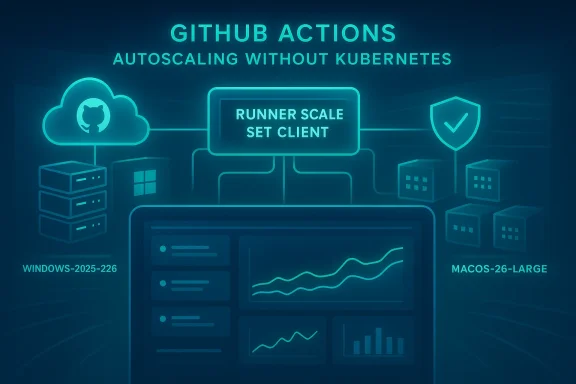
GitHub’s early‑February 2026 changelog highlights three headline items:- A public preview of the Runner Scale Set Client — a standalone Go-based client that lets teams build custom autoscalers that interface directly with GitHub’s scale set APIs, without forcing Kubernetes onto the stack.
- Action allowlisting (allowed actions and reusable workflows) expanded to all GitHub plans so organizations and free teams alike can restrict which marketplace and third‑party actions run in their repositories. This is surfaced both in the UI and via REST endpoints.
- New runner images in public preview, including windows-2025-vs2026 (Windows Server 2025 image with Visual Studio 2026) and macos-26-large for Intel-based macOS workflows, enabling early validation before default image migrations. The Windows image is available alongside existing windows-2025/2022 images to provide a non-disruptive testing path.
- Build autoscaling on their infrastructure choices (VMs, containers, bare metal, cloud instances).
- Enforce least‑privilege and supply‑chain policy around which actions can run.
- Validate and stage OS/tooling migrations for complex Windows and macOS workloads.
GitHub Actions Runner Scale Set Client: what it is and why it matters
Key idea
The Runner Scale Set Client is a platform‑agnostic, Go-based client library that implements the control-plane interactions required to speak GitHub’s scale set APIs. It gives operators the orchestration glue to: register scale sets, report runner liveness and telemetry, accept/lease jobs, and de‑register runners — while leaving the actual provisioning and lifecycle automation (VM create, container run, bare‑metal boot) under your control. In short: GitHub provides the API and the client scaffolding; you provide the provisioning logic.Notable capabilities (from GitHub’s changelog)
- Platform agnostic design — works with containers, VMs, and bare metal across Windows, Linux, and macOS.
- Full provisioning control — you decide how and where runners are instantiated and torn down.
- Native multi‑label support — scale sets can be assigned multiple labels to match different job types.
- Agentic scenario support — supports agentic workloads, including GitHub Copilot coding agent scenarios.
- Real‑time telemetry — built‑in metrics to monitor runner and job execution.
Why this is different from ARC (Actions Runner Controller)
The scale set client is not intended to replace Actions Runner Controller (ARC). ARC remains the recommended Kubernetes‑native reference implementation for dynamic runner scaling. The scale set client is an alternative for teams that:- Don’t run Kubernetes, or
- Have specialized infrastructure (bare metal, custom VM fleets, hypervisor‑based provisioning) where Kubernetes would be unnecessary or a heavy dependency.
Practical benefits
- Faster time to prototype autoscaling on existing infra: if you already have scripts to spin VMs or containers, you now have a supported client to connect those machines to GitHub’s scale set lifecycle.
- Consistent control‑plane semantics across runner modalities: job routing, labels, and telemetry behave consistently whether you self‑host on bare metal or on cloud VMs.
- Lower operational surface compared to deploying a full Kubernetes cluster just to run ARC in small fleets.
Operational caveats and responsibilities
- You are responsible for all provisioning logic: networking, image baking, security hardening, ephemeral runner creation and destruction, metrics collection, and cost control.
- The client orchestrates API interactions but does not supply an out‑of‑the‑box autoscaling policy: you must design CPU/memory/job‑queue thresholds, backoff behaviors, and capacity limits.
- Multi‑cloud or hybrid provisioning introduces added complexity: identity, secrets management, and consistent image baselines must be enforced across providers.
Security: Action allowlisting for every plan
What changed
GitHub extended allowed actions settings (commonly called action allowlisting) to all plan types, enabling teams on Free, Team, and Enterprise tiers to restrict which actions and reusable workflows may run. This covers:- Allowing only GitHub‑authored actions,
- Allowing actions from verified Marketplace publishers,
- Selecting specific action patterns or SHAs.
Why this matters now
Third‑party action compromise and supply‑chain risks are real operational threats. Malicious or trojanized actions can exfiltrate secrets or register persistent runners; restricting allowed actions is a high‑impact control that enforces a least‑privilege posture for workflows.Because action allowlisting is now broadly available, small teams can adopt the same basic supply‑chain hygiene that enterprises require:
- Pin to SHAs where possible.
- Limit third‑party actions to a curated allowlist.
- Use verified publishers or fork and vet actions you rely on.
Implementation checklist (quick)
- Audit current workflows for top‑used actions and identify unpinned dependencies.
- Define an allowlist policy: GitHub-only | verified publishers | selected patterns.
- Use the REST API or organization settings to apply policy at scale.
- Enforce SHA‑pinning for critical actions and create a monitoring job that flags mismatches.
- Put ephemeral runners behind stricter policies and reserve persistent runners for fully trusted repositories.
New runner images: Windows + Visual Studio 2026 and macOS 26 Intel
What to expect
GitHub released a preview Windows runner image named windows-2025-vs2026 which includes Visual Studio 2026, available alongside existing windows images. The intent is to give teams a safe validation path before the default windows runner image is migrated. GitHub stated it will integrate Visual Studio 2026 into the default windows-2025 image when that Visual Studio version “reaches general availability” on May 4, 2026 — an integration timeline set by GitHub for the hosted runner image migration, not necessarily the upstream Visual Studio GA event.macOS users gain an Intel macOS 26 large runner preview for larger (non‑ARM) workflows; the runs-on target for macOS is macos-26-large. These image previews let teams test, find compatibility issues, and plan staged migrations.
Note on Visual Studio 2026 dating
There are independent reports covering Visual Studio 2026 that place the product in GA and preview channels in 2025; GitHub’s changelog line refers to the date when GitHub will integrate Visual Studio 2026 into their default runner image (May 4, 2026). Treat GitHub’s date as the runner‑image migration schedule, and confirm Microsoft’s Visual Studio release notes if you need the direct upstream GA timeline. Where exact upstream GA dates conflict, rely on the vendor (Microsoft) release notes for Visual Studio itself and on GitHub for runner image integration schedules.Practical migration guidance
- Add a test matrix entry in your workflow to run against runs-on: windows-2025-vs2026 (or macos-26-large) while keeping your production jobs on existing windows-2025 or windows-2022 images.
- Pin toolsets and SDK versions in workflow steps (for example, explicit Visual Studio workloads or .NET SDK versions) to reduce surprises during image migration.
- Reserve a rollback plan: keep fallback runs-on targets (windows-2022, macos-25) in your pipeline until you verify builds, tests, and extension compatibility.
- Schedule a phased rollout across repositories (pilot → staging → production) and measure build/PACKAGE/test surface differences proactively.
Costs, observability, and the larger product context
GitHub has been reshaping how Actions are billed and supported. The broader product updates (announced separately) drive a consistent narrative: GitHub is both reducing some hosted runner prices and introducing a modest platform charge for self‑hosted runner usage, while investing in autoscaling and observability features such as the Scale Set Client, multi‑label support, ARC improvements, and Actions Data Stream. These investments matter because autoscaling and better telemetry directly affect how economical and reliable self‑hosted fleets can be.- If you run heavy self‑hosted fleets, the Scale Set Client reduces the engineering friction to manage custom autoscalers.
- If you’re sensitive about cost, weigh the platform charge and host‑type cost profile against the operational benefits of self‑hosting (performance, data locality, and custom tooling).
Operational risk profile: what can go wrong (and a real‑world example)
No orchestration design is immune to cascading failures. Two lessons stand out:- Control‑plane or dependency changes at the cloud provider can cascade — orchestration systems often rely on small, public artifacts (VM extensions, agent installers) to complete provisioning. If those artifacts become unavailable, scale operations fail, retries amplify, and dependent services queue up. Uploaded community telemetry and incident timelines show how Azure storage/access policy changes affected VM extension distribution and forced widespread VM and orchestration failures that impacted GitHub Actions hosted runners. That incident required staged mitigations and backoff to repair and drain backlogs; platform operators should model similar dependency failures in runbooks and capacity plans.
- You own the provisioning logic with the Scale Set Client — which is powerful but puts responsibility squarely on your team. That includes ensuring your images can obtain required artifacts in all regions, that your token acquisition and secrets flow are robust, and that your scale‑up/back logic prevents retry storms.
Example failure mode and what to do
- Failure: A provider policy change blocks public access to stored VM extension packages. New VMs and scale set instances cannot finish provisioning. Orchestrators retry aggressively, overloading identity/token services and causing broader outages.
- Mitigations you should prepare:
- Maintain local mirrors of critical bootstrap artifacts or package caches in regions you operate.
- Implement bounded retry with exponential backoff and jitter in your provisioning workflow.
- Add multi‑region fallbacks for artifact retrieval, and validate TLS/cipher compatibility under varying provider conditions.
- Instrument token acquisition paths and watch for identity‑service saturation signals.
- Enforce an operational “circuit breaker” that stops scale operations during provider outage modes and drains queued work into safe stop points.
Recommended rollout plan for platform teams
- Discovery & audit (1–2 weeks)
- Inventory workflows, key actions, and critical macros.
- Identify long‑running jobs, largest consumers of minutes, and sensitive repos (production, infra).
- Pilot the Runner Scale Set Client (2–4 weeks)
- Implement a minimal provisioning adapter that starts ephemeral containers or short‑lived VMs and registers them via the client.
- Test label assignments, multi‑label routing, and telemetry ingestion.
- Exercise scale up/down under controlled load (burst tests) and validate retry/backoff behavior.
- Harden provisioning and observability (2–4 weeks)
- Add robust logging, centralized metrics, SLO dashboards, and alerting for scale events.
- Bake images with required runtime/tooling and maintain an artifact mirror if feasible.
- Security & governance
- Apply action allowlisting to test repos and validate automated enforcement flows (CI/CD gating).
- Enforce SHA pinning for critical actions and monitor for dependency drift.
- Gradual production rollout
- Move small repositories or low‑risk CI jobs to the new autoscaling model.
- Reconcile cost telemetry and tune amortization vs. pre‑warmed pools.
- Runbook & incident readiness
- Prepare runbooks for provider outages, token failures, and runaway retry storms.
- Simulate partial failures (chaos testing) to validate graceful degradation and recovery.
Developer ergonomics: small but important changes you’ll need to make
- To test the Visual Studio 2026 image, update runs-on: to windows-2025-vs2026 in any workflow you want to validate. Keep the old runs-on targets as parallel job entries for quick rollback.
- For macOS, update runs-on: to macos-26-large for Intel‑based large runners during validation.
- Use the REST API or organization settings to configure allowed actions; include the API as part of organization bootstrap automation.
What to watch for next
- ARC 0.14.0 (and multi‑label support across implementations): if you run ARC on Kubernetes, the upcoming ARC releases will be the canonical path for Kubernetes deployments; watch release notes for migration guidance and Helm improvements.
- Actions Data Stream: a near‑real‑time feed for Actions job and workflow metadata is on GitHub’s roadmap and will change how large organizations ingest workflow telemetry for compliance and SRE dashboards. This will be particularly useful for correlating job failures across self‑hosted fleets and provider incidents.
- Billing & platform charges: align your cost model for self‑hosted vs hosted runners given GitHub’s platform charge and recent pricing updates; re‑evaluate the economics of self‑hosting after you measure autoscaler efficiency.
Final assessment: strengths, risks, and who wins
Strengths
- Flexibility: The Scale Set Client removes Kubernetes as a hard dependency for autoscaling, allowing optimized integration with existing provisioning systems and heterogeneous fleets.
- Governance parity: Action allowlisting for all plan tiers levels-up security protections for small teams and open-source maintainers, which is a clear win for supply‑chain hygiene.
- Migration safety: Preview runner images for Windows and macOS give teams a non‑disruptive way to validate major toolchain updates before default migrations.
Risks
- Operational burden: The client delegates provisioning responsibilities to the user; misconfigurations in provisioning or identity flows can cause outages that cascade beyond GitHub (as past cross‑vendor incidents demonstrate). Prepare to own runbooks and mitigation strategies.
- Dependency fragility: Provisioning often relies on small, public artifacts. Teams should mirror critical artifacts or prepare fallback download endpoints.
- Cost and complexity tradeoffs: For some teams, the cost, engineering time, and maintenance burden of self‑hosting and building autoscaling logic may still favor using GitHub-hosted runners (especially with recent hosted price reductions and improved runner capabilities).
Conclusion
GitHub’s early‑February 2026 Actions updates are deliberately pragmatic: they supply a supported, lightweight control plane component for custom autoscaling (the Runner Scale Set Client), democratize an important security control (allowed actions), and provide preview runner images so teams can test major Windows and macOS toolchain upgrades without breaking production pipelines. These features give platform engineering teams a richer set of architecture choices — but with power comes responsibility. If you adopt the Scale Set Client, plan for provisioning hardening, telemetry, and resilient failure modes; if you adopt allowlisting, adopt SHA pinning and automated audits; and if you test new runner images, stage migrations and maintain rollback paths. In short: the new tooling lowers certain barriers, but it also raises the bar for operational discipline — and the teams that treat it as a program (not a one‑off project) will reap the reliability and security benefits.Source: The GitHub Blog GitHub Actions: Early February 2026 updates - GitHub Changelog
