

A pair of headlines and a bit of confusion landed Glow back in the conversation this week: a Neowin AMP listing for a supposed “Glow 26.5” circulated, but a quick cross-check of developer channels, GitHub releases and community discussion shows the official release trail still points to Glow v26.4 as the latest published build — and that any “v26.5” claims should be treated as unverified until the author publishes an official release. ([turkaysoftware.comoftware.com/glow)
Glow is a compact, portable system analysis and diagnostics tool for Windows that has quietly built a reputation among technicians and enthusiasts for being fast, readable and—importantly—portable (no install required). The tool surfaces detailed information about the OS, motherboard, CPU, memory, storage and several optional diagnostic tools (SFC/DISM wrappers, memory tests, exportable reports), making it useful for troubleshooting and inventorying hardware. The project is maintained by Eray Türkay (Turkay Software) and published on GitHub and the developer’s own site.
Glow’s appeal for technicians comes from three consistent priorities:
When the release claim is verified against the developer’s own channels, the official Glow download page and the developer’s release log indicate the most recent published build as v26.4, with an update date shown on the developer site in late February 2026. The developer page lists v26.4 as the current downloadable version, plus a short note about plans and expected timelines for next items. That mismatch — a third‑party article naming v26.5 while the developer’s site lists v26.4 — is the central inconsistency this investigation addresses.
The community discussion mirrored that caution: forum posts and tracker threads circulated that the latest verified release was still v26.4 and urged readers to await the developer’s official release notes and GitHub tag before treating v26.5 as real. One community thread succinctly framed the situation ied: Why v26.5 Claims Must Await Official Release.” That line of community verification — not sensationalist amplification — is the right first step for any admin or technician who relies on Glow for diagnostics.
When authors publish release‑candidate builds or pre‑releases, GitHub will typically show them as either draft releases or pre‑release flags; again, that’s the moment to treat it as “preview” rather than final. If a mainstream news site publishes a final‑version framing for what is only a roadmap bullet or dev note, the responsible reader should demand confirmation from the releases tab.
If and when the developer publishes a v26.5 tag and release asset on GitHub (and updates the official download page), that will be the moment to call the update real and begin testing it in a controlled way. Until then, the safe default is to rely on v26.4 and the documented changelog from the author.
Source: Neowin Glow 26.5
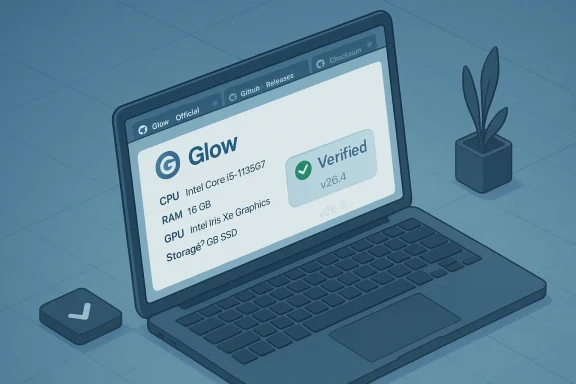 Background: what Glow is and why people care
Glow is a compact, portable system analysis and diagnostics tool for Windows that has quietly built a reputation among technicians and enthusiasts for being fast, readable and—importantly—portable (no install required). The tool surfaces detailed information about the OS, motherboard, CPU, memory, storage and several optional diagnostic tools (SFC/DISM wrappers, memory tests, exportable reports), making it useful for troubleshooting and inventorying hardware. The project is maintained by Eray Türkay (Turkay Software) and published on GitHub and the developer’s own site.Glow’s appeal for technicians comes from three consistent priorities:
- Portability — runs without installation and exports human-readable reports.
- Detail — shows fields (serial numbers, device IDs, driver lists) that many quick tools omit.
- Privacy-first stance — the canonical project description emphasizes that system data stays local to the machine.
What Neowin reported — and the verification gap
A Neowin AMP page for “Glow 26.5” was brought to attention (the AMP preview the user shared), but attempts to reach the page directly encountered site verification and access controls. Neowin has historically covered Glow updates (for example, coverage of Glow 25.06 in mid-2025), and an AMP post claiming a new v26.5 would fit that pattern — however, the existence of an AMP listing alone is not proof the developer pushed an official build.When the release claim is verified against the developer’s own channels, the official Glow download page and the developer’s release log indicate the most recent published build as v26.4, with an update date shown on the developer site in late February 2026. The developer page lists v26.4 as the current downloadable version, plus a short note about plans and expected timelines for next items. That mismatch — a third‑party article naming v26.5 while the developer’s site lists v26.4 — is the central inconsistency this investigation addresses.
The community discussion mirrored that caution: forum posts and tracker threads circulated that the latest verified release was still v26.4 and urged readers to await the developer’s official release notes and GitHub tag before treating v26.5 as real. One community thread succinctly framed the situation ied: Why v26.5 Claims Must Await Official Release.” That line of community verification — not sensationalist amplification — is the right first step for any admin or technician who relies on Glow for diagnostics.
The authoritative trail: developer site, GitHub and mirrors
To confirm what is official, always check three places in this order: the developer’s site, the project’s GitHub releases page, and reputable mirrors (or major software repositories). For Glow, those checks show:- The developer’s site (Turkay Software) lists Current Version: v26.4, gives file size and update date, and explicitly shows the download asset and options for a VirusTotal scan. The page also contains notes on new features and planned items for future versions. This is the authoritative product page.
- The project’s GitHub repository and the Releases tab give the canonical tagged releases and attach downloadable assets. The GitHub releases history is where you’ll find signed tags or release notes that confirm an official publish. At the time of checking, the GitHub releases reflect the release cadence through v25.x and earlier v26.x entries — if v26.5 is not present as a Git tag or release asset there, it’s not yet an official release.
- Reputable third‑party download sites (mirrors like Softpedia or SourceForge mirrors) sometimes host packages; they can be useful to cross-check file names and versions, but they must not be treated as primary. Softpedia lists Glow builds and mirrors but also shows the latest stable entries consistent with the developer/GitHub trail. Use mirrors to corroborate—not to lead verification.
What Glow v26.4 actually changed (short summary)
Understanding what’s in v26.4 matters because it shows the current feature surface and the migration path to any future v26.5. According to the developer page and GitHub notes, the v26.4 line focuses on:- UI and performance improvements for diagnostic reads (WMI queries, VRAM reads).
- Expanded hardware support and more detailed export formatting.
- Bug fixes for edge cases (DPI handling, string encodings).
- Continued portability emphasis and retention of local-only data handling.
Why this matters: risks of treating an unverified version as real
- Security risk from rogue builds
- Unofficial builds or mirrored files that claim to be “v26.5” can contain additional code, telemetry, or even malicious payloads. Because Glow runs with privileges that expose hardware and system identifiers, a rogue build could exfiltrate sensitive info or install persistence. The developer’s own privacy-first claim underscores why official releases matter: the canonical codebase documents local-only behavior, and any deviation outside the official release channel is suspect.
- Support and reproducibility risk
- Using an unofficial or early build undermines reproducibility. If you use Glow in IT processes (imaging, inventorying, diagnostics) you need to be sure the version generating the reports is the official one — otherwise your exported reports could differ in field names or structure, breaking automation.
- Compliance and auditability
- Enterprises must be able to map the exact toolchain used when audits happen. A community post that references an untagged “v26.5” is not an auditable artifact. The and developer site are the records auditors will accept.
- Misinformation fatigue
- Repeated unverified claims erode trust: when a mainstream site publishes a version number ahead of the official tag, it trains readers to expect inaccurate versioning and forces admins into needless double-checking. The community’s verification thread is an example of the responsible response: pause, confirm with official artifacts, then report.
How to verify a Glow (or any small utility) release — a practical checklist
Follow these steps before downloading or deploying a new version you saw in the press.- Check the developer’s official site for the version number and release date. If it’s not there, treat the press claim as unverified.
- Check the GitHub Releases tab for the project and verify a matching tag + attached assets. A genuine release will have a tag (v26.5) and the binary assets attached.
- Confirm checksums or signatures if provided. If a publisher provides a checksum (SHA‑256) or a PGP signature, compute the checksum of your download and compare. If absent, prefer the GitHub + dev site artifacts over mirrors.
- Scan the downloaded binary with VirusTotal or an equivalent multi-engine scanner before execution. The developer’s download page sometimes includes a VirusTotal report link for convenience.
- If possible, run the tool in a restricted environment first (VM or sandbox), and export a test report to confirm field names and behavior match your expectations.
- For enterprise deployment, pin the accepted version in your software catalog and block any later version until IT verifies it. Maintain an audit trail that points to the GitHub release tag and the developer release notes.
- If a press article links to a download, do not click the link; instead, navigate to the official developer or GitHub page from a fresh browser session.
Specific red flags to watch for in “new version” headlines
- A version number cited without a GitHub tag or release note.
- Headlines that link to a compressed file hosted on an unrelated CDN or file-hosting site instead of GitHub or the developer domain.
- Claims of major new features (kernel hooks, system-level repair capabilities) without matching release notes or documentation from the author. Glow’s published notes for incremental versions are detailed in a changelog and commit history; major new features should be visible there before a news article asserts them.
If you already downloaded a suspicious Glow build: immediate steps
- Disconnect the test machine from the network (or disable internet access in the VM).
- Do not run the binary. If you already executed it, collect volatile artifacts (running processes, network connections) and isolate the machine for investigation.
- Compute and preserve hashes of the downloaded files for later forensic analysis.
- Use reputable AV/EDR tools and multi-engine scanning (VirusTotal) to check the binary. If multiple engines flag it, treat it as compromised.
- Re-image the machine if you detect suspicious persistence, unknown network exfil, or unsigned driver installs. Do not rely on a single scan result; do a thorough forensic check if the machine is part of a corporate environment.
What Glow’s developer channels say about future releases (and how to read that)
Turkay Software’s Glow landing page lists v26.4 as current and includes notes about planned features and target timelines (for example, references to including additional tools in future minor versions and plans to support certain Windows branches). Planned features or “we hope to include this in v26.5” comments are normal developer planning—but they are not equivalent to an official release. Treat developer planning statements as roadmap notes rather than signed releases until the GitHub tag and release asset exist.When authors publish release‑candidate builds or pre‑releases, GitHub will typically show them as either draft releases or pre‑release flags; again, that’s the moment to treat it as “preview” rather than final. If a mainstream news site publishes a final‑version framing for what is only a roadmap bullet or dev note, the responsible reader should demand confirmation from the releases tab.
Why Glow remains a valuable tool (and how to keep it safe in your toolkit)
Despite the verification noise, Glow’s design remains useful for IT pros:- It exports readable reports that fit into ticketing and asset-management workflows.
- It’s portable, which is perfect for on‑site diagnostics and quick triage.
- The project’s public source and release artifacts make verification straightforward when administrators follow the GitHub/dev site checks above.
Conclusion
The headline claim of “Glow 26.5” circulated in the wild but did not match the developer’s official release artifacts at the time of review. The authoritative trail — developer download page and GitHub releases — lists v26.4 as the latest published build, and community threads urged caution and verification before adopting any claimed v26.5 binaries. For anyone who relies on Glow for diagnostics, the practical advice is simple: trust the developer’s site and GitHub releases, verify checksums, and treat third‑party headlines as pointers to verify — not as proof of release.If and when the developer publishes a v26.5 tag and release asset on GitHub (and updates the official download page), that will be the moment to call the update real and begin testing it in a controlled way. Until then, the safe default is to rely on v26.4 and the documented changelog from the author.
Source: Neowin Glow 26.5
