

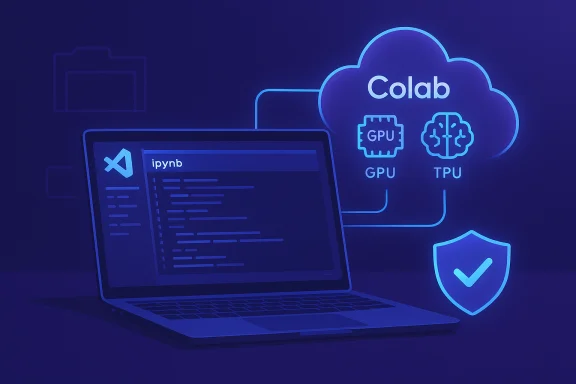
Google’s official Colab extension for Visual Studio Code lands as a practical bridge between local development and high-performance cloud runtimes, letting developers open and run .ipynb notebooks in VS Code while executing cells on Colab’s GPU and TPU-backed servers — a release that tightens Google’s foothold in the AI dev workflow and turns VS Code into an even more contested arena for cloud-powered coding.
Background / Overview
Google published the Colab-to-VS Code integration on November 13, 2025 as an official extension that appears in the Visual Studio Marketplace and — importantly for open-source editor derivatives — on the vendor-neutral Open VSX registry. The announcement spells out a simple promise: use VS Code’s editor and project tools while executing notebook cells on Colab runtimes, including access to Pro-tier GPUs and TPUs where applicable. At the same time, the broader editor landscape is in flux. Microsoft moved to open-source the client-side inline suggestion engine used by GitHub Copilot on November 6, 2025 and is consolidating Copilot features into a single Copilot Chat extension and, over time, into VS Code core — a strategy that shifts more of the AI-assisted coder experience into Microsoft’s own ecosystem. These two moves — Google bringing Colab execution into VS Code and Microsoft exposing Copilot internals — convert VS Code into a battleground for code generation, execution, and developer mindshare.What Google’s Colab extension actually delivers
The extension is intentionally focused and pragmatic: it connects VS Code notebooks to Colab kernels and runtimes, delivering the compute to the editor rather than trying to recreate Colab’s full web UI inside VS Code. Key, user-facing capabilities include:- Open and run local .ipynb notebooks using a Colab runtime (kernel selection switches to “Colab”).
- Authentication via Google sign-in to attach a notebook to a Colab session.
- Access to Colab compute tiers — free, Pro, and Pro+ / Pay-as-you-go — which affect priority, session length, and the chance of being provisioned higher-end GPUs or TPUs.
- Availability on Open VSX so VS Code derivatives (VSCodium, code-server, Cursor and others) can install the same extension.
How it works in practice (quick start)
- Install the “Colab” extension in VS Code (the extension lists Jupyter as a dependency if needed).
- Open or create a local .ipynb notebook in your workspace.
- Use the kernel selector (or run a cell) and choose “Colab” — sign in with Google and select a Colab runtime.
- Notebook cells execute remotely on the attached Colab runtime while you benefit from VS Code features like source control, multi-file navigation, and extensions.
Why this matters: the practical payoff for developers
For millions of students, researchers, hobbyists, and professionals, Colab has been a low-friction gateway to GPU/TPU-backed notebooks. VS Code, meanwhile, is the de facto editor for multi-file projects, debugging, refactoring, and team workflows. The extension removes a common friction point: switching contexts between a local IDE and Colab’s web notebook for heavy compute tasks.Benefits in real-world workflows:
- Unified development loop: Edit code, run experiments, debug, and commit changes without toggling between browser notebooks and a local IDE.
- Leverage existing extensions: Use linters, language servers, Git integration, and project-level tools in VS Code while compute runs remotely on Colab.
- Broader device support: Lightweight hardware (Chromebooks, low‑end laptops) can offload heavy compute to Colab while preserving a rich editing experience.
The compute picture: what “Colab runtimes” really mean
Colab runs are provisioned from Google’s cloud infrastructure and the exact hardware you get depends on subscription tier, capacity, and demand. Colab offers a free tier as well as paid plans (Colab Pro, Colab Pro+, and Pay-As-You-Go options) that generally provide higher priority for premium GPUs and TPUs, longer sessions, and more RAM. Colab’s release notes and documentation confirm that the platform supports a range of accelerators (T4, P100, V100, A100 variants and multiple TPU generations) and that premium subscribers have improved odds of receiving higher‑end devices, though allocation is dynamic. Practical realities developers should expect:- GPU/TPU assignment is dynamic and may fluctuate by session; requesting an A100 or v5/v6 TPU does not guarantee that exact hardware every time.
- Paid tiers reduce the chance of downgrades and shorten queue times, but availability depends on broader demand.
- Colab’s release notes show ongoing investment in TPU generations and runtime capabilities — an indicator that Google intends to keep Colab competitive on compute.
Strategic context: why Google’s move matters to Microsoft and the IDE landscape
Google’s extension arrives at a moment when the boundaries between code generation (AI suggestions) and code execution (cloud runtimes) are blurring. Microsoft’s recent decision to open-source the client components of Copilot’s inline suggestion engine (announced November 6, 2025) and its plan to consolidate AI features into Copilot Chat — and ultimately into VS Code core — signals a competing vision where AI assistance is tightly integrated into the editor itself. Key strategic implications:- Google is not merely releasing a consumer convenience feature; it is embedding Colab’s compute plumbing into VS Code, potentially shifting where developers perform compute-heavy experimentation. That matters for developer mindshare and for how cloud compute choices map to editor workflows.
- Microsoft’s openness on Copilot’s client-side code aims to make AI behaviors auditable and extensible by the community — a move that enhances trust but may also accelerate competitor integrations and forks.
- The battleground is now broader than “which editor has the best code completion” — it’s “which editor provides the most seamless path between authoring, AI-assisted generation, and high-performance execution.” Both companies are building complementary strengths: Microsoft with an integrated AI assistant and Google with cloud compute-first integrations.
Open VSX publication: why the registry choice matters
Beyond the VS Code Marketplace listing, Google publishing the extension to Open VSX is a deliberate, ecosystem-aware choice. Open VSX is the default extension registry for many VS Code derivatives (VSCodium, code-server, and several commercial/embedded variants), and publishing there preserves access for developers who prefer vendor-neutral stacks. That decision widens the potential audience to those who run Microsoft’s OSS-based builds without Microsoft‑branded telemetry or marketplace access. For organizations and developers who prefer entirely open-source stacks, the Open VSX availability lowers friction and signals Google’s willingness to support non-Microsoft VS Code derivatives — a tactical move that increases adoption across a diverse editor landscape.Security, privacy, and compliance: risks and mitigation
A remote-execution extension that sends code and notebook context to a cloud runtime raises several important security and compliance questions. These are not theoretical; community threads and prior CVE discussions around AI editor integrations underline real-world attack surfaces.Primary concerns:
- Data exfiltration and sensitive code leakage: Running notebooks on Colab means snippets, file context, and possibly secrets could be transmitted to Google-managed runtimes. Teams must confirm what portions of workspace context are sent, how telemetry is handled, and whether telemetry settings can be controlled.
- Credential and Drive access: Typical notebook workflows mount Google Drive or require tokens; extension behavior around OAuth prompts and mounting flows deserves scrutiny. Early community reports indicate some friction around Drive mounting via the extension, suggesting UX gaps that could push users toward risky workarounds.
- Supply-chain and extension integrity: Extensions increase attack surface; enterprises should control extension policies (allow-listing, signed extensions), especially where CI/build agents or shared images could run with influenced configurations. Historical analysis of assistant/Copilot attack vectors demonstrates plausible exploit chains when unvetted extensions are allowed.
- Audit extension telemetry/defaults: Review what data the Colab extension transmits and whether those behaviors are configurable.
- Treat Colab sessions as untrusted execution: Never run unvetted notebook cells with access to secrets or critical credentials without containment. Rotate any tokens that have been exposed.
- Lock down extension installation and enforce allow-lists in corporate developer images and CI runners.
- Require code-review and CI gating for AI or remote-execution-generated code; treat automated edits the same as third‑party contributions.
UX caveats and early community feedback
The rollout is very fresh and community feedback is mixed in expected ways: users welcome the integration but immediately surface practical issues such as latency, runtime responsiveness, the drive-mount flow, and GPU selection behavior. Reddit threads and early reports show the extension works as advertised for many users but that edge cases remain to be solved in follow-up updates. Common early complaints and observations:- Performance and latency: Remote kernels add network latency; heavy output or rapid interactive UIs (plots, image-heavy notebooks) may feel slower than local runs.
- Drive mounting / OAuth UX: Some users report the Colab extension’s Drive mounting flow doesn’t surface the same Google permission dialogs as the browser Colab, creating confusion and extra steps. Google will likely refine this quickly, but teams should test workflows before depending on them.
- Hardware allocation variability: Developers expecting a specific GPU or TPU may be disappointed if capacity forces a downgrade; plan experiments with that variability in mind.
How this changes the choice architecture for teams and researchers
Historically, teams chose an editor and separately chose a compute environment. With Colab available directly in VS Code, that decision now folds together: choosing VS Code plus the Colab extension effectively couples your editing workflow to Google’s notebook execution model.Considerations for choosing this path:
- Small teams and researchers: The extension offers a fast, low-cost path to iterate on notebooks without maintaining dedicated GPU infrastructure. It’s an attractive option for prototyping, teaching, and exploratory research.
- Enterprise teams with compliance needs: If policy forbids sending certain code or data to third-party clouds, Colab will not be appropriate without additional mitigations (VPC configurations, private clusters, or on-prem alternatives). Evaluate data residency, export controls, and telemetry options before adoption.
- Reproducible research and long-running experiments: For lengthy training runs where exact hardware and environment state must be preserved, managed cloud compute or dedicated clusters with explicit SLAs remain preferable; Colab’s dynamic allocation model is not a substitute for a reproducible cluster environment.
Where Google and Microsoft may go next (educated analysis)
- Google could add deeper IDE-oriented Colab features: notebook diffing with runtime-aware previews, better Drive integration, richer telemetry/usage dashboards, and potentially inline assistance tied to Colab’s runtime context. These are logical expansions of the current “launchpad” messaging but remain, for now, speculative. Flag: product roadmap items are Google’s to confirm; treat as directional.
- Microsoft is refactoring Copilot into a single, open client and gradually moving AI features into VS Code core. Expect tighter model-provider hooks, easier BYOM (bring-your-own-model) support, and more enterprise-friendly configuration surfaces for telemetry and privacy. The open-source move lowers the barrier for third parties and enterprises to audit and adapt Copilot behavior.
Practical checklist for teams evaluating the Colab extension now
- Test the extension end-to-end in a non-production environment. Validate Drive mounting, token flows, and typical notebooks.
- Audit what workspace context the extension sends to Colab and whether any sensitive files are at risk. Apply file exclusions if possible.
- Create policies for extension installation and enforcement: allow-list the Colab extension where acceptable, block it on sensitive build hosts and CI agents.
- Plan for reproducibility: snapshot dependencies (requirements.txt / environments) and record runtime hardware for important experiments. Expect hardware variability across sessions.
- Train the team on secure usage: treat remote-execution sessions as untrusted, and require peer review on AI or remote-execution generated changes.
Strengths, limitations, and final assessment
Strengths- Immediate productivity gain: eliminates context switching between IDE and web notebooks while giving quick access to cloud accelerators.
- Open VSX publication: extends compatibility to non-Microsoft VS Code derivatives and signals ecosystem inclusivity.
- Strategic positioning: binds Colab compute into the editor layer, elevating Google’s reach in the AI/ML developer workflow.
- Runtime variability: GPU/TPU allocation is probabilistic; not ideal for guaranteed, reproducible training runs.
- Security and data governance: sending code and workspace context to cloud runtimes requires careful policy and monitoring to prevent leaks or compliance violations.
- Early UX rough edges: community reports highlight Drive mounting and responsiveness issues that Google will need to iterate on.
Google’s Colab extension for VS Code is a meaningful, pragmatic addition to the AI developer toolkit: it solves a real pain point by connecting familiar editor workflows to accessible cloud compute. For many individuals, educators, and smaller teams, it will accelerate experimentation and lower setup overhead. For enterprises, the feature is promising but demands careful governance: policies on extension use, auditability, and data residency will determine whether Colab-in-IDE is embraced broadly.
The release also sharpens the competitive contrast with Microsoft: while Google offers cloud-backed execution from within VS Code, Microsoft is exposing and consolidating AI assistance at the editor level. That divergence — compute-first vs. assistant-first — is fertile ground for innovation. Developers and organizations stand to benefit from the competition, but they must also be pragmatic about the privacy, reproducibility, and security trade-offs that come with running remote code from an integrated editor.
Google’s extension turns a long-standing community request into a mainstream workflow: if you run notebooks and want faster iteration without managing local GPUs, this is worth testing now. For teams, the right approach is cautious adoption paired with governance — the extension is powerful, but power without controls can create exposure.
Source: WinBuzzer Google Releases Colab Extension for VS Code - WinBuzzer
