

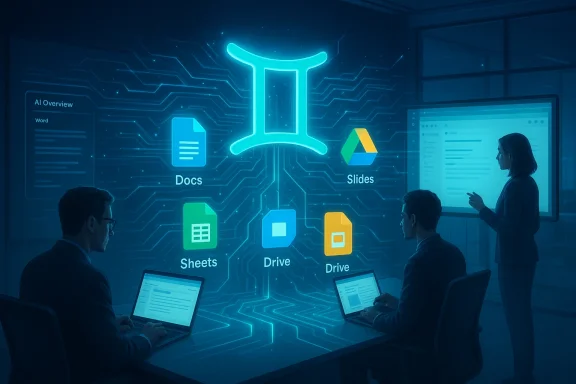
Google’s latest push to fold Gemini directly into the daily work of millions arrives as a clear, strategic escalation in the enterprise AI wars: the company announced a broad rollout of Gemini-powered features across Docs, Sheets, Slides and Drive, promising new tools that can create, summarize, find and populate content by drawing on your files, email and the web — available immediately in beta for Google AI Ultra and Pro subscribers. (blog.google)
Google’s announcement is rooted in a multi-year trajectory: the company has repositioned Bard as Gemini, invested heavily in multimodal models and agent tooling, and moved from optional “assistants” to embedding AI as a consistent collaborator inside Workspace. The March 10, 2026 Workspace post by Yulie Kwon Kim (VP, Product, Google Workspace) frames the update as a productivity accelerant — “help you get things done, faster” — and outlines concrete UX changes like a side panel/bottom bar in Docs, “Fill with Gemini” in Sheets and an “AI Overview” in Drive. (blog.google)
At the same time, Microsoft’s Copilot rollout has already established broad enterprise traction; Microsoft publicly stated that nearly 70% of Fortune 500 companies have implemented Microsoft 365 Copilot, an adoption stat the company deployed as proof of commercial momentum. That market context turns every Workspace AI update into a defensive and offensive play.
Industry press and analyst outlets widely covered Google’s announcement within hours, underscoring that this is not a minor UI tweak but a deliberate product repoes from an add‑on to a deeper orchestration layer for document creation, data discovery and presentation design. Independent reporting echoed Google’s feature list but also raised early governance and privacy questions — precisely the issues IT leaders will need to consider.
Microsoft’s public adoption statistics for Copilot — nearly 70% of Fortune 500 per the company’s Ignite commentary — are a parallel indicator that enterprise buyers are already committing to seat‑based AI offerings. That competitive pressure helps explain why Google accelerated Workspace feature parity and expanded Drive into a discovery and synthesis surface.
However, the true test is organizational: whether IT teams can implement granular controls, whether users adopt the assistant as a reliable co‑author rather than a productivity novelty, and whether enterprises can measure predictable ROI at scale. The competitive race with Microsoft (and with OpenAI’s enterprise offerings) ensures the next 12 months will be about integration, governance tooling and measured deployments more than flashy demos.
In short: Gemini in Workspace is a powerful new tool — and for IT leaders the immediate question is not whether the capabilities are impressive, but whether the organizational controls are ready to make them safe, auditable, and reliably productive.
Source: The Tech Buzz https://www.techbuzz.ai/articles/google-deploys-gemini-ai-across-workspace-suite/
 Background
Google’s announcement is rooted in a multi-year trajectory: the company has repositioned Bard as Gemini, invested heavily in multimodal models and agent tooling, and moved from optional “assistants” to embedding AI as a consistent collaborator inside Workspace. The March 10, 2026 Workspace post by Yulie Kwon Kim (VP, Product, Google Workspace) frames the update as a productivity accelerant — “help you get things done, faster” — and outlines concrete UX changes like a side panel/bottom bar in Docs, “Fill with Gemini” in Sheets and an “AI Overview” in Drive. (blog.google)At the same time, Microsoft’s Copilot rollout has already established broad enterprise traction; Microsoft publicly stated that nearly 70% of Fortune 500 companies have implemented Microsoft 365 Copilot, an adoption stat the company deployed as proof of commercial momentum. That market context turns every Workspace AI update into a defensive and offensive play.
Industry press and analyst outlets widely covered Google’s announcement within hours, underscoring that this is not a minor UI tweak but a deliberate product repoes from an add‑on to a deeper orchestration layer for document creation, data discovery and presentation design. Independent reporting echoed Google’s feature list but also raised early governance and privacy questions — precisely the issues IT leaders will need to consider.
What Google announced — feature by feature
The blog post and initial vendor materials are practical and use-case driven. Below is a breakdown of the major updates Google is shipping and the scenarios they target.Docs: "Help me create" and contextual drafting
- Gemini now appears in a side panel and a bottom bar that can be used to generate first drafts from natural language prompts, using context from selected files and emails.
- Editing tools let you ask Gemini to refine sections, change tone or match the voice/format of a reference document (e.g., “Match writing style” and “Match doc format”).
- The aim is to cut the blank‑page problem: turn bullet ideas or meeting notes into a scaffolded, shareable draft in minutes. (blog.google)
Sheets: “Fill with Gemini” and automated spreadsheet construction
- Gemini in Sheets can build spreadsheets from a short prompt, ingesting context from your inbox and Drive.
- “Fill with Gemini” populates missing data, classifies entries and — optionally — pulls real‑time Search results to fill web‑sourced columns (e.g., up‑to‑date tuition data for colleges). This moves Sheets beyond formula help into automated dataset assembly. (blog.google)
Slides: editable slide generation and deck scaffolds
- Gemini can generate fully editable slides aligned to a deck’s theme, produce diagrams and apply formatting so users spend less time on visuals and more on narrative.
- Google teased a “generate entire deck from a single prompt” capability as coming soon, indicating the roadmap extends to larger, multi‑slide automation. (blog.google)
Drive: “Ask Gemini” and AI Overviews for file discovery
- Drive becomes an active collaborator: search queries in natural language now surface an “AI Overview” summarizing key material from files, enabling users to get answers without opening each doc.
- “Ask Gemini in Drive” can synthesize across selected files, calendar and email to answer complex questions (e.g., compare vendor proposals, list tax‑related tasks to bring to an accountant). This shifts Drive from storage to insight layer. (blog.google)
Why the Drive integration different)
Most previous AI add‑ons focused on content creation inside a single app. Google’s inclusion of Drive as an intelligent discovery and synthesis surface is a notable pivot for three reasons:- It addresses the hard, practical friction of “where is that file?” by surfacing answers rather than file names, which is a daily pain point for knowledge workers.
- Drive integration lets Gemini ground outputs in an organization’s existing knowledge assets — reducing the need to paste content into prompts or re‑upload documents — which improves context and utility.
- It opens the door for cross‑app agents: a single Gemini action could create a doc that pre‑populates slides and spreadsheet trackers, then update a shared Drive folder — a kind of ambient automation that drives stickiness. (blog.google)
How this fits into the competitive landscape
The enterprise productivity market is fragmenting into “AI‑native” platforms and legacy suites retrofitted with assistants. Microsoft’s Copilot has secured early enterprise mindshare and public adoption metrics (nearly 70% of Fortune 500 companies), which has helped Microsoft sell AI as a seat‑based productivity utility. Google’s approach, by contrast, leans on an integrated data surface: Search, YouTube, Calendar, Maps and Workspace already interlink, which can make Gemini contextually richer in ways Copilot can match only by using Microsoft’s graph and Azure connectors.- Microsoft’s strength: deep Office/Windows enterprise footprint, centralized admin tooling and an existing Copilot seat strategy that’s shown strong commercial traction.
- Google’s strength: integrated consumer and enterprise data ecosystems plus a focus on multimodal reasoning and agentic workflows that pull context across email, Drive and search to ground outputs. (blog.google)
- The battleground: accuracy of grounding, governance controls, admin visibility, data residency, subscription economics and the ability to turn AI assistance into predictable ROI. Multiple outlets already characterize the March launch as a clear counter to Microsoft’s Copilot momentum.
Strengths: where Gemini in Workspace could move the needle
- Contextual grounding at scale. Because Gemini can read and reason across your Gmail, Drive and selected files, it reduces prompt engineering and makes outputs moreterially shorten drafting and research time. (blog.google)
- Cross‑app automation. The combination of “create a doc,” “populate a sheet” and “build slides” from the same prompt is a meaningful productivity multiplier for recurring workflows (reports, proposals, weekly briefings).
- Search + synthesis in Drive. AI Overviews and “Ask Gemini” replace manual search‑and‑open cycles with synthesized answers, which offers clear time savings for knowledge workers. (blog.google)
- Productized, subscription model. By gating advanced features to Google AI Ultra and Pro, Google can monetize higher ARPU customers and integr Google One and enterprise Workspace licensing strategies — a familiar route to converting consumer ubiquity into revenue. (blog.google)
Risks and limitations — what IT leaders should worry about
No enterprise AI launch is purely beneficial; key risks are operational, legal and technical.- Data privacy and access controls. The core promise of Gemini in Workspace is access to context from Gmail and Drive. That capability amplifies data exposure risk if permissions, admin policies or feature toggles are misconfigured. IT must assume default opt‑in will not be safe for sensitive workloads. Multiple organizations have already disabled similar features pending internal policy review. (blog.google)
- Hallucination and factual correctness. While Gemini can cite sources in AI Overviews, generative outputs can still invent facts or misattribute content. For high‑stakes documents (legal, regulatory filings, financial statements) human review is mandatory; the assistant should be positioned as a drafts‑accelerant, not a final authority. Independent press emphasized that while the UX is powerful, human oversight remains essential.
- Governance complexity. Allowing agents to act across apps and pull in web search expands the attack surface for data leakage and compliance violations. Enterprises will need explicit data‑handling policies, logging and model‑query auditing to make the features safe at scale. Vendors and early adopters warn that governance tooling must keep pace.
- Subscription and segmentation friction. Google’s features are gated to AI Ultra and Pro tiers. That creates a two‑tier workforce: some employees will have access to powerful automation; others won’t. The resulting permission and collaboration gaps can reduce the benefits unless enterprises standardize licensing — a nontrivial procurement and OPEX consideration. (blog.google)
- Measurement and real ROI. Deployment doesn’t equal adoption. Microsoft’s Copilot metrics show broad rollout, but vendor‑reported adoption figures can mask usage variance inside organizations. IT buyers should measure active usage, process‑level time savings and error rates rather than raw seat counts.
Technical notes: grounding, web access and model behavior
Google’s blog explicitly mentions grounding sources: Gemini can pull relevant information from files, emails and the web when you select those sources. “Fill with Gemini” can access real‑time Search for populating table values. That makes outputs fresher but introduces new questions about the provenance of web‑sourced data, caching, and reproducibility of generatand technical reviewers should evaluate:- How web‑sourced values are referenced and timestamped in generated results.
- Whether the system preserves a machine‑readable provenance trail (citation + source snapshot) for compliance or audit requirements.
- The rate limits, throttling and tokenization/usage metering associated with enterprise queries (for cost predictability). (blog.google)
Governance checklist for IT and security teams
Before flipping the switch at scale, organizations should ensure the following controls and processes are in place:- -Inventory and classification: Map which Drive folders and Gmail streams contain sensitive data and block Gemini access by default to those collections.
- -Admin policies and toggles: Use Workspace admin controls to enable Gemini selectively per OU (organizational unit), test groups and compliance needs.
- -Audit logging: Ensure all agent actions and model queries are logged to SIEM and DLP systems for forensic review and compliance.
- -Data residency and export controls: Validate whether any web lookups or external grounding cause data to leave approved regions or be cached externally.
- -Human‑in‑the‑loop review: For any AI‑generated content used in regulated contexts, require sign‑offs and maintain versioned artifacts.
- -Training and change management: Provide role‑specific training and templates so users adopt Gemini as a time‑saving assistant rather than a slice‑and‑paste hazard.
Practical rollout plan (recommended, phased)
- Pilot: Select two business units (e.g., marketing + sales ops) to trial Gemini features for 6–8 weeks with strict logging and opt‑in.
- Measure: Track time‑to‑draft, error rates, document revision cycles and user satisfaction; compare against a matched control group.
- Governance: Simultaneously adopt admin policies, create DLP exemptions for pilot folders and test audit ingestion into security tooling.
- Expand: If ROI is positive and gover additional departments with standardized licensing; continue to iterate.
Commercial and financial context
Google’s Workspace sits inside the larger Google Cloud segment, which has seen rapid growth as AI infrastructure and solutions become a material revenue driver. Alphabet’s Q4 2025 reporting highlighted strong Cloud performance, driven in part by enterprise AI demand — a context that frames these product investments as commercially strategic, not merely experimental. However, public filings rarely isolate Workspace revenue as a standalone figure, so precise claims about Workspace’s annual revenue should be treated carefully and validated against official SEC filings and earnings releases.Microsoft’s public adoption statistics for Copilot — nearly 70% of Fortune 500 per the company’s Ignite commentary — are a parallel indicator that enterprise buyers are already committing to seat‑based AI offerings. That competitive pressure helps explain why Google accelerated Workspace feature parity and expanded Drive into a discovery and synthesis surface.
What this means for users, managers and CIOs
- Users: Expect clearer shortcuts for routine content work. Gemini can save hours in drafting and synthesis tasks, but users must verify facts and citations.
- Managers: Look for process KPIs (draft cycle time, review frequency, time saved per employee) to justify licensing costs and measure adoption.
- CIOs and Security Leaders: Prioritize governance tooling, logging and permission audits. The value of Gemini is highest where it can read and synthesize private internal context — and that is the same capability that requires the most careful controls.
A balanced assessment
Google’s Gemini push into Docs, Sheets, Slides and Drive is a product‑level answer to a strategic question: can the company make AI a native, everyday collaborator inside the apps people already open? The answer appears to be “yes” fpoint. The UX is thoughtful, the grounding promise is real, and the Drive integration addresses a long‑standing enterprise pain point (file discovery and contextual synthesis). Early independent coverage validates the product direction and highlights both strong use cases and governance concerns. (blog.google)However, the true test is organizational: whether IT teams can implement granular controls, whether users adopt the assistant as a reliable co‑author rather than a productivity novelty, and whether enterprises can measure predictable ROI at scale. The competitive race with Microsoft (and with OpenAI’s enterprise offerings) ensures the next 12 months will be about integration, governance tooling and measured deployments more than flashy demos.
Recommendations — immediate actions for IT teams
- Audit: Identify sensitive folders and mailboxes; set conservative defaults (Gemini off) for those collections.
- Pilot: Run targeted pilots (e.g., sales proposals, product one‑pagers, monthly reporting) and instrument outcomes.
- License strategy: Decide whether to standardize on AI Ultra/Pro for specific roles to avoid collaboration gaps.
- Governance: Implement DLP rules, admin toggles and SIEM ingestion for model queries and generated artifacts.
- User training: Publish templates and “best practice” playbooks on how to prompt Gemini and how to verify outputs.
Final verdict
Google’s March 2026 Gemini updates for Workspace are more than incremental; they represent a tactical shift toward making Workspace an AI‑native productivity surface. The capabilities are meaningful and likely to produce measurable time savings for many knowledge tasks. But the upside depends on disciplined governance, clear licensing strategy and rigorous measurement. For organizations weighing the AI assistant options, the choice increasingly reduces to a tradeoff between ecosystem fit (Google’s integrated data surface vs Microsoft’s entrenched Office infrastructure) and governance readiness. The firms with the best combination of technical controls and pragmatic rollout plans will extract the most business value from this new wave of AI‑augmented productivity. (blog.google)In short: Gemini in Workspace is a powerful new tool — and for IT leaders the immediate question is not whether the capabilities are impressive, but whether the organizational controls are ready to make them safe, auditable, and reliably productive.
Source: The Tech Buzz https://www.techbuzz.ai/articles/google-deploys-gemini-ai-across-workspace-suite/