

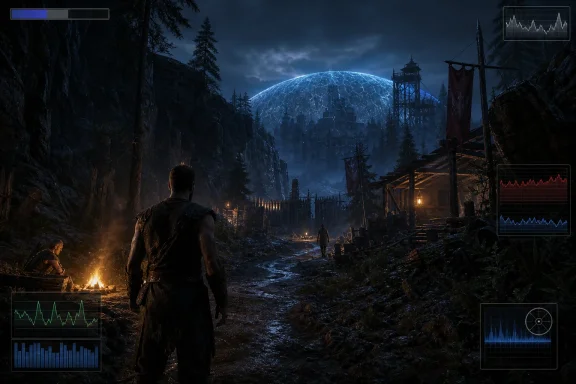
The Valley of Mines Returns as a Hardware Audit
The original Gothic was never a polite game. It threw the player into a prison colony, made weakness part of the fiction, and trusted its world simulation to do much of the storytelling. The remake keeps that essential premise: Myrtana needs magical ore for its war against the orcs, convicts are trapped under a magical barrier, and the Nameless Hero begins as one more expendable body in a brutal social machine.
What has changed is the technical contract. In 2001, Gothic was a PC-first oddity with clumsy brilliance and a world that felt more alive than its budget should have allowed. In 2026, Gothic 1 Remake is a Windows 10 and Windows 11 DirectX 12 game built around modern rendering assumptions: high-density assets, real-time global illumination, deep vegetation, heavier animation, and aggressive reliance on upscaling.
That turns the remake into something more interesting than a nostalgia product. It is a benchmark for the current state of PC gaming, especially for the kind of player who upgraded during the RTX 30-series or Radeon RX 6000 era and assumed that “good enough for 1440p” would remain true for another cycle. The GameGPU results supplied here suggest that assumption is now conditional.
The official baseline already hints at the issue. Minimum requirements list an Intel Core i7-7700K or Ryzen 5 1600X, 16GB of RAM, and either a GeForce RTX 2070 or Radeon RX 6700 XT with 8GB of VRAM. Recommended requirements jump to 32GB of RAM and GPUs in the RTX 3070 Ti or RX 6800 XT class, with 12GB of VRAM. That is not the language of a lightweight remake.
The Official Specs Understate the Real Conversation
System requirements are marketing, engineering, and support triage rolled into one table. They tell players what should launch, not necessarily what will feel good in a dense camp at night during a rainstorm while NPCs are running AI schedules and the renderer is juggling shadowed foliage. Gothic 1 Remake is a textbook case of that gap.
The official minimum spec is not absurd on paper. An RTX 2070 remains a DirectX 12-capable card with 8GB of memory, and the RX 6700 XT is stronger still, with 12GB. A Ryzen 5 1600X or i7-7700K can still run many games if the GPU is doing most of the work. But this game’s problem is not one bottleneck; it is the accumulation of many expensive decisions.
The submitted benchmark notes place 25 FPS as an “acceptable” floor and 60 FPS as the comfort target. That framing matters because it exposes the old PC gaming bargain: the official spec may get you through the gate, but the experience you actually want may live several GPU tiers higher. At 1080p on the Very High preset, GameGPU’s summary places the RTX 3060 and RX 6750 XT around the level needed for the 25 FPS class, while 60 FPS reportedly calls for hardware closer to the RTX 4060 Ti or RX 6800 XT.
That is a stern result for a remake of a 25-year-old RPG, even if the visuals have been rebuilt from the ground up. It also suggests that the “minimum” label should be read conservatively. If a player’s goal is native resolution, maximum settings, and consistent frame pacing, this is not a game that treats midrange hardware gently.
Unreal Engine 5 Gives Gothic Scale, Then Sends the Bill
The move to Unreal Engine 5 is the remake’s great enabler and its great liability. UE5 lets Alkimia rebuild the Valley of Mines as a seamless, denser, more atmospheric world. It also brings familiar pressure points: global illumination, shader compilation, CPU-visible world simulation, asset streaming, and a tendency for ambitious settings to scale brutally at higher resolutions.
The submitted material describes Lumen-style real-time global illumination as a central part of the image, with campfires, huts, alleys, caves, and magical lighting all benefiting from bounce lighting and softer shadowing. That is exactly the kind of technology that makes an old world feel newly physical. It is also exactly the kind of feature that punishes GPUs trying to maintain native 4K without help.
Nanite-style high-density geometry is the other half of the bargain. Rock faces, wooden palisades, camp structures, ruins, caves, and terrain can retain detail farther into the distance without the old “pop-in theatre” that once defined open-world compromise. But even when virtualized geometry is efficient, the total scene complexity still has to be lit, shaded, streamed, animated, and fed through a modern rendering pipeline.
This is why the remake’s performance profile feels less like a simple RPG problem and more like a UE5 open-world problem. The game is trying to preserve Gothic’s identity as a living colony while raising its visual density to contemporary standards. The result is a world that asks for GPU power in the forest, CPU power in the camps, and fast storage everywhere.
Very High Is the Sensible Preset; Overdose Is the Warning Label
The submitted benchmarks divide results between a “Gothic” Very High mode and an “Alkimia Overdose” experimental mode. The naming is almost too honest. One appears to be the practical high-end preset for normal play; the other behaves like a showcase mode that exists to prove how far the engine can be pushed, not how most systems should be configured.
At 1080p Very High, the game appears demanding but legible. Entry-level comfort in the 60 FPS range reportedly starts around an RX 6800 XT or RTX 4060 Ti. That is still a high bar for Full HD, but it is not unreasonable if the game is leaning heavily on modern lighting, dense geometry, and big memory allocations.
At 1440p, the cost rises sharply. The submitted summary puts comfortable 60 FPS native performance closer to a Radeon RX 7900-class card or GeForce RTX 5070-class card. That places the remake in a category where a lot of popular GPUs can run the game, but only some can run it at the settings PC enthusiasts instinctively choose first.
At 4K, native 60 FPS becomes the luxury tier. The GameGPU notes point to GeForce RTX 5090-class performance for comfortable 4K at Very High. That is the part of the story that will make the most noise, because it implies that the current flagship is not merely chasing high refresh rates or path-tracing vanity; it is being invoked for ordinary 60 FPS play at maximum native 4K.
Then comes Alkimia Overdose. At 1080p, comfortable 60 FPS reportedly moves to RX 9070 XT or RTX 4080-class hardware. At 1440p, it rises to RTX 5090 territory. At 4K, the submitted notes describe even 25 FPS-class average and minimum thresholds as belonging to the upper end of the modern stack. That is not a preset; it is a dare.
Upscaling Is No Longer Optional for High-Resolution PC Gaming
The remake’s support for DLSS, FSR, and XeSS is not a checklist feature. It is the pressure valve that makes the whole PC version more plausible. At these reported native results, owners of 1440p and 4K displays should expect to use upscaling unless they are deliberately benchmarking, capturing screenshots, or trying to find the limits of a flagship card.
This is where the PC conversation has changed. A few years ago, many players treated upscaling as a compromise for weak hardware or ray tracing. In 2026, for games built around dense modern rendering, image reconstruction is often part of the target experience. Native resolution is still cleaner in principle, but the cost of native pixels has grown faster than the average player’s GPU budget.
The visual stakes are especially high in Gothic 1 Remake because the game depends on readability. Dark forest paths, night exploration, distant monsters, camp interiors, and muddy terrain all suffer if reconstruction introduces shimmer, ghosting, or unstable foliage. A fast frame rate that turns the Valley of Mines into a crawling haze is not a victory.
Still, the practical recommendation is obvious: use the vendor upscaler that best matches your GPU, start with Quality mode at 1440p, and consider Balanced or frame generation at 4K if latency and artifacting are acceptable. The question is no longer whether upscaling “counts.” The question is whether the game’s art direction survives it.
VRAM Is the New Minimum Spec
The most important numbers in the submitted data may not be the FPS results at all. They may be the VRAM measurements. GameGPU reports around 9GB of video memory use at 1080p, around 10GB at 1440p, and up to 13GB or 14GB at 4K depending on the card’s available memory pool.
That makes the official 8GB minimum look precarious. It may be enough to launch, and it may be enough if settings are reduced, texture quality is managed, and upscaling is used carefully. But the benchmarked behavior reinforces what PC gamers have been learning the hard way: 8GB cards increasingly live at the edge in new visually ambitious releases.
The more interesting cutoff is 12GB. At 1080p and 1440p, 12GB appears workable in the submitted tests, with 9GB to 10GB reported. At 4K, the numbers creep higher, with 12GB cards reportedly consuming about 11GB while larger cards allocate more. That does not automatically mean a 12GB card is doomed at 4K, but it does mean the margin is thin.
This matters for Windows users because VRAM pressure often turns into symptoms that look like general “bad optimization.” Hitching, texture delay, sudden frame-time spikes, and inconsistent traversal can all emerge when the GPU is swapping assets through system memory. A benchmark average can hide that pain; a player moving quickly through the Old Camp will not.
The CPU Bottleneck Lives in the Camp, Not the Benchmark Chart
The submitted CPU results are less sensational than the GPU results, but they reveal the more Gothic-specific problem. The game can reportedly use up to 16 threads, with optimal utilization around 12. That is exactly what one would expect from a modern open-world RPG trying to simulate NPC routines, animation, physics, audio, streaming, and rendering submission.
The oddity is that the listed acceptable CPU thresholds are not very high for standard Very High play, especially with NVIDIA hardware. The summary suggests that older quad-core and six-core processors can still achieve the 25 FPS and 60 FPS categories in some configurations. With AMD GPUs, the stated comfortable CPU class rises in places, pointing to driver overhead or test-path differences that deserve more scrutiny.
The likely real-world story is more complicated than the table. In sparse wilderness, the GPU dominates. In the Old Camp, with NPCs following schedules, reacting to the player, trading, training, sleeping, warning, blocking, and pathing around geometry, the CPU has more to do. That is where players tend to notice stutter even when the average FPS looks acceptable.
For WindowsForum readers, this is the part to watch. A Ryzen 5 5600X or Core i5-12600K may be “fine” by average FPS, but frame pacing in dense settlements may separate good systems from merely adequate ones. The remake’s old-school simulation ambitions are not free just because the renderer gets most of the blame.
Thirty-Two Gigabytes of RAM Has Stopped Looking Excessive
The official recommended spec calls for 32GB of system memory, and the submitted RAM figures make that look less like padding and more like a practical recommendation. GameGPU reports total system RAM usage around 17GB to 19GB at 1080p and 1440p, with one 4K case reaching 21GB on a 12GB VRAM card.
Those numbers were captured without browsers and other third-party applications running. That caveat is critical. A normal Windows gaming session often includes Discord, Steam, a browser with too many tabs, RGB utilities, capture software, peripheral suites, and sometimes a second monitor full of background clutter. On a 16GB system, the margin disappears quickly.
This does not mean 16GB is unusable. It means 16GB is now the “close other things and hope” tier for a game like this. Once system RAM and VRAM are both under pressure, Windows has to lean harder on paging and asset movement, and an SSD becomes less a storage recommendation than a stutter-mitigation device.
The remake’s 60GB storage requirement is modest by modern standards, but the NVMe recommendation is not cosmetic. Open-world UE5 games live or die by streaming discipline. If the game is pulling high-resolution textures, geometry, animation data, and world state on demand, a slow SATA SSD or tired system drive can become part of the frame-time graph.
The RX 6750 XT and RTX 3060 Are Now Survival Cards, Not Comfort Cards
One of the more revealing parts of the submitted benchmark spread is the inclusion of GPUs ranging from RTX 3060 and RX 6750 XT up to RTX 5090 and RX 9070 XT-class hardware. That span tells the whole story of modern PC gaming: cards that once felt like competent mainstream choices are now fighting for basic acceptability in some new games at high settings.
At 1080p Very High, the RTX 3060 and RX 6750 XT are described as reaching the 25 FPS class. That does not make them obsolete; it defines the settings conversation. Owners of these cards should treat Very High native as a diagnostic mode, not a default. High or medium textures, reduced shadows, careful upscaling, and frame caps may produce a much better experience than chasing maximum settings.
The RX 6800 XT appears more favorably positioned. It is listed in the submitted summary as a 60 FPS-class 1080p Very High card and is also part of the official recommended GPU tier. Its 16GB of VRAM helps, and that memory buffer may age better than some faster cards with less capacity.
NVIDIA’s side is more complicated. The RTX 4060 Ti is cited as a 1080p 60 FPS-class option in the submitted results, though the 8GB versus 16GB distinction matters enormously in a game with these memory patterns. The RTX 4070 and above should have a better path through 1440p with upscaling, while the RTX 4080 and 4090 class are better treated as high-refresh or high-setting cards rather than automatic native 4K solutions.
AMD and NVIDIA Both Win Different Parts of the Argument
The benchmark notes do not support a simple “buy green” or “buy red” conclusion. AMD cards with larger VRAM pools look well suited to the remake’s texture and memory footprint. NVIDIA cards bring DLSS and frame generation maturity that can be decisive when native rendering cost gets unreasonable.
That split reflects the broader state of PC graphics. Raster performance, VRAM capacity, upscaling quality, frame generation latency, driver overhead, and per-game optimization all matter at once. A card that wins a native benchmark may not deliver the best subjective experience if its reconstruction path is weaker. A card with excellent upscaling may still stumble if VRAM is tight.
The submitted CPU notes also imply that GPU vendor can affect CPU scaling. With NVIDIA cards, lower-end CPUs are reportedly sufficient for some comfort thresholds under the Very High preset. With AMD cards, the listed comfortable baseline is higher in the standard mode. That may reflect driver overhead, test methodology, or a specific build of the game rather than a universal rule, but it is worth watching as drivers and patches mature.
For buyers, the practical answer is boring but useful. If you already own a strong GPU, tune around its strengths. If you are buying for this game specifically, prioritize enough VRAM for your resolution, then evaluate upscaling quality, not just average FPS.
The Remake’s Visual Ambition Is Doing Real Design Work
It would be easy to frame all of this as another “UE5 game runs badly” story. That may be emotionally satisfying, but it misses why Gothic 1 Remake is expensive in the first place. The visuals are not just decoration layered on top of old quest logic. They are part of the remake’s attempt to make the colony feel oppressive again to an audience that has spent two decades walking through more advanced open worlds.
Dense forests matter because danger in Gothic begins with not knowing what is just beyond the path. Night matters because the player is supposed to feel vulnerable. The magical barrier matters because it is both skyline and prison wall. Camp interiors matter because social hierarchy is the game’s true dungeon.
The submitted graphics description emphasizes material wear, rusted armor, rough wood, dense flora, weather response, puddles, volumetric fog, smoke, magical particles, and more detailed fauna. These are exactly the things that make the Valley of Mines feel like a place rather than a level. They are also exactly the things players start turning off when performance collapses.
That is the tragedy of heavy PC requirements. The most expensive effects are often the ones that carry atmosphere. A low preset can restore playability, but if it flattens lighting, shortens draw distance, blurs textures, and strips particle density, the remake loses some of the menace it was rebuilt to recover.
The Old Gothic Problem Has Become a Modern PC Problem
The original Gothic was famous for friction. Combat was strange. Progression was punishing. NPCs were not polite quest kiosks. The world did not scale itself around the player’s ego. The remake inherits that design philosophy, but the PC version adds a new layer of friction: hardware negotiation.
There is an irony here that longtime fans will appreciate. Gothic was always a game about earning competence. At the beginning, a scavenger could kill you. Later, you understood the world well enough to move through it with confidence. The remake asks the same of PC players in the settings menu.
You will need to learn which settings matter, where the bottleneck lives, how your GPU handles upscaling, whether your VRAM pool is the constraint, and whether your CPU falls apart in settlements. The game may be unforgiving in fiction, but the renderer appears equally unsentimental. It does not care that your card was expensive three years ago.
This is not necessarily a defect. Some PC games are worth tuning because they offer a world that benefits from the effort. The danger is that players who expect a polished console-like performance envelope on Windows may find themselves doing the kind of troubleshooting that used to define Euro-RPG fandom for less glamorous reasons.
Windows Players Should Tune for Frame Time, Not Bragging Rights
For most players, the right goal is not maximum settings. It is stable frame pacing. Gothic 1 Remake looks like a game where averages can lie, especially if the heaviest moments occur in camps, during traversal, or when weather and lighting stack with NPC simulation.
The first move should be to choose a realistic resolution target. For RTX 3060, RTX 2070, RX 6700 XT, and RX 6750 XT-class cards, that likely means 1080p with reduced settings and upscaling. For RX 6800 XT, RTX 3070 Ti, RTX 4060 Ti 16GB, RTX 4070, and similar cards, 1080p Very High or tuned 1440p is more plausible. For RTX 4080, RTX 4090, RX 7900 XTX, RX 9070 XT, and above, 1440p high refresh or 4K with reconstruction becomes the sensible target.
Texture quality should be treated as a VRAM decision, not a pride decision. If the card has 8GB, be conservative. If it has 12GB, watch 4K carefully. If it has 16GB or more, the game has more room to breathe, though not infinite room. Shadow quality, global illumination, volumetrics, and foliage density are likely to be more important than small differences in post-processing.
Frame generation is best used when the base frame rate is already tolerable. It can improve perceived smoothness, but it does not erase input latency or CPU-side stutter. If the Old Camp is hitching because the CPU or streaming system is struggling, generated frames may smooth the surface without fixing the underlying rhythm.
The Real Requirements Are Written Between the Lines
The cleanest way to read the submitted benchmark data is not as a ranking of winners but as a map of expectations. Gothic 1 Remake is playable across a wide range of PCs, but it reserves its best native presentation for hardware far above the official minimum. That is increasingly normal, but it still deserves to be said plainly.
- Players targeting 1080p at high settings should think in terms of RX 6800 XT or RTX 4060 Ti-class hardware for a comfortable native experience, with weaker cards relying on setting reductions and upscaling.
- Players targeting 1440p should expect to use DLSS, FSR, or XeSS unless they own an upper-midrange or high-end current-generation GPU.
- Players targeting native 4K at maximum settings should treat flagship-class hardware as the realistic starting point, not a luxury overbuild.
- Cards with 8GB of VRAM are likely to be the most fragile part of the PC audience, especially at higher texture settings or resolutions.
- Systems with 16GB of RAM may run the game, but 32GB is the more sensible Windows configuration once background applications and asset streaming are considered.
- The experimental Alkimia Overdose mode should be treated as a showcase preset for screenshots, benchmarks, and future hardware rather than the default way to play.
A Cult Classic Remade for the Upscaling Era
The most provocative thing about Gothic 1 Remake is that it modernizes not only the game but also the argument around PC performance. This is a cult RPG rebuilt for a moment when native pixels are expensive, VRAM capacity matters again, 32GB of RAM is becoming normal, and upscaling has moved from optional trick to practical foundation. For some players, that will feel like progress; for others, it will feel like the industry quietly moving the goalposts.
Alkimia Interactive’s challenge now is the same one facing every ambitious Unreal Engine 5 project: keep the world’s density and atmosphere while sanding down the stutters, spikes, and avoidable waste that make players blame the engine before they see the art. If patches and drivers improve the frame-time story, Gothic 1 Remake could become exactly what fans wanted — a harsh, reactive, beautiful prison colony that feels dangerous again. If not, its most Gothic quality may be that even before the first scavenger kills you, the settings menu has already demanded tribute.
References
- Gothic 1 Remake: Benchmarks of Graphics Cards and Processors GameGPU · 2026-06-05T21:10:13.831941