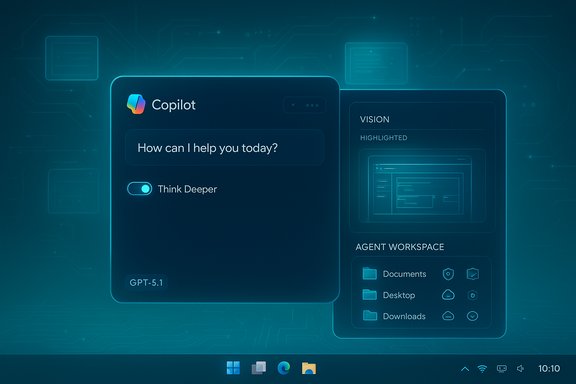
OpenAI’s latest ChatGPT update reframes the assistant as both a warmer conversational partner and a collaborative teammate — a staged, careful move that bundles a new model family (GPT‑5.1), an adaptive routing layer, expanded voice and multimodal integration, and a group‑chat pilot that places ChatGPT inside shared conversations for up to 20 people.
OpenAI’s November 2025 refresh — branded internally as GPT‑5.1 — is presented as an incremental but strategic evolution of the GPT‑5 line. The release deliberately balances faster, more personable interactions with deeper reasoning when required, exposing two behavioral variants (commonly described as Instant and Thinking) and an Auto routing layer that chooses the best variant for each request. That technical framing is paired with product changes inside ChatGPT: new personality presets, integrated voice mode in the conversation stream, and a group‑chat feature piloted in select regions before global expansion. On the enterprise side, Microsoft made GPT‑5.1 available as an experimental model within Microsoft Copilot Studio, enabling organizations to test the adaptive reasoning and persona features in sandboxed Power Platform environments while governance and compliance evaluations continue. This coordinated consumer/enterprise cadence reflects OpenAI’s posture: ship practical ergonomics to users while letting large partners (notably Microsoft) trial the model in business scenarios.
Why this matters: when integrated into Windows tools, Copilot experiences, or enterprise agents, adaptive routing promises both snappy micro‑interactions (drafting emails, summarizing a doc, answering quick questions) and reliable multi‑step operations (policy analysis, debugging, or agent orchestration) without forcing developers to pick separate endpoints manually. The router also becomes a governance point: admins and builders will want to observe when the system routes to Thinking (cost, latency, privacy implications) and to enforce policies accordingly.
Key controls to implement before broad adoption:
However, the very features that increase utility also broaden the attack surface and governance obligations. Group chats move AI into shared social spaces, where consent and accountability are less straightforward than in one‑to‑one interactions. Tools that can edit code or propose shell commands transform the model from a passive advisor to a potential actor in enterprise systems; the benefits of automation must be paid for with rigorous sandboxing, audit logs, and human approval flows.
The coordinated enterprise route through Microsoft’s Copilot Studio is a smart safety valve: built‑in experimental labeling and tenant controls give organizations a path to evaluate without exposing production systems. But vendor assurances about improved accuracy and safety require empirical validation on representative organizational workloads before production rollout. Treat vendor metrics as starting points, not guarantees.
The promise is significant — faster workflows, richer collaboration, and more natural interactions — but achieving those gains without introducing new systemic risks will require the same discipline organizations apply to any major platform change: metric‑driven pilots, robust governance, and a conservative rollout plan that treats OpenAI and Microsoft’s early access as an evaluation window rather than a production green light.
Source: Gulf Times OpenAI launches new update on ChatGPT platform
 Background / Overview
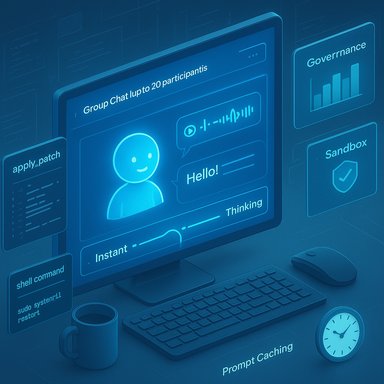
OpenAI’s November 2025 refresh — branded internally as GPT‑5.1 — is presented as an incremental but strategic evolution of the GPT‑5 line. The release deliberately balances faster, more personable interactions with deeper reasoning when required, exposing two behavioral variants (commonly described as Instant and Thinking) and an Auto routing layer that chooses the best variant for each request. That technical framing is paired with product changes inside ChatGPT: new personality presets, integrated voice mode in the conversation stream, and a group‑chat feature piloted in select regions before global expansion. On the enterprise side, Microsoft made GPT‑5.1 available as an experimental model within Microsoft Copilot Studio, enabling organizations to test the adaptive reasoning and persona features in sandboxed Power Platform environments while governance and compliance evaluations continue. This coordinated consumer/enterprise cadence reflects OpenAI’s posture: ship practical ergonomics to users while letting large partners (notably Microsoft) trial the model in business scenarios. What OpenAI announced — the facts IT teams need first
- GPT‑5.1 ships with two primary behavioral modes:
- GPT‑5.1 Instant — optimized for low latency, conversational warmth, and quick instruction following.
- GPT‑5.1 Thinking — allocates more compute/time for multi‑step reasoning tasks.
- An internal router, GPT‑5.1 Auto, dynamically routes each prompt between Instant and Thinking to balance responsiveness with depth. This is exposed in product flows as an automatic default with options for manual selection in paid tiers.
- New developer primitives and tooling focus on safer automation:
- apply_patch for structured diffs and safer code edits.
- shell scaffolding to propose shell commands for controlled execution by host integrations.
- Prompt caching windows (up to 24 hours) to lower token costs and latency for long, multi‑turn sessions.
- ChatGPT’s Voice mode is now integrated directly into the conversation rather than living in a separate interface: transcripts and synchronized visual elements appear inline, and users can toggle voice using the sound‑wave icon next to the input field. This is part of a broader push to make multimodal flows first‑class inside regular chats.
- Group chats: ChatGPT is being piloted as a visible participant in group conversations (up to 20 people), with features such as per‑group custom instructions, emoji reactions, profile photo personalization for generated assets, and privacy defaults that keep group content out of persistent memory. The model participates only when summoned or when it judges itself relevant; its replies count against the account quota of the person it responds to, while human‑to‑human messages do not consume AI quota. Initial reporting and product notes confirm staged rollouts that began as a limited pilot and moved to broader availability.
- Rollout cadence: the update was staged for paid users first, with free and logged‑in users following as capacities and safeguards were validated; Microsoft exposed GPT‑5.1 as an experimental offering in Copilot Studio on or around the same dates to let organizations test behavior in sandboxed agents.
Technical deep dive: adaptive reasoning, modes, and runtime behavior
Adaptive reasoning and Auto routing
The architectural headline is adaptive reasoning: instead of a single monolithic runtime, GPT‑5.1 runs two behavioral profiles and a routing layer that decides how much reasoning effort a query deserves. For everyday queries the Instant path minimizes latency and presents a warmer tone; for complex logic or multi‑step tasks the Thinking path increases compute and time for better coherence and traceability. This design is intentionally pragmatic — it trades model‑size fetishism for runtime flexibility and predictable UX.Why this matters: when integrated into Windows tools, Copilot experiences, or enterprise agents, adaptive routing promises both snappy micro‑interactions (drafting emails, summarizing a doc, answering quick questions) and reliable multi‑step operations (policy analysis, debugging, or agent orchestration) without forcing developers to pick separate endpoints manually. The router also becomes a governance point: admins and builders will want to observe when the system routes to Thinking (cost, latency, privacy implications) and to enforce policies accordingly.
New tools for builders: apply_patch and shell
Two primitives stand out for engineering workflows. The apply_patch tool produces structured diffs that a trusted host can apply programmatically, reducing fragile copy/paste edits across codebases. The shell primitive lets the model propose commands that a host sandbox executes and returns outputs for further reasoning. Both are productivity multipliers but carry operational risk; they require strict sandboxing, policy gates, and human verification before any privileged actions are taken.Prompt caching and cost/latency optimizations
Extended prompt caching—retaining context cheaply for hours—can materially reduce both cost and latency for long interactions such as coding sessions or agent orchestration. For Windows‑focused deployments (desktop assistants, Copilot integrations), prompt caching is a practical lever to keep perceived responsiveness high without explosive token billing. However, caching also raises retention and compliance questions that organizations must map to their governance models.Product changes users will see today
- Inline Voice: Voice mode’s UI now embeds transcripts and synchronized visuals in the chat stream; starting a voice conversation is a single tap on the sound‑wave icon. This reduces friction between typing and speaking in multimodal flows.
- Personality presets: ChatGPT includes named style presets and sliders to adjust warmth, concision, emoji use, and other traits — a deliberate UX play to reduce ad‑hoc prompt engineering. Expect preset names such as Default, Friendly, Professional, and Quirky in the personalization panel.
- Group chat behaviors: In shared threads ChatGPT acts like an additional participant that can be mentioned, summoned, or configured by group‑level instructions. Group privacy defaults prevent copy‑over into personal memories and add extra content filters when minors are present. The pilot also prevents human‑to‑human chatting from burning AI quotas — only the model’s replies consume usage.
Availability and rollout — who gets what, when
OpenAI and Microsoft coordinated a staged deployment strategy:- Paid tiers (Plus, Pro, Business) and API customers saw early access and the model picker for legacy vs. 5.1 choices; a limited migration window kept prior GPT‑5 models available for paid subscribers to avoid abrupt behavior changes.
- Microsoft made GPT‑5.1 accessible as an experimental model inside Copilot Studio for U.S. customers in early‑release Power Platform environments, emphasizing sandbox testing before any production adoption. This is the enterprise play: evaluate in safe environments, instrument telemetry, and then decide.
- The ChatGPT group chat functionality began as a regionally limited pilot before broader distribution; outlets and product documentation report initial pilot markets and then global availability to logged‑in users across Free, Go, Plus, and Pro plans, depending on timing. Independent outlets covering the rollout confirm the staged nature of the launch.
Security, privacy, and governance — a practical checklist
OpenAI baked several product defaults to limit cross‑pollination of data between private and group contexts, and Microsoft flagged experimental use in Copilot Studio for enterprise validation. But the real work happens inside each organization.Key controls to implement before broad adoption:
- Inventory & sandbox:
- Create a non‑production tenant or environment for GPT‑5.1 and ChatGPT group chat experiments.
- Test the apply_patch and shell tooling only in tightly controlled sandboxes with strict execution whitelists.
- Data handling:
- Confirm whether your tenant’s use of experimental models causes any cross‑region data routing (Copilot Studio warns about environment‑level controls).
- Map cached prompts and transcript retention to policy: prompt caching reduces cost but increases retention surface area.
- Access & consent:
- Enforce role‑based access to model selection and agent activation.
- Set explicit group norms and consent flows for group chats where the assistant may process personal data.
- Monitoring & metrics:
- Define success metrics up front (accuracy, hallucination rate, latency, cost per output).
- Capture telemetry for when the router selects Thinking vs Instant — track token consumption and output quality per model path.
- Human‑in‑the‑loop:
- Require human signoff for any effectful outputs or actions (applying patches, executing shell commands, triggering agents).
- Flag and quarantine outputs with high confidence but low verifiability (legal, financial, or safety‑sensitive topics).
Enterprise implications and Windows integrations
The arrival of GPT‑5.1 inside Microsoft Copilot Studio creates immediate opportunities — and responsibilities — for enterprises using Windows and Microsoft 365 ecosystems.- Copilot Studio lets organizations build agents with model choices, enabling a unified path from prototyping to production. Experimental availability gives a concrete window for evaluating model tradeoffs and customizing agents for tenant‑specific connectors (SharePoint, Exchange, OneDrive). But the experimental tag matters: Microsoft recommends non‑production testing only.
- For Windows app surfaces (desktop ChatGPT apps, Edge with Copilot integrations), the integrated voice and multimodal transcripts will reduce friction for hybrid typing/speaking workflows and make assistant interactions feel native on the desktop. Prompt caching and stylistic presets make these assistant experiences both cheaper and more brandable for internal use.
- Administrators should treat GPT‑5.1 as a platform change akin to adding a new major service: update acceptable use policies, retrain helpdesk staff on new behaviors, instrument MDM policies if the desktop app is allowed, and create escalation paths for hallucinations or unexpected agent actions.
Risks and the trade‑offs that matter
No release eliminates generative AI’s core risks. The update reduces some friction but introduces fresh governance surface area.- Hallucination remains a primary technical risk. The Thinking model reduces error rates on complex tasks in OpenAI’s internal metrics, but vendor claims require independent verification on representative enterprise data sets. Treat vendor performance claims as hypotheses to be validated.
- Group contexts magnify social risk. When an AI participates in a public group thread, responsibility for the model’s claims becomes distributed: who verifies, who is accountable, and how consent is recorded? Organizations must set explicit rules for acceptable AI participation in team channels.
- Tiered access introduces fairness and operational tension. Faster, higher‑quality responses may remain gated behind paid tiers or experimental flags for some time; this can create internal friction if some teams gain earlier access to better tools than others.
- New tooling primitives (apply_patch, shell) expand the attack surface. If the host integration inadequately sanitizes or audits model‑generated diffs or commands, the result can be corrupted code, privilege escalation, or supply‑chain hazards. Strong execution policies and immutable audit trails are mandatory.
- Privacy and retention: prompt caching and inline voice transcripts improve UX but increase persistently stored PII and intellectual property surface. Treat prompt cache and voice transcripts with the same protections as other sensitive logs.
Strengths and notable positives
- Practical UX wins: integrated voice, inline transcripts, and personality presets make ChatGPT more usable for non‑technical audiences. These are product ergonomics that lead to higher adoption and faster productivity gains for everyday tasks.
- Adaptive runtime = cost/latency optimization: routing between Instant and Thinking allows commonplace tasks to be low‑cost and low‑latency while reserving compute for tough problems — a sensible balance for mixed workloads.
- Enterprise alignment: Microsoft’s Copilot Studio experimental availability provides a safe path for organizations to evaluate the model without immediate production risk, and it centralizes governance tooling for organizations already invested in Microsoft ecosystems.
- Collaboration potential: group chats with a configured assistant open practical new workflows — collaborative drafting, meeting planning, brainstorming — where the model’s ability to summarize, generate, and synthesize can materially change team productivity. Early reports indicate a careful design that preserves human conversation and avoids eating user quotas for human messages.
Recommendations for Windows admins and IT leaders — a phased plan
- Immediate (first 30 days)
- Create a dedicated evaluation tenant and enable GPT‑5.1 only for a small pilot group.
- Run representative tests: email drafting, knowledge retrieval from company SharePoint, code patch proposals, and agent proof‑of‑concepts.
- Confirm data routing and residency for experimental models in Copilot Studio environments.
- Short term (30–90 days)
- Define acceptance gates: hallucination thresholds, latency targets, and cost per successful output.
- Build monitoring dashboards for Instant vs Thinking usage, token costs, and error rates.
- Add policy checks for apply_patch and shell tool uses; require human review for all repo changes.
- Longer term (90–180 days)
- Roll out to a broader set of teams only after tracking KPIs and establishing SLAs for agent actions.
- Update AUPs and training materials; include guidelines for AI participation in group chats.
- Consider centralized control of model selection and agent activation through admin policies inside Copilot Studio or tenant settings.
The MWC25 Doha context: GSMA and regional digital momentum
Parallel to the OpenAI story, the tech calendar spotlighted MWC25 Doha where GSMA CEO John Hoffman framed Doha as a rising global connectivity hub. GSMA’s messaging emphasized strategic regional readiness, strong government support, startup engagement, and a five‑year commitment to host MWC in Doha — positioning the Middle East as a major node in global 5G, AI, and digital infrastructure conversations. Hoffman highlighted the conference’s role in promoting innovation and bridging the digital usage gap for the billions still offline. Official GSMA statements and regional press coverage corroborate his remarks about the event’s significance and the partnership with Qatar’s Ministry of Communications and Information Technology. A cautionary note on one specific claim in some regional reports: statements such as “more than 50% of 5G communications are concentrated in this region” were attributed to speakers in coverage, but they require careful qualification and independent verification against global operator deployments and GSMA market reports before being accepted as an industry metric. Until directly supported by GSMA regional data or public operator roll‑ups, such a statistic should be treated as a contextual rhetorical point rather than a verified global share. Organizations using that figure for planning should seek the underlying GSMA market data or operator disclosures.Critical analysis — balancing product progress and systemic risk
OpenAI’s GPT‑5.1 update is an example of productization maturity: the company isn’t promising radical capability breakthroughs; it is smoothing user experience, adding predictable runtime behaviors, and exposing developer primitives that accelerate real work. That’s a healthy, pragmatic direction — it reduces the cognitive load on end users and makes the assistant feel more integrated into everyday tasks.However, the very features that increase utility also broaden the attack surface and governance obligations. Group chats move AI into shared social spaces, where consent and accountability are less straightforward than in one‑to‑one interactions. Tools that can edit code or propose shell commands transform the model from a passive advisor to a potential actor in enterprise systems; the benefits of automation must be paid for with rigorous sandboxing, audit logs, and human approval flows.
The coordinated enterprise route through Microsoft’s Copilot Studio is a smart safety valve: built‑in experimental labeling and tenant controls give organizations a path to evaluate without exposing production systems. But vendor assurances about improved accuracy and safety require empirical validation on representative organizational workloads before production rollout. Treat vendor metrics as starting points, not guarantees.
Conclusion
OpenAI’s ChatGPT update and the broader GPT‑5.1 rollouts mark a meaningful step in how conversational AI will be used day‑to‑day: warmer defaults, adaptive reasoning, integrated voice and multimodal transcripts, group participation, and developer tools that aim to make automation safer and more useful. For Windows users and enterprise teams, the path forward is clear but deliberate: experiment in sandboxes, define acceptance metrics, control the new tooling primitives tightly, and adopt explicit policies for group contexts and data retention.The promise is significant — faster workflows, richer collaboration, and more natural interactions — but achieving those gains without introducing new systemic risks will require the same discipline organizations apply to any major platform change: metric‑driven pilots, robust governance, and a conservative rollout plan that treats OpenAI and Microsoft’s early access as an evaluation window rather than a production green light.
Source: Gulf Times OpenAI launches new update on ChatGPT platform