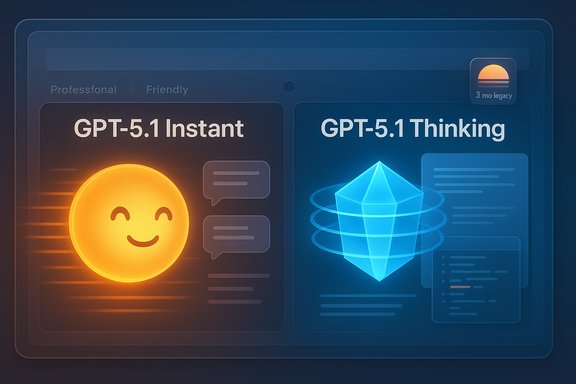
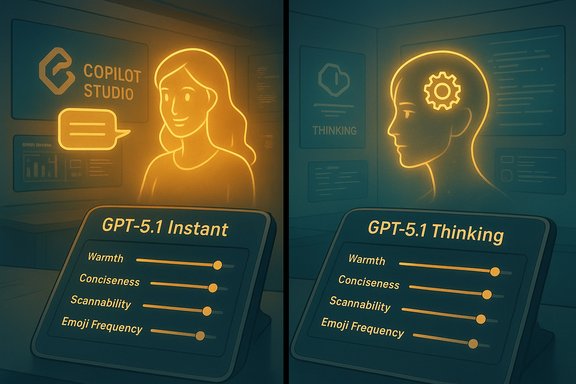
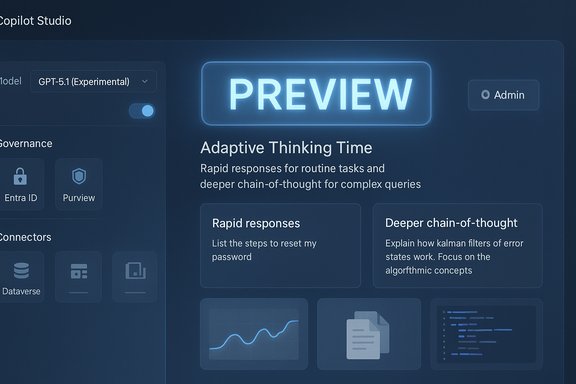
Microsoft has started exposing the GPT‑5.1 model family inside Microsoft Copilot Studio as an experimental option for U.S. customers enrolled in early‑release Power Platform environments, giving builders and administrators an early look at a model tuned for adaptive thinking time across chat and reasoning scenarios. Experimental access is explicitly framed as non‑production testing: Microsoft encourages teams to evaluate GPT‑5.1 against their use cases, compare it to existing models, and reserve production deployments until internal evaluation gates are complete.
Copilot Studio is Microsoft’s low‑code/no‑code authoring and runtime environment inside the Power Platform for building, testing, and deploying AI agents and copilots that can operate across Microsoft 365, Dataverse, connectors and external systems. It unifies conversational authoring, retrieval‑augmented grounding, action orchestration and operational controls so organizations can deliver agentic automation with governance. Microsoft has repeatedly positioned Copilot Studio as the successor to Power Virtual Agents and the primary surface for enterprise copilots and agent deployments.
The GPT‑5 family has been integrated into Copilot in a multi‑model orchestration approach: Copilot routes requests to the most appropriate submodel depending on task complexity (fast paths for routine Q&A, deeper reasoning paths for multi‑step work). Vendor materials describing GPT‑5 variants and routing modes emphasize extended context windows, improved reasoning, and safety refinements. Practical exposure of model capacities inside Copilot depends on product‑level choices and telemetry‑based limits; model‑level token ceilings published by OpenAI do not always translate directly into identical product limits inside Microsoft services. Treat numeric context limits as model‑variant facts that must be validated against the specific Copilot surface you plan to use.
Strength:
Practical implication:
Caveat:
Recommendation:
Mitigations:
Recommended immediate actions:
Microsoft’s experimental rollout of GPT‑5.1 in Copilot Studio is an invitation to evaluate advanced reasoning at the platform level, but it comes with the usual preview caveats: verify numeric claims in your tenant, control data flows, and pilot conservatively before production adoption.
Source: Microsoft Available now: GPT-5.1 in Microsoft Copilot Studio | Microsoft Copilot Blog
 Background
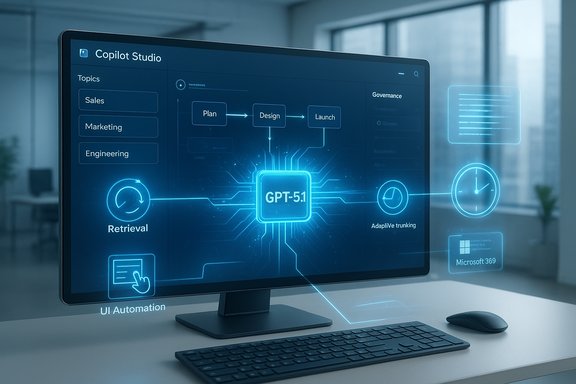
Copilot Studio is Microsoft’s low‑code/no‑code authoring and runtime environment inside the Power Platform for building, testing, and deploying AI agents and copilots that can operate across Microsoft 365, Dataverse, connectors and external systems. It unifies conversational authoring, retrieval‑augmented grounding, action orchestration and operational controls so organizations can deliver agentic automation with governance. Microsoft has repeatedly positioned Copilot Studio as the successor to Power Virtual Agents and the primary surface for enterprise copilots and agent deployments.The GPT‑5 family has been integrated into Copilot in a multi‑model orchestration approach: Copilot routes requests to the most appropriate submodel depending on task complexity (fast paths for routine Q&A, deeper reasoning paths for multi‑step work). Vendor materials describing GPT‑5 variants and routing modes emphasize extended context windows, improved reasoning, and safety refinements. Practical exposure of model capacities inside Copilot depends on product‑level choices and telemetry‑based limits; model‑level token ceilings published by OpenAI do not always translate directly into identical product limits inside Microsoft services. Treat numeric context limits as model‑variant facts that must be validated against the specific Copilot surface you plan to use.
What Microsoft announced about GPT‑5.1 in Copilot Studio
Experimental availability and scope
Microsoft’s announcement makes GPT‑5.1 available in Copilot Studio as an experimental model for organizations participating in early‑release Power Platform environments in the United States. Experimental models are intentionally gated: they are intended for evaluation, not for immediate production rollouts. Microsoft recommends running pilots in non‑production environments while evaluation gates and product quality checks are completed.Intended technical improvements
The GPT‑5.1 series is presented as an incremental evolution in the GPT‑5 family with a specific focus on improved adaptability in thinking time — the model can allocate more compute/time for reasoning when the task needs it, while remaining responsive for routine chat interactions. The design goal is to allow Copilot Studio agents to dynamically balance latency and depth of reasoning depending on the scenario. This adaptive thinking behavior is the headline capability Microsoft is asking early testers to evaluate inside agent flows.Practical guidance from Microsoft
Microsoft frames GPT‑5.1 as experimental and recommends:- Use GPT‑5.1 in non‑production environments for evaluation and tuning.
- Measure performance in your own workflows and compare against your current model baselines.
- Validate safety, grounding and connector behavior in sandboxed tenants before scaling to end users.
Why Copilot Studio matters for enterprise AI
Copilot Studio is not simply a model selector — it is the authoring, testing and governance surface for production‑grade agents. The Studio adds:- Visual authoring (drag‑and‑drop topics, triggers, flows) for citizen builders.
- Retrieval grounding and file group management for knowledge sources.
- Action orchestration and UI automation for agentic tasks where no API exists.
- Operational features such as solution export/import, testing harnesses, and telemetry for lifecycle management.
Technical analysis — what GPT‑5.1 brings and what remains to be proven
Adaptive thinking time and multi‑mode routing
GPT‑5.1 continues the multi‑mode lineage where the platform routes requests to different submodels or operational modes (fast vs. thinking). The practical benefit is that Copilot Studio agents can respond quickly to simple prompts and use expanded compute/time for complex, multi‑step reasoning or long‑context synthesis. This routing is handled server‑side and surfaced as product‑level "Smart Mode" or similar UX affordances in Copilot.Strength:
- Reduces the friction of manual model selection for builders and end users.
- Enables deeper research and multi‑file synthesis without a performance penalty for all queries.
- The actual latency tradeoffs in your tenant under load.
- How often the router escalates to deeper reasoning and the cost implications of frequent thinking‑mode usage. Vendor materials show promising design intent but real‑world telemetry will determine actual behavior.
Extended context windows and long‑form work
GPT‑5 variants are published with very large context window claims. For example, certain GPT‑5 modes (documented in vendor materials) are reported to support high‑hundreds‑of‑thousands‑of‑tokens context windows for long transcripts and codebases. However, Microsoft’s Copilot product pages do not always publish a single numeric token limit for each surface; product exposure may impose conservative limits or shape behavior through retrieval augmentation and chunking. Treat published token limits as model‑variant endpoints rather than guaranteed product behavior across every Copilot surface.Practical implication:
- Agents that need long‑range coherence (multi‑hour meeting summarization, multi‑file code refactors) are likely to benefit, but teams should benchmark real tasks against the Copilot Studio instance to confirm achievable context depth and cost.
Code assistance and agentic execution
The GPT‑5 family includes code‑optimized variants and vendor messaging points to improved multi‑file refactors, repo‑aware changes, and built‑in code review capabilities. Copilot Studio can also host agent runtimes that execute multi‑step flows and UI automation for scenarios without APIs. These features can materially improve developer workflows and automation prospects.Caveat:
- Vendor benchmark numbers (accuracy gains on engineering benchmarks) are often reported by model owners; independent third‑party validation remains limited. Validate claims with your own codebase tests and consider staged rollouts for sensitive repositories.
Governance, security and privacy considerations
Data flows and third‑party hosting
A multi‑model Copilot that optionally routes to different backends (OpenAI lineage, Anthropic, Microsoft models) raises data residency and hosting questions. Microsoft documents that external models may run on third‑party clouds under their own terms; tenant admins must opt in and be aware of cross‑cloud data paths. For regulated environments, this requires careful policy, contractual review, and possibly additional data handling controls.Recommendation:
- Map the end‑to‑end data flow for any agent that uses GPT‑5.1 in Copilot Studio.
- Ensure connector, tenant, and model routing policies are configured to prevent unintended outbound data movement.
Safety engineering and hallucination risk
Microsoft and OpenAI emphasize improved "safe completions" and clearer refusal behaviors in the GPT‑5 family, with heavy red‑teaming and engineering work aimed at reducing hallucinations. While these improvements are real in vendor testing, operational safety depends on agent design: grounding, retrieval accuracy, prompt engineering, and runtime checks will determine real‑world fidelity. Treat vendor safety claims as positive signals, not as final guarantees.Mitigations:
- Use retrieval‑augmented generation and verified knowledge sources wherever possible.
- Add validation checks and human‑in‑the‑loop gates for high‑risk outputs.
- Log decisions and intermediate artifacts for auditing and incident response.
Identity, access and auditing
Copilot Studio integrates with Entra Agent ID and Purview to provide agent identity, access control and data classification. Those features are critical when agents act on behalf of users or access tenant content. Administrators should configure agent identities, whitelists, and solution lifecycle policies before enabling experimental models for broad testing.Practical testing and evaluation plan for IT and builders
The point of experimental availability is to give teams a structured way to evaluate model suitability. Below is a practical, sequenced testing plan tailored to Copilot Studio GPT‑5.1 access.- Environment setup
- Create an isolated Power Platform early‑release environment for testing.
- Ensure tenant‑level logging and audit streams are enabled.
- Baseline and metrics
- Define baseline metrics for your current agent/model (accuracy, hallucination rate, latency, cost per call).
- Choose representative workloads: long meeting summarization, multi‑file code refactor, spreadsheet agentic tasks, customer support flows.
- Functional testing
- Run deterministic test suites (prompt library with expected outputs) to measure correctness and variance.
- Exercise agent actions that require connector access and UI automation to validate permission flows and credential handling.
- Stress and performance
- Load test typical and peak usage patterns to observe routing behavior (how often thinking mode is triggered), latency distribution, and cost impact.
- Validate memory and long context synthesis by feeding longer documents and multi‑file projects.
- Safety and compliance checks
- Test for hallucination and unsafe completions on known tricky prompts.
- Validate that the agent respects data classification rules and does not exfiltrate sensitive content through connectors.
- Developer and CI integration
- Integrate Copilot Studio agents into your CI pipelines (where applicable) and validate code outputs with linters and static analysis.
- Measure the improvement (or regression) on refactor tasks using your test repo.
- Governance signoff
- After test runs, produce a short risk assessment and decision memo for production enablement, including required monitoring and roll‑back plans.
Business and cost implications
GPT‑5.1’s adaptive thinking behavior means the same agent can be cheaper for trivial tasks and more expensive when it escalates to deep reasoning. That dynamic cost profile is useful but demands:- Monitoring and alerting on model selection patterns.
- Cost simulation for expected escalation rates.
- Clear tenant policies to cap spending on thinking‑mode usage during trials.
Strengths, opportunities, and notable risks
Strengths
- Integrated platform: Copilot Studio connects model power to Microsoft 365 context and connectors, making model improvements immediately useful in everyday workflows.
- Adaptive behavior: Dynamic routing between fast and deep paths can provide both responsiveness and deeper analysis without manual model choice.
- Agentic automation: Studio’s action orchestration and UI automation open automation scenarios where APIs are unavailable, accelerating operational automation.
Opportunities
- Improve long‑form productivity (meeting synthesis, long reports) using extended context windows.
- Enhance developer productivity through multi‑file code reasoning and repo‑aware assistance.
- Prototype enterprise agents faster with the Studio’s low‑code surface and operational tooling.
Notable risks
- Uncertain real‑world exposure of token limits: Published model context sizes may not match product exposures; teams must validate actual limits inside Studio.
- Data residency and third‑party hosting: Routing to external models can create cross‑cloud data flows that need contract and compliance review.
- Vendor‑reported benchmarks: Don’t treat vendor numbers as authoritative for your workloads; run your own benchmarking.
Quick checklist for administrators before enabling GPT‑5.1 experiments
- Configure an isolated early‑release Power Platform environment and ensure admin oversight.
- Map and document connectors that agents will use; restrict high‑risk connectors in sandbox.
- Enable detailed telemetry and set cost alerts for model escalation events.
- Require human review for high‑risk agent outputs and add explicit approval gates in workflows.
- Run a test suite covering functional correctness, hallucination edge cases, and performance under load.
Where claims require caution or further verification
Several vendor‑level claims—improved hallucination rates, exact numeric context ceilings, and benchmark percentage gains on narrow evaluation tasks—are promising but should be treated as starting hypotheses to be validated in your environment. Microsoft and model vendors publish different numeric figures depending on interface (ChatGPT web, API, Azure Foundry); IT teams should design tests that reflect the specific product surface they will use, not abstract model specs. If any third‑party hosting or cross‑cloud routing is involved, legal and compliance teams must sign off before moving agent workloads to production.Final analysis and recommended next steps
GPT‑5.1’s arrival in Copilot Studio as an experimental model is an important stepping stone for organizations that want to explore next‑generation reasoning in the Microsoft ecosystem. The combination of Copilot Studio’s authoring and governance tools with GPT‑5.1’s adaptive thinking time makes this a valuable testing opportunity for automation, developer productivity and long‑form synthesis.Recommended immediate actions:
- Enroll a small, cross‑functional pilot team (product, security, legal, IT) to test representative workloads in an isolated early‑release environment.
- Define success metrics up front (accuracy, hallucination rate, latency, cost per output) and use Copilot Studio telemetry to measure them.
- Emphasize retrieval grounding, policy guards and human‑in‑the‑loop controls for any agent that accesses tenant data or performs actions.
- Treat vendor performance claims as hypotheses and validate them with task‑level benchmarks against your own data.
Microsoft’s experimental rollout of GPT‑5.1 in Copilot Studio is an invitation to evaluate advanced reasoning at the platform level, but it comes with the usual preview caveats: verify numeric claims in your tenant, control data flows, and pilot conservatively before production adoption.
Source: Microsoft Available now: GPT-5.1 in Microsoft Copilot Studio | Microsoft Copilot Blog