

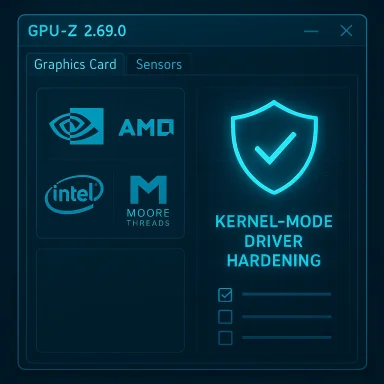
TechPowerUp’s GPU‑Z has received another incremental but materially important update with the release of version 2.69.0, a maintenance-and-compatibility refresh that extends hardware recognition to several newly shipping GPUs, tightens kernel‑mode driver behavior, and fixes a handful of persistent detection and stability issues that have tripped up system inventory and benchmarking workflows.
Background / Overview
GPU‑Z is the compact, single‑window utility longtime enthusiasts and IT teams use to inspect GPU identity, sensor telemetry, driver and VBIOS details, and a range of low-level capabilities (from ROP/TMU counts to OpenCL support). It is distributed as a portable EXE with an optional installer and has evolved through many point releases to keep pace with new GPUs, integrated graphics, and platform quirks. For many environments—labs, QA benches, and imaging fleets—GPU‑Z is a first line of verification: if the tool reports a device as “unknown,” that often triggers manual checks or driver rollbacks.TechPowerUp’s release cadence for GPU‑Z is deliberately frequent; each minor version typically addresses new silicon IDs, sensor telemetry fixes, and driver-mode hardening informed by the newest hardware and user feedback. Version history froms how GPU‑Z has grown from simple device reporting to include BIOS backup, validation, and more robust sensor support—context that helps explain why keeping the tool up to date matters for both hobbyists and IT professionals.
What’s new in GPU‑Z 2.69.0 — Quick summary
- Expanded device support across NVIDIA, AMD, Intel and the Chinese vendor Moore Threads.
- Recognition additions: NVIDIA RTX 5090 D V2 and several RTX Pro Blackwell SKUs; AMD Radeon RX 7400 and multiple workstation/pro GPUs; Intel Arrow Lake H iGPUs and Arc A380E / A310E; Moore Threads S30.
- Detection fixes: shader count fixes on unknown APUs, corrected clock reporting on Intel DG1, ReBAR detection fixes on DG1, OpenCL detection fixes on some AMD devices.
- Stability improvements for the kernel‑mode driver to reduce crashes and harden memory operations.
Deep dive: Hardware support and why it matters
NVIDIA: RTX 5090 D V2 and the Blackwell pro stack
GPU‑Z 2.69.0 adds recognition for the GeForce RTX 5090 D V2 and a large swath of RTX Pro Blackwell devices (5000/4500/4000 and variants). That list also includes updated IDs for legacy-style workstation Quadro/RTX‑class entries such as Quadro P1000/P2000/RTX 6000 (new IDs). This matters because:- Automated inventory systems and image‑validation scripts that rely on GPU‑Z can now correctly categorize flagship and pro cards without falling back to “unknown” entries.
- Benchmarks and stability tests that log GPU‑Z output will avoid manual intervention when new Blackwell Pro SKU strings appear.
AMD: RX 7400, Ryzen AI 5 330 iGPU and workstation additions
This update includes support for the Radeon RX 7400 discrete card and recognition of the Ryzen AI 5 330 integrated SKU with Radeon 820M graphics, along with several workstation parts (W6600X, Pro W7800, Pro V710). For system builders and ISVs who run driver validation on hybrid or mobile platforms, accurate iGPU and hybrid‑APU detection reduces false positives during hardware certification and simplifies telemetry collection. The addition of workstation‑class entries matters for enterprise validation and factory testing where Pro/Workstation SKUs are common.Intel: Arrow Lake H and Arc A380E / A310E
Intel mobile silicon continues to appear in form factors that blur the line between discrete and integrated graphics. GPU‑Z now recognizes Arrow Lake H mobile iGPUs and the Arc A380E / A310E variants—improvements that reduce “unknown GPU” flags seen on some laptop fleets and make telemetry for platform management suites more reliable. As with previous updates, this improves cross‑validation between vendor drivers and third‑party tooling.Moore Threads: S30
Notable for those tracking China‑based GPU vendors, GPU‑Z 2.69.0 adds detection for Moore Threads S30 hardware. While niche in western retail channels today, detection support is important for OEMs and integrators in markets where Moore Threads devices appear in edge systems and specialized appliances.Fixes, detection corrections, and stability notes
Shader counts and APU detection
Earlier releases occasionally misreported shader/EU counts for unidentified AMD and Intel APUs. That’s not just an academic issue: shader counts feed into performance modeling and licensing checks for some enterprise imaging tools. The 2.69.0 change corrects shader detection logic for several unknown APUs, reducing false hardware‑capability reports and the downstream misclassification of machines during automated scans.Intel DG1: corrected clocks and ReBAR detection
Intel DG1 was a recurring source of sensor and reporting oddities in older GPU‑Z builds. 2.69.0 addresses wrong clock speeds, and importantly, fixes ReBAR detection (Resizable BAR) on DG1 devices. For anyone using DG1‑based systems in virtualized or lab environments, these fixes improve the reliability of telemetry and the interpretation of feature support.OpenCL detection on AMD; crash fixes for unknown AMD GPUs
Some AMD cards were not showing their OpenCL capabilities correctly, which could break compute workload detection in mixed GPU farms. The release resolves those detection gaps and also patches crashes that appeared when GPU‑Z encountered truly unknown AMD devices—important for resilience when testing unreleased or prototype silicon.Kernel‑mode driver improvements
The release notes call out improved kernel‑mode driver stability. Historically, GPU‑Z packages a small kernel component to access low‑level hardware telemetry where user‑mode APIs fall short. Hardening and stability improvements mean fewer system crashes and more predictable behavior when GPU‑Z probes hardware on systems with a wide range of drivers and platforms. Given how kernel components can affect system integrity, this work is one of the more operationally significant parts of the update—even if it’s framed as a stability improvement.Practical implications for users and IT teams
For enthusiasts and reviewers
- If you test or review new cards, running the latest GPU‑Z ensures device identity and core counts are shown correctly without extra manual lookups.
- Benchmarks that record GPU‑Z outputs will be cleaner; expect fewer “unknown” labels when the newest Blackwell or Arrow Lake parts are involved.
For system administrators and hardware validation teams
- Add GPU‑Z 2.69.0 to your imaging golden image or run it in inventory mode during build verification to capture accurate device IDs and firmware versions.
- The ReBAR and OpenCL detection fixes remove a class of false negatives in capability scanning; that reduces manual remediation during fleet rollouts.
For enterprise security and audit
- Kernel‑mode driver hardening reduces the risk surface of a monitoring utility, but it does not remove the need for proper privilege control. GPU‑Z still requires elevated permissions for certain operations; treat its kernel driver the same way you treat other signed kernel components—review and test in staging before mass deployment.
Security and distribution: cautionary notes
A perennial and very practical risk with small utilities is fake download sites and repackaged installers that slip miners or unwanted software into the binary. Community reports and past incidents show that malicious or misleading mirror sites have distributed GPU‑Z installers bundled with miner software; users should avoid third‑party download mirrors and verify checksums when provided. TechPowerUp is the canonical distributor, so downloading directly from the official channel (and verifying a checksum if available) is best practice.Operational security checklist:
- Only obtain GPU‑Z from the vendor’s official distribution channel or trusted repositories.
- Verify the file’s cryptographic checksum if TechPowerUp provides it for that build.
- Run the portable EXE in a sandbox or on a test system before including it in a golden image.
- Review the kernel driver behavior with your endpoint protection team if you intend to mass‑deploy; confirm compatibility with corporate AV and kernel hardening policies.
Testing and verification advice
If you manage a test lab or validate hardware at scale, use this simple approach to incorporate GPU‑Z 2.69.0 into your processes:- Download the portable build and the installer build (if you use installers) from the official distribution point.
- Verify checksums (MD5/SHA variants) where provided.
- Run GPU‑Z on representative hardware:
- Check the “Graphics Card” and “Sensors” tabs for expected values.
- For devices previously showing “unknown,” compare before/after outputs.
- Use GPU‑Z’s validation and BIOS backup features cautiously:
- BIOS backup is useful but changes to BIOS should be handled through vendor tooling; only backup for auditing.
- Log GPU‑Z outputs in your asset database and compare against driver vendor tools (NVIDIA/AMD/Intel utilities) to confirm consistency.
Strengths and limits of this release
Strengths
- Timely hardware coverage: adding Blackwell pro SKUs and Arrow Lake H recognition keeps GPU‑Z current with commercial releases.
- Operational fixes: corrected shader counts, DG1 fixes, and OpenCL detection remove common false‑positive/false‑negative scenarios that previously required manual intervention.
- Stability work on the kernel component improves overall reliability for systems that use GPU‑Z for scripted validation and telemetry.
Limits and residual risk
- Driver and kernel components always carry risk: any tool that installs or unpacks a kernel driver requires extra scrutiny in managed environments. Even with hardening, administrators should treat such drivers as privileged software and manage them accordingly.
- Not a substitute for vendor tools: GPU‑Z is excellent for identification and telemetry, but vendor tools (NVIDIA Control Panel/ADL‑based tools, AMD Adrenalin, Intel graphics diagnostics) remain authoritative for firmware updates, power management, and driver tuning.
- Detection is reactive: GPU‑Z must be updated after silicon ships. For platforms where hardware is deployed in extremely rapid volume, there will always be a brief window where device IDs are unknown until TechPowerUp releases an update.
Recommendations
- For most users, upgrading to GPU‑Z 2.69.0 is low friction and advisable if you work with any of the newly supported hardware or if you previously saw issues with DG1 or AMD OpenCL detection.
- IT teams should test the new build in a controlled environment before wide deployment, validate checksum signatures, and coordinate with endpoint security to whitelist the tool if necessary.
- Avoid third‑party mirrors; always prefer official distribution and checksum verification because past incidents of repackaged installers have been reported in community channels.
Final analysis — why this update matters
GPU‑Z 2.69.0 is not a headline‑making overhaul, but it is a practical and operationally meaningful update. By aligning recognition with the latest GPU SKUs across multiple vendors—including high‑end Blackwell pro parts, new AMD and Intel entries, and Moore Threads devices—the release reduces the manual work that crops up when tooling misidentifies hardware. The detection and sensor fixes make automated testing and telemetry more reliable, and the kernel‑mode stability work reduces the chance that the tool itself becomes a source of instability in test labs or imaging pipelines. For hardware reviewers, system integrators, and IT teams that rely on accurate device metadata, that reliability compounds into real saved time and fewer false alarms.If you manage a hardware fleet or regularly validate new GPUs, plan a brief test window to run GPU‑Z 2.69.0 in your environment and verify that the previously problematic devices you use are now reported correctly. Treat the kernel driver as a privileged component—test, verify checksums, and only then deploy broadly.
GPU‑Z remains the go‑to lightweight utility for quick GPU identification and sensor checks; this release reinforces that role by closing gaps introduced by rapid silicon cadence and by addressing detection and stability issues that matter in the real world.
Source: Neowin TechPowerUp GPU-Z 2.69.0
