

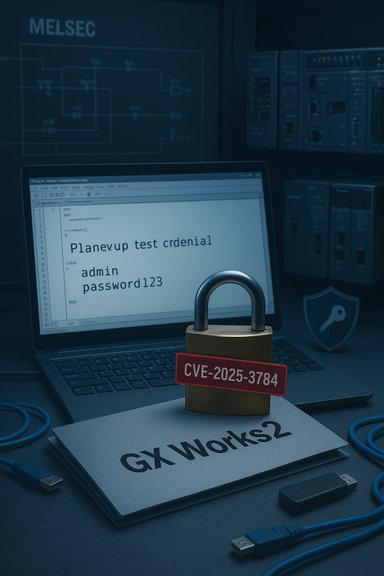
Mitsubishi Electric has disclosed a serious information‑disclosure flaw in GX Works2 that leaves project‑level credentials stored in cleartext inside project files, enabling any actor with access to those files to extract authentication data, open protected projects, and read or alter control logic — a vulnerability tracked as CVE‑2025‑3784. Mitsubishi’s PSIRT advisory confirms that all versions of GX Works2 are affected and assigns a CVSS v3.1 base score of 5.5 (AV:L/AC:L/PR:L/UI:N/S:U/C:H/I:N/A:N).
GX Works2 is the widely used engineering suite from Mitsubishi Electric for programming and managing MELSEC PLCs. Project files created and exchanged by engineering teams often contain logic, configuration, network maps and — critically — the authentication material used to lock those projects. The disclosed issue is not a cryptographic bypass or network exploit; it’s a data‑handling flaw: the software stores credential information in plaintext within project files (a classic CWE‑312 pattern). That design mistake converts any readable project file into a credential repository.
This problem was reported by researcher Jiho Shin and coordinated with Mitsubishi Electric; vendor disclosure was published on November 27, 2025. Public vulnerability trackers and national databases (JVN, Tenable, OpenCVE) have indexed the CVE and echoed the vendor’s technical summary and scoring.
Immediate (0–48 hours)
Detection signals to instrument:
Mitsubishi’s advisory and related national and industry trackers provide the authoritative technical details; operators should validate their inventories against the vendor naming and version guidance and perform an impact analysis before changing production systems.
Source: CISA Mitsubishi Electric GX Works2 | CISA
 Background / Overview
GX Works2 is the widely used engineering suite from Mitsubishi Electric for programming and managing MELSEC PLCs. Project files created and exchanged by engineering teams often contain logic, configuration, network maps and — critically — the authentication material used to lock those projects. The disclosed issue is not a cryptographic bypass or network exploit; it’s a data‑handling flaw: the software stores credential information in plaintext within project files (a classic CWE‑312 pattern). That design mistake converts any readable project file into a credential repository.This problem was reported by researcher Jiho Shin and coordinated with Mitsubishi Electric; vendor disclosure was published on November 27, 2025. Public vulnerability trackers and national databases (JVN, Tenable, OpenCVE) have indexed the CVE and echoed the vendor’s technical summary and scoring.
Executive summary — what operators need to know now
- Impact: Attackers who obtain GX Works2 project files can extract plaintext stored credentials and use them to open or modify projects that the organization thought were protected by project‑level authentication. This can lead to theft of IP, unauthorized modification of PLC logic, and potential downstream safety or production effects.
- Scope: Mitsubishi’s advisory says all versions of GX Works2 are affected. The vendor is developing a fixed version; no fixed release was available at the time of the advisory.
- Exploitability: The attack vector is local (AV:L) — an adversary needs access to project files (local disk, backup, shared repository, removable media, or intercepted transfer). Attack complexity is low; privileges required are low; no user interaction is needed once files are obtained. CVSS v3.1 base score: 5.5 (medium).
- Current mitigation posture: Vendor recommends tight operational controls (isolate engineering hosts, block remote logins except for trusted users, use VPN/firewalls, restrict physical access, encrypt project files in transit, run antivirus). These are immediate compensating controls until a patched GX Works2 is released.
Technical verification and cross‑checks
To ensure accuracy, the vendor advisory was verified against independent vulnerability databases and national feeds:- Mitsubishi Electric PSIRT advisory (official PDF) documents the issue, explicitly states all GX Works2 versions are affected, and provides the CVSS v3.1 vector and mitigation recommendations.
- Japan Vulnerability Notes (JVN) reproduced the advisory in Japanese and mirrored the vendor workarounds and scope, confirming the coordinated disclosure and researcher credit.
- Public vulnerability aggregators (Tenable, OpenCVE, CVE feeds) list CVE‑2025‑3784 with the same technical summary and CVSS v3.1 score, providing cross‑validation of the details and timeline.
Why this matters — attack scenarios and operational impact
The vulnerability is consequential not because it allows remote code execution by itself, but because of what plaintext credentials enable once exposed.- Insider/low‑level leakage: An engineer’s workstation, an unsecured file share or a contractor laptop holding archived project files becomes a goldmine. An adversary copying a single project file can harvest credentials and then access other protected projects or tools. This extends the attack surface far beyond the original host.
- Supply‑chain and contractor avenues: Engineering projects routinely move between vendors, contractors and facilities. Any shared archive or emailed project file can propagate the exposure.
- Lateral movement and escalation: Recovered credentials may be reused across HMIs, engineering tools, or automation servers, enabling lateral movement into higher‑value OT and Windows assets.
- IP theft and sabotage: Project files contain process logic and tuning parameters. Unauthorized access can lead to theft of proprietary control logic or alteration of PLC programs that could disrupt production or safety workflows.
- Obtain a GX Works2 project file (via misconfigured share, contractor exchange, removable media, backup restore, or theft).
- Parse the file to extract plaintext credentials.
- Use the credentials to open protected projects or access engineering services and extract or modify logic, then push modified projects back into the environment.
Strengths and limitations of the disclosure
Strengths:- The vendor provided a clear, concise advisory and credited the reporting researcher; the technical root cause (cleartext storage of credentials) is unambiguous and easy for defenders to search for and mitigate.
- Multiple independent trackers (JVN, Tenable, OpenCVE) have indexed the CVE and reproduced the vendor’s details, which helps defenders validate their inventory against known affected products.
- The vulnerability appears in all GX Works2 versions, which means any environment with an unpatched installation is implicitly impacted and requires procedural compensations until a patch is released.
- Vendor advisory does not (and should not) publish exploit proof‑of‑concepts, but because the flaw is simple (plaintext credentials), defensive detection is still hard: file reads and copies are normal in engineering workflows and may evade routine logging.
- The advisory’s reliance on compensating controls highlights a gap: until the vendor ships a fixed version, organizations must treat every project file as a sensitive credential store — a major behavioral change for engineering teams.
Practical, prioritized mitigation checklist (immediate to 30 days)
Below is an operational playbook oriented to Windows sysadmins, OT engineers and security teams. These steps combine vendor recommendations and defensive best practices for engineering hosts and networks.Immediate (0–48 hours)
- Identify and quarantine:
- Inventory all endpoints and storage locations that hold GX Works2 project files (engineering workstations, file shares, cloud storage, backups, contractor repositories). Treat these as sensitive items.
- Block remote logins from untrusted networks:
- On PCs running GX Works2, restrict Remote Desktop / SSH / VNC access and enforce allow‑lists. Disable direct Internet access if possible. Mitsubishi recommends using these PCs only on trusted LAN segments.
- Restrict file sharing:
- Stop unprotected sharing of project files via email, public cloud links or uncontrolled USB drops. Replace ad‑hoc file transfer with an auditable, encrypted repository.
- Encrypt in transit:
- If you must send project files, encrypt them (PGP, password‑protected archive with strong password, or transfer through an audited VPN). Mitsubishi explicitly recommends encrypting project files during Internet transfer.
- Harden endpoints and network controls:
- Place GX Works2 hosts on a dedicated management VLAN. Use host‑based firewalls and deny inbound connections except from approved jump hosts.
- Enforce multi‑factor authentication and strict allow‑lists on jump hosts and VPNs.
- Harden file access:
- Apply tight ACLs on folders containing project files. Remove read permissions for all except a narrowly defined engineering group. Use Windows file server auditing to log reads and copies.
- Apply endpoint defenses:
- Ensure antivirus/EDR is installed and updated on engineering machines, and enable behavioral detection to flag suspicious file copying or archiving activity. Mitsubishi recommends installing AV on PCs running the product.
- Credential hygiene:
- Rotate any credentials that were stored inside project files if you can determine or suspect exposure. Move to a centralized secret manager or vault for service accounts and shared credentials.
- Project encryption and export controls:
- Move to an internal standard where project files are exported in an encrypted container or are stored only within an access‑controlled repository. If the vendor’s fixed version adds cryptographic protection, plan a controlled migration.
- Logging and monitoring:
- Add logging for file access, SMB/FTP downloads and cloud export operations. Create alerts for bulk exports, unusual off‑hours access to project folders, or new external recipients for project files.
- Inventory and patch planning:
- Prepare for vendor patch deployment once the fixed GX Works2 is released. Maintain inventory records of versions and build a staged deployment plan that includes testing on non‑production systems before engineering rollout.
- Secure engineering workflows:
- Educate engineers and contractors about the sensitivity of project files. Prohibit use of unmanaged storage or personal cloud accounts for project exchange.
- Incident response readiness:
- Predefine forensic steps for suspected project file compromise (image the host, collect hashes of exfiltrated files, preserve logs, rotate credentials).
Detection and incident response guidance
Detection in this case is focused on evidence of unauthorized reading or copying of project files and any subsequent use of those credentials.Detection signals to instrument:
- File system audit events: monitor reads and copies in project directories (Windows Security: Audit File System).
- Unusual access patterns: downloads from project folders to external hosts, large ZIP/archive creation events, or off‑hours access from unexpected users.
- Network exfil patterns: outbound SMB, FTP, SFTP, or cloud uploads originating from engineering workstations.
- Authentication anomalies: unexpected project opens, failed credential‑based access attempts followed by legitimate access (indicative of credential harvesting and reuse).
- EDR alerts for process chains that parse or upload project files (GX Works2, unzip utilities, scripting tools).
- Triage: determine which project files were exposed, when, and to whom. Collect file hashes and maintain chain‑of‑custody.
- Containment: isolate affected hosts, disable external access, and suspend accounts used to access the exposed files.
- Eradication: remove unauthorized copies where possible, rotate compromised credentials, and apply temporary ACLs on repositories.
- Recovery: restore validated project files from offline, pre‑exposure backups; ensure restored files are scanned and verified.
- Post‑incident: conduct a root cause analysis focused on how the file was exposed (share misconfiguration, contractor device, email leakage) and remediate process gaps.
Risk assessment — who should prioritize action
Prioritization should follow a simple principle: treat GX Works2 project files as sensitive credential stores until the vendor’s fixed release arrives. High priority targets include:- Facilities that share projects with contractors, integrators or remote teams.
- Environments where engineering workstations are permitted general Internet access, cloud sync, or use of unmanaged portable storage.
- Manufacturing sites running safety‑critical processes where project tampering could result in physical consequences.
- Organizations with poor segmentation between IT and OT networks.
Longer‑term recommendations to vendors and engineering teams
This vulnerability is symptomatic of broader engineering‑software security gaps. Recommended long‑term improvements:- Vendors: never store credentials in plaintext inside portable project files. Use strong encryption, authenticated encryption for file containers, and vetted key management. Provide a secure project export/import mechanism with cryptographic integrity checks and per‑file access controls.
- Engineering workflows: adopt secret‑management services for shared credentials; avoid embedding plaintext secrets in projects. Move to centralized artifact storage that enforces ACLs, encryption at rest, and audit logging.
- Patch and test discipline: incorporate secure development lifecycle (SDL) checks for credential handling and artifact export functions, and test that exported projects do not contain residual secrets.
- Supply‑chain controls: formalize contracts with integrators and vendors that forbid unencrypted transfer of project files and require adherence to organizational security policies.
Notable strengths and remaining uncertainties
Notable strengths:- This disclosure is straightforward to understand: plaintext credentials in files are an easy to describe and easy to remediate class of bug (at least procedurally).
- Vendor acknowledgement and researcher credit indicate coordinated disclosure and a path to a vendor fix.
- The vendor advisory lists a CVSS v3.1 score (5.5) and clear mitigations; some coordination notes and advisory bundles may include CVSS v4 assessments (example: a CVSS v4 base score of 6.8 has been computed in coordination materials). When scores differ across frameworks, document which score you are using for internal prioritization and add compensating controls where uncertainty exists. Operators should not delay action while reconciling score differences — the mitigations are operational and low‑cost relative to the risk.
- Public trackers indicate no known in‑the‑wild exploitation at the time of publication; however, the simple nature of the fault (plaintext secrets) makes offline abuse realistic once files are obtained. Absence of exploitation is not a guarantee of future safety.
Final assessment — what Windows and OT teams must do
This advisory converts a commonly ignored asset — the engineering project file — into a first‑class security risk. For Windows administrators and OT engineers responsible for GX Works2 environments, the immediate priorities are simple and practical:- Treat every GX Works2 project file as sensitive data.
- Stop uncontrolled sharing and ensure project files are encrypted when transferred.
- Isolate and harden engineering workstations, block untrusted remote logins and enforce strict ACLs on project repositories.
- Monitor for unusual file access and be prepared to rotate credentials and conduct forensic collection if exposure is suspected.
- Track Mitsubishi Electric’s PSIRT for the patched GX Works2 release and plan a staged deployment once available.
Mitsubishi’s advisory and related national and industry trackers provide the authoritative technical details; operators should validate their inventories against the vendor naming and version guidance and perform an impact analysis before changing production systems.
Source: CISA Mitsubishi Electric GX Works2 | CISA
