

Microsoft’s move to push BitLocker out of the CPU and into dedicated silicon promises to change the trade-offs between always‑on disk encryption and raw NVMe performance — delivering large gains for I/O‑heavy workloads while also shifting key‑management and recovery responsibilities in ways that IT teams and power users must plan for now.
BitLocker has been the default full‑disk encryption solution for Windows for nearly two decades, historically performing bulk AES transforms on the host CPU (often using AES‑NI). As NVMe SSDs and platform I/O have scaled into multi‑gigabytes‑per‑second territory, encryption overhead that used to be invisible on slower drives has become measurable in latency‑sensitive and high‑IOPS scenarios. Microsoft’s new hardware‑accelerated BitLocker addresses this by offloading bulk cryptographic work to a dedicated on‑chip crypto engine and keeping the Data Encryption Key (DEK) sealed inside a hardware boundary when the platform supports it. This dual approach promises both measurable performance improvements and a smaller in‑memory key exposure surface. Microsoft frames the capability around two complementary pillars:
Until OEMs and SoC vendors publish explicit compatibility matrices and broader device availability arrives, the pragmatic path for administrators is to inventory current status with manage‑bde/Get‑BitLockerVolume, harden recovery and escrow workflows, and validate performance gains on representative workloads in test labs. For enthusiasts and reviewers, resist the temptation to conflate memory‑only AES throughput with full storage performance; test the whole storage stack end‑to‑end to understand the real world impact on your workloads. The future that puts encryption into silicon is here in principle — realizing its full promise will require coordinated hardware, firmware and management practice across the PC ecosystem.
Source: TechPowerUp Microsoft's Hardware-Accelerated BitLocker Brings Massive Performance Gains
 Background / Overview
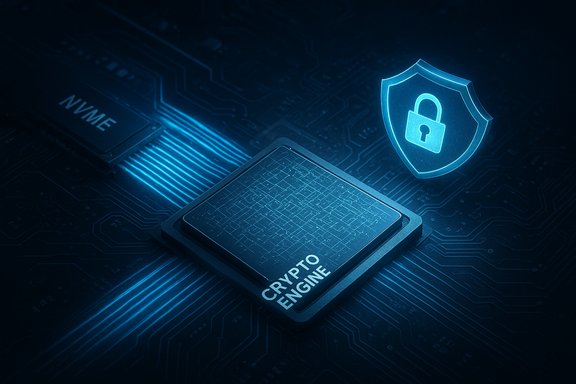
BitLocker has been the default full‑disk encryption solution for Windows for nearly two decades, historically performing bulk AES transforms on the host CPU (often using AES‑NI). As NVMe SSDs and platform I/O have scaled into multi‑gigabytes‑per‑second territory, encryption overhead that used to be invisible on slower drives has become measurable in latency‑sensitive and high‑IOPS scenarios. Microsoft’s new hardware‑accelerated BitLocker addresses this by offloading bulk cryptographic work to a dedicated on‑chip crypto engine and keeping the Data Encryption Key (DEK) sealed inside a hardware boundary when the platform supports it. This dual approach promises both measurable performance improvements and a smaller in‑memory key exposure surface. Microsoft frames the capability around two complementary pillars:- Crypto offload — dispatching AES/XTS operations to a fixed‑function crypto engine on the SoC/CPU so general‑purpose cores do less work.
- Hardware‑wrapped keys — generating and using the DEK inside a secure hardware domain (secure enclave / secure element) so the OS never holds the plaintext bulk key in RAM.
What changed technically
Crypto offload vs. AES‑NI: different levels of acceleration
It’s important to separate two related acceleration models:- AES‑NI (CPU instruction acceleration): present on many Intel and AMD processors for years, AES‑NI shortens AES math on CPU cores but the key material and orchestration still pass through general CPU/memory contexts.
- Dedicated crypto offload (hardware‑accelerated BitLocker): the OS issues encrypt/decrypt buffer requests to a hardware crypto engine that performs bulk AES/XTS transforms and returns ciphertext/plaintext buffers — without exposing the unwrapped DEK to the OS. This is a structural shift in where the work and keys live.
Hardware‑wrapped keys and the new threat model
With hardware‑wrapped keys, the DEK can be generated and stored within the secure hardware domain and only used inside that boundary. The OS never obtains plaintext DEKs during runtime, reducing exposure to memory‑scraping and many kernel‑level extraction techniques. This more closely resembles the trust model used by self‑encrypting drives (SEDs) or HSMs, but integrated into the client SoC and Windows boot attestation chain. That said, tying keys to silicon changes operational behavior: moving the physical NVMe to a different machine, imaging or forensic recovery workflows require careful planning and well‑managed recovery key escrow.Algorithm defaults and policy interactions
On platforms that advertise support, Microsoft defaults hardware‑accelerated BitLocker to XTS‑AES‑256. If an administrator forces an algorithm or policy that the SoC does not support (for example AES‑CBC or a non‑supported key size), Windows will keep the volume in software BitLocker mode. Enterprises that require strict FIPS certification also need to confirm the SoC reports FIPS validation for the crypto offload path; otherwise Windows will use software encryption to preserve compliance.Real‑world performance: what the numbers show (and how to read them)
Microsoft’s demo claims
Microsoft’s engineering demos and published lab charts show very large improvements in certain synthetic benchmarks. The company reports an average CPU‑cycle reduction on BitLocker I/O of roughly 70% compared with the software path and demonstrates cases where encrypted throughput on NVMe devices rises dramatically when hardware offload is available. Microsoft’s CrystalDiskMark comparisons presented sequential and random metrics that, for the demo hardware, more than doubled in some runs. Those demo numbers are illustrative of the potential but should be treated as vendor‑supplied engineering results rather than universal guarantees. Independent outlets reproducing early tests show the same pattern: sequential throughput often moves little, while random small‑block I/O (4K reads/writes at low queue depths) — the metric that most impacts OS responsiveness, database workloads, and game asset streaming — can improve dramatically when offload is used. Reported improvements range from modest to very large depending on the drive, NVMe controller, SoC crypto engine, firmware and driver maturity.Why sequential vs. random results differ
- Sequential large transfers are generally dominated by the NVMe controller and NAND throughput. Software BitLocker does add computation, but in many cases the CPU‑bound portion is small relative to the drive’s throughput.
- Random small I/O (4K) is where per‑IO cryptographic overhead multiplies against many operations per second. Offloading each small transform to a hardware crypto engine removes that per‑IO CPU cost and often yields the largest visible gains in responsiveness and IOPS.
User‑supplied cryptsetup bench: read carefully
The cryptsetup benchmark output you provided is useful raw data, but it needs careful interpretation: it’s a memory‑only cryptographic benchmark — not a storage I/O benchmark — and therefore measures CPU/crypto engine throughput rather than NVMe+controller+driver end‑to‑end performance. Your cryptsetup output shows very high AES‑XTS (256‑bit) throughput numbers (e.g., ~7,330 MiB/s encryption, ~7,267 MiB/s decryption), which are consistent with modern desktop CPU AES acceleration via AES‑NI on a Ryzen class processor in RAM tests. Those numbers demonstrate that the CPU and AES‑NI path are extremely fast for in‑memory transforms; however, they are not directly comparable to Microsoft’s NVMe I/O demos because real storage paths involve driver/queueing overhead, DMA, controller firmware, and PCIe lanes. Treat your cryptsetup numbers as a baseline for the host CPU path, not a like‑for‑like substitute for on‑drive results. Memory‑only crypto microbenchmarks do not capture the full stack.Practical compatibility and rollout
What you need for hardware acceleration to be active
Hardware‑accelerated BitLocker only becomes active when all these conditions are met:- A Windows 11 build that includes the hardware offload plumbing (24H2/25H2 servicing or later).
- A SoC/CPU that includes and advertises a crypto offload engine and hardware key‑wrapping capabilities.
- Firmware and OEM drivers that expose that crypto engine to Windows.
- Volume encryption settings that use algorithms and key sizes the hardware supports (default XTS‑AES‑256 for hardware offload).
How to verify on your device
Use existing BitLocker tooling to confirm whether a volume is hardware accelerated:- Run manage‑bde -status in an elevated Command Prompt and check the Encryption Method line for a “(Hardware accelerated)” indicator.
- Or use PowerShell: Get‑BitLockerVolume shows the EncryptionMethod value (e.g., XtsAes256) and additional metadata.
Security benefits — and new operational trade‑offs
Clear security wins
- Reduced in‑memory exposure: Hardware‑wrapped DEKs mean plaintext bulk keys don’t appear in system RAM on supported platforms, cutting the attack surface for memory scraping, many kernel‑level key extraction methods, and some speculative‑execution vectors. This is a meaningful step toward a “keys in silicon” model that is intrinsically more resilient.
- Lower attack surface during runtime: Even if an attacker gains kernel code execution, the hardware boundary can limit exfiltration of the DEK unless they also compromise the hardware root of trust or firmware.
New and important risks
- Drive mobility and recovery complications: Tying a volume’s DEK to a specific hardware boundary means moving a drive to another machine becomes more complex. IT teams must have robust recovery key escrow and documented recovery processes. Organizations should adjust imaging and decommission workflows to account for keys that are hardware‑sealed.
- Vendor/firmware trust: Keys sealed in silicon put enormous implicit trust in the SoC vendor and OEM firmware. Any firmware backdoor, bug or supply‑chain compromise that affects the secure domain could have severe ramifications. Security teams should insist on transparent firmware practices, validated updates, and vendor attestations where possible.
- Compliance and FIPS: Enterprises requiring FIPS compliance must verify the hardware offload path is certified for the algorithm and mode in use. If the SoC does not report FIPS validation for hardware crypto and key wrapping, Windows will fall back to software encryption to preserve compliance — but administrators must validate this behavior in their environments.
TPM role and misunderstandings
TPM remains an important part of Windows’ root of trust and BitLocker provisioning, but hardware‑wrapped DEKs are not a replacement for TPM; instead they complement the hardware trust model. Some community posts conflate TPM generation/storage with runtime crypto engines; the truth is both systems play roles in attestation, provisioning, and protector chains — and IT teams must understand how they interact on their chosen platforms. Avoid blanket claims that TPM1/2 is “bad” or that TPMs are being bypassed — that’s not an accurate representation of Microsoft’s architecture changes.Guidance for admins, power users and reviewers
For IT administrators
- Audit device fleets and vendor roadmaps: hardware acceleration depends on new SoCs and OEM firmware. Don’t assume existing devices will get the feature via Windows Update alone; work with suppliers for compatibility matrices and firmware timing.
- Keep recovery keys centrally escrowed: ensure your AD/Intune/MBAM (or equivalent) recovery flows are tested against hardware‑sealed drives. Practice recovery scenarios where a hardware‑sealed volume is moved to a different chassis.
- Test policies in a lab: if your environment enforces specific algorithms or FIPS policies, validate whether those settings prevent hardware offload and whether those fallbacks match your compliance posture.
- Update deployment playbooks: imaging, drive replacement, and decommissioning workflows may need adjustments when a DEK cannot be unwrapped outside the original secure domain.
For gamers, creators and enthusiasts
- Check manage‑bde -status before troubleshooting perceived slowness; many older systems still operate in software BitLocker mode, where AES‑NI is the only acceleration available.
- If you measure noticeable stalls on installs or game loads and you’re on an older CPU, benchmark real user flows (game load times, editor scrubbing) before toggling BitLocker settings. Synthetic throughput alone is not the full story.
Recommended benchmark methodology
- Test real‑world workloads first: measure application‑level metrics (game level load time, project export duration, compile times).
- Supplement with synthetic IO tests:
- Sequential throughput (1M Q8T1) to assess large file transfer behavior.
- Random 4K (Q1T1 and Q32T1) to expose small‑block latency and IOps behavior.
- Record CPU utilization, thermal and power metrics while testing — lower CPU cycles per I/O can translate into lower thermal/power footprints on laptops.
- When comparing software vs hardware mode, ensure firmware/drivers are identical and tests are repeated to account for firmware‑level caching and NVMe controller behavior.
Reading the caveats: what to not assume
- Don’t treat Microsoft’s demo numbers as universal: they are engineered comparisons on specific hardware and firmware stacks. Real‑world gains vary widely across drives and platforms.
- Don’t assume older CPUs (e.g., some 11th‑gen Intel or early Ryzen families) will support the new hardware offload — Microsoft ties initial availability to crypto‑capable SoCs and specific new silicon families. Treat third‑party CPU lists with skepticism until OEMs and Microsoft publish a formal compatibility matrix.
- Do not equate memory‑only AES benchmarks with end‑to‑end NVMe performance. As noted earlier, cryptsetup memory tests are indicative of CPU crypto throughput but not of the whole storage stack.
Tactical checklist for immediate action
- Run manage‑bde -status and Get‑BitLockerVolume on representative machines to inventory which volumes are hardware‑accelerated.
- Verify recovery key escrow is present and test recovery flows with at least one hardware‑sealed volume in a lab.
- Coordinate with OEMs to map which device SKUs will expose crypto offload and hardware key wrapping and when firmware updates may arrive.
- Update deployment documentation to reflect imaging and decommissioning implications of hardware‑sealed DEKs.
- For performance validation, prioritize small‑block random IO tests and user‑facing flows rather than headline sequential MB/s only.
Final analysis: notable strengths and potential risks
- Strengths:
- Substantial CPU savings and improved battery life on supported devices: Microsoft reports average CPU cycle reductions ~70%, and independent tests reproduce large gains in small‑block I/O. This is a genuine improvement for workloads where disk crypto was previously a bottleneck.
- Better key secrecy: hardware‑wrapped DEKs materially reduce the exposure of bulk keys to RAM‑based attacks, aligning BitLocker with modern hardware‑first trust models.
- Graceful fallback: Windows preserves compatibility by falling back to the software path where hardware support or policy prevents offload.
- Risks and caveats:
- Operational complexity around recovery, imaging and device mobility when keys are tied to silicon. Organizations must update playbooks and escrow processes.
- Vendor and firmware trust: sealing keys in silicon places enormous trust in SoC and OEM firmware. Supply‑chain security, firmware update integrity, and vendor transparency become even more important.
- Phased availability: meaningful real‑world benefit requires new chip families and OEM enablement; many fleets will not see advantages until hardware is refreshed or vendor updates arrive.
Conclusion
Hardware‑accelerated BitLocker is a significant architectural shift for Windows disk encryption: it can deliver large performance wins and materially reduce key exposure for supported devices, especially in random small‑block IO workloads where CPU moats previously limited responsiveness. The feature is both a performance upgrade and a security posture change — trading ease of drive mobility for stronger key secrecy and lower CPU cost. The net benefit will be real for gamers, creators and enterprise workloads that are storage‑bound, but only where the SoC, firmware and drivers all expose the necessary capabilities.Until OEMs and SoC vendors publish explicit compatibility matrices and broader device availability arrives, the pragmatic path for administrators is to inventory current status with manage‑bde/Get‑BitLockerVolume, harden recovery and escrow workflows, and validate performance gains on representative workloads in test labs. For enthusiasts and reviewers, resist the temptation to conflate memory‑only AES throughput with full storage performance; test the whole storage stack end‑to‑end to understand the real world impact on your workloads. The future that puts encryption into silicon is here in principle — realizing its full promise will require coordinated hardware, firmware and management practice across the PC ecosystem.
Source: TechPowerUp Microsoft's Hardware-Accelerated BitLocker Brings Massive Performance Gains
