

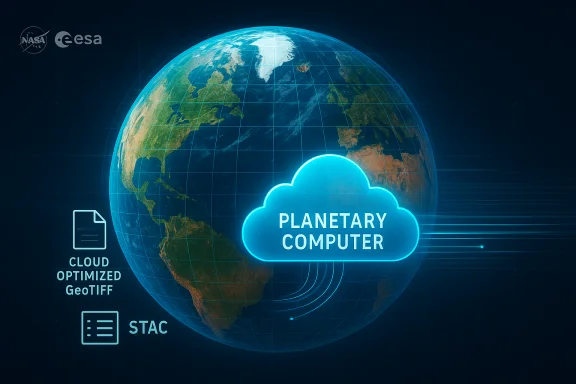
Microsoft and NASA have taken a substantial step toward making high‑frequency Earth observation data easier to use at scale: the Harmonized Landsat and Sentinel‑2 (HLS) dataset is now exposed through Microsoft’s Planetary Computer on Azure, enabling direct access to harmonized, cloud‑native imagery via APIs and Azure Storage and opening new pathways for AI, machine learning, and operational analytics.
The Harmonized Landsat and Sentinel‑2 (HLS) project was created to merge imagery from NASA/USGS Landsat‑8 and Landsat‑9 (OLI/OLI‑2) with ESA’s Sentinel‑2 MSI sensors into a single, harmonized surface‑reflectance product on a 30‑meter grid. HLS applies atmospheric correction, cloud and shadow masking, spectral bandpass normalization, BRDF (view‑angle) adjustments, and reprojection so users can treat Landsat and Sentinel‑2 observations as if they came from a single, consistent sensor. That harmonization raises effective revisit frequency to roughly every 2–3 days for many locations and makes long time‑series, index calculations and change detection far easier. Microsoft’s Planetary Computer now hosts that HLS archive inside Azure as Cloud‑Optimized GeoTIFFs (COGs) with STAC metadata, delivered via blob storage and discoverable through the Planetary Computer STAC API and sample notebooks. The platform exposes programmatic access patterns (SAS tokens, signed URLs, STAC queries) and guidance to colocate compute in the same Azure region where the blobs live to avoid egress charges and maximize throughput. These operational details are important for production deployments and reproducibility.
For WindowsForum readers and IT teams planning production deployments, the sensible path is a staged approach: pilot small, measure cost and reliability, codify provenance, and then scale. The HLS on Planetary Computer milestone unlocks powerful possibilities — but realizing them responsibly requires engineering discipline, governance and an eye on long‑term portability.
Source: Techzine Global NASA satellite data now available via Microsoft Azure
 Background / Overview
The Harmonized Landsat and Sentinel‑2 (HLS) project was created to merge imagery from NASA/USGS Landsat‑8 and Landsat‑9 (OLI/OLI‑2) with ESA’s Sentinel‑2 MSI sensors into a single, harmonized surface‑reflectance product on a 30‑meter grid. HLS applies atmospheric correction, cloud and shadow masking, spectral bandpass normalization, BRDF (view‑angle) adjustments, and reprojection so users can treat Landsat and Sentinel‑2 observations as if they came from a single, consistent sensor. That harmonization raises effective revisit frequency to roughly every 2–3 days for many locations and makes long time‑series, index calculations and change detection far easier. Microsoft’s Planetary Computer now hosts that HLS archive inside Azure as Cloud‑Optimized GeoTIFFs (COGs) with STAC metadata, delivered via blob storage and discoverable through the Planetary Computer STAC API and sample notebooks. The platform exposes programmatic access patterns (SAS tokens, signed URLs, STAC queries) and guidance to colocate compute in the same Azure region where the blobs live to avoid egress charges and maximize throughput. These operational details are important for production deployments and reproducibility.What the announcement actually delivers
Key technical facts (verified)
- The HLS archive unifies Landsat‑8/9 and Sentinel‑2A/B/C into two standard product families: HLSL30 (Landsat‑derived, adjusted) and HLSS30 (Sentinel‑derived, resampled), both gridded to a common 30‑meter UTM/MGRS tiling system for stackable time‑series analysis.
- HLS V2.0 is the current global/near‑global release (excludes Antarctica) and extends historical coverage back to 2013 (Landsat inputs) and 2015 (Sentinel inputs). The V2.0 processing introduced improved atmospheric correction, cloud masking and BRDF normalization versus earlier versions.
- HLS assets are provided as Cloud‑Optimized GeoTIFFs (COGs) with embedded metadata and external ECS .met files, and are discoverable via STAC, enabling modern cloud‑native workflows using rasterio, xarray, Dask and Planetary Computer SDKs.
- Practical revisit cadence: by harmonizing sensors, effective observation cadence falls to roughly every 2–3 days for many tiles (improves further at higher latitudes and after Sentinel‑2C addition). This is a core benefit for crop monitoring, disturbance detection and disaster response.
Platform integration and access
- Microsoft exposes the HLS collection inside the Planetary Computer catalog and in Azure Blob storage with programmatic access recipes, sample notebooks and guidance on region co‑location for compute. This reduces friction for teams that want to build analytics, train models or run operational pipelines without bulk downloading petabytes of images.
- NASA and Microsoft are experimenting with Earth Copilot, an AI conversational assistant that can retrieve relevant geospatial datasets and help non‑specialists ask natural‑language questions like “What was the impact of Hurricane Ian on Sanibel Island?” and translate them into discovery and visualization steps. That prototype is being evaluated within NASA and demonstrates how natural‑language layers can accelerate dataset discovery.
Why harmonization matters: the technical payoff
Harmonizing different satellite systems is more than a convenience — it removes scientific friction.- Higher cadence without extra sensors: By treating Landsat and Sentinel‑2 as a single, harmonized virtual constellation analysts can form dense time series at a consistent 30‑m grid, improving phenology analysis, event detection and temporal compositing.
- Reduced sensor‑switch bias: Radiometric and spectral differences between sensors can create spurious discontinuities. HLS applies bandpass normalization, BRDF and atmospheric adjustments so indices like NDVI, EVI, and NDWI are more consistent across sensor transitions.
- Cloud‑native streaming and scale: COGs + STAC + Azure blobs allow lazy, windowed reads and distributed processing (Dask, Azure Databricks, Azure ML) so teams can train models on time series across thousands of tiles without moving petabytes over the network.
Earth Copilot and natural‑language discovery: hype vs. utility
The Earth Copilot prototype — co‑developed by NASA IMPACT and Microsoft — shows how AI can simplify geospatial discovery by converting plain‑English questions into dataset queries, filters and visualizations. Early demos and press coverage highlight use cases such as hurricane impact assessment and air‑quality retrospectives. Strengths:- Lower barrier for non‑specialists: Policy staff, teachers and stakeholders can find datasets and candidate analysis paths without learning STAC APIs or STAC query syntax.
- Faster hypothesis exploration: Instead of manually checking multiple collections, Copilot can suggest relevant tiles, date ranges and index choices.
- Hallucination and provenance: Natural‑language assistants can omit critical provenance details (tile IDs, collection versions, QA thresholds) or produce plausible but non‑traceable statements. For scientific or policy use, every Copilot‑driven insight must be traceable back to deterministic STAC calls and processing code.
- Not a replacement for domain workflows: Earth Copilot accelerates discovery but cannot substitute for rigorous preprocessing, QA filtering and validation steps required for operational decisions.
Practical applications and real‑world impact
The combination of HLS and Azure tooling unlocks practical systems across sectors.- Agriculture
- Frequent 30‑m observations enable near‑real‑time field‑scale phenology and crop health monitoring, earlier pest/stress detection and more consistent yield forecasting when datasets switch between Landsat and Sentinel‑2.
- Water resources and coastal management
- Harmonized reflectance can improve turbidity and coastal change monitoring, though caution is needed for blue/green bands where atmospheric corrections may leave residual errors.
- Disaster response and emergency mapping
- Faster pre/post event mosaics and automated change detection pipelines make damage assessment for fires, floods and storms more rapid and scalable.
- Environmental monitoring and carbon accounting
- A decade+ archive on a consistent grid supports regional forest‑loss analytics, long‑term land‑cover transitions and inputs for carbon tracking.
- Commercial opportunity
- Entrepreneurs can build SaaS analytics (crop analytics, urban growth monitoring, insurance risk scoring) by integrating HLS time series with Azure AI/ML services.
Technical specifications and what to verify
Teams should confirm the following before relying on HLS on Azure for operational decisions:- Collection version and latency
- HLS uses explicit collection versions (e.g., v2.0). Record exact collection tags, tile IDs and processing parameters for reproducibility. V2.0 introduced key improvements; confirm whether low‑latency variants are required for your mission.
- Spatial resolution and product families
- HLS products are harmonized to a 30‑meter grid. HLSS30 and HLSL30 are the two families; HLSS30 is Sentinel‑derived resampled to 30m, while HLSL30 is Landsat‑derived adjusted to the same grid. Verify which family best suits your analysis (thermal bands are present only in L30 variants).
- Known residuals and QA
- Blue/green bands may retain larger residual differences due to atmospheric correction challenges; coastal and aquatic use cases should be validated with in‑situ or sensor‑specific products. Cloud and shadow masking quality varies regionally and seasonally, so build robust QA filtering into pipelines.
- Data completeness and platform reliability
- Independent community reports have flagged intermittent gaps and outages in Planetary Computer hosting for some collections. Before operationalizing, validate that the needed tiles and date ranges exist and build fallback or caching strategies.
- Licensing and attribution
- HLS aggregates data from NASA/USGS/ESA sources; while source data are public, downstream products might have attribution or license expectations. Confirm permissible commercial use and attribution requirements.
Governance, cost, and operational risks
Moving a government dataset into a commercial hyperscaler brings trade‑offs that teams must manage.- Vendor dependency and exit planning
- Hosting in Azure improves convenience and speed, but it also increases reliance on Microsoft APIs, storage patterns and region availability. Maintain an exportable snapshot of mission‑critical tiles and a tested migration plan to alternate archives (LP DAAC, AWS, Google Earth Engine) to avoid vendor lock‑in.
- Costs and billing surprises
- Large time‑series processing (thousands of tiles, multi‑year spans) produces compute and egress charges. Co‑locate compute with the data, use spot/low‑priority VMs for batch workloads, and design pipelines for lazy evaluation (Dask/xarray) to control cost. Budget realistic cloud costs into program plans.
- Reproducibility and provenance
- AI assistants accelerate exploration, but reproducible science requires explicitly saving tile IDs, collection versions, SAS tokens, and processed artifact versions. Record these in code and metadata for audits and peer review.
- Environmental trade‑offs
- Training large machine‑learning models on multi‑petabyte imagery is power‑intensive. Teams should weigh compute emissions and consider optimized model architectures, mixed‑precision training, and model‑distillation techniques to reduce environmental impact.
Getting started: a practical checklist
- Identify a small pilot AOI (one or a few MGRS tiles) and a short time range to validate end‑to‑end processing.
- Confirm the exact HLS collection version and note the tile IDs and time range for reproducibility.
- Use Planetary Computer STAC API or sample notebooks to discover and fetch a handful of COG assets; validate band‑order, QA masks and metadata.
- Prototype locally with a small test: compute NDVI/EVI time series, apply QA filtering and compare results to sentinel‑only and landsat‑only baselines to verify harmonization benefits.
- Move heavy processing into Azure compute in the same region (follow Microsoft guidance on co‑location and SAS tokens). Use Dask + xarray for lazy, distributed workflows.
- Implement cost controls: caps on parallel workers, job budgets, spot instances and keeping intermediate outputs in Azure blob to reduce repeated egress.
- For policy or scientific decisions, require human‑in‑the‑loop validation and save all provenance metadata to a reproducible results store.
Training, support and community resources
Microsoft and NASA provide example notebooks, STAC endpoints and sample projects to help users onboard. The Planetary Computer SDKs, community packages like pcxarray and open notebooks demonstrate how to sign STAC items, stream COGs into xarray and integrate outputs with Azure ML and Databricks. GitHub sample projects and NASA learning pages are available for common workflows and teaching exercises. These materials make it faster for research teams and classroom instructors to adopt the platform.Strengths, limitations and recommended guardrails
Strengths
- Scale and accessibility: Hosting HLS on Azure removes the most time‑consuming barrier — moving and managing terabytes—so teams can iterate faster.
- Interoperability: COGs + STAC + MGRS tiling enable direct reuse across common geospatial tools.
- AI synergy: Co‑location with Azure AI services enables rapid prototyping of ML models and natural‑language interfaces like Earth Copilot for discovery.
Limitations and risks
- Residual radiometric differences: Blue/green bands need extra care for aquatic/coastal work.
- Platform gaps and availability: Community reports of intermittent dataset gaps suggest validating completeness for your AOI before committing to an operational workflow.
- Cost and governance: Cloud bills and vendor dependencies can erode project viability without budgetary controls and exit strategies.
- Always record tile IDs, collection versions and QA parameters for every analysis.
- Start with a limited pilot and scale only once cost, provenance and availability are validated.
- Use Earth Copilot for exploration but require deterministic scripts and saved provenance for final results.
- Maintain a local or alternate cloud cache for mission‑critical tiles to hedge against platform changes.
Final assessment
Putting NASA’s Harmonized Landsat and Sentinel‑2 (HLS) dataset inside Microsoft’s Planetary Computer is a meaningful advance for cloud‑native Earth observation workflows. It collapses a major piece of friction — dataset acquisition and harmonization — and aligns a mature Earth‑observation product with modern cloud‑native discovery and compute patterns. That combination accelerates research, enables new industry products and lowers the barrier for non‑specialists to interact with planetary data. At the same time, teams must be pragmatic: verify collection versions and tile completeness for your area of interest, budget for cloud compute and storage, and demand reproducible pipelines that trace every AI‑derived insight back to deterministic STAC calls and saved artifacts. Natural‑language tools like Earth Copilot will change discovery workflows, but scientific rigor still demands provenance, QA filtering and human validation.For WindowsForum readers and IT teams planning production deployments, the sensible path is a staged approach: pilot small, measure cost and reliability, codify provenance, and then scale. The HLS on Planetary Computer milestone unlocks powerful possibilities — but realizing them responsibly requires engineering discipline, governance and an eye on long‑term portability.
Source: Techzine Global NASA satellite data now available via Microsoft Azure
