

If you’re hunting for a bargain upgrade for an older desktop — a low-cost way to add video outputs, hardware-accelerated video playback, or a modest boost for classic games — the small-board “HD7670 4GB DDR5” listings that have flooded marketplaces deserve a careful look. On paper the cards promise a tidy set of features — 4GB GDDR5, a 128‑bit bus, PCIe 2.0 x16, a modest core clock and a cooling fan — but when you unpack the claims and cross‑check with manufacturer-era documentation and independent listings, a much more cautious conclusion emerges: these are almost always rebadged, repackaged or otherwise non‑standard products that may work for simple multimedia use, but they carry real risks for buyers who expect authentic, well‑supported hardware.
The Radeon HD 7000 family and the HD 7670 name go back to AMD’s 2012 OEM-era chips (Turks family). The authentic OEM/retail HD 7670 variants were built on a 40 nm process, used a 128‑bit memory bus and were primarily offered with small amounts of video RAM (typically 512 MB to 1 GB for the OEM parts, with some vendor variants using GDDR3 or GDDR5). Official cards were low‑power designs that frequently did not require external PCIe power and were intended as entry / OEM upgrades rather than modern gaming cards. The archived product details and GPU database entries reflect those specs, including GPU clock speeds around the 800 MHz range on many OEM SKUs and modest memory configurations.
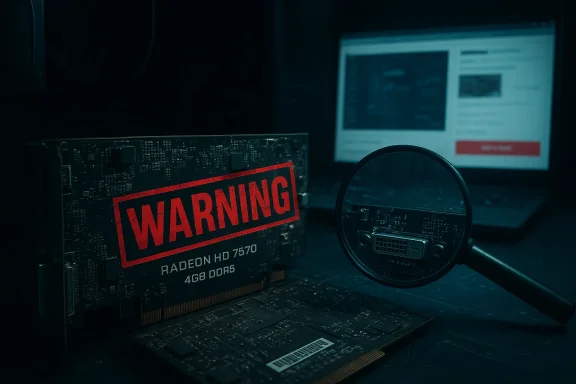
That history is important because many current third‑party listings — often targeted at buyers with older PCs who want “more VRAM” — advertise HD7670 cards with 4GB GDDR5, unusually high memory clocks and low prices. Those listings exist across international marketplaces and reseller sites and sometimes include images that look superficially like a familiar Radeon PCB and cooler. Practical experience from the enthusiast community and several investigative posts shows many of these are generically manufactured boards that are relabelled, or simply assembled from mismatched components and flashed with misleading ID strings. Market listings for “HD7670 4GB” are common and often inconsistent in core frequency, memory frequency and physical output configuration.
If you need, I can prepare a short comparison table of real, affordable alternative cards (used GTX 750 Ti, GTX 1050, Radeon RX 550, etc.) with expected performance and price bands to help pick the best upgrade for an older Windows 10 or Windows 11 system.
Source: noescinetodoloquereluce.com https://noescinetodoloquereluce.com...-Fan-For-Gaming-Multimedia-2560x1600/1043556/
 Background / Overview
The Radeon HD 7000 family and the HD 7670 name go back to AMD’s 2012 OEM-era chips (Turks family). The authentic OEM/retail HD 7670 variants were built on a 40 nm process, used a 128‑bit memory bus and were primarily offered with small amounts of video RAM (typically 512 MB to 1 GB for the OEM parts, with some vendor variants using GDDR3 or GDDR5). Official cards were low‑power designs that frequently did not require external PCIe power and were intended as entry / OEM upgrades rather than modern gaming cards. The archived product details and GPU database entries reflect those specs, including GPU clock speeds around the 800 MHz range on many OEM SKUs and modest memory configurations.That history is important because many current third‑party listings — often targeted at buyers with older PCs who want “more VRAM” — advertise HD7670 cards with 4GB GDDR5, unusually high memory clocks and low prices. Those listings exist across international marketplaces and reseller sites and sometimes include images that look superficially like a familiar Radeon PCB and cooler. Practical experience from the enthusiast community and several investigative posts shows many of these are generically manufactured boards that are relabelled, or simply assembled from mismatched components and flashed with misleading ID strings. Market listings for “HD7670 4GB” are common and often inconsistent in core frequency, memory frequency and physical output configuration.
What the official HD 7670 actually was
Authentic specs (summary)
- GPU family: Turks (TeraScale 2 era / OEM rebrands around 2012).
- Typical shader count: ~480 stream processors (varies by exact SKU).
- Memory bus: 128‑bit.
- Common memory sizes: 512 MB → 1 GB GDDR5 (retail and OEM boards varied; 2 GB GDDR3 variants also existed).
- Core clocks: OEM cards often around ~800 MHz GPU clock (some variants lower or higher based on vendor tuning).
- Power: designed for low power (many boards draw under ~75 W and do not require external PCIe power).
- Interface: PCI Express 2.0 x16.
- DirectX support: DirectX 11 era features (TeraScale 2 architecture).
The marketplace reality: 4GB HD7670 listings and what they mean
Why you’re seeing “HD7670 4GB GDDR5” everywhere
Global resellers and generic electronics importers have introduced numerous low‑cost “HD7670 4GB” units onto e‑commerce platforms. Those product pages typically list:- 4GB GDDR5 memory, 128‑bit bus
- Core frequency claims from 650–1000 MHz (varies by listing)
- Single‑fan coolers, basic aluminum heatsinks
- Output sets like VGA + DVI + HDMI or DVI + DP + VGA
- No external power connector (powered solely from PCIe slot)
- Promised support for resolutions up to 2560×1600 and DirectX 11
The key problems with those listings
- Memory claim mismatch: genuine HD 7670 OEM specs rarely included 4GB of GDDR5. Most authentic HD 7670 boards used 512 MB–1 GB of VRAM. A 4 GB GDDR5 HD 7670 is not an official AMD configuration and is therefore either a reconfigured board or a mislabelled product.
- Unknown memory mapping: manufacturers can physically attach larger memory chips to a board but not wire or map them correctly; in such cases the system may report the capacity but not actually use it correctly, or performance will be crippled. Third‑party sellers rarely disclose the memory vendor, module type, or ECC/partial mapping.
- Driver and support issues: older AMD GPUs are in AMD’s legacy support bracket; driver updates stopped years ago for many TeraScale parts. You may be able to install legacy Catalyst drivers to get Windows 10 support, but Windows 11 compatibility is not guaranteed and hardware‑level features may lack modern driver optimizations.
- Quality control and longevity: these generic cards can lack quality capacitors, adequate cooling, or robust PCBs. They may run hotter, be louder, or fail sooner than genuine branded alternatives. Several community posts detail how to spot fake or rebadged units.
Verifying the listing claims — what to check before you buy
If you still consider one of these cards because of the price or because you have a legacy machine, follow this checklist. It will reduce the chance of a disappointing purchase.- Check the seller reputation and feedback: prefer long‑standing sellers with extensive positive reviews. New accounts selling multiple identical “HD7670 4GB” boards are high risk.
- Ask for clear photos of the PCB (serial stickers, GPU marking) and the full part number on the metal sticker or PCB silkscreen. Genuine GPUs usually have identifiable ASIC markings; generic boards often do not.
- Confirm the video outputs and cable type included. If the seller only shows a single‑link DVI cable or VGA, that can limit high resolutions even if the spec sheet claims 2560×1600. For 2560×1600 you need Dual‑Link DVI or DisplayPort.
- Ask for a screenshot of GPU‑Z (or a device manager / dxdiag) with the card installed and id string visible. GPU‑Z provides chip and memory details that can reveal mismatched or fake IDs.
- Demand a short video or screenshot of the card running a stress tool or rendering a desktop at high resolution (e.g., 2560×1600). If the seller refuses, treat that as a warning.
- Check return policy and warranty: low‑cost importers often have limited returns and long lead times for RMA. Avoid purchases that remove platform protections (e.g., requesting direct bank transfers).
Compatibility, drivers and Windows 10/11 questions
Driver landscape
AMD moved many older Radeon cards into a legacy support model years ago. The last broad WHQL driver packages that included Radeon HD 7000–era support were published around 2015 (Catalyst 15.7.1 and similar). Those legacy drivers can work on Windows 10 in many cases, but AMD’s modern Adrenalin drivers prioritize newer GCN and RDNA hardware and do not actively update legacy products. If you want a fully modern driver experience (regular updates, performance tuning, and bug fixes), these old GPUs won’t get that.- For Windows 10: legacy Catalyst drivers (the final WHQL legacy builds) are often the recommended route for stability. Those drivers are publicly archived and may be usable with patched installers.
- For Windows 11: AMD’s official guidance is conservative — legacy products transitioned out of active support and AMD recommends continuing to use the final, legacy driver for those GPUs. Some community driver packages and third‑party driver repositories claim Windows 11 compatibility, but success varies. Expect to test and possibly accept degraded functionality or driver quirks.
Realistic expectations on modern systems
- You can expect reliable performance for basic tasks: video playback, multiple desktop displays, hardware acceleration for older codecs, and some light photo editing.
- Don’t expect modern AAA titles to be playable at acceptable frame rates; even older DX11 games will be modest at best and will require low settings and lower resolutions.
- Multi‑monitor productivity can work if the output ports are proper (Dual‑Link DVI or DP). Be ready to troubleshoot timing and driver quirks for high‑resolution panels.
Practical use cases where one of these cards can still make sense
These generic HD7670 style boards aren’t for gamers chasing high‑frame rates. They have a place:- Legacy PC refresh: breathe life into a pre‑2015 Windows PC that lacks modern video outputs or needs an inexpensive discrete GPU to offload video decoding.
- Home theater PC (HTPC): hardware accelerated playback of 1080p and many 4K containers (depending on codec and container), provided the outputs and driver decode support align. Not all older GPUs handle more modern HEVC/VP9 without issues.
- Multiple‑monitor productivity: adding a simple GPU to drive an extra monitor for desktop, browser work, or office apps. For high resolutions, verify physical outputs (Dual‑Link DVI or DisplayPort).
- Basic retro gaming: older titles and emulators from the DirectX 9–11 era will often run fine at lowered settings.
Risks and red flags: why many buyers regret these purchases
- Misleading capacity: the advertised “4 GB” may be a nominal figure reported by a controller or a reflashed BIOS. It does not guarantee correct performance or stability.
- Fake or reflashed IDs: sellers sometimes flash device IDs so Windows or GPU detection tools report an attractive model name even when the silicon differs. GPU‑Z screenshots are the best defense against this.
- Driver fragmentation: expect messy driver support if the card is not a known brand. It may install with a generic VGA adapter driver and never reach full feature set.
- Quality and longevity: cheap coolers, poor soldering, or low‑grade components lead to early failures and higher operating temperatures. Many of these boards lack brand warranties or have inscrutable RMA policies.
Buying guide: how to choose an honest budget upgrade instead
If you want a low‑cost, reliable upgrade for an older PC, prefer one of these options in order:- Search for used, brand‑name cards (e.g., OEM cards from HP, Dell, Sapphire, ASUS) that list an OEM part number. Authentic branded cards tend to have better components and clearer driver paths.
- Consider newer low‑end modern alternatives: used GTX 1050/GTX 750 Ti/GTX 950 or lower‑end Pascal cards often outperform aged Radeon 7000 series silicon and have much better driver support for modern Windows versions. They can often be found at similar prices on the used market.
- If you buy an obscure “HD7670 4GB” from a marketplace, insist on:
- Verified screenshot of GPU‑Z showing real chip ID and memory vendor details.
- A short video showing the card booting into Windows and running desktop at the claimed max resolution.
- A return window and seller that accepts returns at reasonable cost.
- Avoid deals with payment outside the platform. Use marketplace protections and documented warranties where possible.
Installation, testing and validation steps (post‑purchase)
If you buy one of these cards or receive one as part of a repair, run these quick checks immediately:- Physically inspect the PCB for build quality, missing components, or burnt marks. Look for the GPU label and the memory chip markings.
- Boot into Windows and run GPU‑Z. Confirm: reported GPU model, memory type (GDDR5), memory size, memory bus width, and clock values match the seller claims. If GPU‑Z reports inconsistent or impossible values, that indicates a problem.
- Run a short stress test (e.g., FurMark / Unigine Heaven or just a high‑resolution video) while monitoring temperatures and driver stability.
- Check Device Manager and the installed driver version. For AMD legacy cards, aim for the last stable Catalyst package for that family; for Windows 10 test the legacy WHQL packages. If Windows uses a Microsoft Basic Display Adapter driver, the card isn’t being properly supported.
Benchmarks and real‑world performance expectations
On authentic HD 7670 hardware, you should expect:- Desktop, video playback, office tasks: smooth and responsive. Hardware acceleration for older codecs works well with the right drivers.
- 1080p gaming (older titles such as those from 2010–2013): playable at low–medium settings with frame rates varying by title.
- Modern AAA games: not feasible for playable frame rates at native resolution — treat this card as a multimedia adapter, not a gaming solution.
- Multi‑display productivity: works fine if you have the correct physical outputs and driver support; driving two 1080p displays is trivial, a single 2560×1600 is plausible only with dual‑link DVI or DP.
Final verdict: who should buy and who should avoid
- Buy only if: you have a legacy system that needs a cheap discrete GPU purely for video outputs, HD video playback, or driving additional desktop displays; you have the patience and knowledge to validate drivers and hardware; you can tolerate driver limitations and lack of modern codec acceleration.
- Avoid if: you are buying for modern gaming, expect Windows 11 native driver support, need reliable warranties, or are not comfortable verifying hardware IDs and running basic tests.
Quick buyer checklist (one‑page)
- Seller reputation: check feedback and history.
- Ask for GPU‑Z screenshot before purchase.
- Confirm physical outputs (Dual‑Link DVI / DisplayPort for high resolution).
- Verify return policy and warranty.
- Prefer branded, used OEM cards or modestly priced modern entry cards instead.
If you need, I can prepare a short comparison table of real, affordable alternative cards (used GTX 750 Ti, GTX 1050, Radeon RX 550, etc.) with expected performance and price bands to help pick the best upgrade for an older Windows 10 or Windows 11 system.
Source: noescinetodoloquereluce.com https://noescinetodoloquereluce.com...-Fan-For-Gaming-Multimedia-2560x1600/1043556/
