

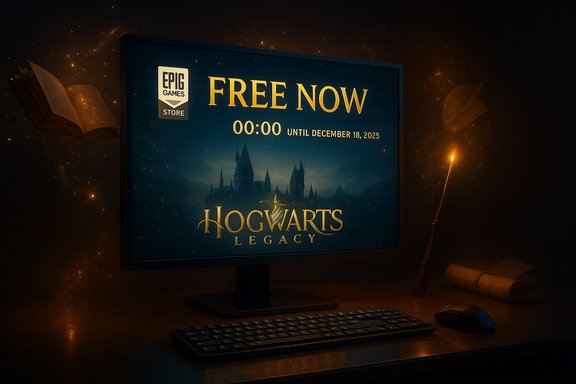
Hogwarts Legacy is available to claim for free on the Epic Games Store for a limited window tied to The Game Awards — but a surge of demand and intermittent storefront glitches has left some PC players unable to add the game to their Epic libraries immediately, so anyone who wants it should act fast and follow a few troubleshooting steps to ensure they secure their copy before the promotion ends on December 18, 2025.
Hogwarts Legacy launched in February 2023 and quickly became one of the year’s highest-selling single‑player RPGs, drawing players to a large, open‑world reimagining of the Wizarding World. Epic Games announced a holiday‑season celebration across its ecosystem that includes themed content in Fortnite and Rocket League, and — crucially for PC players — designated Hogwarts Legacy as the Epic Games Store’s limited‑time free title, redeemable through the store until December 18, 2025. Epic’s official announcement confirms the free giveaway window and ties it to in‑store events and cross‑promotion activities. Coverage across major outlets echoed the announcement and provided the same deadline and redemption instructions: claim the game on the Epic Games Store (via launcher or web checkout) and it stays in your Epic library permanently. Multiple publications reported the free giveaway immediately after The Game Awards reveal. At the same time, newsroom reporting from Windows Central and others noted that some users were seeing the title incorrectly listed as unavailable or not appearing in the Epic Store’s Free Games hub, and that certain team members experienced errors while attempting to redeem. Those symptoms align with historical patterns for large Epic promotions where traffic spikes or temporary CDN/entitlement delays create intermittent failures.
Source: Windows Central https://www.windowscentral.com/gami...re-freebie-the-game-awards-2025-announcement/
 Background
Hogwarts Legacy launched in February 2023 and quickly became one of the year’s highest-selling single‑player RPGs, drawing players to a large, open‑world reimagining of the Wizarding World. Epic Games announced a holiday‑season celebration across its ecosystem that includes themed content in Fortnite and Rocket League, and — crucially for PC players — designated Hogwarts Legacy as the Epic Games Store’s limited‑time free title, redeemable through the store until December 18, 2025. Epic’s official announcement confirms the free giveaway window and ties it to in‑store events and cross‑promotion activities. Coverage across major outlets echoed the announcement and provided the same deadline and redemption instructions: claim the game on the Epic Games Store (via launcher or web checkout) and it stays in your Epic library permanently. Multiple publications reported the free giveaway immediately after The Game Awards reveal. At the same time, newsroom reporting from Windows Central and others noted that some users were seeing the title incorrectly listed as unavailable or not appearing in the Epic Store’s Free Games hub, and that certain team members experienced errors while attempting to redeem. Those symptoms align with historical patterns for large Epic promotions where traffic spikes or temporary CDN/entitlement delays create intermittent failures. Why this matters to PC players
- Claiming a free AAA release like Hogwarts Legacy is a rare opportunity to permanently add a major title to a personal library without cost. The game remains in the library forever once redeemed.
- The Epic Games Store regularly rotates high‑profile giveaways to drive traffic and goodwill; winning access to a title while it’s free avoids later pricing barriers and avoids duplicated purchases across platforms.
- For players who already own the game on Xbox Series X|S, recent platform changes mean there are alternative ways to get a PC copy through Xbox Play Anywhere — but the Epic giveaway is a separate, time‑limited window and worth claiming even if you already own a version elsewhere.
What actually happened (the short version)
- At The Game Awards 2025, Geoff Keighley and Epic confirmed Hogwarts Legacy would be offered free on the Epic Games Store through December 18, 2025.
- Following the announcement, many players attempted to claim the title at once, producing an influx of traffic. Some users and outlets reported the game showing as unavailable or missing from Epic’s Free Games listing, while others successfully redeemed it. Epic’s servers and storefronts have handled similar traffic patterns in prior promotions, and temporary errors are a known risk when major freebies drop.
- Separately, Hogwarts Legacy received Xbox Play Anywhere support earlier in 2025, allowing console owners who purchased the appropriate Series X|S edition to access an installable PC copy through Microsoft’s ecosystem — a convenience that partially overlaps but does not replace the Epic giveaway. The Xbox Store and Xbox PC app reflect the Play Anywhere badge for qualifying versions.
How to claim Hogwarts Legacy on Epic — step‑by‑step (fastest reliable path)
- Install or update the Epic Games Launcher, then sign in with your Epic account.
- Open the launcher and browse to Store → Free Games hub, or visit the Epic Games Store webpage in your browser and sign in there.
- Find Hogwarts Legacy in the Free Games listing. If it’s not visible under Free Games, search for the title directly in the store.
- Click Get → proceed to checkout → Place Order (price should show $0.00). Completing checkout adds the game to your library; download is optional at the time of claiming.
- Confirm the game appears under Epic Library once redeemed. Log out and back in if library contents don’t refresh immediately.
- You do not need to download the game to keep it; once placed in the library it remains forever. Multiple outlets reiterated this standard Epic giveaway behavior.
Common problems and precise troubleshooting (what to try if the game is missing, unavailable, or checkout fails)
Large giveaways commonly trigger a range of errors — from missing listings to checkout failures and stalled downloads. The following checklist prioritizes the fastest, least invasive fixes while preserving account data:- Try the web checkout if the launcher fails. Open the Epic Games Store in a modern browser, sign in, and attempt to “purchase” the free title there. Many users bypass launcher issues this way.
- If the Free Games hub doesn’t show Hogwarts Legacy, search by the exact title string — store categorization and caching can delay hub updates even while the direct product page is live.
- Restart the Epic Games Launcher and your PC. A full client restart forces token refreshes and can resolve transient entitlement errors.
- Check Epic’s public status page or Epic’s social channels for service issues. High‑profile giveaways sometimes coincide with CDN or authentication backlogs; Epic posts status updates and maintenance notices when systemic issues arise.
- If the checkout appears to succeed but the game does not appear in your library, sign out and sign back in, or attempt the redemption in an alternate browser with an active Epic login.
- Use a different network if you suspect a local ISP or NAT issue (try a phone hotspot briefly). Rarely, aggressive router/GEO caches or firewall rules can interfere with the file manifest/entitlement calls.
- If you see payment‑gateway or “place order” errors despite the price being $0.00, the web checkout flow may require a stored payment method for regional validation — adding and then removing a card (or using an alternate card) has worked for users in prior Epic promotions, but proceed cautiously and verify there are no charges before confirming. Historical community guidance on large store promotions recommends patience over risky workarounds.
If you already own Hogwarts Legacy on Xbox — why Play Anywhere matters and how to get the PC version
In 2025 Microsoft expanded Xbox Play Anywhere support to many older and newer titles, and Hogwarts Legacy was among the titles that gained Xbox Play Anywhere compatibility earlier in the year. That means certain Xbox Series X|S purchases now grant a linked PC entitlement through Microsoft’s store and the Xbox PC app — you can download and install the PC copy at no extra cost when the Play Anywhere badge is present on the game’s Xbox Store page. How to check and access:- Open the Xbox Store page for Hogwarts Legacy on the web or in the Microsoft Store app and look for the Xbox Play Anywhere badge under the title.
- If the badge is present and you own the qualifying Xbox Series X|S version, the title should appear as ‘owned’/installable in the Xbox PC app when signed into the same Xbox account. Download from there rather than repurchasing.
- Some older console editions (notably Xbox One variants) may not carry Play Anywhere entitlements; check the specific SKU you purchased. Community reporting flagged differences between Xbox One and Series X|S entitlements for certain titles when Play Anywhere support was added.
- Play Anywhere entitlements and save sync behaviors are handled by Microsoft’s services; modding and third‑party save transfers can complicate cross‑platform continuity. Community threads suggest save‑sync may occasionally lag or require a sign‑out/sign‑in to refresh.
The bigger picture — Epic’s strategy, player value, and operational risk
Why Epic gives away big AAA games- Free giveaways are a proven acquisition tool for Epic: adding high‑value titles to users’ libraries encourages launcher install growth and drives long‑term engagement with the store and its ecosystem.
- Bundling the giveaway with cross‑promotional events in Fortnite and Rocket League extends the campaign’s marketing reach and helps Epic leverage other properties to drive a single moment of mass attention. Epic’s announcement framed the Hogwarts events as an ecosystem celebration.
- For players who missed the game at launch, this is a meaningful chance to play without cost and to evaluate DLC or add‑ons before purchasing. The giveaway removes friction for many potential players, and keeping the title in a library is a low‑risk way to secure access. Multiple outlets emphasized the permanence of the claim once completed.
- Single‑day reveals and giveaways concentrate millions of entitlement checks, CDN requests, and client updates into a compressed window. Historic incidents and community reporting show that even large publishers can experience partial outages, stalled checkouts, or regionally inconsistent store updates under heavy load. The Windows Central report on this specific giveaway documented exactly that pattern: some team members saw the title missing or returned as unavailable in Epic’s Free hub during the immediate aftermath.
What to watch for after you claim (and what to avoid)
- Avoid third‑party “claim” guides that ask for account credentials or recommend VPN/region tricks to access the free copy. Account credential sharing and region spoofing can trigger fraud flags and complicate support requests. Historical community guidance from store incidents emphasizes safe fallbacks (web checkout, client restart, official status page) over risky workarounds.
- If you plan to install DLC or expansions later, verify platform ownership: Epic entitlements and Xbox/Microsoft entitlements are separate. Owning the game on Epic does not automatically transfer paid DLC between Epic and Xbox/Microsoft ecosystems unless a publisher explicitly supports cross‑store entitlements.
- Keep a record of the successful checkout (screenshot or confirmation email) if you worry about disappearing entitlements — most claims are permanent and self‑evident in your Epic library, but documentation is useful if you need store support.
Critical analysis — strengths, weaknesses, and risks for players and Epic
Strengths- The giveaway democratizes access to a major, high‑production‑value RPG for a broad audience, increasing goodwill and potentially widening the game’s active community and mod scene.
- For Epic, the campaign drives store installs and cross‑product engagement; connecting the giveaway to Fortnite rewards and Rocket League house challenges deepens the cross‑promotional loop.
- Operational fragility: major free drops remain vulnerable to high concurrency issues. When a title is both high demand and high profile, store-side issues can generate significant user frustration and PR noise — as Windows Central’s coverage highlights.
- Fragmented ownership complexity: recent additions to Xbox Play Anywhere show publishers and platform holders continue to juggle cross‑platform entitlements in inconsistent ways. Players must be careful not to assume that owning a title on one storefront automatically grants ownership or DLC on another.
- If the redemption flow requests unexpected payment verification or presents non‑zero amounts due to currency/region errors, users should verify before completing any payment. Community experiences from other giveaways show payment gateway hiccups can appear even when the price is $0.00. Historical store incidents recommend caution rather than hasty workarounds.
Quick troubleshooting cheat sheet (copy & paste)
- Try web checkout if the Epic launcher fails.
- Search the store directly; the Free Games hub may lag.
- Restart Epic launcher and PC; sign out and back in.
- Check Epic status and social channels for outage reports.
- If you own the Xbox Series X|S edition, check the Xbox Store for the Xbox Play Anywhere badge and install via the Xbox PC app.
Conclusion
This Epic Games Store giveaway is a rare opportunity to add a top‑tier single‑player RPG to your PC library for free, and the campaign ties into a broader Harry Potter cross‑promotion across Epic’s ecosystem. The giveaway window runs through December 18, 2025, and credible reporting and Epic’s announcement confirm the date and the permanent nature of the claim once redeemed. If you encounter problems — missing listings, checkout failures, or stalled downloads — follow the web checkout and launcher‑restart steps above, check Epic’s official status channels, and retry during off‑peak hours. If you already own the game on Xbox Series X|S, Xbox Play Anywhere support added earlier in 2025 offers another path to a PC copy, but that does not negate the value of claiming the Epic giveaway if you can. Finally, treat any unusual payment prompts with caution, document successful redemptions, and avoid risky tricks that could jeopardize account security. High demand for free major titles is normal at announcements like The Game Awards; patience and the right troubleshooting steps will usually secure your copy within the promotional window.Source: Windows Central https://www.windowscentral.com/gami...re-freebie-the-game-awards-2025-announcement/
