

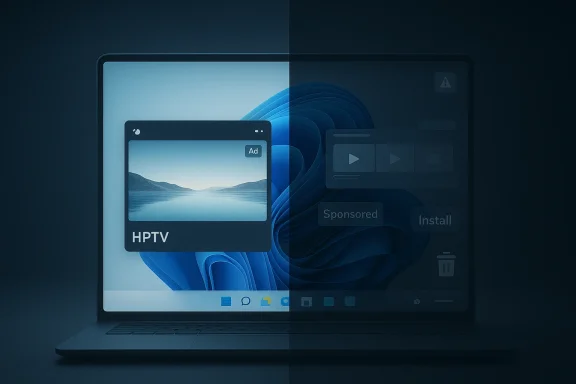
A mysterious HP TV app is showing up on Windows 11 PCs, but the more important story is not that HP has launched yet another branded utility. It is that the app sits squarely in the awkward middle ground between useful convenience and unwanted software clutter, which is where so many OEM experiences on Windows eventually end up. HP’s own Windows software strategy has increasingly bundled device support, account sign-in, and service access into one ecosystem, and the new TV app extends that playbook into entertainment. That makes it easy to understand, easy to dismiss, and—depending on your habits—either pleasantly harmless or just another piece of installed-by-default friction.
Windows PCs have never been neutral machines in the purest sense. Even on a fresh install, the experience is shaped by Microsoft’s own built-in apps, OEM utilities, and whatever commercial services the manufacturer believes can be attached to the hardware. HP is no stranger to that model, and its current approach makes that obvious: the company now presents the HP app as the successor to HP Smart and myHP, with support, device management, and printing features folded into one place. HP says the app ships on HP Windows PCs and can also be downloaded on other platforms, while noting that full functionality may require an HP account and that some features are still subject to future changes.
That broader context matters because it shows HP is not thinking of software as a single-purpose utility anymore. Instead, the company is trying to turn the HP app into a persistent layer between the user and the device. On paper, that can be useful: support access, device management, and cross-device continuity all sound like practical benefits. In practice, the more a vendor bundles into one branded app, the more likely users are to ask whether they actually need it at all.
The arrival of an HP TV or HP TV+ app fits that pattern perfectly. The app appears to be a free, ad-supported streaming experience with live channels and on-demand content, and the pitch is straightforward: no subscription, no account barrier, and immediate playback. That makes it look less like a traditional productivity utility and more like a small streaming portal grafted onto the Windows ecosystem. It is a consumer-entertainment experiment dressed up as a brand extension.
There is also an important historical angle here. PC makers have always struggled with the same question: how do you add value without crossing the line into bloatware? Some preloads are genuinely helpful, especially when they reduce setup friction or provide needed support. Others feel like commercial payloads attached to otherwise clean hardware. HP TV lives right on that fault line, which is why it is generating curiosity in the first place. Users are not just asking what it does; they are asking what it is doing on their desktops.
Microsoft’s own shifting entertainment strategy adds another layer. The company has already pared back parts of its legacy media app story, including moves around the Movies & TV app and its position in Windows. Microsoft still keeps that ecosystem alive for existing content, but it is no longer a growth story in the way it once was. That leaves room for OEMs like HP to experiment with their own streaming or content-discovery layers on Windows, even if the market is already crowded.
That positioning means the app is less likely to be a destination and more likely to be a default fallback. People may launch it once, scan through the channel grid, and then decide whether it has a place on their machine. That is a very different engagement model from a paid streaming service, and it is one reason these apps often feel disposable.
That does not necessarily make the app bad. It does, however, make the business logic obvious. HP is not doing users a favor out of pure altruism; it is trying to deepen engagement around the brand. If the app is genuinely harmless and easy to ignore, that may be an acceptable tradeoff. If it becomes persistent, difficult to remove, or noisy with prompts, the goodwill disappears quickly.
There is also a competitive angle. HP knows that many consumers now expect a device ecosystem to include more than just drivers and warranties. Phones, TVs, and tablets already ship with content hubs, media services, and brand-specific app layers. Windows PCs are the last major consumer category where that expectation still feels slightly alien, which is why every new OEM media app sparks suspicion. The market has trained users to expect these apps on a phone; on a PC, they still look suspiciously like bloat.
The app’s no-account design is a meaningful plus. Reducing sign-in friction is one of the easiest ways to make a content app feel lightweight and safe to try. But lightweight is not the same as indispensable. Many free streaming apps are pleasant for a week and forgotten by the second month. HP TV seems to fall into that category.
Another issue is discovery. On a crowded Windows desktop, an app that functions mainly as a portal to older content and free channels has to fight for attention against every other content platform already in the browser. If users can already get similar channels through a web page, the app must justify its existence with smoother navigation, better recommendations, or lower friction. Otherwise it is just one more icon.
HP is particularly exposed because its current app strategy already consolidates multiple roles into a single branded experience. The company says the HP app is the new center for HP Smart and myHP, with support and device features folded together. That is already a lot of software gravity for a vendor utility. Adding entertainment to the mix makes the bundle feel broader and, to some users, more cluttered.
This is why the bloatware label sticks so easily. People do not simply object to software being installed. They object to software being installed without a clear, unavoidable benefit. If HP TV remains optional, unobtrusive, and uninstallable, it may dodge the harshest criticism. If it becomes more persistent, the label will harden quickly.
But consumers are also the group most likely to judge the app by vibes. If it feels like a marketing experiment, it will be treated like one. If the content looks recycled, the app will be abandoned. And if it consumes storage or shows up in places where it does not belong, users will call it bloatware and move on.
That said, enterprises are not a monolith. A digital signage machine, a kiosk, or a hospitality device could theoretically use a free ad-supported video app if the content were appropriate. But that would be a narrow scenario, and it would still require careful policy management. The default enterprise stance is likely to remain remove first, ask later.
The app may have a better feel than a browser tab, especially if it has a well-designed guide and faster startup. But the browser remains the great equalizer. It is cross-device, familiar, and already present. That means HP TV has to win on experience, not on mere availability.
But a platform play only works when the user notices the platform value. If the app is just one more content source in an overcrowded category, users will not credit HP for it. They will simply use it, or not, and move on. That is the challenge for every software vendor that enters the media space without a truly unique catalog.
This community also has a strong memory for vendor overreach. Years of dealing with trialware, system companion apps, and duplicated functionality have made Windows enthusiasts skeptical by default. A vendor cannot simply say “free” and expect a pass. The software has to be obviously worth the screen real estate.
That split is why HP TV will probably get very different reactions depending on who installs it. Enthusiasts may call it bloatware. Casual users may call it a nice extra. Both can be right in their own context.
The other opportunity is differentiation through simplicity. In a streaming market clogged with subscriptions, a free app that works immediately without registration can still stand out. That said, the app will only benefit from that advantage if HP resists the temptation to over-monетize or over-promote it.
A second concern is that the app could become the kind of thing that looks free but gradually becomes more intrusive through ads, prompts, or account nudges. That is the fastest route from harmless curiosity to user annoyance. On Windows, optional software is tolerated; soft pressure is not.
What happens next will also tell us something about where PC makers think value now lives. Hardware margins are under pressure, AI branding is everywhere, and OEMs are looking for ways to keep users inside their ecosystems for longer. Entertainment apps are one answer to that problem, but only if they are genuinely welcome rather than simply present.
Source: Windows Central A mysterious “HP TV” app is appearing on Windows 11 PCs, and users want to know if it’s useful or just bloatware
 Background
Windows PCs have never been neutral machines in the purest sense. Even on a fresh install, the experience is shaped by Microsoft’s own built-in apps, OEM utilities, and whatever commercial services the manufacturer believes can be attached to the hardware. HP is no stranger to that model, and its current approach makes that obvious: the company now presents the HP app as the successor to HP Smart and myHP, with support, device management, and printing features folded into one place. HP says the app ships on HP Windows PCs and can also be downloaded on other platforms, while noting that full functionality may require an HP account and that some features are still subject to future changes.That broader context matters because it shows HP is not thinking of software as a single-purpose utility anymore. Instead, the company is trying to turn the HP app into a persistent layer between the user and the device. On paper, that can be useful: support access, device management, and cross-device continuity all sound like practical benefits. In practice, the more a vendor bundles into one branded app, the more likely users are to ask whether they actually need it at all.
The arrival of an HP TV or HP TV+ app fits that pattern perfectly. The app appears to be a free, ad-supported streaming experience with live channels and on-demand content, and the pitch is straightforward: no subscription, no account barrier, and immediate playback. That makes it look less like a traditional productivity utility and more like a small streaming portal grafted onto the Windows ecosystem. It is a consumer-entertainment experiment dressed up as a brand extension.
There is also an important historical angle here. PC makers have always struggled with the same question: how do you add value without crossing the line into bloatware? Some preloads are genuinely helpful, especially when they reduce setup friction or provide needed support. Others feel like commercial payloads attached to otherwise clean hardware. HP TV lives right on that fault line, which is why it is generating curiosity in the first place. Users are not just asking what it does; they are asking what it is doing on their desktops.
Microsoft’s own shifting entertainment strategy adds another layer. The company has already pared back parts of its legacy media app story, including moves around the Movies & TV app and its position in Windows. Microsoft still keeps that ecosystem alive for existing content, but it is no longer a growth story in the way it once was. That leaves room for OEMs like HP to experiment with their own streaming or content-discovery layers on Windows, even if the market is already crowded.
What HP TV Actually Appears to Be
At the simplest level, HP TV looks like a free, ad-supported streaming app with a mix of live channels, movies, and rotating TV shows. The app reportedly opens straight into content, avoiding account creation and subscription prompts, which is probably its biggest selling point. That instant-start behavior is a classic streaming tactic, because it reduces the amount of friction between curiosity and viewing.The content model
The content mix matters more than the branding. If the library is built around older titles, niche channels, and always-on programming, then the app is not competing with Netflix or Disney+. It is competing with Pluto TV, Tubi, and the many other free-streaming destinations that already serve the “something on in the background” use case. In other words, the app’s value is not exclusivity; it is convenience and placement.That positioning means the app is less likely to be a destination and more likely to be a default fallback. People may launch it once, scan through the channel grid, and then decide whether it has a place on their machine. That is a very different engagement model from a paid streaming service, and it is one reason these apps often feel disposable.
- No subscription lowers the barrier to entry.
- Ad support explains how the service can remain free.
- Live channels make the app feel more like linear TV than a modern streaming library.
- Older and niche content signals breadth, not prestige.
- Immediate playback is designed for low-friction use.
Why HP Would Put a Streaming App on Windows
HP’s incentives are not hard to decode. PC makers have spent years looking for ways to turn hardware sales into ongoing software relationships, and media apps are one of the simplest methods. A streaming app can keep users in an OEM-branded environment, create recurring engagement, and potentially generate advertising revenue without requiring a paid tier. That is attractive in a world where the PC market is mature and margins are tight.The OEM software playbook
The modern OEM playbook usually follows a familiar sequence. First comes the utility app, which handles support, system health, or accessory integration. Then comes the ecosystem layer, which ties the machine to the vendor’s account services. Finally, there is the monetization layer, where content, offers, and promotions start to appear. HP’s broader app strategy already leans toward centralization, so an entertainment app is not a huge leap from where the company has been heading.That does not necessarily make the app bad. It does, however, make the business logic obvious. HP is not doing users a favor out of pure altruism; it is trying to deepen engagement around the brand. If the app is genuinely harmless and easy to ignore, that may be an acceptable tradeoff. If it becomes persistent, difficult to remove, or noisy with prompts, the goodwill disappears quickly.
There is also a competitive angle. HP knows that many consumers now expect a device ecosystem to include more than just drivers and warranties. Phones, TVs, and tablets already ship with content hubs, media services, and brand-specific app layers. Windows PCs are the last major consumer category where that expectation still feels slightly alien, which is why every new OEM media app sparks suspicion. The market has trained users to expect these apps on a phone; on a PC, they still look suspiciously like bloat.
The marketing advantage
For HP, a streaming app also has the advantage of being easy to describe. A support utility is useful but dull. A TV app is instantly understandable. That gives the company a friendlier consumer-facing story, especially among buyers who may not care about printer troubleshooting or diagnostic dashboards. It is not hard to imagine HP viewing this as a lightweight way to make the brand feel more lifestyle-oriented.- Brand visibility is built into every launch.
- Ad inventory can support the service financially.
- Cross-promotion with other HP software becomes easier.
- Consumer familiarity may be better than with support tools.
- Engagement time can be measured more easily than with one-off utilities.
Is It Useful or Just Bloatware?
This is the question that matters most, and the answer depends heavily on how you define bloatware. If your standard is “anything preinstalled that I didn’t ask for,” then the answer is obvious: yes, it is bloatware. If your standard is “software that slows the PC, pushes unnecessary notifications, or intrudes on the operating system,” then the answer is more nuanced.A utility test, not a novelty test
A good way to judge any OEM app is to ask whether it solves a problem users already have. HP TV does not solve a hardware problem, a workflow problem, or a productivity problem. It solves a leisure problem, and even then only if the content library matches the user’s taste. That is not worthless, but it is a weaker justification than support software or device management.The app’s no-account design is a meaningful plus. Reducing sign-in friction is one of the easiest ways to make a content app feel lightweight and safe to try. But lightweight is not the same as indispensable. Many free streaming apps are pleasant for a week and forgotten by the second month. HP TV seems to fall into that category.
Another issue is discovery. On a crowded Windows desktop, an app that functions mainly as a portal to older content and free channels has to fight for attention against every other content platform already in the browser. If users can already get similar channels through a web page, the app must justify its existence with smoother navigation, better recommendations, or lower friction. Otherwise it is just one more icon.
What “useful” would need to look like
For HP TV to be genuinely useful, it would need to be more than a branded wrapper. It would need strong live guide navigation, quick search, reliable playback, a sensible channel lineup, and a feeling that it respects the user’s time. If it also works well on ARM64 and Windows 10, as the requirements reportedly suggest, then HP may be trying to widen the addressable base beyond just new HP laptops. That is smart, but it also broadens the app’s exposure to criticism. Users on non-HP systems will be even less forgiving if the app looks like OEM marketing disguised as software.- If the app is easy to ignore, most users will tolerate it.
- If it launches automatically, suspicion grows.
- If it asks for sign-in later, the “no account” promise starts to feel slippery.
- If the ad load is heavy, users will move on quickly.
- If content quality is weak, the app becomes a curiosity, not a habit.
How It Fits Into Windows 11’s Bloatware Debate
Windows 11 has become a magnet for debates about preinstalled apps, vendor bundles, and default software that users feel they never asked for. That is not just because Microsoft ships its own apps; it is because OEMs often add another layer on top. HP TV is entering a space where users are already primed to suspect unnecessary duplication. The fact that Microsoft and OEMs are both trying to own more of the daily-use software stack only makes the tension worse.A familiar pattern
Windows users have seen this movie before. First comes the utility that appears useful but slowly expands into a general-purpose platform. Then comes the app that gets preinstalled because the OEM sees it as ecosystem glue. Finally, users ask why they need another icon competing for space in the Start menu. That cycle has played out around printer tools, system assistants, gaming add-ons, and media apps for years.HP is particularly exposed because its current app strategy already consolidates multiple roles into a single branded experience. The company says the HP app is the new center for HP Smart and myHP, with support and device features folded together. That is already a lot of software gravity for a vendor utility. Adding entertainment to the mix makes the bundle feel broader and, to some users, more cluttered.
This is why the bloatware label sticks so easily. People do not simply object to software being installed. They object to software being installed without a clear, unavoidable benefit. If HP TV remains optional, unobtrusive, and uninstallable, it may dodge the harshest criticism. If it becomes more persistent, the label will harden quickly.
The cleanup factor
Windows users also now have more ways to manage preinstalled software than they once did. Microsoft and others have continued to improve app management and removal options, and the broader Windows community is increasingly comfortable treating OEM software as something to be pruned, not preserved. That changes the political economy of preloads. Every extra app has to earn its place, because users know they can remove it.- User tolerance is lower than it was five years ago.
- Debloat culture is mainstream among enthusiasts.
- Start menu clutter is more visible on Windows 11.
- Store app visibility makes OEM software easier to notice.
- Uninstall friction is now a bigger reputational issue than before.
Consumer Impact Versus Enterprise Reality
Consumer and enterprise reactions to HP TV are likely to diverge sharply. For home users, the app might be a harmless curiosity, especially if it delivers free background entertainment without setup. For businesses, schools, and managed environments, it is far more likely to be viewed as a distraction at best and an image-management headache at worst.For consumers
The consumer case is simple: free content is free content. If a user wants a quick stream of channels without creating yet another account, that has some appeal. The app could also be attractive on a secondary display machine, a family PC, or a laptop used casually in the evening. There is a real market for “turn it on and watch something now” experiences.But consumers are also the group most likely to judge the app by vibes. If it feels like a marketing experiment, it will be treated like one. If the content looks recycled, the app will be abandoned. And if it consumes storage or shows up in places where it does not belong, users will call it bloatware and move on.
For enterprises
The enterprise reaction is easier to predict. Most organizations do not want entertainment apps on managed endpoints unless there is a specific business case. Even where Windows devices are used in public-facing or breakroom scenarios, IT teams generally prefer tightly controlled software inventories. HP TV is not the kind of app that makes a deployment checklist easier.That said, enterprises are not a monolith. A digital signage machine, a kiosk, or a hospitality device could theoretically use a free ad-supported video app if the content were appropriate. But that would be a narrow scenario, and it would still require careful policy management. The default enterprise stance is likely to remain remove first, ask later.
Why the split matters
The split between home and enterprise also reveals a broader Windows truth: the same app can be harmless in one context and unacceptable in another. A free streaming portal on a personal laptop is an optional distraction. On a corporate image, it is one more thing the IT department has to suppress. That is why OEMs often overestimate the appeal of their software in ways that make perfect sense in consumer marketing but very little sense in fleet management.- Home users may see novelty and convenience.
- Power users will see another candidate for removal.
- IT admins will see policy overhead.
- Education environments will likely block it by default.
- Kiosk deployments may reject it unless there is a specific use case.
The Competition: Pluto TV, Tubi, and the Browser
HP TV does not exist in a vacuum. Its real competition is not other OEM software; it is the free streaming landscape itself. Pluto TV, Tubi, and similar platforms have already conditioned users to expect ad-supported entertainment with no subscription barriers. In that environment, HP TV needs a sharper point of difference than “it came with my laptop.”The convenience problem
From a user perspective, the browser already solves much of this category. A free streaming service is only a tab away. That puts HP TV in an awkward position because the app has to prove that being installed natively is better than simply opening a website. If it cannot do that, the argument for a standalone app weakens.The app may have a better feel than a browser tab, especially if it has a well-designed guide and faster startup. But the browser remains the great equalizer. It is cross-device, familiar, and already present. That means HP TV has to win on experience, not on mere availability.
Platform strategy
This is where the company’s broader strategy matters. HP may not be trying to beat Pluto TV at its own game. Instead, it may be trying to keep users inside an HP-branded environment long enough to build awareness and habit. That is a platform play, not just an app play. If successful, it can make the HP ecosystem feel larger than printing and diagnostics.But a platform play only works when the user notices the platform value. If the app is just one more content source in an overcrowded category, users will not credit HP for it. They will simply use it, or not, and move on. That is the challenge for every software vendor that enters the media space without a truly unique catalog.
Market implications
The broader implication is that OEMs are increasingly competing not just on hardware specs, but on software surface area. That includes utilities, assistants, stores, cloud services, and now entertainment. The more companies expand into those layers, the more the Windows desktop starts to resemble a platform battlefield rather than a neutral operating environment.- Pluto TV and Tubi set the expectation for free content.
- Browser-based access lowers switching costs.
- OEM branding only matters if it adds frictionless value.
- Channel depth matters less than interface quality for many users.
- Discovery is the real competitive moat in free streaming.
What the Windows Community Is Likely to Do With It
Windows enthusiasts tend to be brutally practical about software they did not ask for. They will test the app, inspect what it does, and decide quickly whether it earns a place on the machine. That means HP TV’s fate will probably be determined less by HP’s marketing than by a community verdict shaped around storage use, startup behavior, uninstallability, and annoyance factor.The enthusiast lens
For power users, the first question is whether the app installs itself or waits to be discovered. The second is whether it can be cleanly removed. The third is whether it adds any background services, scheduled tasks, or persistent notifications. If the answer to any of those turns up unpleasant, the app will be classified as clutter very quickly.This community also has a strong memory for vendor overreach. Years of dealing with trialware, system companion apps, and duplicated functionality have made Windows enthusiasts skeptical by default. A vendor cannot simply say “free” and expect a pass. The software has to be obviously worth the screen real estate.
The casual-user lens
Casual users, by contrast, may be much more forgiving. If an app gives them something to watch without login hoops, that is enough. Many people are perfectly happy to let a free streaming app sit quietly in the background and never think about it again. For them, the issue is not purity; it is whether the app is useful on a rainy Sunday evening.That split is why HP TV will probably get very different reactions depending on who installs it. Enthusiasts may call it bloatware. Casual users may call it a nice extra. Both can be right in their own context.
A practical evaluation checklist
If you are trying to decide whether to keep it, a simple rule set works better than brand sentiment:- Launch it once and see if the channel lineup interests you.
- Check whether it stays unobtrusive or starts pushing itself.
- Decide whether the content overlaps with services you already use.
- Look at whether it consumes noticeable storage or background resources.
- Remove it if it does not pass your own utility threshold.
Strengths and Opportunities
HP TV is not without upside. The app’s biggest strength is that it lowers the barriers to casual viewing, and its biggest opportunity is that it can serve as a low-friction entry point into a broader HP software ecosystem. If HP plays this right, it could build a lightweight entertainment layer that feels optional rather than intrusive.The other opportunity is differentiation through simplicity. In a streaming market clogged with subscriptions, a free app that works immediately without registration can still stand out. That said, the app will only benefit from that advantage if HP resists the temptation to over-monетize or over-promote it.
- No-account access is a genuine convenience.
- Free, ad-supported viewing will appeal to cost-conscious users.
- Live channels support the “always on” use case.
- Simple onboarding can reduce abandonment.
- Brand loyalty may increase if the app feels genuinely helpful.
- Secondary-screen entertainment could be a real niche.
- Cross-device availability may broaden casual adoption.
Risks and Concerns
The biggest risk is obvious: users may see the app as another piece of bloatware attached to their PC whether they want it or not. Once that label sticks, it is hard to shake, especially in a community that already distrusts OEM software bundles. HP also risks diluting the usefulness of its broader app ecosystem if the entertainment layer feels like a distraction rather than a service.A second concern is that the app could become the kind of thing that looks free but gradually becomes more intrusive through ads, prompts, or account nudges. That is the fastest route from harmless curiosity to user annoyance. On Windows, optional software is tolerated; soft pressure is not.
- Preinstall stigma can overpower any functional benefit.
- Ad load may frustrate users if it feels excessive.
- Content quality may not be good enough to retain attention.
- Duplicate functionality with existing streaming services limits appeal.
- Resource usage could make it feel heavier than a browser.
- Enterprise rejection may limit the app’s realistic footprint.
- Brand confusion could occur if HP app roles keep expanding.
Looking Ahead
The real test for HP TV will not be whether people notice it. They already do. The test will be whether it survives first contact with actual usage habits. If the app proves easy to ignore, easy to remove, and occasionally useful, it may settle into the background as a harmless extra. If it becomes noisy, repetitive, or difficult to justify, it will join the long Windows tradition of software users immediately classify as deletable.What happens next will also tell us something about where PC makers think value now lives. Hardware margins are under pressure, AI branding is everywhere, and OEMs are looking for ways to keep users inside their ecosystems for longer. Entertainment apps are one answer to that problem, but only if they are genuinely welcome rather than simply present.
- Watch whether HP makes the app more visible on new PCs.
- Watch whether it remains easy to uninstall.
- Watch whether the content catalog expands in a meaningful way.
- Watch whether HP adds account hooks or upsell prompts later.
- Watch whether Windows users adopt it or dismiss it quickly.
Source: Windows Central A mysterious “HP TV” app is appearing on Windows 11 PCs, and users want to know if it’s useful or just bloatware
