

Microsoft and community tools have finally turned the long-standing dream of "iMessage on Windows" from fantasy into a set of practical — if imperfect — options: built‑in Windows 11 integration via Phone Link (Start menu integration), OEM solutions such as Intel Unison, and self‑hosted or proxy relays like BlueBubbles and AirMessage. Each approach solves part of the problem — keyboard, larger display, and drag‑and‑drop file sharing — but none gives Windows users a fully native, Apple‑equivalent iMessage experience without trade‑offs in features, privacy, or configuration effort.
Apple’s iMessage system is a closed, end‑to‑end encrypted messaging platform built to run natively on iOS, iPadOS and macOS, and Apple has not released a Windows client. For years that forced people who owned iPhones but worked on Windows machines to use clumsy workarounds: forwarding, email, cloud services, or third‑party relays. In the last few years several viable paths emerged:
Microsoft’s and Intel’s official moves — and the thriving open‑source BlueBubbles/AirMessage community — have made iMessage on Windows a realistic set of choices rather than a single blocking problem. Pick the path that matches your priorities: simplicity and safety (Phone Link), device‑centric polish (Intel Unison), or feature completeness with administrative overhead (BlueBubbles/AirMessage). Community threads and practical testing reports confirm the strengths and caveats described above.
If you decide which path you want to try, follow the vendor documentation carefully, secure any servers you host, and test with non‑critical accounts until you’re comfortable with the reliability and privacy characteristics of the chosen method.
Source: ZDNET How to send and receive iPhone iMessages in Windows
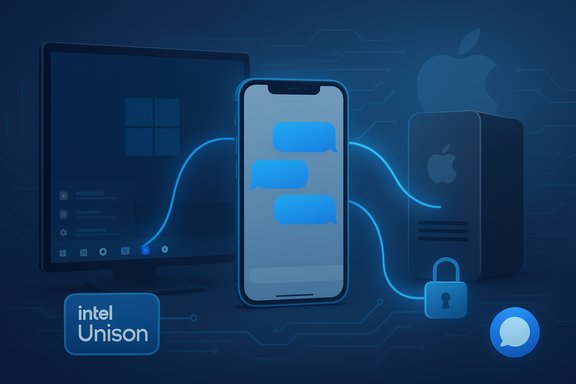 Background / Overview
Apple’s iMessage system is a closed, end‑to‑end encrypted messaging platform built to run natively on iOS, iPadOS and macOS, and Apple has not released a Windows client. For years that forced people who owned iPhones but worked on Windows machines to use clumsy workarounds: forwarding, email, cloud services, or third‑party relays. In the last few years several viable paths emerged:- Microsoft’s Phone Link, integrated into the Windows 11 Start menu, now offers direct iPhone connectivity for messages, calls, notifications, and file transfers under controlled conditions. This adds some iMessage functionality to Windows without a Mac or server, but it is intentionally limited by Apple’s platform boundaries.
- Intel Unison is an OEM app that links select PCs to iPhones and provides messaging support and other cross‑device features; it is convenient but limited in scope and message history.
- BlueBubbles and AirMessage are community and open‑source solutions that relay iMessage via a Mac (or macOS VM) that remains online as a server. They provide fuller conversation history and richer features but require self‑hosting or trust in a third‑party proxy and technical setup.
What Microsoft’s Phone Link actually does (and what it doesn’t)
The feature set (short version)
- Check iPhone battery and connectivity from the Windows 11 Start menu.
- See notifications, send and receive messages (including some iMessage traffic), and handle calls from the PC.
- Drag‑and‑drop file sharing between PC and iPhone (Start menu “Send files” UI).
- Setup and pairing use Bluetooth Low Energy (BLE) for iPhone connections; Android still uses a richer set of integrations.
Requirements and rollout
- Windows 11 (Insider builds initially; later public rollout).
- Phone Link app version matching the feature (examples: 1.24121.x family or later depending on rollout).
- PC with Bluetooth LE support and a Microsoft account.
- Not supported on some Education SKUs during early rollouts.
Important limitations you must accept
- Phone Link is not a full iMessage client. It mirrors recent messages and allows replies, but it does not always show full historical threads, and group messages / advanced iMessage-only features can be inconsistent or missing. In short: it provides convenience, not parity.
- Because Apple controls iMessage’s encryption and APIs, Microsoft uses BLE and bridging techniques that respect Apple’s boundaries; that’s why Phone Link’s behavior differs from macOS Messages. Expect features to expand slowly over time, but not instantly to macOS parity.
Intel Unison: OEM alternative with modest upsides
What Intel Unison offers
- Messaging, calls, notifications, and file sharing between an iPhone and supported Windows PCs.
- Designed for modern Intel platforms; works on a wide range of hardware but receives extra polish on Evo‑certified devices.
Known constraints
- Full conversation history, group message continuity, and certain attachments are not fully synced — Unison typically shows messages exchanged while the app is active rather than the entire iMessage history. That’s an implementation and platform limitation, not a bug per se.
When to use Unison
- You want OEM‑branded integration, clipboard sharing and basic messaging on Windows without a Mac server.
- You’re on supported Intel hardware and want quick setup via QR pairing with an iPhone app component.
AirMessage and BlueBubbles: self‑hosted (or hosted) relays that mimic macOS Messages
How they work (the high‑level model)
- Both solutions require a macOS instance (a physical Mac or a properly configured macOS VM) running a server component that interacts with Apple’s Messages app.
- The server uses the Mac’s access to iMessage to relay messages to client apps on Windows, Android, or the web. Clients connect to the server (directly or via a proxy) and present a near‑complete Messages experience.
Benefits
- Much fuller message history, reactions, read receipts, and often more accurate handling of iMessage features than Phone Link or Unison.
- Desktop clients or web clients can feel very similar to Messages on macOS: full threads, media transfer, typing indicators (depending on private APIs), and richer UX.
Costs and risks
- You must keep a Mac (or VM) reliably online for the server to function. If the server is down, messages won’t be relayed.
- Setting up port‑forwarding or using a proxy raises privacy and security questions; if you use a hosted proxy you must trust that service.
- Running macOS in a VM on non‑Apple hardware may be a license and stability issue, and Apple occasionally tightens detection and rate‑limits that can break virtualized setups. Community threads document breakages and VM‑specific problems.
Step‑by‑step: Getting the most practical setups working
The following are condensed, practical setup outlines. They aim to be accurate at time of writing — always follow official app documentation during installation.Option A — Phone Link (Windows 11 Start menu)
- Update Windows 11 and ensure your PC is eligible for the Start menu mobile device integration; install the latest Phone Link from the Microsoft Store. If you’re an Insider, use the appropriate Dev/Beta build mentioned in the Windows Insider announcements.
- On Windows, open the Start menu and choose the Phone / iPhone pane and start the pairing wizard.
- On the iPhone, install the Link to Windows app from the App Store if prompted; grant notification and Bluetooth permissions.
- Pair via QR code or Bluetooth LE handshake; accept prompts on both devices for notifications and message access.
- Test by sending and receiving a message, then check the Messages pane in Phone Link. Note the limitations around older message history and group chats.
Option B — Intel Unison
- Install Intel Unison on the Windows PC (Microsoft Store) and the Unison companion on the iPhone.
- Scan the QR code shown in the PC app with the iPhone to pair, then grant the listed permissions (contacts, local network, Bluetooth, notifications).
- Use the Unison Messages tab to compose and reply; be aware that message history may be limited to interactions while the app is active.
Option C — BlueBubbles or AirMessage (self‑hosted)
- Prepare a Mac (or macOS VM that you can run 24/7). Install the server component (BlueBubbles Server or AirMessage Server) and follow official guides to configure it.
- Verify Messages works on the Mac with your Apple ID and that iMessage is active. Give the server the required accessibility and disk permissions (some servers ask for full disk access to read the chat database).
- Configure DNS/port‑forwarding if you want remote access, or use a hosted proxy service to avoid port forwarding (this usually carries a trust trade‑off).
- Install the BlueBubbles or AirMessage client on Windows (or use the web client) and point it to your server; log in and validate message flow. Test thoroughly.
Security, privacy and legal considerations — what the articles and communities stress
- iMessage is designed for Apple devices with end‑to‑end encryption. Relays that involve a third‑party server or proxy change the threat model: the server, or the proxy operator, can potentially see decrypted message contents because the server is an active participant in the message flow. That’s why self‑hosting on a Mac you control is the safest way to use BlueBubbles/AirMessage. Independent explainers and security writeups underline these trade‑offs.
- Phone Link and Unison avoid server‑side message re‑encryption because they use the iPhone as the authoritative device — messages are relayed through your iPhone. That reduces the risk of third‑party interception, but these methods are still constrained by what Apple exposes via Bluetooth and system APIs. In short: Phone Link/Unison are safer than handing traffic to an unknown remote proxy, but they give less feature parity.
- Running macOS in a VM on non‑Apple hardware may violate Apple’s terms of service and create stability or account‑verification issues; these have been reported in community fora and can cause intermittent sign‑outs or blocking. Use caution.
- If you use a hosted proxy to avoid port forwarding, vet the provider carefully, prefer open‑source community options or paid providers with clear privacy policies, and minimize the amount of sensitive data you transmit while the proxy is in use. Community threads highlight both free community proxies and paid services; trust and due diligence are essential.
Troubleshooting common problems (practical tips)
- Pairing fails or messages don’t appear: ensure BLE is enabled on both devices, both devices are on the latest supported app versions, and that relevant notification and background permissions are granted to Link / Phone Link / Unison. Rebooting Bluetooth devices or re‑pairing often resolves transient issues.
- Missing history or group chats: if relying on Phone Link or Unison, expect history limitations. For full history, consider a relay solution and accept the setup overhead.
- Media or attachments not transferring: use iCloud Photos or OneDrive as an alternative in mixed environments; direct media syncing varies by method. Phone Link may lack broad media sync.
- VM or server sign‑outs: when running BlueBubbles/AirMessage on a VM, be aware Apple sometimes flags unusual hardware IDs; community reports describe the need to use a physical Mac for stability if you encounter repeated logouts.
Comparative snapshot — when to pick which solution
- Choose Phone Link (Start menu) if you:
- Want the quickest, lowest‑risk way to reply to iMessages from Windows with minimal setup.
- Prefer a solution that keeps iMessage account and encryption within Apple’s ecosystem as much as possible.
- Choose Intel Unison if you:
- Prefer an OEM‑integrated experience with extra PC‑centric features (clipboard sync, OEM polish).
- Use Intel‑branded hardware where Unison support is advertised.
- Choose BlueBubbles / AirMessage if you:
- Need full message history, reactions, and richer iMessage features on Windows or cross‑platform clients.
- Can run (and secure) a Mac server 24/7 or are comfortable hosting a VM and dealing with the configuration and potential Apple account quirks.
Strengths, concerns and the path forward
Notable strengths
- The ecosystem now offers choice: convenience with Phone Link, OEM extras with Unison, and completeness with relay servers. That’s a meaningful change from the “no option” situation of years past.
- Microsoft’s Start menu integration is a pragmatic approach that improves productivity for mixed‑platform users without pretending to replace macOS Messages. It’s a credible step toward reducing friction between iPhone and Windows users.
Potential risks and friction points
- Feature parity remains elusive. Apple’s control of iMessage means Windows will likely never receive a true native client unless Apple chooses to publish one. Workarounds and relays will remain the only ways to get macOS‑level features on Windows.
- Self‑hosted relays increase attack surface and trust requirements. If you host your own server, follow best practices (firewall, strong passwords, TLS, minimal exposure). If you use a third‑party proxy, evaluate the provider’s privacy and security posture before handing over credentials or message traffic.
- Virtualization fragility: VMs that emulate Mac hardware can work, but they carry fragility and possible terms‑of‑service problems or Apple countermeasures; this is a real operational risk for users trying to avoid buying a Mac. Community threads show intermittent breakage; choose a physical Mac for reliability if possible.
Final verdict and practical recommendation
For most Windows users who own an iPhone and want a safe, simple way to reply to messages from their PC, Phone Link / Start menu integration is now the sensible first choice: it requires minimal setup, keeps your Apple ID and messages inside Apple’s device boundary for the most part, and reduces friction for everyday productivity tasks. If your needs are purely convenience and occasional replies, this is the recommended path. If you rely on full conversation history, message reactions, and a macOS‑like Messages experience on Windows, accept the trade‑offs and go self‑hosted with BlueBubbles or AirMessage — but only after planning for the security implications and the always‑online Mac requirement. Use a physically owned Mac if at all possible and secure remote access carefully. Finally, if your PC is Intel‑based and you want an OEM‑polished option that ties into other PC features, Intel Unison is a good middle ground — just know its message history and group chat support are limited.Microsoft’s and Intel’s official moves — and the thriving open‑source BlueBubbles/AirMessage community — have made iMessage on Windows a realistic set of choices rather than a single blocking problem. Pick the path that matches your priorities: simplicity and safety (Phone Link), device‑centric polish (Intel Unison), or feature completeness with administrative overhead (BlueBubbles/AirMessage). Community threads and practical testing reports confirm the strengths and caveats described above.
If you decide which path you want to try, follow the vendor documentation carefully, secure any servers you host, and test with non‑critical accounts until you’re comfortable with the reliability and privacy characteristics of the chosen method.
Source: ZDNET How to send and receive iPhone iMessages in Windows
