

Intel’s latest graphics driver drop doesn’t just add support for the new Core Ultra Series 3 “Panther Lake” family — it brings XeSS 3 with Multi‑Frame Generation (MFG) to a broad swath of Intel Arc and Core Ultra platforms, letting compatible GPUs synthesize up to three AI‑generated frames between two rendered frames to produce dramatically smoother motion and higher effective framerates.
Intel published a new WHQL‑certified graphics driver (identified by packages 32.0.101.8425 and 32.0.101.8362, distributed as gfx_win_101.8425_101.8362.exe) that acts as the public rollout vehicle for XeSS 3 — the company’s next-generation Xe Super Sampling technology that now includes Multi‑Frame Generation. The package includes the Windows graphics driver, media/Vulkan layers, oneAPI components and developer tools; the installer weighs in at roughly 1.4 GB.
XeSS 3’s headline: where previous XeSS releases focused on neural upscaling (reconstructing spatial detail from lower resolution inputs), XeSS 3 adds temporal synthesis — analyzing consecutive frames and motion vectors to synthesize intermediate frames on the GPU’s AI units, expanding the frame‑generation ratio from 1:1 to as much as 3:1 (one rendered frame + up to three generated frames). That shift is intended to raise perceived smoothness and make high‑refresh displays feel more fluid without paying the full rendering cost for every displayed frame.
Key verified driver facts:
What independent outlets and early testers are consistently reporting:
How competitors stack up:
But it’s not a silver bullet. Expect:
The arrival of XeSS 3 MFG in a WHQL driver is an inflection point for mainstream PC graphics: it makes high‑quality frame generation possible on hardware that would previously have needed an expensive upgrade, while also renewing the imperative for careful, title‑by‑title validation. For many players, that means a practical path to smoother motion and higher effective framerates; for the industry, it signals another round of AI‑led innovation that will force engines, middleware and driver teams to work closer than ever.
Source: Windows Central Intel's XeSS 3 update brings smoother gameplay and better pacing
 Background / Overview
Intel published a new WHQL‑certified graphics driver (identified by packages 32.0.101.8425 and 32.0.101.8362, distributed as gfx_win_101.8425_101.8362.exe) that acts as the public rollout vehicle for XeSS 3 — the company’s next-generation Xe Super Sampling technology that now includes Multi‑Frame Generation. The package includes the Windows graphics driver, media/Vulkan layers, oneAPI components and developer tools; the installer weighs in at roughly 1.4 GB.XeSS 3’s headline: where previous XeSS releases focused on neural upscaling (reconstructing spatial detail from lower resolution inputs), XeSS 3 adds temporal synthesis — analyzing consecutive frames and motion vectors to synthesize intermediate frames on the GPU’s AI units, expanding the frame‑generation ratio from 1:1 to as much as 3:1 (one rendered frame + up to three generated frames). That shift is intended to raise perceived smoothness and make high‑refresh displays feel more fluid without paying the full rendering cost for every displayed frame.
What exactly does XeSS 3 MFG do?
How Multi‑Frame Generation works, briefly
- The game renders two consecutive frames and provides motion vectors, depth/scene metadata and other inputs when available.
- XeSS 3’s inference pipeline runs on GPU AI units (XMX or equivalent) and synthesizes intermediate frames between the two real frames.
- The display receives a larger number of frames in the same time window, improving perceived framerate and motion smoothness.
Generation ratios and modes
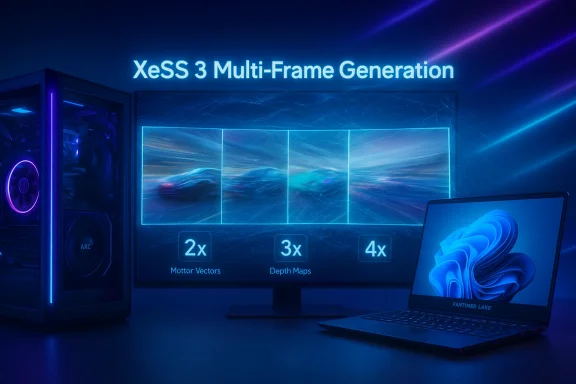
- MFG can insert up to three synthetic frames between rendered frames, which Intel and partners sometimes describe operationally as 2×, 3× or 4× modes (the nomenclature reflects effective multipliers).
- In practice, higher multipliers yield greater effective FPS but increase the risk of perceptual artifacts and added input latency. Real‑world tuning is therefore essential.
Platforms and driver details — what’s supported now
This release explicitly lists support for Arc A‑series (Alchemist), Arc B‑series (Battlemage and B‑series iGPUs like B370/B390), and multiple Core Ultra generations (Meteor Lake, Lunar Lake, Arrow Lake‑S/H and Panther Lake). That means XeSS 3’s MFG is not reserved for new Panther Lake hardware alone — Intel has extended the feature across older Arc families and multiple Core Ultra iGPU generations where hardware AI support exists.Key verified driver facts:
- Driver versions: 32.0.101.8425 and 32.0.101.8362 (installer: gfx_win_101.8425_101.8362.exe).
- Installer size: approximately 1.4 GB.
- WHQL‑certified release: yes — Intel distributed this as a standard (generic) driver package rather than OEM‑customized builds; installing it will overwrite vendor drivers. That matters for laptops where OEM power/thermal tuning is critical.
Early performance claims and real‑world caveats
Intel and various demos have shown striking uplifts in controlled settings — in some Tech Tour demos a Panther Lake laptop scaled from tens of native FPS to near‑200 FPS using aggressive generation multipliers — but those are tightly controlled numbers that depend on scene, engine, and configuration. Treat demo multipliers as indicative, not guaranteed. Independent hands‑on reports and early community tests echo both the promise and the complexity of the rollout: great gains in many scenes, but visible artifacts and measurable latency increases in borderline cases.What independent outlets and early testers are consistently reporting:
- Substantial effective framerate improvements on well‑behaved scenes with solid base framerates (especially on 60‑Hz+ displays and 120 Hz/144 Hz panels).
- A trade‑off between framerate uplift and input latency — higher MFG multipliers typically add more delay; the perceived latency depends heavily on the native framerate and the game’s input pipeline.
- Artifact classes: ghosting, motion reconstruction errors during rapid camera movement, particle or volumetric anomalies — some titles exhibit visible defects at aggressive settings.
Strengths: why this matters
- Broad hardware reach. Unlike some competitor implementations that are gated to the newest silicon, Intel’s rollout covers Arc A/B series and multiple Core Ultra iGPU generations, so midrange and older systems can — in theory — benefit. That democratizes frame generation for more users.
- Integration path for existing XeSS titles. Built API compatibility with XeSS 2 means quicker adoption for games that already implemented Intel’s upscaler. Players could see improvements with a driver update alone in supported titles.
- Better motion experience on laptops/handhelds. Thermally constrained devices that struggle to render every frame at high refresh rates can use MFG to create a smoother feel while keeping thermal and power budgets in check.
- Strategic platform play. Paired with Panther Lake’s Xe3 cores and larger NPU/AI ambitions, XeSS 3 helps Intel craft a more convincing XPU story that ties local AI, graphics and platform features together.
Risks and practical downsides
- Input latency. Generating frames adds processing time and can shift presentation latency. Competitive players and latency‑sensitive titles must measure before adopting aggressive MFG modes. Intel claims latency remains “competitive” in many scenarios, but measured outcomes vary by title and hardware.
- Visual artifacts. Certain motion patterns, particle effects, or rapid scene changes can reveal ghosting or reconstruction errors in synthetic frames. These vary across engines and scenes, and driver/engine tuning is ongoing.
- Driver‑compatibility and OEM concerns. The driver is a generic Intel package that overwrites OEM drivers. Laptops often depend on OEM power/thermal and fan curves; switching away from vendor drivers can change battery life and sustained performance characteristics. Enterprises and professionals should test in controlled environments first.
- Title‑specific regressions. Early release notes and community tests list crashes, color corruption and rendering glitches in specific games under certain conditions. Expect iterative fixes and updated driver drops as issues are triaged.
Deployment and testing recommendations (for enthusiasts, pros and IT)
If you plan to try XeSS 3 MFG, follow this pragmatic checklist:- Create a full system backup or at least a Windows restore point before installing the generic Intel driver.
- Prefer a non‑critical or secondary machine for early experimentation; don’t deploy this driver immediately on production machines.
- Review your OEM’s support page: if you rely on manufacturer‑specific features (battery profiles, fan tuning), wait for your OEM’s validated driver or confirm behavior in a lab.
- Run a minimal three‑step benchmark to evaluate trade‑offs: (a) native resolution baseline; (b) XeSS/SR only; (c) XeSS 3 MFG at conservative then aggressive multipliers. Capture average FPS, 1% lows and frame timing distributions. Measure input latency where possible.
- For streamers/content creators: test capture and encoder timing with MFG on/off; synthetic frames may alter timestamps and encoder behavior.
- Start with conservative multipliers (2×) and evaluate visual stability before progressing to higher modes.
- Prefer MFG in scenarios where native framerate is already reasonably smooth (e.g., >50–60 FPS). Low base FPS tends to produce worse artifacts.
Developer guidance and ecosystem implications
- Developers who integrate MFG directly into their render pipeline can tune quality/latency trade‑offs more precisely than a one‑size‑fits‑all override. Adding explicit MFG toggles in‑game will be important to help users choose sensible defaults.
- Middleware and engine vendors (render pipelines, anti‑cheat, input stacks) must validate interactions — frame generation changes pacing and event timing, and anti‑cheat systems will scrutinize determinism and fairness in competitive modes.
- Intel’s decision to expose MFG through a driver‑level toggle as well as an SDK integration route follows the now‑standard pattern: vendor app overrides for immediate access, with native engine integration for best results. Expect QA complexity during the transition.
Market and strategic analysis — does this change the GPU landscape?
XeSS 3 MFG levels the playing field in an important way: frame generation used to be a prestige feature tied to the latest discrete cards; Intel’s strategy is to push it down the stack through drivers and broad hardware compatibility. That changes how players evaluate value: older or midrange GPUs can extend their usable life via software, while laptop vendors can deliver better perceived performance without raising TDP dramatically.How competitors stack up:
- NVIDIA’s DLSS 4 with MFG remains a high‑profile implementation, but earlier generations’ support restrictions left a gap that Intel is exploiting by enabling MFG on more hardware generations.
- AMD has not yet shipped a broadly publicized MFG equivalent; rumors suggest a more cautious cadence for RDNA generational upgrades. Intel’s push creates an opening to win share in mobile and midrange markets where cost and battery life matter.
Known issues and what Intel is fixing (early notes)
Release notes and independent reporting list several known issues in early driver drops, including game‑specific artifacts, VRR reporting anomalies, and compatibility quirks with certain titles and creative applications. Intel and ecosystem partners are cataloging these and issuing iterative fixes; end users should expect multiple driver iterations in the weeks following public rollout. If you encounter crashes or color issues in critical applications, roll back to a stable OEM driver until the problem is resolved.Final assessment — balanced verdict
XeSS 3 Multi‑Frame Generation is a meaningful technical step: it expands a powerful idea (frame interpolation via learned models) across a wide install base and ties it to Intel’s broader XPU narrative. For gamers on midrange hardware, or owners of thin‑and‑light laptops who want smoother motion on high‑refresh panels, the potential payoff is high. Intel’s strategy — ship MFG broadly, make it accessible via driver and SDK, and lean on Panther Lake’s Xe3 cores to showcase the best case — is sound.But it’s not a silver bullet. Expect:
- Iterative driver fixes to address color glitches, crashes and title‑specific artifacts.
- Per‑title variability in quality and latency; native engine integration remains the ideal long‑term route.
- Practical deployment trade‑offs for OEM laptops that depend on vendor‑tuned drivers.
The arrival of XeSS 3 MFG in a WHQL driver is an inflection point for mainstream PC graphics: it makes high‑quality frame generation possible on hardware that would previously have needed an expensive upgrade, while also renewing the imperative for careful, title‑by‑title validation. For many players, that means a practical path to smoother motion and higher effective framerates; for the industry, it signals another round of AI‑led innovation that will force engines, middleware and driver teams to work closer than ever.
Source: Windows Central Intel's XeSS 3 update brings smoother gameplay and better pacing
