

Microsoft is preparing an “intelligent summaries” capability for the Copilot Dashboard that administrators and knowledge workers will start seeing this April — a move that promises to surface concise, AI‑generated overviews of meetings, documents and organizational signals directly inside the Microsoft 365 Copilot reporting surface. This change is part of a broader push to consolidate analytics and AI insights into the Copilot Dashboard and Advanced Insights reporting, and Microsoft’s published rollout notes and admin advisories indicate a phased release that begins with previews and expands globally in April.
Microsoft has steadily broadened Copilot from a conversational assistant into a platform-level productivity and analytics surface across Microsoft 365 and Windows. That transition has included embedding Copilot features into Word, Teams, OneDrive and File Explorer, exposing connectors to personal cloud stores, and adding new dashboarding and reporting for IT and business leaders. The Copilot Dashboard — the administrative and analytics home for Copilot usage and impact metrics — is now being enriched with new metrics and summary features intended to give managers a faster read on meeting outcomes, content highlights and Copilot adoption.
Concurrently, Microsoft updated meeting and Intelligent Recap metrics in the Copilot Dashboard in late 2025 and early 2026, adding richer query support and refined metric calculations so that summaries and recap‑oriented analytics can be reliably surfaced in reporting and exported views. Those metric updates (registered in Microsoft’s advisory tracks as MC1085574) are the scaffolding that enables the dashboard to present concise AI summaries across user populations. (deltapulse.app
Community discussion and early previews show that Microsoft is delivering this capability in stages — starting with public previews and rolling to broader tenants as server‑side services and admin controls are verified. Windows‑focused community threads and Copilot‑on‑Windows Insider activity capture the same cadence: preview first, then an expanded rollout tied to Microsoft 365 service health and admin readiness.
Important clarifications for administrators and decision makers:
Key implications for Copilot Dashboard summaries:
But the February DLP advisory is an unambiguous reminder that AI‑first features introduce new failure modes. Administrators must approach this rollout with pragmatic controls: pilot, audit, verify and harden policy tests before enabling department‑ or organization‑wide summaries. With the right governance, intelligent summaries will deliver real productivity gains; without it, the same mechanism that shortens briefing time can inadvertently amplify privacy and compliance risk.
If you are responsible for Copilot governance, treat this April rollout as an operational milestone — not a feature flip. Prepare your pilots, test your DLP and sensitivity label enforcement against real world scenarios (including drafts and sent items), and insist on provenance and export controls before you let summaries drive decisions at scale. The tool is powerful; the job now is to make it safe, auditable and clearly limited where necessary.
Conclusion
Intelligent summaries arriving in the Copilot Dashboard will shorten the distance between activity and insight, but they also demand organizational rigor. Microsoft’s rollout cadence, public documentation and advisory history offer a clear path for enterprises: pilot early, verify thoroughly, and treat AI summaries as a first‑class item in your security and compliance playbooks. Do that, and the Copilot Dashboard’s summaries will become a trusted aide; skip those steps, and you risk letting automation outpace your controls.
Source: Windows Report https://windowsreport.com/microsoft...mmaries-for-copilot-dashboard-arriving-april/
 Background
Microsoft has steadily broadened Copilot from a conversational assistant into a platform-level productivity and analytics surface across Microsoft 365 and Windows. That transition has included embedding Copilot features into Word, Teams, OneDrive and File Explorer, exposing connectors to personal cloud stores, and adding new dashboarding and reporting for IT and business leaders. The Copilot Dashboard — the administrative and analytics home for Copilot usage and impact metrics — is now being enriched with new metrics and summary features intended to give managers a faster read on meeting outcomes, content highlights and Copilot adoption.Concurrently, Microsoft updated meeting and Intelligent Recap metrics in the Copilot Dashboard in late 2025 and early 2026, adding richer query support and refined metric calculations so that summaries and recap‑oriented analytics can be reliably surfaced in reporting and exported views. Those metric updates (registered in Microsoft’s advisory tracks as MC1085574) are the scaffolding that enables the dashboard to present concise AI summaries across user populations. (deltapulse.app
Community discussion and early previews show that Microsoft is delivering this capability in stages — starting with public previews and rolling to broader tenants as server‑side services and admin controls are verified. Windows‑focused community threads and Copilot‑on‑Windows Insider activity capture the same cadence: preview first, then an expanded rollout tied to Microsoft 365 service health and admin readiness.
What Microsoft means by “Intelligent Summaries” in the Copilot Dashboard
What the feature will do
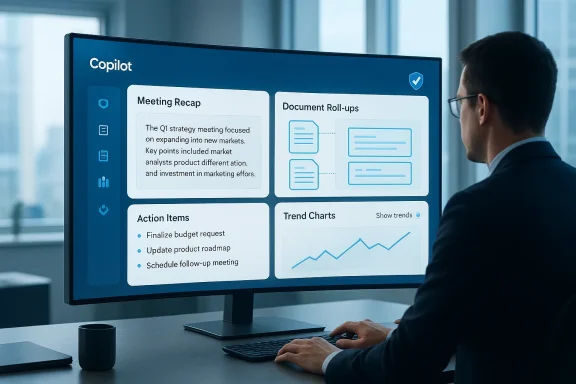
- Provide short, AI‑generated recaps of meeting content (the Intelligent Recap), including decisions, action items and key topics surfaced from Teams meetings and associated artifacts.
- Create concise roll‑ups for document collections or project folders that surface milestones, outstanding tasks and sentiment trends to help managers triage work.
- Integrate those summaries into Copilot Dashboard visualizations and the Microsoft 365 Copilot Impact report so admins and leaders can see both raw metrics and narrative context without digging through transcripts or meeting notes.
How summaries will be generated
Summaries will be produced by Microsoft’s Copilot summarization stack — a combination of server‑side generative models and indexing pipelines that read meeting transcripts, message threads, files and event metadata to build condensed natural‑language outputs. The system uses the same indexing and metric infrastructure that Microsoft has been updating for Intelligent Recap, so the summaries are intended to be queryable and link back to the raw artifacts for verification. Microsoft’s documentation for the Copilot Dashboard and the Microsoft 365 release notes describe the reliance on telemetry and indexed content to create both metrics and natural‑language recaps.Delivery surfaces
- Copilot Dashboard: Admin‑oriented summaries and trend narratives for tenant usage, meeting recaps and Copilot adoption.
- Advanced Insights / Impact reports: Narrative highlights embedded next to charts and tables to make metrics actionable.
- Optional exports / artifacts: Summaries that can be exported or copied into briefings, project trackers or compliance reviews, subject to tenant policies and licensing.
Timeline and rollout: “Arriving April” explained
Microsoft’s public notes and the Microsoft 365 community updates place the rollout window for several Copilot‑driven summary features to public preview or wider availability that includes April as an expansion month. One MIT‑style cadence appears across Microsoft notices: preview builds and targeted tenant rollouts begin earlier (often in February or March), with general availability or global rollouts expanding in April. That pattern underpins the reporting that intelligent summaries for the Copilot Dashboard will be “arriving in April.”Important clarifications for administrators and decision makers:
- “Arriving in April” is a rollout window, not an instantaneous universal release. Tenants will see staged availability based on pilot enrollments, service health, tenant configuration and licensing.
- Some features may require specific Copilot or Microsoft 365 licenses, and certain detailed, on‑device or low‑latency behaviors remain gated to Copilot+ hardware or specialized preview programs. Plan for pilot testing before enterprise‑wide enablement.
Why this matters: Productivity and management gains
Intelligent summaries are not just a convenience — they can materially change daily workflows for knowledge workers and managers.- Faster decision cycles: Leaders can scan AI‑generated meeting recaps for decisions and blockers, reducing the need to replay long recordings or parse long transcripts.
- Reduced meeting overhead: With reliable recaps, teams can shorten meetings and rely on summary artifacts for asynchronous updates.
- Actionable visibility: Summaries that link to specific files, chat threads or calendar events give managers instant audit trails and context when following up.
- Analytics + narrative: Combining metric trends with plain‑English summaries helps non‑technical stakeholders understand impact and ROI for Copilot adoption.
Privacy, security and governance: the immediate caveats
The promise of automated summaries must be balanced with hard lessons from recent incidents. In February 2026 Microsoft confirmed a server‑side bug (tracked as advisory CW1226324) that allowed Microsoft 365 Copilot Chat to summarize emails labeled as confidential stored in users’ Sent Items and Drafts folders, bypassing sensitivity labels and Data Loss Prevention (DLP) protections for a constrained window. The company rolled a server‑side fix in early February and continues to monitor remediation across affected tenants. This incident underscores both the power and the fragility of automated summarization at scale. (windowscentral.com)Key implications for Copilot Dashboard summaries:
- DLP and sensitivity labels remain the primary guardrails, but implementation gaps can matter. The February incident was a logic error that caused Copilot to ignore label metadata for a subset of folders — it was not a wide‑scale credential leak, but it did reveal how a single indexing or query path can subvert policy assumptions. Administrators should treat automated summarization as a third party that must be audited, logged and tested against real policies.
- Auditability is essential. Summaries without transparent provenance are risky. Good dashboards will include links to source artifacts, timestamps and traceable access logs so that any generated text can be traced back to original content and permission checks. Microsoft’s dashboard documentation highlights metric and telemetry links; admins should insist that summaries preserve links to raw items.
- Regulatory exposure is nontrivial. If an AI‑generated summary exposes regulated personal data, organizations may face notification and compliance duties. The Copilot confidential‑email advisory triggered a wave of tenant checks and audit demands across public and private sectors.
Technical and licensing prerequisites
Before you can rely on intelligent summaries in the Copilot Dashboard, plan for the following:- Licensing: Some Copilot Dashboard features and Advanced Insights capabilities are tied to Microsoft 365 Copilot licensing tiers. Confirm whether your tenant and assigned user licenses include Copilot reporting and advanced analysis. Microsoft’s admin documentation details the licensing alignment and readiness checks.
- Data access, connectors and indexing: Summaries depend on access to Teams transcripts, Exchange mailboxes, OneDrive/SharePoint content and calendar metadata. Tenants that restrict indexing or disable certain connectors may see incomplete or lower‑quality summaries. Admins should audit connector settings and consent models.
- Privacy and admin controls: Expect per‑feature toggles in the Microsoft 365 admin center and Copilot Dashboard to opt summaries in or out for specified groups. You should test in a pilot OU or tenant first.
- Retention and logging: Because summaries might expose aggregated content, retain logs of Copilot queries and summary generation events for at least the period required by your compliance posture. Microsoft’s advisory timeline around Copilot metrics updates and the DLP incident suggests admins must be able to trace generation back to the raw content. (deltapulse.app)
Recommendations for IT leaders and security teams
- Start a controlled pilot. Enable intelligent summaries only for a pilot group and validate:
- That sensitivity labels and DLP rules are enforced for generated outputs.
- That summaries link to source artifacts and show provenance.
- That users understand how to request redaction or removal of AI outputs.
- Audit historical windows. Because the February advisory covered an exposure window, tenants should review Copilot logs and query histories from January–February 2026 to detect unexpected summary generation for sensitive items. Microsoft issued advisories and fixes — confirm your tenant’s remediation status.
- Harden policy enforcement. Run defensive tests against sensitivity labels and DLP rules specifically for drafts/sent items and items that are commCopilot pipelines. The recent bug highlights folder‑specific policy gaps.
- Train users. Roll out short guidance to reduce risky behavior (e.g., drafting extremely sensitive content in shared mailboxes or using Copilot to summarize content without checking visibility). User awareness reduces the likelihood that summaror accidental disclosure.
- Configure telemetry and retention. Keep sufficient logging to reconstruct how summaries were created and what content they referenced. If required by law, establish retention and export procedures for audit purposes.
- Contract and SLA review. Review Microsoft’s service‑level expectations for Copilot features and include AI‑specific clauses in vendor risk assessments that cover model updates, bug remediation windows and support escalation paths.
Practical admin checklist: Getting ready before April
- Confirm Copilot Dashboard licensing for your tenant and the list of administrators who will access Advanced Insights.
- Validate that Teams meeting transcripts, Exchange indexing and SharePoint/OneDrive connectors are permitted for the groups in the pilot.
- Run a sensitivity label smoke test: create labeled items in Drafts/Sent Items and run a controlled Copilot query to confirm labels are respected. Document results.
- Enable audit logging for Copilot queries and summaries and export baseline logs for the prior 90 days.
- Prepare internal communications explaining what summaries will include and how to request removals or corrections.
UX and content quality: what to expect and what to watch for
Generative summaries are only as useful as the data they index and the guardrails that constrain outputs. Early previews and community testing show these typical patterns:- High signal for structured meetings: Meetings with clear agendas, shared files and explicit action items yield high‑quality recaps. The AI can reliably extract decisions and named action owners.
- Variable quality for messy content: Long, unstructured meetings, or meetings with heavy side conversations, produce noisier summaries; admins should avoid overreliance on a single summary as authoritative.
- Provenance matters: The most valuable summaries include links to the exact transcript range, chat snippets or file pages that produced each bullet. Demand provenance.
- Bias toward visible artifacts: Items not indexed or blocked by tenant policy will not be present in summaries, which can make summaries appear incomplete rather than deceptive. That’s a feature, not a bug — but it requires communicating limitations.
Strengths, weaknesses and the middle path
Strengths
- Time savings at scale: Consolidating metrics and narrative summaries reduces the cognitive load for managers and helps prioritize follow‑up work across many teams.
- Actionable context: When summaries are tied to specific artifacts and metrics, they convert passive telemetry into decisions and tasks.
- Improved adoption insights: Copilot Dashboard narratives combined with usage metrics give IT teams a clearer picture of how tools deliver value.
Weaknesses and risks
- Policy gaps can produce exposure: The February Copilot DLP bypass is a cautionary example that even high‑grade policy systems can be defeated by logic errors or indexing edge cases.
- Overtrust in summarization: Users may treat succinct AI outputs as legally or operationally definitive; that creates liability if summaries omit nuance or misattribute content.
- Dependence on indexing: If your tenant opts out of certain indexers or connectors, summaries will be incomplete and possibly misleading.
The middle path
Deploy intelligent summaries with an expectation that they will be a powerful operational aid, but not a replacement for source verification. Build procedures that require humans to validate summaries for high‑stakes decisions; keep logging and versioned provenance so any automated output can be audited and corrected.What to watch after rollout
- Microsoft service health and Copilot Dashboard advisories for any follow‑on fixes or behavioral changes to summary generation. Keep an eye on advisory IDs (e.g., MC1085574 and related advisories) that Microsoft uses to announce metric or behavior updates.
- Microsoft’s admin center and the Copilot Dashboard for new per‑feature toggles (opt‑outs, group‑based enablement, and telemetry controls).
- Security notices for any model‑related regressions or DLP bypasses; treat any new advisory as an operational incident until you confirm tenant status. Recent community reporting and official advisories show that the vendor will patch server‑side logic quickly, but tenant confirmation is still required.
Final assessment: a necessary capability with manageable but real risk
Intelligent summaries for the Copilot Dashboard represent a logical and valuable next step in Microsoft’s Copilot roadmap: turning metrics into digestible narratives that help leaders act faster and reduce meeting overhead. Microsoft’s own documentation and roadmap updates support the assertion that these features will be available in staged form, with April marked as a key expansion month for public rollout.But the February DLP advisory is an unambiguous reminder that AI‑first features introduce new failure modes. Administrators must approach this rollout with pragmatic controls: pilot, audit, verify and harden policy tests before enabling department‑ or organization‑wide summaries. With the right governance, intelligent summaries will deliver real productivity gains; without it, the same mechanism that shortens briefing time can inadvertently amplify privacy and compliance risk.
If you are responsible for Copilot governance, treat this April rollout as an operational milestone — not a feature flip. Prepare your pilots, test your DLP and sensitivity label enforcement against real world scenarios (including drafts and sent items), and insist on provenance and export controls before you let summaries drive decisions at scale. The tool is powerful; the job now is to make it safe, auditable and clearly limited where necessary.
Conclusion
Intelligent summaries arriving in the Copilot Dashboard will shorten the distance between activity and insight, but they also demand organizational rigor. Microsoft’s rollout cadence, public documentation and advisory history offer a clear path for enterprises: pilot early, verify thoroughly, and treat AI summaries as a first‑class item in your security and compliance playbooks. Do that, and the Copilot Dashboard’s summaries will become a trusted aide; skip those steps, and you risk letting automation outpace your controls.
Source: Windows Report https://windowsreport.com/microsoft...mmaries-for-copilot-dashboard-arriving-april/
