

Microsoft has begun enforcing a long‑announced tightening of mobile app security inside Microsoft Intune’s Mobile Application Management (MAM) service, and the change is already producing visible disruption for organizations and end users that did not update their managed apps and app‑management tooling in time. The enforcement centers on minimum Intune SDK and wrapper versions for iOS apps and a required Intune Company Portal version for Android, with non‑compliant apps being prevented from launching — a hardline move that shifts the operational burden to app owners, admin teams, and device users.
Microsoft’s published guidance states that starting January 19, 2026 (and in some communications previously referenced as December 15, 2025 for earlier rollout windows), Intune will require iOS apps that use the Intune App SDK or the Intune app wrapper to be compiled with and/or wrapped by specific minimum releases, and Android endpoints must run a recent Intune Company Portal build. If apps or the Company Portal do not meet the minimums, the Intune MAM service will block the app from launching until remediation occurs. This is an enforcement of app-level trust that Microsoft has been announcing to tenants via Message Center items for months. The required minimums called out by Microsoft include:
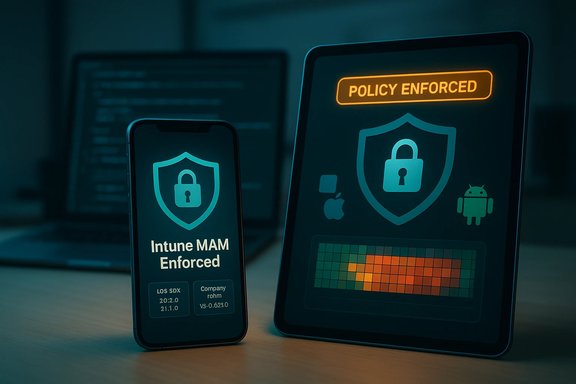 Background / Overview
Microsoft’s published guidance states that starting January 19, 2026 (and in some communications previously referenced as December 15, 2025 for earlier rollout windows), Intune will require iOS apps that use the Intune App SDK or the Intune app wrapper to be compiled with and/or wrapped by specific minimum releases, and Android endpoints must run a recent Intune Company Portal build. If apps or the Company Portal do not meet the minimums, the Intune MAM service will block the app from launching until remediation occurs. This is an enforcement of app-level trust that Microsoft has been announcing to tenants via Message Center items for months. The required minimums called out by Microsoft include:- iOS Intune App SDK / App Wrapping Tool: minimum wrapper/SDK versions (for example, 20.8.0 / 20.8.1 for Xcode 16 builds and 21.1.0 for Xcode 26 builds depending on compilation).
- Android Intune Company Portal: a specific Company Portal version (v5.0.6726.0 cited in Microsoft guidance) is flagged for enforcement checks.
What changed — the technical baseline
iOS: SDK and wrapper minimums
Microsoft explicitly requires that iOS line‑of‑business apps using Intune tooling be updated to supported SDK/wrapper versions. The rules are precise because the iOS ecosystem complicates automated updates for LOB apps: an internally wrapped iOS app will not update via the App Store; it must be re‑wrapped or rebuilt by the app owner and then redistributed. Microsoft’s public guidance lists exact version mappings against Xcode toolchains — for example, Intune App SDK 20.8.0 for Xcode 16 compiled apps and 21.1.0 for apps compiled with Xcode 26 — and likewise for the wrapping tool versions. Failing to adopt these versions risks apps losing connectivity to the Intune MAM service or being blocked from launch. Why this matters: iOS line‑of‑business (LOB) apps are commonly maintained by internal teams that may not track Intune SDK release cadence closely. If these internal apps are not recompiled/wrapped to the specified SDK/wrapper versions, they become non‑functional from the user’s perspective even though the device itself is healthy.Android: Company Portal versioning and update dynamics
On Android the mechanics differ: Microsoft’s enforcement is tied to the Intune Company Portal app version on the device plus the presence of at least one Microsoft app built with the updated SDK. Once the required Company Portal and an updated Microsoft app are present on a device, Android’s distribution and update flow usually allows other managed apps to update or validate their protection status automatically. However, if the Company Portal stays outdated, the MAM trust checks can cause managed work apps — including Outlook, Teams, and OneDrive — to refuse to start. That creates a single point of failure: one overdue Company Portal update can paralyze all managed work apps on the device.The enforcement timeline
Microsoft’s Message Center item (MC1158328 and related notices) and Intune “In development” pages indicated a transition window beginning in December 2025 with a follow‑on enforcement phase starting January 19, 2026 (phased tenant targeting noted). Administrators received advance notifications through the Message Center, but the actual effective enforcement has now begun for tenants and users in scope.Real‑world impact: what admins and users are seeing
Multiple outlets and field reports indicate that users who did not update their managed apps or Company Portal were blocked from launching business apps — in some cases instantly losing access to corporate mail and files on mobile devices. News coverage and community writeups report blocked Outlook and Teams launches on personal devices where the managed apps or Company Portal lagged behind the enforced minimums. These are consistent with Microsoft’s stated enforcement behavior. Operationally, this manifests as:- End users tapping Outlook/Teams and being unable to open the app or authenticate.
- Helpdesk escalation spikes tied to mobile access outages.
- Admins scrambling to update enterprise LOB apps, re‑wrap them, or push the Company Portal update through managed app deployment channels.
Why Microsoft took this path — the security logic
- Reduce attack surface: Older SDKs and wrappers lack support for new security APIs and bug fixes. By requiring modern SDKs, Intune ensures app protection policies have reliable enforcement hooks.
- Consistency across platforms: A minimum baseline reduces policy divergence across iOS and Android, simplifying conditional access and DLP enforcement logic for administrators.
- Mitigate platform changes: Apple and Google regularly change platform behavior; enforcing SDK minima reduces compatibility surprises when platforms introduce breaking changes.
- Operational simplicity for Microsoft: Centralized enforcement gives Microsoft a clearer signal that apps claiming to be "managed" actually meet a minimum protection level.
Strengths and strategic upsides
- Stronger, more predictable app protection. Administrators can trust that apps covered by Intune MAM are running SDKs that understand modern iOS/Android protections, which reduces policy bypass risk.
- Cleaner lifecycle management. Enforced minima force organizations to adopt a regular app maintenance cadence (build/release/verify), which is a good governance practice long term.
- Leverages Conditional Launch for staged control. Microsoft preserves administrative control: Conditional Launch settings let admins pre‑stage minimum SDK, app version, or Company Portal version checks to warn or block users before enforcement. Properly used, this reduces surprise outages.
Key risks and operational pain points
- Single‑point failure (Android Company Portal). On Android a stale Company Portal can block all other managed apps on a device. That makes a single update dependency a high‑risk item in BYOD fleets.
- LOB app maintenance burden (iOS). Internal apps that are not part of App Store distribution must be rebuilt/wrapped and redeployed by development teams. Many organizations underestimate the resources and testing required to rewrap and validate enterprise apps for new SDKs.
- Helpdesk load and productivity impact. Sudden enforcement without staged pilot groups can generate spikes in support tickets and lost productivity if users cannot access mail and collaboration tools.
- Third‑party tooling and framework incompatibilities. Some cross‑platform frameworks and third‑party SDKs may lag behind Intune SDK releases (for example, .NET MAUI integration concerns have been raised in public issue trackers), placing additional pressure on ISVs and internal dev teams to coordinate platform updates.
- Dependency on user behavior for BYOD. For environments that rely on users to update apps via the App Store or Play Store, low user update compliance can cause outages; IT can nudge but often cannot force App Store updates for consumer devices without additional management.
Actionable guidance for administrators — a prioritized checklist
- Inventory & triage immediately
- Identify any iOS LOB apps that are wrapped or contain the Intune SDK, and record their SDK/wrapper versions and the Xcode used to build them.
- Inventory Android devices to check Company Portal versions in use and the presence of Microsoft apps built with the updated SDK.
- Use Intune reporting and Graph queries to create a risk heatmap of at‑risk users and apps.
- Prioritize updates
- Update the Intune Company Portal on Android fleets to at least v5.0.6726.0 where applicable and ensure one Microsoft app with the updated SDK is present per device to trigger subsequent updates.
- For iOS LOB apps, plan rebuilds or re‑wrapping using the SDK/wrapper versions Microsoft specified (20.8.0/20.8.1 or 21.1.0 depending on Xcode). Coordinate with developers for testing on the intended iOS versions and device models.
- Use Conditional Launch to stage enforcement
- Configure Min SDK version, Min app version, and Min Company Portal version settings in Conditional Launch policies to warn users first, and then escalate to blocking enforcement once uptake is satisfactory. This reduces surprise outages.
- Communicate early and often
- Send targeted communications (email, intranet notices, push notifications via Company Portal) to users who run at‑risk apps. Provide step‑by‑step update instructions for App Store / Play Store updates and for corporate distribution channels for LOB apps.
- Prepare helpdesk runbooks
- Equip support teams with diagnostics (how to verify Company Portal and app versions, how to re‑enroll devices if necessary, and how to escalate LOB app failures to dev teams). Include fallback plans for critical business users (temporary web client access, sanctioned device swaps).
- Coordinate with developers and vendors
- Prioritize any third‑party or cross‑platform apps used by the organization (including vendor apps) and verify that their maintainers have updated to supported Intune SDK/wrapper versions. Track upstream fixes for frameworks like MAUI if you rely on them.
- Test before broad enforcement
- Use pilot groups and a staged enforcement approach to catch issues early. Validate functionality on representative device models and OS versions.
- Document and audit
- Log decisions, pilot results, and the date of enforcement toggles for audit and post‑mortem analysis. This helps with compliance and future readiness.
Developer considerations: what to change in your CI/CD and release pipeline
- Include Intune SDK/wrapper version checks as part of the build verification stage.
- Tag builds with Xcode/toolchain metadata so you can map each binary to the correct Intune SDK requirement (Xcode 16 vs Xcode 26 requires different Intune SDK versions).
- Automate wrapper runs for internal iOS builds and include signing and distribution checks to ensure wrapped apps remain valid.
- Coordinate release notes and App Store descriptions for internal teams to make update behavior transparent to end users.
What happened to organizations that missed the window
Reports from news outlets and community posts show two common failure modes:- BYOD devices where users did not update apps via the App Store/Play Store and where admins did not enforce Conditional Launch warnings experienced immediate blocks to app launches.
- Internal LOB apps that were left on older wrappers/SDKs stopped functioning because they require active rebuilds and redistribution — something that cannot be solved by merely updating the Company Portal.
Policy and governance implications
- Operational discipline gained versus short‑term pain. The enforcement nudges organizations toward predictable app maintenance cycles, which is healthier for security posture, but the short notice or lack of coordination can create disproportionate productivity losses.
- BYOD policy clarity becomes critical. Organizations must decide whether to support unmanaged apps in BYOD scenarios or require enrollment/managed app updates to avoid future surprises.
- SLA and vendor management. For third‑party mobile apps, include Intune SDK update commitments in vendor SLAs and procurement checklists.
What to watch next
- Phased enforcement and tenant targeting cadence. Microsoft has staged notifications and in some message center entries indicated tenant‑by‑tenant timing; admins should monitor Message Center items and Intune “In development” pages for tenant‑specific enforcement windows.
- Framework compatibility notices. Watch public repositories and vendor issue trackers (for example, community threads about .NET MAUI and Intune SDK compatibility) for cross‑platform integration gaps that could bloccom](]) [*][B]Administrative tooling cha... now enforces stricter security within Intune


