

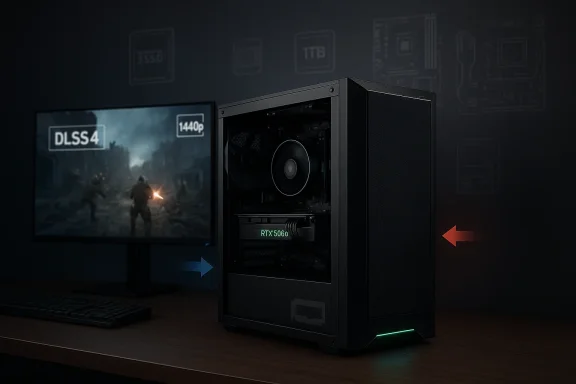
The Ionz Gaming PC listing is a familiar kind of prebuilt desktop: a Ryzen 5 5500-based system paired with an RTX 5060 8GB, 16GB of RAM, a 1TB SSD, Windows 11, Wi‑Fi, and a 500W 80+ PSU. On paper, that makes it a clean plug-and-play tower for 1080p gaming and a credible step into 1440p with help from modern NVIDIA features. The interesting part is not just the parts list, but what it says about where value-oriented gaming PCs are headed in 2026: more AI-assisted graphics, more prebuilt convenience, and tighter scrutiny of power, cooling, and upgrade headroom.
Prebuilt gaming desktops have always sold on convenience, but the category has changed significantly over the last few product cycles. The old formula was simple: buy a box, get a GPU that matched your target resolution, and accept that the rest of the machine was a compromise. Today, buyers expect a more polished answer. They want Windows 11 ready to go, enough SSD space for a modern game library, built-in wireless, and a graphics card that can lean on upscaling and frame-generation technologies when native raster performance runs out of steam.
That is the context in which an entry-level-to-midrange tower like this one matters. The Ryzen 5 5500 is a six-core, 12-thread Zen 3 desktop chip with a 65W TDP, a 3.6GHz base clock, and up to 4.2GHz boost, which still makes it a reasonable budget CPU for gaming and everyday multitasking. NVIDIA’s RTX 5060 family, meanwhile, is positioned around Blackwell-era features like DLSS 4, ray tracing, Reflex, and AV1 encoding, with the desktop RTX 5060 listed in 8GB GDDR7 form. That combination tells you exactly what kind of buyer this system is aiming at: someone who wants a simple machine for mainstream gaming rather than a bespoke, heavily tuned build.
The broader market has also moved. Microsoft’s current Windows 11 requirements still center on a 1GHz-or-faster processor with at least two cores, 4GB of RAM, 64GB of storage, Secure Boot, TPM 2.0, and a DirectX 12-capable GPU, while personal-use setups for Windows 11 Home or Pro require internet access and a Microsoft account during initial setup. In other words, a spec sheet like this one is less about whether the machine can run the OS and more about whether the vendor has done enough around setup simplicity, compatibility, and out-of-box usability.
What makes the Ionz machine notable is the balance of components rather than any single standout part. The storage, memory, and operating system are all aligned with how consumers actually use gaming PCs now: install a few large titles, keep Discord and launchers open, and expect the machine to behave like a small entertainment workstation when not gaming. The question is whether the surrounding platform — especially the 500W PSU and the older-budget-class CPU — leaves enough breathing room for sustained loads, future upgrades, and the kinds of “just one more game” scenarios that expose weak points in prebuilt desktops.
For gaming, the CPU is often less important than the GPU once you move past the lowest settings. Still, a budget Ryzen like this can influence minimum frame rates, background multitasking, and how well the system handles modern launchers, streaming overlays, browser tabs, and voice chat. It is particularly relevant in esports and CPU-sensitive titles, where a six-core processor still does fine, but does not have the same overhead as higher-end Ryzen 7 or Ryzen 5 X3D parts.
There is a catch, though. The Ryzen 5 5500 is a sensible budget choice, not a performance ceiling. If the rest of the system is marketed as a “gaming PC” with modern branding, buyers may assume the CPU is newer or more forward-looking than it really is. That mismatch does not make the system bad; it just means expectations need to stay grounded.
Key implications:
That framing matters because 8GB of VRAM is no longer a universally comfortable number. For many current games at 1080p, it remains workable, especially when settings are tuned with texture quality and ray tracing in mind. At 1440p, the card’s practical success depends far more on optimization, upscaling, and the specific game engine than on raw shader power alone.
The strongest use cases are easy to identify:
That is where the prebuilt angle matters. Many buyers of ready-made desktops are not chasing frame-time charts. They want a machine that behaves sensibly out of the box. For that audience, the RTX 5060 is attractive because it is simple to understand: faster than the budget class, backed by NVIDIA software, and adequate for current mainstream monitors.
For gaming, 16GB is still the baseline sweet spot. It gives enough room for the game, the OS, the launcher, background apps, and a browser without forcing constant memory pressure. It is also the point where most buyers start to feel they are getting a proper machine rather than a bargain-bin compromise.
It also helps in non-gaming tasks. A roomy SSD keeps file operations smoother, improves responsiveness when large applications update, and reduces the friction of using the machine for work or content creation. When combined with Windows 11, this makes the PC feel more complete than lower-storage prebuilts that rely on a small boot SSD plus hard drive.
For a value gaming PC, 16GB is acceptable because it matches the target use case. For a machine sold as ready for streaming and creative work, it is just enough to avoid complaints, but not enough to feel luxurious.
Bullet-point takeaways:
The issue is not simply whether the machine boots and games. The issue is whether it does so quietly, safely, and with enough transient load handling to survive spikes without instability. A midrange GPU paired with an entry-to-mid CPU should not be an emergency for a modern PSU, but low-cost prebuilt vendors sometimes cut closer to the margin than enthusiasts would like.
That makes the 80+ certification helpful, but not sufficient. The true question is not just efficiency; it is voltage stability, component quality, and whether the unit is built with the same care as the rest of the machine’s visible spec sheet suggests. In prebuilt desktops, the PSU is often the least visible place where corners are cut.
That is particularly relevant for a prebuilt sold as a streaming and creative rig as well as a gaming PC. A machine that runs cool enough for short matches can still become less impressive in longer play sessions or while rendering. The case, airflow layout, and fan quality all matter more than the branding on the front panel.
Important considerations:
That means a gaming PC like this is judged less on whether it can run Windows 11 — it clearly can — and more on how painless the first 20 minutes of ownership will be. Buyers want fewer surprises, fewer driver hunts, and fewer compatibility issues after unboxing.
It also means the seller owns the setup narrative. If the OEM images the machine well, the buyer gets a usable system quickly. If not, the whole experience feels cluttered, slow, or bloated with add-ons and trial software.
This machine is clearly aimed at consumers first. That is fine, but it sets expectations:
The real value of a build like this is that it gives buyers a cleaner experience than assembling parts one by one. They get a matched system, a preinstalled OS, wireless connectivity, and a GPU that can use NVIDIA’s current software stack to extend lifespan. That combination is worth something even before you consider the aesthetics of the case.
The sweet spot looks like this:
Against other budget or midrange prebuilts, this Ionz configuration looks well-balanced at first glance. The Ryzen 5 5500 keeps costs under control, the RTX 5060 makes the system relevant to current games, and the 1TB SSD avoids the storage trap that still plagues cheaper machines. The weak spot is not dramatic, but it is real: the 500W PSU and older CPU platform leave less cushion than buyers may want if they think of this as a long-term base system.
The competitive angle is that it offers a more modern GPU than many older budget desktops without forcing the buyer into a substantially larger spend. That is important because gaming PC buyers are increasingly sensitive to whether a system feels “current” the day they buy it.
That is why this Ionz PC should be judged as a value play, not a halo product.
The GPU is less obviously flexible because the PSU may become the limiting factor before the case does. If the 500W unit is of average quality, then the owner may be better off replacing the power supply before considering a major graphics upgrade. That is a common prebuilt reality, and buyers should understand it before assuming the tower is infinitely expandable.
The likely best-case scenario is that this system provides a solid base for a few years of 1080p gaming, then accepts a modest RAM or storage upgrade later. The less ideal scenario is that the owner eventually wants a better GPU and discovers the PSU and thermals are the bottlenecks.
The main thing to watch is whether systems like this continue to lean on GPUs with limited VRAM while asking buyers to think of them as future-ready. NVIDIA’s feature stack helps smooth over that tension, but it does not erase it. As games grow heavier and 1440p becomes the default aspiration for more buyers, the balance between shader power, memory capacity, and power delivery will become even more important.
Source: ruhrkanal.news https://ruhrkanal.news/5060-8GB-16GB-RAM-1TB-SSD-Windows-11-500W-PSU-WiFi-Apex-1093086/
 Overview
Prebuilt gaming desktops have always sold on convenience, but the category has changed significantly over the last few product cycles. The old formula was simple: buy a box, get a GPU that matched your target resolution, and accept that the rest of the machine was a compromise. Today, buyers expect a more polished answer. They want Windows 11 ready to go, enough SSD space for a modern game library, built-in wireless, and a graphics card that can lean on upscaling and frame-generation technologies when native raster performance runs out of steam.That is the context in which an entry-level-to-midrange tower like this one matters. The Ryzen 5 5500 is a six-core, 12-thread Zen 3 desktop chip with a 65W TDP, a 3.6GHz base clock, and up to 4.2GHz boost, which still makes it a reasonable budget CPU for gaming and everyday multitasking. NVIDIA’s RTX 5060 family, meanwhile, is positioned around Blackwell-era features like DLSS 4, ray tracing, Reflex, and AV1 encoding, with the desktop RTX 5060 listed in 8GB GDDR7 form. That combination tells you exactly what kind of buyer this system is aiming at: someone who wants a simple machine for mainstream gaming rather than a bespoke, heavily tuned build.
The broader market has also moved. Microsoft’s current Windows 11 requirements still center on a 1GHz-or-faster processor with at least two cores, 4GB of RAM, 64GB of storage, Secure Boot, TPM 2.0, and a DirectX 12-capable GPU, while personal-use setups for Windows 11 Home or Pro require internet access and a Microsoft account during initial setup. In other words, a spec sheet like this one is less about whether the machine can run the OS and more about whether the vendor has done enough around setup simplicity, compatibility, and out-of-box usability.
What makes the Ionz machine notable is the balance of components rather than any single standout part. The storage, memory, and operating system are all aligned with how consumers actually use gaming PCs now: install a few large titles, keep Discord and launchers open, and expect the machine to behave like a small entertainment workstation when not gaming. The question is whether the surrounding platform — especially the 500W PSU and the older-budget-class CPU — leaves enough breathing room for sustained loads, future upgrades, and the kinds of “just one more game” scenarios that expose weak points in prebuilt desktops.
The CPU and Platform Story
The AMD Ryzen 5 5500 sits in a very specific part of AMD’s desktop history. It is a Zen 3 chip, but not one of the headline Ryzen 5000 models that defined premium AM4 builds. Instead, it is a practical, cost-conscious processor with 6 cores and 12 threads, a 65W default TDP, and support for mainstream chipsets such as B550 and A520. That makes it good enough for a gaming tower in this price class, but also a reminder that this is not a “future-proof” platform in the enthusiast sense.For gaming, the CPU is often less important than the GPU once you move past the lowest settings. Still, a budget Ryzen like this can influence minimum frame rates, background multitasking, and how well the system handles modern launchers, streaming overlays, browser tabs, and voice chat. It is particularly relevant in esports and CPU-sensitive titles, where a six-core processor still does fine, but does not have the same overhead as higher-end Ryzen 7 or Ryzen 5 X3D parts.
Why the Ryzen 5 5500 Still Makes Sense
The chip’s value proposition is simple: it is mature, widely compatible, and efficient enough to keep power and thermals under control. That is important in a prebuilt system where the builder wants predictable behavior more than benchmark bragging rights. The 5500 also pairs naturally with an 8GB-class midrange GPU because the buyer is likely not building a workstation around the CPU alone.There is a catch, though. The Ryzen 5 5500 is a sensible budget choice, not a performance ceiling. If the rest of the system is marketed as a “gaming PC” with modern branding, buyers may assume the CPU is newer or more forward-looking than it really is. That mismatch does not make the system bad; it just means expectations need to stay grounded.
Key implications:
- Strong enough for mainstream gaming
- Well matched to budget-oriented prebuilts
- Less compelling for heavy productivity or streaming
- AM4 offers upgrade options, but not endless ones
- Six cores remain acceptable, not exceptional
The RTX 5060 and 1080p/1440p Expectations
The real headline in this build is the NVIDIA RTX 5060 8GB. NVIDIA lists the desktop RTX 5060 as a Blackwell-based card with 3840 CUDA cores, 8GB GDDR7, a 128-bit memory interface, and support for DLSS 4, ray tracing, Reflex 2, and broadcast features. NVIDIA also positions the card as a 1080p-friendly GPU with a path into 1440p using DLSS and modern rendering features, which fits the seller’s marketing closely.That framing matters because 8GB of VRAM is no longer a universally comfortable number. For many current games at 1080p, it remains workable, especially when settings are tuned with texture quality and ray tracing in mind. At 1440p, the card’s practical success depends far more on optimization, upscaling, and the specific game engine than on raw shader power alone.
Where the Card Is Strong
The RTX 5060 benefits from NVIDIA’s current software stack. That includes DLSS 4, frame generation, ray tracing, and Reflex support, all of which help make a midrange GPU feel more capable than its raw specifications might suggest. For buyers who want to enable modern effects without diving into manual tuning every time, that is a meaningful advantage.The strongest use cases are easy to identify:
- 1080p high-refresh gaming
- Esports titles with low latency
- AAA games using DLSS or similar upscaling
- Light content creation and AV1 encoding
- General-purpose gaming with current NVIDIA tooling
Why 1440p Is Conditional
The listing suggests “solid performance at 1440p,” and that is fair so long as readers interpret “solid” in a modern, flexible way. It is not the same as saying the card will brute-force every game at high settings, native resolution, and maximum ray tracing with no compromises. Instead, it means the system should be able to deliver a good experience in many games if the user is comfortable with DLSS and settings tuning.That is where the prebuilt angle matters. Many buyers of ready-made desktops are not chasing frame-time charts. They want a machine that behaves sensibly out of the box. For that audience, the RTX 5060 is attractive because it is simple to understand: faster than the budget class, backed by NVIDIA software, and adequate for current mainstream monitors.
Memory, Storage, and Everyday Responsiveness
The inclusion of 16GB of RAM and a 1TB SSD is almost mandatory in 2026, but that does not make it trivial. These are the specs that determine whether a gaming PC feels current the moment you boot into Windows. The difference between a system with 8GB and one with 16GB is no longer subtle, and the difference between a tiny SSD and a 1TB drive is the difference between “usable” and “constantly deleting games.”For gaming, 16GB is still the baseline sweet spot. It gives enough room for the game, the OS, the launcher, background apps, and a browser without forcing constant memory pressure. It is also the point where most buyers start to feel they are getting a proper machine rather than a bargain-bin compromise.
Why the 1TB SSD Matters More Than It Sounds
A 1TB SSD is not glamorous, but it changes the entire ownership experience. Modern games are huge, operating system updates are bigger, and patch cycles are more frequent than they used to be. A 1TB drive gives the owner enough room to keep multiple AAA games installed at once, which is what most people actually want from a gaming desktop.It also helps in non-gaming tasks. A roomy SSD keeps file operations smoother, improves responsiveness when large applications update, and reduces the friction of using the machine for work or content creation. When combined with Windows 11, this makes the PC feel more complete than lower-storage prebuilts that rely on a small boot SSD plus hard drive.
The Limit of 16GB in a Modern Market
16GB is still fine, but it is increasingly the practical minimum rather than the benchmark of generosity. Users who stream, mod heavily, keep many apps open, or play particularly memory-hungry titles may start eyeing 32GB sooner than they expect. That is not a flaw unique to this system; it is the reality of software bloat and modern multitasking.For a value gaming PC, 16GB is acceptable because it matches the target use case. For a machine sold as ready for streaming and creative work, it is just enough to avoid complaints, but not enough to feel luxurious.
Bullet-point takeaways:
- 1TB storage is the right baseline for modern PC gaming
- 16GB RAM is still sufficient for most players
- SSD speed improves the “feel” of the whole system
- Upgrades to 32GB may be attractive later
- Storage headroom matters more than raw benchmark speed
Power Supply, Cooling, and Build Balance
The mention of a 500W 80+ PSU is one of the most important details in the entire listing, even though it is likely to draw less attention than the GPU. Power supply quality, wattage overhead, and thermal design are what separate a pleasant prebuilt from one that becomes noisy, hot, or restrictive after a few months of use. In a machine built around a Ryzen 5 5500 and RTX 5060, 500W can be enough on paper, but only if the unit is competent and the system is tuned conservatively.The issue is not simply whether the machine boots and games. The issue is whether it does so quietly, safely, and with enough transient load handling to survive spikes without instability. A midrange GPU paired with an entry-to-mid CPU should not be an emergency for a modern PSU, but low-cost prebuilt vendors sometimes cut closer to the margin than enthusiasts would like.
Why the PSU Number Matters
A 500W rating does not automatically mean danger. In a balanced system, that can be enough for everyday gaming and normal burst loads. But the combination of a discrete GPU, multiple fans, SSDs, and potential upgrades means the total budget is not generous.That makes the 80+ certification helpful, but not sufficient. The true question is not just efficiency; it is voltage stability, component quality, and whether the unit is built with the same care as the rest of the machine’s visible spec sheet suggests. In prebuilt desktops, the PSU is often the least visible place where corners are cut.
Cooling and Case Design
The Apex black case is part of the appeal because many buyers want a desktop that looks clean on a desk and does not scream “budget tower.” But appearance can only carry a system so far. The thermal design must keep the GPU from recirculating hot air and the CPU from heat-soaking during longer gaming sessions.That is particularly relevant for a prebuilt sold as a streaming and creative rig as well as a gaming PC. A machine that runs cool enough for short matches can still become less impressive in longer play sessions or while rendering. The case, airflow layout, and fan quality all matter more than the branding on the front panel.
Important considerations:
- 500W is adequate only if the PSU is genuinely well built
- Thermal behavior matters as much as raw hardware
- Quiet operation is a sign of a balanced build
- Future GPU upgrades may be limited by PSU headroom
- Prebuilt buyers should care about hidden component quality
Windows 11, Setup, and User Experience
Shipping with Windows 11 is now an expected part of the value proposition, not a special feature. Microsoft’s current requirements are clear: supported CPU, TPM 2.0, Secure Boot, DirectX 12-capable graphics, 4GB of RAM minimum, and 64GB of storage. The initial setup experience for Windows 11 Home and Pro also requires internet connectivity and a Microsoft account for personal use, which makes out-of-box readiness a material part of the purchase.That means a gaming PC like this is judged less on whether it can run Windows 11 — it clearly can — and more on how painless the first 20 minutes of ownership will be. Buyers want fewer surprises, fewer driver hunts, and fewer compatibility issues after unboxing.
Why Preinstalled Windows Still Sells
Preinstalled Windows is part of what makes a prebuilt truly plug-and-play. It saves time, reduces friction, and makes the desktop feel complete even to users who are not technically inclined. For families, first-time PC gamers, and buyers upgrading from older hardware, that convenience carries real value.It also means the seller owns the setup narrative. If the OEM images the machine well, the buyer gets a usable system quickly. If not, the whole experience feels cluttered, slow, or bloated with add-ons and trial software.
Consumer Versus Enterprise Expectations
For consumers, the main win is simplicity. They want to install a game launcher, sign in, and start playing. For enterprise-style users, or even power users who split the machine between work and play, the concern shifts to manageability, clean updates, and trustworthy drivers.This machine is clearly aimed at consumers first. That is fine, but it sets expectations:
- Easy first boot
- Fast game installation
- Minimal setup hassle
- Compatible modern hardware
- Ready for casual productivity
What This Means for 1080p Buyers
For most shoppers, the practical question is not what the parts are called, but what kind of games this desktop is actually meant to run. The answer here is straightforward: this is a 1080p first machine with enough overhead to make 1440p possible in many scenarios. That is a sensible position in the current market, where many gamers still play at 1080p high refresh and want a system that looks modern without moving into premium pricing.The real value of a build like this is that it gives buyers a cleaner experience than assembling parts one by one. They get a matched system, a preinstalled OS, wireless connectivity, and a GPU that can use NVIDIA’s current software stack to extend lifespan. That combination is worth something even before you consider the aesthetics of the case.
Best-Fit Gaming Scenarios
This desktop makes the most sense for users who play a mixture of popular live-service and AAA titles. It is also attractive to players who prefer settings presets and want the machine to do the work rather than manually tuning every game. The RTX 5060’s feature set is particularly helpful here because DLSS and related tools can convert a respectable machine into a more flexible one.The sweet spot looks like this:
- 1080p high-refresh gaming
- Esports titles at competitive settings
- AAA gaming with upscaling enabled
- Light streaming or clip creation
- General home PC use with room to grow
How It Compares With the Wider Prebuilt Market
The prebuilt market has become more transparent in its compromises, but not necessarily more honest about them. Many systems in this class look attractive because they advertise a current-generation GPU and enough memory to feel modern, then quietly save money on the motherboard, PSU, or cooling. That is why a clean-looking spec sheet still needs interpretation.Against other budget or midrange prebuilts, this Ionz configuration looks well-balanced at first glance. The Ryzen 5 5500 keeps costs under control, the RTX 5060 makes the system relevant to current games, and the 1TB SSD avoids the storage trap that still plagues cheaper machines. The weak spot is not dramatic, but it is real: the 500W PSU and older CPU platform leave less cushion than buyers may want if they think of this as a long-term base system.
Where It Stands Out
The machine is most attractive in markets where prebuilt buyers care about simplicity more than component pedigree. It is also appealing to people who want a ready tower for a bedroom, dorm, or compact desk setup. The black case and Wi‑Fi support help it fit into those environments without much fuss.The competitive angle is that it offers a more modern GPU than many older budget desktops without forcing the buyer into a substantially larger spend. That is important because gaming PC buyers are increasingly sensitive to whether a system feels “current” the day they buy it.
Where Rivals May Still Win
Rivals can beat this kind of system by offering a stronger CPU, a 32GB memory configuration, a higher-quality PSU, or a more spacious cooling design. They can also win on perceived longevity by using a slightly more premium platform, even if the raw gaming gains are modest. In the prebuilt space, trust often matters as much as specs.That is why this Ionz PC should be judged as a value play, not a halo product.
Upgrade Path and Practical Ownership
Any prebuilt desktop should be evaluated not just on day-one performance, but on what happens after the first round of upgrades, clean installs, and real-world use. This system’s likely upgrade path is fairly predictable. More RAM, a better SSD configuration, and potentially a stronger Ryzen chip are all plausible later moves, depending on motherboard support and vendor choices.The GPU is less obviously flexible because the PSU may become the limiting factor before the case does. If the 500W unit is of average quality, then the owner may be better off replacing the power supply before considering a major graphics upgrade. That is a common prebuilt reality, and buyers should understand it before assuming the tower is infinitely expandable.
Ownership Questions That Matter
When you buy a machine like this, a few practical questions matter more than the marketing copy:- What motherboard is inside?
- Is the PSU from a reputable OEM?
- How much case airflow does the Apex chassis really provide?
- Is the memory running at sensible speeds and in dual-channel mode?
- Does the storage configuration leave room for a second drive?
The likely best-case scenario is that this system provides a solid base for a few years of 1080p gaming, then accepts a modest RAM or storage upgrade later. The less ideal scenario is that the owner eventually wants a better GPU and discovers the PSU and thermals are the bottlenecks.
Strengths and Opportunities
This configuration lands in a sweet spot for buyers who want immediate usability without falling into ultra-budget territory. Its strongest virtue is balance: nothing in the spec list screams premium, but nothing is wildly out of step with current gaming expectations either.- Modern GPU features through the RTX 5060 and DLSS 4
- Good 1080p gaming fit for mainstream players
- Acceptable 1440p flexibility with settings tuning
- 1TB SSD that avoids storage anxiety
- Windows 11 preinstalled for easy setup
- Built-in Wi‑Fi for simple desk placement
- Compact value proposition for first-time PC buyers
- A clean prebuilt experience with less assembly hassle
Risks and Concerns
The risks here are not catastrophic, but they are the kind that can shape ownership satisfaction over time. Most of them come from what is not prominent in the listing: component quality, thermal headroom, and the real-world behavior of the power supply and cooling system.- 500W PSU headroom may be tight for future upgrades
- 8GB VRAM can constrain higher-setting gaming
- Ryzen 5 5500 is competent but not exciting
- 16GB RAM is fine now, but not lavish
- Prebuilt cooling may be adequate rather than excellent
- Unknown motherboard/PSU quality can hide compromises
- 1440p performance will depend heavily on DLSS and settings
- Future GPU swaps may require a PSU upgrade first
Looking Ahead
The Ionz Gaming PC is a sign of where the mainstream desktop market is headed: not toward flashy extravagance, but toward smarter packaging of familiar parts. In 2026, a good value prebuilt needs to look current, launch quickly, and survive the realities of modern game sizes and software overhead. This one gets a lot of that formula right.The main thing to watch is whether systems like this continue to lean on GPUs with limited VRAM while asking buyers to think of them as future-ready. NVIDIA’s feature stack helps smooth over that tension, but it does not erase it. As games grow heavier and 1440p becomes the default aspiration for more buyers, the balance between shader power, memory capacity, and power delivery will become even more important.
What to Watch Next
- Whether 8GB GPUs remain the standard in budget prebuilts
- How vendors handle PSU quality at the 500W level
- Whether buyers shift from 16GB to 32GB as a baseline
- How aggressively DLSS 4 gets used in mainstream gaming rigs
- Whether more prebuilts adopt better cooling without large price jumps
Source: ruhrkanal.news https://ruhrkanal.news/5060-8GB-16GB-RAM-1TB-SSD-Windows-11-500W-PSU-WiFi-Apex-1093086/
