

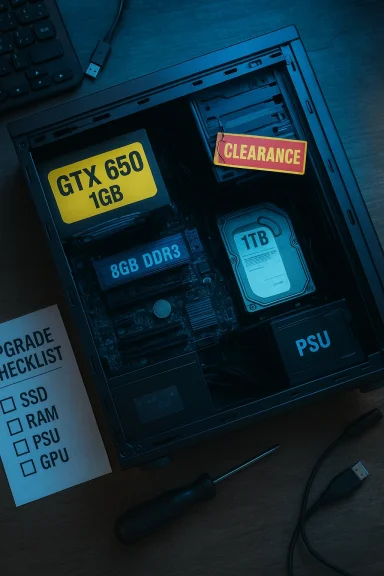
A bargain headline — “Clearance GTX 650 Windows 10 Shop Alarco Gaming PC Desktop Computer Intel i5 3.10GHz 8GB Ram 1TB HDD Windows 10 Pro WiFi Nvidia GTX 650 1GB RGB” — looks appealing on the surface, but beneath the marketing copy lie technical blind spots, upgrade traps, and support timelines that every buyer should understand before clicking “buy.” This feature breaks the listing down, verifies the key hardware claims, explains real-world performance you can expect today, and gives a step-by-step inspection and upgrade plan so you won’t pay today’s price for tomorrow’s regret.
The machine in the listing bundles four headline items many buyers chase: an Intel Core i5 at “3.10 GHz,” 8 GB of RAM, a 1 TB HDD, and an NVIDIA GeForce GTX 650 (1 GB) running Windows 10 Pro. At a glance that reads like a balanced mainstream desktop, but the devil is in the details: which i5 is it, is the RAM single‑ or dual‑channel, is the 1 TB a slow 5400 RPM drive or a hybrid, and — crucially — which revision and vendor model of the GTX 650 is installed?
The GeForce GTX 650 is a legacy Kepler‑architecture GPU that launched in 2012. In its common GDDR5 1 GB configuration it was a midrange card on release; today it is extremely limited for modern games and workloads. Official NVIDIA reference specifications for the GTX 650 list 384 CUDA cores, a 1058 MHz engine clock, a 1 GB GDDR5 memory bus and a 128‑bit interface — with a 65 W card power rating and a 6‑pin auxiliary power connector on many boards. These core hardware facts are confirmed on NVIDIA’s own specification page.
Independent GPU databases and hardware sites echo those specifications and add practical context: the GTX 650’s effective gaming resolution and settings were modest even in its day, and the card’s 1 GB of VRAM and old feature level (DirectX 11/feature level 11_0 in many vendor notes) make it increasingly fragile for current AAA titles. TechPowerUp’s GPU database, for example, lists the GTX 650 as a 2012 launch and notes its 1 GB GDDR5 memory and modest performance envelope.
A few practical rules:
Community recommendations stress asking the seller for itemized parts and an upgrade price comparison before committing. If the seller will not provide it, treat the posted price with healthy skepticism.
Before you buy, insist on exact model IDs, PSU photos, and SSD/RAM details; run the post‑delivery checks above; and, if you plan to game seriously, budget for a small SSD and a GPU upgrade. Community checklists and marketplace investigations highlight these steps as essential to avoid common clearance‑purchase regrets.
If you’d like, I can convert this checklist into a printable short seller questionnaire you can send before purchase (asking for CPU model, PSU label photo, GPU sticker, and a short POST video). That makes it far easier to get verifiable answers and reduces the chance you’ll bring home an expensive surprise.
Source: Born2Invest https://born2invest.com/?b=style-230000212/
 Background
The machine in the listing bundles four headline items many buyers chase: an Intel Core i5 at “3.10 GHz,” 8 GB of RAM, a 1 TB HDD, and an NVIDIA GeForce GTX 650 (1 GB) running Windows 10 Pro. At a glance that reads like a balanced mainstream desktop, but the devil is in the details: which i5 is it, is the RAM single‑ or dual‑channel, is the 1 TB a slow 5400 RPM drive or a hybrid, and — crucially — which revision and vendor model of the GTX 650 is installed?The GeForce GTX 650 is a legacy Kepler‑architecture GPU that launched in 2012. In its common GDDR5 1 GB configuration it was a midrange card on release; today it is extremely limited for modern games and workloads. Official NVIDIA reference specifications for the GTX 650 list 384 CUDA cores, a 1058 MHz engine clock, a 1 GB GDDR5 memory bus and a 128‑bit interface — with a 65 W card power rating and a 6‑pin auxiliary power connector on many boards. These core hardware facts are confirmed on NVIDIA’s own specification page.
Independent GPU databases and hardware sites echo those specifications and add practical context: the GTX 650’s effective gaming resolution and settings were modest even in its day, and the card’s 1 GB of VRAM and old feature level (DirectX 11/feature level 11_0 in many vendor notes) make it increasingly fragile for current AAA titles. TechPowerUp’s GPU database, for example, lists the GTX 650 as a 2012 launch and notes its 1 GB GDDR5 memory and modest performance envelope.
Why this matters today: support and compatibility
Two parallel timelines matter when you buy legacy GPUs and an older Windows installation today:- NVIDIA’s driver and feature support cadence for older architectures. In 2025 NVIDIA announced the end of Game Ready Driver updates for several older architectures; those changes reduce future optimizations and feature additions for legacy GPUs and shift them to security‑only updates on a defined timeline. That means older cards like Kepler/GTX 600 series will see limited forward optimization. Several outlets covered NVIDIA’s end‑of‑support policy and timeline.
- Microsoft’s Windows lifecycle. Windows 10’s mainstream lifecycle changes and the end‑of‑support milestones affect security patching and feature compatibility. A Windows 10 Pro installation on a legacy machine looks modern today, but OS lifecycle, driver availability, and security updates interact with hardware age; combine that with a legacy GPU and you have a compounding risk for driver incompatibility and missing optimizations.
What the listing claims — and what it doesn’t say
Listings like the one you pasted typically show attractive bullet points while omitting the specifics that determine real value. The listing claims:- Intel i5 @ 3.10 GHz (unspecified model)
- 8 GB RAM
- 1 TB HDD
- Windows 10 Pro
- Nvidia GTX 650 1 GB (RGB)
- Wi‑Fi (unspecified adapter)
- Exact Intel Core i5 SKU (generation and core/thread count). “3.10 GHz” is a clock speed, not a full model ID; numerous i5 processors use 3.10 GHz as a base clock (for example, some 10th‑gen or older i5 parts use that frequency), and the performance delta between i5 generations is large. Without the exact model you cannot judge multithreaded performance, platform upgradeability, or compatibility with modern chipsets. (We could not verify a specific i5 SKU from the listing text alone — that’s a red flag buyers should address before purchase.)
- RAM configuration—single vs dual channel, DDR generation (DDR3 vs DDR4) and frequencies: a single 8 GB stick performs measurably worse in memory‑sensitive games than 2×4 GB in dual‑channel mode.
- Storage type and speed. A 1 TB HDD can be 7200 RPM or 5400 RPM; either way a mechanical drive makes the system feel sluggish vs even a small NVMe/SATA SSD.
- PSU brand, wattage and connectors — vital if you ever plan to upgrade the GPU.
- Exact GPU vendor SKU and condition — some GTX 650 boards were custom‑cooled factory cards, others were compact single‑slot designs; some were OEM boards with reduced clocks.
Hardware deep dive — component by component
GPU: NVIDIA GeForce GTX 650 (1 GB)
- Architecture & limits: Kepler architecture, 384 CUDA cores, 1 GB GDDR5, 128‑bit bus. The card was midrange at launch but has very limited VRAM and modern rendering features, and will struggle at 1080p in most modern AAA titles without significant setting concessions or reliance on aggressive upscaling. NVIDIA and independent databases document the card’s 1 GB GDDR5 spec and 65 W TDP.
- Driver and compatibility outlook: driver support decisions by NVIDIA reduce the rate of new game optimizations for legacy GPUs; security updates may persist for an extended but limited timeframe, yet feature updates and Game‑Ready optimizations are winding down. Expect stability but diminishing optimized performance in future releases.
CPU: “Intel i5 3.10 GHz”
- Ambiguity kills value: a base clock of 3.10 GHz fits multiple i5 models across generations (some modern and many older). Without the model number (e.g., i5‑10500, i5‑2400, i5‑4590, etc.) you can’t tell how many cores/threads or which socket and chipset it uses. That affects upgrade path, RAM type (DDR3 vs DDR4), BIOS updates, and Windows 11 compatibility if that matters to you.
- Practical implication: treat “i5 3.10 GHz” as a partial claim only — ask the seller for the exact CPU model string and confirm it in BIOS or via a short systeminfo/dxdiag screenshot before purchase.
Memory: 8 GB RAM
- Minimum today: 8 GB is an entry‑level amount for Windows 10 and casual use. For gaming and smooth multitasking, 16 GB in dual‑channel is the realistic baseline.
- Configuration matters: is the 8 GB a single stick (single‑channel) or 2×4 GB (dual‑channel)? Dual‑channel significantly improves memory bandwidth and gaming performance; sellers often advertise only “8 GB” and omit config details.
Storage: 1 TB HDD
- User experience: a mechanical 1 TB HDD gives plenty of capacity but poor responsiveness. Boot, load times and system responsiveness will be noticeably slower than even a small 256 GB SSD.
- Upgrade priority: swap to an NVMe/SATA SSD first for immediate UX improvement.
PSU, cooling and chassis
- Critical but often omitted: PSU wattage, brand and efficiency determine upgrade options. If the prebuilt uses a proprietary or low‑quality PSU, adding a modern GPU later can be risky or require a PSU replacement.
- Community guidance consistently advises buyers to demand the PSU label photo and model number before committing.
Real‑world performance expectations
Do not expect modern AAA gaming performance from this configuration out of the box. The GTX 650’s 1 GB VRAM and old shader/feature set make high settings at 1080p unrealistic. Instead, expect one of the following realistic profiles:- Casual and esports titles (e.g., older Counter‑Strike, DOTA 2 with lowered settings, League of Legends) at playable framerates if CPU and RAM aren’t bottlenecks.
- Modern AAA titles: low settings, low resolution (720p) and limited frame rates; many newer engines will be GPU VRAM constrained or may rely on DirectX feature levels that aren’t fully supported in hardware.
- Desktop productivity, web, media: fine for everyday tasks, but heavy multitasking or workloads (video editing, modern game streaming) will be CPU/RAM/IO constrained.
Safety and privacy flags: the text you pasted
You also included a cookie/privacy snippet: “The technical storage or access that is used exclusively for statistical purposes... cannot usually be used to identify you.” That text appears to be standard cookie/consent language, and it signals the listing or page likely embeds tracking or third‑party resources.A few practical rules:
- Never download drivers, “build” packages, or system images from untrusted third‑party links included on clearance pages. Community guides specifically call out “clearance” download links or ambiguous driver archives as vectors for compromised installers. Prefer NVIDIA’s official driver archive or the OEM’s support portal for downloads.
- If the seller provides an image or driver package, insist on the original vendor installer or a clean Windows image; confirm a clean Windows install (no MDM/corporate enrollments) before accepting the system.
Buyer’s inspection checklist — what to demand before purchase
Community best practice is clear: get SKU‑level proof and photos. If the seller will not provide them, treat the listing as higher risk. Essential items to request and verify immediately on arrival:- Exact CPU model string (from BIOS or run systeminfo / dxdiag).
- GPU vendor and model sticker photo (so you can verify clocks and connectors).
- PSU label photo showing wattage, model, and efficiency rating.
- RAM module photos showing part numbers or a Windows‑reported memory layout (Task Manager → Performance → Memory).
- Storage model and SMART report (CrystalDiskInfo screenshot).
- A short POST + desktop video showing systeminfo/dxdiag and device manager (confirms clean Windows install and activation).
- Interior photos showing cable routing and whether ARGB fans are controller‑based or motherboard‑powered.
- Warranty details in writing: who covers returns and for how long.
Quick step‑by‑step tests to run on delivery
- Boot to BIOS: confirm CPU model, RAM amount and slot population.
- Boot Windows, open Device Manager and dxdiag; capture screenshots showing GPU and driver, CPU model, and Windows activation.
- Run CrystalDiskInfo to check HDD SMART health.
- Run a light benchmark (Unigine Heaven, 3DMark Basic or an older GPU benchmark) to ensure GPU posts and is stable.
- Monitor temperatures under light load; legacy cooling can be marginal.
- Confirm Wi‑Fi adapter model and driver functionality — some bargain systems use generic USB adapters that are slow and problematic.
Upgrade strategy: turn a clearance deal into a capable machine — or don’t
If price and warranty justify purchase, the upgrade ladder that maximizes practical value is:- SSD first: install a 500 GB NVMe or SATA SSD for Windows and apps. This yields the largest immediate UX boost.
- RAM second: add a matched stick to reach 16 GB in dual‑channel.
- PSU check: if you plan to replace the GPU, confirm PSU wattage and replace with a reputable 550–650 W 80 PLUS Bronze/Gold modular unit if necessary.
- GPU upgrade: a used GTX 1650 or GTX 1050 Ti / RX 560 offers a massive uplift per dollar vs the GTX 650. Confirm case clearance and power connectors before buying. Community recommendations commonly list GTX 1650 / RX 570 class cards as cost‑effective upgrades in this scenario.
Who should buy this machine — and who should walk away
Buy if:- You need a cheap desktop for web, media, office work and older or casual games.
- You’re comfortable doing a quick SSD/RAM upgrade and can verify PSU and warranty.
- Price is materially below the cost of assembling similar parts and warranty/return terms are acceptable.
- You want modern AAA gaming at 1080p without immediate upgrades.
- You need reliable long-term driver feature updates for the GPU (the GTX 650 is legacy).
- The seller cannot provide PSU and component SKUs, or the asking price approaches the cost of a modern budget prebuilt with a contemporary GPU.
Pricing realism: how to value the listing
When evaluating a clearance desktop, break the price into replaceable components:- Value of the chassis, CPU, RAM and PSU as a baseline.
- Cost to bring the machine to an acceptable gaming baseline (SSD + + used GTX 1650 or equivalent).
- Risk premium for unknown PSU or OEM constraints.
Community recommendations stress asking the seller for itemized parts and an upgrade price comparison before committing. If the seller will not provide it, treat the posted price with healthy skepticism.
Final verdict and practical advice
The Alarco/clearance headline is tempting, but treat it like a parts listing until the seller proves otherwise. The GTX 650 is a functional legacy card for light gaming and desktop work, but it is not a modern gaming GPU. NVIDIA’s published specs and independent databases confirm the card’s 1 GB GDDR5 configuration and modest performance envelope.Before you buy, insist on exact model IDs, PSU photos, and SSD/RAM details; run the post‑delivery checks above; and, if you plan to game seriously, budget for a small SSD and a GPU upgrade. Community checklists and marketplace investigations highlight these steps as essential to avoid common clearance‑purchase regrets.
If you’d like, I can convert this checklist into a printable short seller questionnaire you can send before purchase (asking for CPU model, PSU label photo, GPU sticker, and a short POST video). That makes it far easier to get verifiable answers and reduces the chance you’ll bring home an expensive surprise.
Source: Born2Invest https://born2invest.com/?b=style-230000212/
