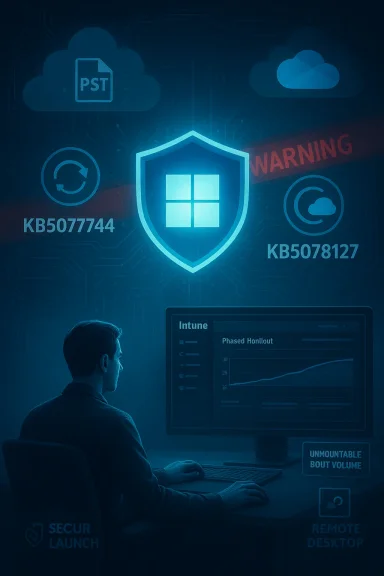
Microsoft’s January update roll-out has already cost IT teams a sleepless weekend and forced two emergency fixes inside a single fortnight — a chaotic start to Windows 11 patching in 2026 that raises fresh questions about testing, packaging, and communication for Microsoft’s flagship desktop OS.
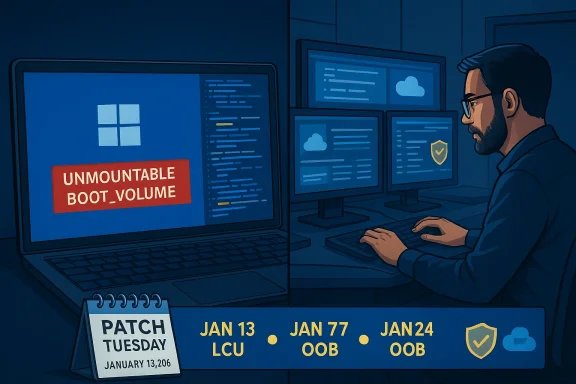
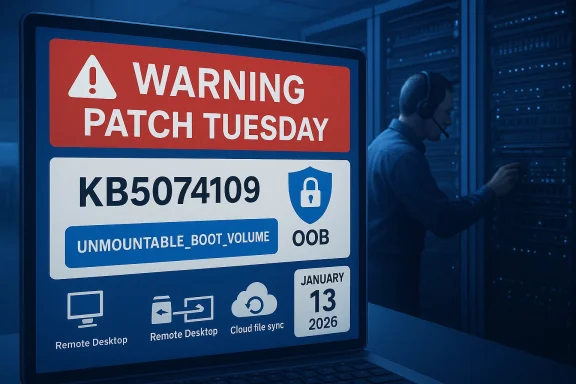
Microsoft shipped its January 2026 cumulative security updates on January 13, 2026. Those updates included separate packages for the 23H2 branch and for the newer 24H2/25H2 branches. Within days, customers and administrators began reporting a string of regressions that ranged from failed shutdowns on devices with Secure Launch enabled to app crashes when accessing cloud storage — and in the worst cases, systems that failed to boot with a UNMOUNTABLE_BOOT_VOLUME stop code.
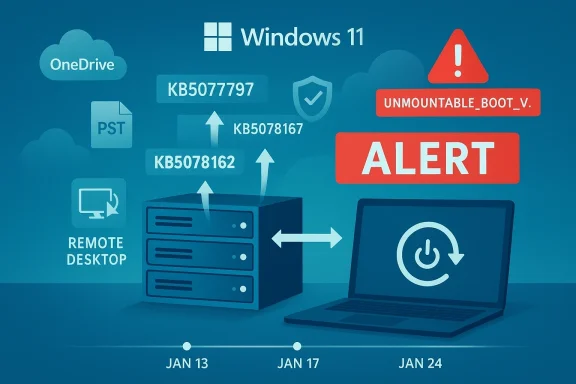
Microsoft responded with an out‑of‑band (OOB) emergency patch on January 17 to resolve certain high‑impact regressions. When that first emergency patch did not fix every issue — and in some cases revealed additional app instability — Microsoft pushed a second OOB cumulative update on January 24 that bundled prior fixes and added further corrections aimed at cloud‑storage crashes affecting OneDrive and Dropbox. Microsoft also published guidance and follow‑up advisories while continuing to investigate a small number of boot‑failure reports.
To keep the conversation concrete: the January 13 security releases were distributed as cumulative updates for different Windows 11 branches (the 23H2 package and the 24H2/25H2 package). The first round of emergency OOB fixes landed on January 17; the second, wider OOB follow‑up landings occurred on January 24, including additional hotpatch and servicing‑stack components intended to address app unresponsiveness caused after the initial security rollout.
Where Microsoft labeled an incident “investigating” and reported only a “limited number of reports,” third‑party reporting and community threads supplied qualitative details and recovery workflows from affected administrators. Those community signals help paint a fuller picture but do not replace Microsoft’s telemetry numbers — Microsoft has not published a global failure count for the boot‑failure reports at the time of writing.
For organizations, the safe posture is unchanged: treat monthly updates as essential, but gate their broad rollout behind targeted pilot rings and robust rollback plans. Maintain firmware hygiene, keep backups and images current, and prepare standard operating procedures for WinRE‑based recoveries. For Microsoft and the wider ecosystem, the incident underlines the need for even better pre‑release validation across firmware, storage‑firmware, and common cloud‑integration stacks.
Until the investigation into the UNMOUNTABLE_BOOT_VOLUME incidents completes, treat the root cause as unknown but plausible to involve interactions between the January update and platform firmware or drivers. Microsoft’s engineering communications have been transparent about what’s been fixed and what’s still being investigated — but the company must now close the loop with quantified telemetry, clearer guidance for firmware updates, and continued improvements to pre‑release testing to avoid similar disruptions in future months.
If you manage Windows fleets: assume the January updates are patched in Microsoft’s catalog, but don’t rush to deploy broadly without testing. If you’re an IT pro in the trenches this week, start with the OOB packages Microsoft issued, prepare WinRE recovery media, and document any manual recovery steps that the help desk might need while the company continues to nail down the remaining root causes.
Source: The Verge Microsoft’s first Windows 11 update of 2026 has been a mess
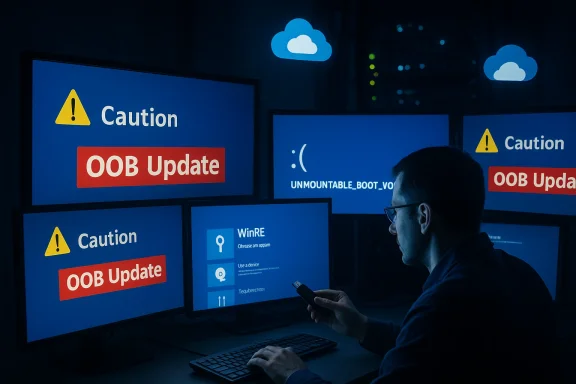 Background
Microsoft shipped its January 2026 cumulative security updates on January 13, 2026. Those updates included separate packages for the 23H2 branch and for the newer 24H2/25H2 branches. Within days, customers and administrators began reporting a string of regressions that ranged from failed shutdowns on devices with Secure Launch enabled to app crashes when accessing cloud storage — and in the worst cases, systems that failed to boot with a UNMOUNTABLE_BOOT_VOLUME stop code.Microsoft responded with an out‑of‑band (OOB) emergency patch on January 17 to resolve certain high‑impact regressions. When that first emergency patch did not fix every issue — and in some cases revealed additional app instability — Microsoft pushed a second OOB cumulative update on January 24 that bundled prior fixes and added further corrections aimed at cloud‑storage crashes affecting OneDrive and Dropbox. Microsoft also published guidance and follow‑up advisories while continuing to investigate a small number of boot‑failure reports.
To keep the conversation concrete: the January 13 security releases were distributed as cumulative updates for different Windows 11 branches (the 23H2 package and the 24H2/25H2 package). The first round of emergency OOB fixes landed on January 17; the second, wider OOB follow‑up landings occurred on January 24, including additional hotpatch and servicing‑stack components intended to address app unresponsiveness caused after the initial security rollout.
What happened (timeline and symptoms)
Timeline of events
- January 13, 2026: Microsoft publishes the normal security LCUs for Windows 11 branches. These updates were intended to deliver standard monthly quality and security fixes.
- January 14–16, 2026: Multiple community and enterprise reports emerge describing shutdown/hibernate regressions, Remote Desktop authentication failures, and app instability when interacting with cloud storage providers.
- January 17, 2026: Microsoft issues an out‑of‑band update to address high‑impact regressions (Remote Desktop issues, some Secure Launch shutdown failures for 23H2 Enterprise/IoT).
- Mid‑January onward: Reports of app crashes tied to cloud storage, Outlook hangs for PST files stored on OneDrive, and black screens on some systems with certain GPUs surface.
- January 24, 2026: Microsoft releases a second OOB cumulative update (plus hotpatch variants) that incorporates prior fixes and specifically addresses cloud‑storage app crashes like OneDrive and Dropbox unresponsiveness.
- Late January 2026: Microsoft acknowledges and investigates a limited number of boot failures that present as UNMOUNTABLE_BOOT_VOLUME, and warns that affected machines may require manual recovery.
Key symptoms observed by users and admins
- Devices with System Guard Secure Launch enabled sometimes restart instead of shutting down or hibernating. This was concentrated on Enterprise and IoT installations of the 23H2 branch.
- Apps become unresponsive or crash when opening or saving files from cloud storage such as OneDrive and Dropbox. In certain Outlook setups where PST files live within OneDrive, Outlook could hang or fail to reopen without terminating the process or restarting the system.
- Remote Desktop credentials and sign‑in workflows failed for some configurations.
- A small number of physical devices reported a boot failure that manifests as a blue screen with stop code UNMOUNTABLE_BOOT_VOLUME (0xED), rendering the machine unable to reach the desktop until manually recovered.
- Some users reported GPU‑related black screens or flicker on certain hardware following the January updates.
Verification and cross‑checking
To avoid repeating rumor, the technical claims in this piece were verified against Microsoft’s own release health and support bulletins (the official out‑of‑band update notes and resolved‑issues pages), and cross‑checked with investigative reporting and coverage from major independent outlets that tracked the incident in real time. Microsoft’s update bulletins enumerate the affected builds and describe the fixes delivered by each OOB package; independent outlets corroborated the timing and the visible impact on community and enterprise devices.Where Microsoft labeled an incident “investigating” and reported only a “limited number of reports,” third‑party reporting and community threads supplied qualitative details and recovery workflows from affected administrators. Those community signals help paint a fuller picture but do not replace Microsoft’s telemetry numbers — Microsoft has not published a global failure count for the boot‑failure reports at the time of writing.
Technical anatomy: what likely went wrong
Several interacting factors help explain why a single monthly update produced a cascade of regressions across different hardware and IT environments:- Interaction with platform security features: The Secure Launch feature is a firmware‑assisted virtualization safeguard that changes platform behavior during early boot and power‑state transitions. Security updates that touch low‑level platform servicing and boot components can interact with Secure Launch in unexpected ways, particularly on enterprise images with firmware settings that differ from consumer defaults.
- Patch packaging and servicing stack complexity: Microsoft’s modern update packaging combines Servicing Stack Updates (SSUs) with LCUs in a way that makes the final package cumulative and efficient for deployment — but it also complicates rollbacks. Combined packages with an updated servicing stack can’t always be uninstalled using the standard GUI tools, and some recovery scenarios require DISM‑level package removal or the use of the Windows Recovery Environment.
- Cloud‑storage integration: Apps that rely on overlay drivers, filter drivers, or cloud‑sync file‑system integrations (OneDrive Files On‑Demand, Dropbox’s file system hooks, and other shell integrations) are particularly sensitive to changes in file‑system behavior. If an update touches file‑system or driver ordering semantics, apps can deadlock while waiting for I/O to complete, producing the observed app hang/crash patterns.
- Heterogeneous hardware and firmware: Boot failures presenting as UNMOUNTABLE_BOOT_VOLUME can be caused by corrupted NTFS metadata, bad master boot records, or outright storage device firmware/driver interactions. When failures are limited to physical hardware and not virtual machines, it points toward firmware, motherboard BIOS, NVMe controller firmware, or storage‑driver interactions — not just the OS code path. Past incidents have shown that early or pre‑production SSD firmware (or particular controller firmware families) can expose latent compatibility issues that surface only after certain OS updates.
- Rapid mitigation tradeoffs: Speed matters when critical functionality breaks (Remote Desktop sign‑ins, shutdown behavior on managed fleets). Microsoft’s adoption of Known Issue Rollback (KIR) and out‑of‑band hotpatches is a strength here — it reduces the time to remediate for many customers. But rushed fixes can sometimes miss edge cases or introduce interactions that create new regressions in different slices of the install base.
How Microsoft fixed (and why IT still has work to do)
Microsoft used multiple mitigation mechanisms across the January incident:- Emergency out‑of‑band cumulative updates were published to target regressions. The first OOB update aimed to restore Remote Desktop and some Secure Launch power‑state behaviors; the second OOB cumulative update bundled earlier fixes and added file‑system/cloud storage corrections.
- Hotpatch packages were used to deliver fixes that can install without a full reboot for eligible managed environments, reducing operational downtime.
- Known Issue Rollback (KIR) and special Group Policy objects were signaled so enterprise administrators could apply a policy‑level workaround or disable the code path causing the regression until a permanent fix was universally safe to ship.
- Microsoft’s official guidance for the worst‑case boot failures directs admins toward manual recovery using the Windows Recovery Environment (WinRE): examine partitions, run CHKDSK to repair file‑system metadata, run bootrec and bcdboot to repair MBR/BCD, and, where necessary, restore from backups or re‑image devices. Those are standard recovery steps for a UNMOUNTABLE_BOOT_VOLUME condition but are time‑consuming across many seats.
Practical guidance for administrators and power users
If you’re responsible for endpoints right now, here are prioritized actions and triage steps you should consider.Immediate triage (do this first)
- Identify scope: query your management telemetry for installation of the January security update packages on affected branches. Is the issue confined to 23H2 Enterprise/IoT devices or broader?
- Isolate a pilot set: stop automatic deployment to broad rings until you’ve validated fixes in a small, representative pilot group.
- If you run caching or GSUs for updates, ensure they’re updated with the OOB packages Microsoft published on January 17 and January 24.
For desktop devices that fail to boot with UNMOUNTABLE_BOOT_VOLUME
- Boot to Windows Recovery Environment (WinRE) using installation media or the recovery partition.
- In WinRE, open the Command Prompt and run:
- chkdsk C: /r
- bootrec /fixmbr
- bootrec /fixboot
- bootrec /rebuildbcd
- bcdboot C:\Windows
These are the standard, Microsoft‑recommended recovery commands for this stop code. - If WinRE can’t repair the volume or the device does not list the OS, consider imaging the drive for data recovery and then perform a clean install or restore from backup.
- If the device intermittently disappears from the bus or reports “no media,” treat it as a possible storage‑firmware or hardware failure and escalate to OEM vendor diagnostics.
For systems that won’t shut down correctly with Secure Launch enabled
- Microsoft’s temporary workarounds include applying the specific OOB package designed to address the Secure Launch regression. If that fails, a conservative temporary workaround is to disable Secure Launch at the firmware/UEFI level or set the registry key:
- HKLM\SYSTEM\CurrentControlSet\Control\DeviceGuard\Scenarios\SecureLaunch = 0
Be explicit with stakeholders: disabling Secure Launch reduces pre‑boot protections and should be considered a temporary triage step that requires formal risk acceptance.
For cloud‑storage app hangs (OneDrive, Dropbox, Outlook PST)
- If Outlook PST files are stored in OneDrive or other cloud‑synced locations, move PST files to a locally attached drive as a mitigation until the OOB patch is applied in a controlled way.
- If an app (OneDrive/Dropbox/outlook) is unresponsive after the January update, try terminating the process, applying the January 24 OOB update, and then restarting the device. In some environments, a reinstall of the cloud client or resetting the local sync cache resolves lingering failures.
Deployment and rollback considerations
- Known Issue Rollback (KIR) Group Policies exist for selective mitigations. Use them where appropriate and test thoroughly.
- Because combined SSU+LCU packages can make uninstalling the LCU via standard wusa.exe impossible, plan for DISM‑based package removal or rely on KIR where available. For broad corporate fleets, using Windows Update for Business piloting and Managed Deployment rings is the safest path.
- Update OEM firmware and motherboard BIOS as a parallel task. If boot failures or storage oddities persist after OS‑level remediation, a firmware update from the vendor may be required.
What this episode reveals about Microsoft’s update model
There are two competing truths here. First, Microsoft reacted quickly: OOB updates and hotpatch mechanisms exist precisely to avoid long drawn‑out incidents, and they are useful tools for reducing fallout. Second, the incident shows how complex modern endpoint stacks have become: security features like Secure Launch, cloud file integration, combined servicing stacks, and a huge diversity of OEM firmware produce a fragile surface area where a single cumulative change can ripple across multiple layers.- Strength: Microsoft’s ability to ship an OOB patch and a hotpatch quickly demonstrates an operational maturity that can reduce mean time to repair.
- Weakness: The January wave shows the risks of shipping deep, high‑impact patches that touch boot and file‑system subsystems without exhaustive testing on the kinds of heterogeneous enterprise firmware and cloud‑integration combinations that exist in the wild.
- Operational burden: Weekend emergency patches shift the operational load to frontline IT teams, who must triage devices, apply workarounds, and sometimes perform hands‑on recovery for affected units.
Risks and longer‑term implications
- Firmware/BIOS interplay remains a persistent wild card. Because some failures appear unique to physical devices rather than virtual machines, OEM firmware and SSD controller firmware become prime suspects. Enterprises must coordinate with OEMs and storage vendors to validate firmware compatibility and to roll out vendor advisories when needed.
- Update rollback complexity: Combining SSUs and LCUs reduces the ability to trivially uninstall an LCU. For enterprise change control, that means more reliance on Microsoft’s KIR mechanisms or DISM scripting — both of which increase the administrative surface.
- Reputational and trust costs: Repeated update regressions erode confidence among IT decision‑makers who already struggle with capacity constraints and change windows. The long tail of trust erosion leads organizations to delay important security patches, which raises its own risk profile.
- Do‑it‑yourself exposure for home users: When critical updates cause instability, many non‑managed users will not have the tools to diagnose or recover from boot failures, increasing escalations to vendor support desks and third‑party tech shops.
Recommendations for IT leadership
- Revisit update ring strategies: strengthen pilot rings, extend pilot durations on updates that touch boot or file‑system components, and refuse to expedite to broad production until telemetry is clean.
- Treat firmware updates as concurrent tasks: make BIOS/UEFI and storage‑firmware updates a standard part of monthly maintenance windows.
- Document and automate recovery playbooks: preauthorise WinRE recovery scripts, keep USB recovery media available, and ensure imaging and backup systems are current and tested.
- Train help desks on KIR and DISM removal: frontline teams should be comfortable with applying Group Policy‑based Known Issue Rollbacks and with using DISM to remove LCU packages where necessary.
- Risk‑acceptance governance: when a temporary workaround requires disabling a security feature like Secure Launch, require documented exception approvals and a timeline for re‑enablement.
Final analysis: agility vs. assurance
This January’s update scramble is an instructive example of the tradeoffs in modern operating‑system servicing. Microsoft demonstrated operational agility — emergency OOB updates, hotpatch capabilities, and quick advisory updates — but agility cannot substitute for the depth of cross‑stack testing that today’s endpoint ecosystem demands.For organizations, the safe posture is unchanged: treat monthly updates as essential, but gate their broad rollout behind targeted pilot rings and robust rollback plans. Maintain firmware hygiene, keep backups and images current, and prepare standard operating procedures for WinRE‑based recoveries. For Microsoft and the wider ecosystem, the incident underlines the need for even better pre‑release validation across firmware, storage‑firmware, and common cloud‑integration stacks.
Until the investigation into the UNMOUNTABLE_BOOT_VOLUME incidents completes, treat the root cause as unknown but plausible to involve interactions between the January update and platform firmware or drivers. Microsoft’s engineering communications have been transparent about what’s been fixed and what’s still being investigated — but the company must now close the loop with quantified telemetry, clearer guidance for firmware updates, and continued improvements to pre‑release testing to avoid similar disruptions in future months.
If you manage Windows fleets: assume the January updates are patched in Microsoft’s catalog, but don’t rush to deploy broadly without testing. If you’re an IT pro in the trenches this week, start with the OOB packages Microsoft issued, prepare WinRE recovery media, and document any manual recovery steps that the help desk might need while the company continues to nail down the remaining root causes.
Source: The Verge Microsoft’s first Windows 11 update of 2026 has been a mess