

January opened with a string of practical, admin‑focused updates for Windows environments — from a smarter restore path in Windows Backup for Organizations and a region expansion for Windows 365, to platform refinements across security, accessibility, and developer tooling that IT teams can act on now. This month’s roundup is heavy on reliability and manageability: Microsoft shipped targeted out‑of‑band fixes to address authentication and cloud‑storage regressions, added a “second chance” restore experience for users who miss the Out‑Of‑Box Experience (OOBE) restore prompt, and rolled out new controls in management tools that change default behavior for provisioning. Read on for a detailed breakdown of what changed, why it matters to admins and end users, and practical next steps you should consider for January 2026 maintenance and planning cycles.
Microsoft’s January announcements continue a trend we saw through 2025: move features from limited previews into staged rollouts while tightening security defaults and adding admin controls for provisioning. That strategy aims to reduce helpdesk load, improve first‑day user productivity, and give IT teams clearer levers to manage risk during mass deployments. Notable items in January include:
Why this matters
Why this matters
Why this matters
Why this matters
Why this matters
Action items
Why this matters
Source: Microsoft - Message Center Windows news you can use: January 2026 - Windows IT Pro Bog
 Background / Overview
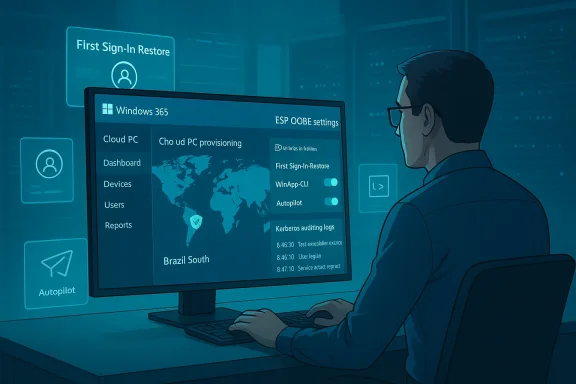
Microsoft’s January announcements continue a trend we saw through 2025: move features from limited previews into staged rollouts while tightening security defaults and adding admin controls for provisioning. That strategy aims to reduce helpdesk load, improve first‑day user productivity, and give IT teams clearer levers to manage risk during mass deployments. Notable items in January include:- A new first‑sign‑in restore path for Windows Backup for Organizations that offers a restore opportunity after OOBE.
- A change to how quality updates during OOBE are handled in Microsoft Intune/Enrollment Status Page (ESP).
- Expansion of Windows 365 capacity into the Brazil South Azure region.
- A new Cloud PC scenario — Windows 365 for Agents — to host autonomous AI agents in secure Cloud PCs.
- Continued gradual rollout of the redesigned Start menu and several accessibility and productivity improvements (Cross‑Device Resume, Narrator, Voice Access).
- Developer tooling: public preview of the Windows App Development CLI (winapp).
- Windows Server guidance and initial Kerberos hardening measures in light of information‑disclosure vulnerabilities.
- Two important out‑of‑band updates in January to address Remote Desktop authentication failures and cloud‑backed storage issues.
Windows update and device management
First‑sign‑in restore: a practical fix for messy provisioning
Microsoft expanded Windows Backup for Organizations to include a first‑sign‑in restore experience. Instead of the restore opportunity existing only during the OOBE flow, eligible users who missed or dismissed the OOBE restore prompt will be offered the same restore experience the first time they reach the interactive desktop.Why this matters
- Real‑world device lifecycles are messy: devices are often pre‑staged, imaged, or handed to users after OOBE completes. The new flow reduces helpdesk tickets and manual reconfiguration by giving users a second, user‑facing chance to restore settings and the Microsoft Store app placeholders.
- The scope includes Microsoft Entra hybrid‑joined devices, multi‑user setups, and Windows 365 Cloud PCs (in preview), which is important for organizations using cloud PCs or modern hybrid identity.
- This feature focuses on settings, Start pins, and app lists — not full disk or file backup. It’s a configuration and app placeholder restore, not a substitute for file‑level or image‑based backups.
- Private preview sign‑ups were opened in mid‑January with limited enrollment windows. Microsoft planned general availability in early 2026, but admins should treat rollout timing as staged and telemetry‑driven.
- Administrators retain control via tenant toggles and Backup/Restore policies in Intune/Endpoint Manager.
- Assess whether your environment already uses Windows Backup for Organizations and map which device populations would benefit from first‑sign‑in restore (e.g., Cloud PCs, shared classrooms, kiosk devices).
- If interested in preview access, check your eligibility and sign‑up windows; otherwise, prepare testing plans to validate user flows once GA hits your tenant.
OOBE and quality updates: Intune default behavior changes
Starting with the January 2026 security update cadence, Microsoft adjusted how Windows quality updates during OOBE are handled in Intune’s Enrollment Status Page (ESP). There’s now an explicit control to install or block quality updates during OOBE, and Microsoft has changed how the control is applied to new and existing ESP profiles.Why this matters
- Installing monthly quality updates during OOBE improves security posture for brand new devices, but it can also delay provisioning or cause unexpected network/time impacts for onsite imaging processes.
- Microsoft’s shift to change defaults and expose a clearer setting means organizations must intentionally decide whether new devices should receive the latest monthly update during first boot.
- New ESP profiles may have a different default state than older profiles; some tenants that created ESP profiles before the change will see the previous default preserved until they edit the profile.
- The change affects Autopilot/ESP flows, and administrators who rely on tightly controlled update rings should verify ESP settings in all provisioning profiles.
- Review and update Enrollment Status Page (ESP) profiles to confirm whether “Install Windows quality updates during OOBE” aligns with your provisioning SLA.
- If you use Autopilot or staged imaging, run a pilot to measure OOBE timing and network bandwidth implications before changing the tenant-wide setting.
Windows 365 regional expansion: Brazil South goes GA
Microsoft opened Windows 365 provisioning in the Brazil South region, removing the previous exception‑only requirement. This expands options for reduced latency and regional data residency across South America.Why this matters
- Cloud PCs provisioned closer to end users reduce latency for interactive workloads and help meet compliance or corporate data residency preferences.
- Admins should validate Azure Network Connection (ANC) and Microsoft Hosted Network (MHN) configurations to ensure provisioning policies can target Brazil South safely.
- Update provisioning policy geography or region selections if your organization needs lower latency in South America.
- Validate network endpoints and ANC compatibility with Brazil South before mass provisioning.
New in Windows security
Kerberos hardening and Active Directory guidance
Microsoft published guidance and rolled out the first phase of protections addressing a Kerberos information disclosure vulnerability and broader Active Directory risk scenarios (relay attacks, Kerberoasting, unconstrained delegation). Phase one emphasizes visibility via enhanced auditing and optional configuration to reduce reliance on legacy encryption like RC4.Why this matters
- Reducing the NTLM/legacy crypto footprint and strengthening Kerberos reduces attack surface for credential theft and lateral movement.
- Microsoft’s phased approach emphasizes visibility first (audit), then mitigation tooling and architectural changes later. That gives administrators time to inventory dependencies and plan remediations.
- Enhanced NTLM auditing and Kerberos telemetry are available in Windows Server 2025 and Windows client releases that support the new telemetry.
- Microsoft recommended starting with auditing and mapping NTLM/Kerberos usage before disabling legacy protocols.
- Immediately enable enhanced NTLM and Kerberos auditing in test environments to create a baseline inventory of dependencies.
- Identify legacy apps and services that require RC4 or NTLM and roadmap replacement or isolation strategies.
- Plan staged testing of Kerberos‑first configurations during your regular maintenance windows.
New in AI
Windows 365 for Agents: secure, scalable agent execution on Cloud PCs
Microsoft introduced Windows 365 for Agents, a set of capabilities that let organizations run autonomous AI agents securely on Cloud PCs. The model includes:- Cloud PC pools for elastic agent allocation (check‑in/check‑out model).
- Programmatic control surfaces for provisioning and managing agents.
- Human‑in‑the‑loop controls and auditable trails to ensure governance.
- Adaptation for computer‑using agents (CUAs) that visually interact with GUIs to automate tasks.
- Enterprises exploring agentic automation — not just scripted RPA — need secure execution environments for agents that can interact with legacy GUI applications and enterprise systems.
- Windows 365 for Agents turns Cloud PCs into ephemeral execution hosts for agent workloads, aligning automation with the same Intune and Entra controls used for human users.
- Agent execution that mimics human interaction raises governance, identity, and data‑exfiltration risks. The platform’s human‑in‑the‑loop and auditing controls reduce exposure, but IT must still define boundaries, credential handling, and monitoring.
- Licensing, metering, and cost models for ephemeral agent provisioning will matter; plan pilots to estimate consumption and idle cost reduction.
- If you’re evaluating agentic automation, start with a tightly scoped pilot using Windows 365 for Agents and define explicit consent, credential use, and audit policies.
- Align agent execution policies with DLP and SIEM workflows so agent actions appear in the same telemetry streams as human operations.
New in productivity and accessibility
Cross‑Device Resume expands to Android apps and services
Cross‑Device Resume, which surfaces notifications on the PC taskbar to continue activities from a linked Android phone, expanded to include Spotify playback, Microsoft 365 Copilot documents (Word/Excel/PowerPoint), and browser sessions for supported phone brands. This creates a more fluid mobile‑to‑PC handoff for common workflows.Why this matters
- For users who move between phone and PC frequently, being able to resume music, documents, or browsing sessions can save time and reduce friction.
- Admins should consider privacy and telemetry implications for environments that restrict cross‑device sync.
- Educate users and update device‑linking guidance for Android phone brands that are supported.
- Review privacy settings and configurations to ensure this feature aligns with your organization’s data protection policies.
Narrator and Voice Access improvements
Accessibility received focused updates:- Narrator now gives finer control over what on‑screen details are announced and the order in which they are presented.
- Voice Access has a streamlined first‑run experience to download speech models, choose microphones, and preview functionality. Voice Typing gains a “wait time before acting” setting to reduce accidental command execution.
- These improvements help users with disabilities be more productive and reduce the setup friction for voice‑driven workflows.
- The ability to tune timing for voice commands addresses real usability differences between fast and slow speakers.
- If you manage devices for users with accessibility requirements, include Voice Access and Narrator in your accessibility testing and documentation.
- Encourage users to try the new first‑run flows and share feedback via your accessibility champions.
Enhanced MIDI support and Settings Device card
Windows added improved MIDI 1.0 and MIDI 2.0 support (WinMM and WinRT compatibility, shared ports, loopback), making the platform more friendly for audio professionals and music apps. The Settings app now shows a Device card when signing in with a Microsoft account, surfacing key specs and usage details.Action items
- Media and creative teams should validate MIDI workflows with their DAWs and hardware after the preview rollouts.
- Confirm the Device card’s visibility for corporate Microsoft Accounts and ensure the UI displays the expected telemetry for fleet management.
New for developers
winapp — Windows App Development CLI in public preview
Microsoft released the Windows App Development CLI (winapp) as an open‑source public preview. The tool aims to simplify building, debugging, and packaging across Electron, .NET, C++, Rust, and other toolchains and includes conveniences for injecting package identity into running Electron processes and bootstrapping the Windows App SDK.Why this matters
- For developers outside Visual Studio or those using alternative toolchains, winapp promises lower friction to access modern Windows APIs, including Windows AI APIs and identity‑required capabilities.
- The CLI being open source enables community feedback and faster iteration.
- Development teams should pilot winapp in a sandbox project to measure time‑to‑package and validate identity‑dependent API access workflows.
- Add winapp to your CI scripts in test branches only until it matures beyond preview.
Windows Server and enterprise infrastructure
Server release notes, Active Directory guidance, and Kerberos protections
Windows Server 2025 release notes and guidance received targeted updates:- Actionable guidance is available to mitigate Active Directory threats such as authentication relay attacks, Kerberoasting, and unconstrained delegation.
- Initial protections for a Kerberos information disclosure vulnerability landed in a phased fashion — phase one focuses on auditing and optional configuration to reduce legacy encryption usage and prepare domain controllers for later phases.
- Organizations should treat these as operational priorities: inventory domain authentication flows, audit NTLM/Kerberos usage, and remediate unconstrained delegation or service misconfigurations.
- The phased approach gives admins time to test and deploy changes without surprise downtime.
- Prioritize Active Directory hygiene audits and remediation tasks in the next sprint.
- Work with security and app owners to eliminate RC4 and other deprecated crypto from dependents.
Out‑of‑band updates: what broke and how it was fixed
January saw two important out‑of‑band (OOB) fixes that every enterprise needs to be aware of.- January 17, 2026: Microsoft released multiple OOB packages addressing Remote Desktop sign‑in failures caused by the January security updates. Affected environments experienced credential prompt failures for some remote connection applications and experiences (including the Windows App) in enterprise scenarios. Microsoft shipped OOB cumulative updates for impacted SKUs to resolve these authentication failures.
- January 24, 2026: Microsoft updated the Release Health and OOB entries to address apps becoming unresponsive when saving or opening files from cloud‑backed storage (OneDrive/other providers) in certain configurations. The known issue was updated and a resolution was published in an additional OOB package.
- If you applied the January security updates immediately, you may have seen Remote Desktop, Azure Virtual Desktop, or Windows 365 credential prompts fail. The OOB releases resolved these regressions, but they also illustrate the risk of rapid patching without staged validation for large deployments.
- The cloud‑backed storage issue affected workflows like Outlook PST on OneDrive and other app interactions with online file stores; the fix required an additional OOB and, in some cases, a reboot.
- Confirm your environment installed the January security updates and the subsequent OOB fixes; check Release Health and patch inventory for KB numbers and build levels.
- If you observed authentication or cloud‑file regressions, verify remediation via test sign‑ins and application validations; consider rolling back only if you lack the OOB fixes and are still impacted.
- Revisit your patch‑validation playbook to include targeted smoke tests for RDP/Azure Virtual Desktop, Outlook + cloud storage workflows, and other high‑impact scenarios.
Lifecycle milestones and administrative housekeeping
Microsoft continued to clarify lifecycle and KB conventions. Notable operational changes:- Windows Server 2025 updates and release notes now use their own KB identifiers and build numbers, distinct from Windows 11 servicing. This reduces ambiguity for admins managing both server and client patching.
- The public documentation on deprecated features and removed functionality (client and server) remains the single source of truth; admins should review these pages when planning migrations.
- Update internal runbooks to map Windows Server 2025 KBs separately from Windows 11 KBs to avoid deployment confusion.
- Reconcile CMDB and patch management rules to consume the new KB namespaces.
Practical recommendations: priorities for IT teams
- Update your provisioning playbook
- Review Enrollment Status Page (ESP) settings and confirm whether you want quality updates during OOBE enabled for new provisioning profiles.
- Pilot first‑sign‑in restore flows on a small user cohort once that capability reaches your tenant.
- Harden authentication and plan Kerberos remediation
- Turn on enhanced NTLM and Kerberos auditing; collect telemetry to identify hard dependencies.
- Map legacy services, prioritize remediation, and test Kerberos‑first configurations in nonproduction.
- Validate January patches and OOBs
- Ensure OOB fixes for Remote Desktop and cloud‑backed storage are deployed where relevant.
- Expand your smoke‑test matrix to cover RDP, AVD, Windows 365 end‑to‑end flows, and common cloud storage file operations.
- Pilot Windows 365 for Agents with governance
- If you plan to use agentic automation, start with a controlled pilot that defines credential management, DLP, and audit requirements.
- Add agent activities to the same SIEM/monitoring pipelines you use for human‑initiated activity.
- Developer and creative workflows
- Try winapp in a sandbox to validate packaging and identity scenarios.
- Media teams should validate MIDI changes against DAWs and audio interfaces.
Notable strengths — and where to be cautious
Strengths- Microsoft is clearly investing in usability and manageability: first‑sign‑in restore solves a common provisioning blind spot, and the ESP quality update control gives admins a deliberate switch.
- Windows 365 for Agents and Copilot‑centric platform changes position Microsoft for enterprise automation at scale, with a focus on security and governance.
- Accessibility and productivity tweaks (Voice Access, Narrator, Cross‑Device Resume) reduce friction for users while making Windows more capable in mixed mobile/desktop workflows.
- Staged rollouts and server‑side enablement mean installing a preview or optional package doesn’t guarantee feature exposure. Test plans must account for server flags and gated activation.
- Agentic automation introduces a new attack surface. Even with human‑in‑the‑loop and audit controls, organizations must purposefully design consent and credential patterns to avoid privilege and data‑exfiltration risks.
- The recent January security update cycle demonstrated that even well‑tested updates can trigger broad regressions. Maintain a conservative, telemetry‑driven rollout for high‑impact environments.
Looking forward and where to watch
- Microsoft is continuing staged feature rollouts and has signaled more Copilot+ PC exclusives and AI enhancements to arrive in 2026. Follow insider channels for early windows of availability.
- Expect additional Kerberos and NTLM phase‑two mitigations later in 2026 that will address fallback scenarios (local KDC/IAKerb). Begin inventorying dependencies now to avoid disruption when defaults tighten further.
- If you manage Windows 365 or plan to scale Cloud PC usage, keep an eye on region expansions and provisioning changes that affect network architecture and ANC/MHN configurations.
Conclusion
January 2026’s updates were less headline‑grabbing and more pragmatic: Microsoft focused on reducing provisioning friction, improving regional Cloud PC options, hardening authentication telemetry, and adding targeted fixes where the January security cycle introduced regressions. For IT teams, these are actionable improvements — but they come with operational responsibilities: verify ESP and provisioning defaults, enable Kerberos/NTLM auditing, test OOB fixes in your environment, and pilot Windows 365 for Agents under strict governance. If you treat January as a reset — applying the fixes, validating OOBE and RDP behavior, and mapping authentication dependencies — you’ll be better positioned for the broader Copilot and agentic features Microsoft plans to roll into Windows over the rest of the year.Source: Microsoft - Message Center Windows news you can use: January 2026 - Windows IT Pro Bog
