

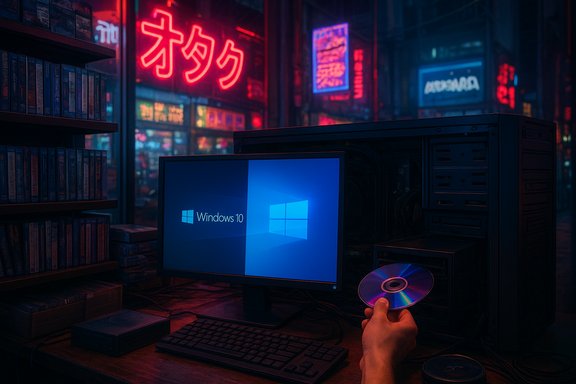
Microsoft’s decision to draw a line under Windows 10 has done more than close a chapter in PC history — it has also sparked an unexpected hardware revival in Japan, where disc drives once thought extinct are suddenly in demand across Akihabara and specialty retailers nationwide. As millions confront the reality of upgrading to Windows 11, a subset of users has chosen to cling to physical media: installing the new OS from discs, preserving long-held collections, and keeping critical legacy software alive. The result is a noticeable spike in demand for internal and external CD/DVD/Blu‑ray drives, supply-chain stress for long-running optical media makers, and a reminder that technological transitions are as much cultural as they are technical.
Windows 11 carries higher minimum hardware requirements than Windows 10 — most notably the need for a Trusted Platform Module (TPM) 2.0, UEFI Secure Boot, at least 4 GB of RAM, and 64 GB of storage. These baseline requirements are aimed at improving security and reliability but have had the predictable side-effect of making some older PCs ineligible for a straightforward upgrade. The combination of the end-of-support deadline and stricter hardware rules has pushed many users to consider new systems, workarounds, or — in some notable corners of the world — physical installation media.
This is not mere nostalgia. For a segment of users — archivists, photographers, musicians, and professionals running legacy tools — discs are a trusted, offline medium for storage and installation. Japan’s bookstores, electronics retailers, and specialty shops have long catered to collectors; preserving playability of those collections matters to consumers who expect their media to remain usable for decades.
Two practical drivers explain the preference for internal drives: higher sustained read/write performance for BD‑R media, and the perceived durability of an integrated drive versus portable external units. For users who archive or author discs regularly, write speed and error resilience matter, and internal slot‑loading or tray drives historically outperform many bus‑powered externals.
At the same time, niche suppliers and distributors in Japan pledged to continue supplying discs and drives, and some companies signaled plans to maintain limited production to serve professional, archival, and enthusiast markets. Still, the overall trend is clear: fewer volume manufacturers combined with spotty distribution channels will keep availability tight and prices volatile if demand remains elevated.
The consequence is a clear trade‑off for buyers: internal drives offer speed and longevity but may require case modifications or older chassis with the necessary bay; external USB drives are easier to add but commonly suffer slower write speeds and lower thermal tolerance when bus‑powered. For buyers intent on retaining high‑throughput disc authoring capability, the scarcity of cases with drive bays compounds the drive shortage.
For users who have built extensive media libraries — and for businesses that run specialized legacy software — the disc offers predictable long‑term accessibility. That trust is especially meaningful where internet access is limited or where companies must maintain offline installations for security or regulatory reasons.
When upgrading hardware is costly or impractical, users look for ways to preserve their current setups. That includes using discs to install fresh OS copies on compatible machines, creating archival images, or maintaining a disc‑capable PC to run legacy applications that cannot be easily virtualized or converted. In some professional setups, equipment vendors still distribute installers and license keys on optical discs — changing that ecosystem is nontrivial and often slow.
There is also a licensing and update dynamic to consider. Some software increasingly ties activation or updates to online verification mechanisms; a physical disc may provide installation files but not guarantee continued access to updates or online services. In business environments, relying on disc‑based installers may complicate compliance and support agreements.
That diversity reveals an important truth: technology adoption is not a linear function of capability alone. Trust, habit, cultural preference, and the economics of replacement all govern whether a user upgrades. For a country with a thriving market for physical media, the decision to buy an optical drive is both practical and symbolic.
For those considering the optical route, the choice is valid — but not without trade‑offs. Internal BD‑R drives deliver speed and endurance for serious archiving and disc‑authoring work, while external drives offer convenience for occasional users. Regardless of the path chosen, careful planning matters: verify system requirements, pick reputable hardware and media, and maintain realistic expectations about long‑term support, availability, and archival reliability.
As the industry moves forward, the optical drive in Japan is a reminder that progress rarely erases the past entirely. It instead reshapes it, leaving behind specialized markets and workflows that continue to serve users for whom the physical truly matters.
Source: Gadget Lite Windows 10 Ends, Japan Brings Back Optical Drives
 Background
Windows 10 reaches end of support — what that means
On October 14, 2025, Microsoft officially ended mainstream support for Windows 10. The decision removes free security updates, feature updates, and standard technical assistance for Home, Pro, Enterprise, Education, IoT, and related editions. Microsoft’s guidance is explicit: devices that remain on Windows 10 after the cutoff will continue to boot and run, but without ongoing security patches they become progressively more vulnerable to newly discovered threats. For many consumers and organizations, the practical path forward is an upgrade to Windows 11, enrollment in a paid or limited Extended Security Updates (ESU) program, or migration to an alternative operating system.Windows 11 carries higher minimum hardware requirements than Windows 10 — most notably the need for a Trusted Platform Module (TPM) 2.0, UEFI Secure Boot, at least 4 GB of RAM, and 64 GB of storage. These baseline requirements are aimed at improving security and reliability but have had the predictable side-effect of making some older PCs ineligible for a straightforward upgrade. The combination of the end-of-support deadline and stricter hardware rules has pushed many users to consider new systems, workarounds, or — in some notable corners of the world — physical installation media.
Why Japan’s tech scene is buying discs again
Cultural attachment to physical media
Japan’s consumer culture still places high value on physical ownership. Collectors buy limited-edition anime Blu‑ray sets, musicians and fans prefer physical CDs for deluxe packaging, and many hobbyist software packages and specialized professional tools have historically been distributed on disc. That predisposition toward tangible media is the foundational reason optical drives are seeing renewed interest in Akihabara and similar retail hubs: owning a disc feels permanent in a way that a download or cloud license often does not.This is not mere nostalgia. For a segment of users — archivists, photographers, musicians, and professionals running legacy tools — discs are a trusted, offline medium for storage and installation. Japan’s bookstores, electronics retailers, and specialty shops have long catered to collectors; preserving playability of those collections matters to consumers who expect their media to remain usable for decades.
Retail reports from Akihabara and specialty stores
Local reporting from Tokyo’s Akihabara confirms the pattern: multiple PC parts shops and well-known retailers have reported strong demand for internal Blu‑ray drives (BD‑R), with internal units selling faster than anticipated and internal BD drives showing widespread stockouts. Retail staff cite customers who explicitly want to “install Windows 11 using a disc” or to retain the functionality to read and write optical media at high speeds — something many buyers feel external USB units cannot match.Two practical drivers explain the preference for internal drives: higher sustained read/write performance for BD‑R media, and the perceived durability of an integrated drive versus portable external units. For users who archive or author discs regularly, write speed and error resilience matter, and internal slot‑loading or tray drives historically outperform many bus‑powered externals.
Supply and production realities
Manufacturers shifting production
The optics of optical-media production have been changing for years. Major manufacturers that once dominated the market have scaled back Blu‑ray production or exited the business altogether. In 2025, prominent players announced cutbacks and corporate restructuring affecting production lines, and several legacy drive models were discontinued or transferred to third parties. These market moves reduced available channel inventory and made the sudden surge in consumer demand more visible: when supply is already trimmed, even a modest increase in demand can create pronounced shortages.At the same time, niche suppliers and distributors in Japan pledged to continue supplying discs and drives, and some companies signaled plans to maintain limited production to serve professional, archival, and enthusiast markets. Still, the overall trend is clear: fewer volume manufacturers combined with spotty distribution channels will keep availability tight and prices volatile if demand remains elevated.
The practical limits of modern PC design
Hardware trends have also worked against optical drives. For over a decade many mainstream PC case designs eliminated 5.25‑inch external bays in favour of cleaner lines, improved airflow, and compact footprints tailored to SSD‑centric storage. That means installing an internal optical drive is often more complicated on modern towers and virtually impossible in ultra‑small form factors or many factory‑sealed laptops and mini PCs.The consequence is a clear trade‑off for buyers: internal drives offer speed and longevity but may require case modifications or older chassis with the necessary bay; external USB drives are easier to add but commonly suffer slower write speeds and lower thermal tolerance when bus‑powered. For buyers intent on retaining high‑throughput disc authoring capability, the scarcity of cases with drive bays compounds the drive shortage.
What the revival reveals about trust, ownership and migration pain
Tangible media as a trust signal
Physical discs are trusted precisely because they are not ephemeral. A burned BD‑R or pressed DVD in a box or shelf is perceived as a guaranteed, offline artifact of ownership. In an age of cloud licensing and subscription services, tangible media offers a counterbalance: a one‑off transaction, a product that doesn’t require periodic authorization calls or subscription renewals to remain playable.For users who have built extensive media libraries — and for businesses that run specialized legacy software — the disc offers predictable long‑term accessibility. That trust is especially meaningful where internet access is limited or where companies must maintain offline installations for security or regulatory reasons.
Migration friction and technical barriers
The Windows 11 migration placed friction points in front of many users. TPM 2.0, UEFI Secure Boot requirements, and newer CPU generation lists are practical barriers for aging PCs. While creative workarounds and community tools exist to bypass certain checks, these often carry official warnings and the potential for unsupported configurations.When upgrading hardware is costly or impractical, users look for ways to preserve their current setups. That includes using discs to install fresh OS copies on compatible machines, creating archival images, or maintaining a disc‑capable PC to run legacy applications that cannot be easily virtualized or converted. In some professional setups, equipment vendors still distribute installers and license keys on optical discs — changing that ecosystem is nontrivial and often slow.
Risks and shortcomings of the optical‑centric approach
Not a universal solution
The optical drive trend is real but localized and constrained. Reports of stockouts are concentrated in retail hubs and online specialty stores; widespread global demand of the kind implied by a “retro revival” headline is not supported by hard sales figures. This is an important distinction: anecdotal and regional retailer statements point to increased interest in Japan, but there is not yet evidence of a sustained, global resurgence that will restore optical drives to mainstream ubiquity.Longevity myths and archival realities
Optical discs are often touted as archival media that can last decades when stored properly. While certain archival‑grade media do offer long shelf life under controlled conditions, cheap recordable discs and improper storage can precipitate data loss. Disc rot, layer adhesion failures, and laser‑read degradation are real phenomena. For long‑term preservation, disc choice, burning procedure, and environmental control matter — and they do not make optical media inherently superior to modern archival storage solutions like verified tape systems, stable SSDs, or managed cloud archives.Security and support caveats
Installing or running an operating system from physical discs does not immunize a system from security risks. Unsupported Windows 10 installations will become vulnerable over time. Even on a clean Windows 11 install, application compatibility, firmware security, and driver updates matter. Relying on optical media for software delivery does not replace the need for patching and security hygiene.There is also a licensing and update dynamic to consider. Some software increasingly ties activation or updates to online verification mechanisms; a physical disc may provide installation files but not guarantee continued access to updates or online services. In business environments, relying on disc‑based installers may complicate compliance and support agreements.
What this means for consumers, professionals and retailers
For consumers and hobbyists
- Assess needs before rushing to buy: If the motivation is simple file access for a small collection, an external USB optical drive may be sufficient. For heavy archiving or frequent disc writing, an internal BD‑R is preferable when feasible.
- Check case compatibility: Modern PC cases often lack 5.25‑inch bays required for internal drives. Confirm whether the target chassis supports a full‑sized internal drive or whether an external solution will be the only practical route.
- Consider alternatives: Create bootable USB installers, migrate media to modern formats, or preserve original discs while ripping verified copies to redundant storage. USB installation media can be faster and simpler for many users upgrading to Windows 11.
- Be wary of inflated prices and counterfeit media: Scarcity can drive opportunistic pricing. Choose reputable retailers and trusted media brands for archival burns.
For professionals and organizations
- Inventory legacy dependencies: Audit which machines and workflows still rely on disc‑based installers and determine whether those systems can be migrated to modern deployment methods or require dedicated, isolated hardware to maintain.
- Plan for procurement constraints: If optical drives or blank media are mission‑critical, secure supply through established distributors and consider longer‑term procurement contracts or bulk buys to mitigate shortages.
- Balance security with continuity: Using discs to install supported OS versions is valid, but the long‑term solution should prioritize systems that receive security updates and vendor support.
For retailers and the supply chain
- Adjust inventory and SKU mix: Expect transient demand spikes and manage channel allocation accordingly. Retailers should balance stocking external drives (lower price and higher turnover) with internal BD‑R units for high‑value buyers.
- Educate buyers: Help customers understand pros and cons of internal vs external drives, compatibility constraints, and archival best practices.
- Watch supplier roadmaps: With larger manufacturers trimming or curtailing optical media production, distributors and retail buyers must re‑evaluate sourcing strategies and prepare for potential medium‑term scarcity.
The wider tech context: nostalgia, practicality, and transition strategy
Not a rejection of progress, but a parallel track
Japan’s optical drive uptick should not be read as a wholesale rejection of cloud, USB installers, or subscription models. Instead, it illustrates how transitions produce parallel ecosystems: those who embrace new models quickly will migrate to USB, cloud imaging, or new devices; others will create hybrid setups that keep physical artifacts while slowly modernizing core systems.That diversity reveals an important truth: technology adoption is not a linear function of capability alone. Trust, habit, cultural preference, and the economics of replacement all govern whether a user upgrades. For a country with a thriving market for physical media, the decision to buy an optical drive is both practical and symbolic.
Short‑term blips may foreshadow long‑term niches
Even if optical drives remain a specialized market segment, certain niches will persist. Archivists, media producers, professional studios, and industrial equipment vendors have real reasons to maintain disc capabilities. Over time, that demand may be small in volume but sufficient to support boutique manufacturers and distributors who can cater to specialized needs.Practical guidance: what to do if you need an optical drive or want to preserve discs
- Confirm the reason:
- If the goal is installing Windows 11, check whether the target PC supports a USB installer first; USB is typically faster and more convenient.
- If the goal is long‑term archival or maintaining a physical collection, plan for high‑quality media, verified burns, and redundant storage.
- Choose internal vs external:
- Internal BD‑R drives: higher sustained write/read rates, better thermal handling, and more durable for frequent disc authoring. Suitable if the case has a bay and the user wants long‑term reliability.
- External USB drives: cheaper, plug‑and‑play, and ideal for occasional use or for systems where internal installation is impossible.
- Buy reputable media and drives:
- Choose well‑known media brands and verified blank BD‑R or DVD types for archival purposes.
- Avoid unbranded discs for anything important; lower‑quality media degrades faster and raises the risk of unreadable data.
- Consider alternate strategies:
- Create master ISO images and maintain them on redundant drives or trusted cloud vaults for recovery.
- Use checksum verification when archiving to detect bit rot or write errors.
- For essential legacy software, document licensing and activation steps to ensure long‑term reinstallability.
- Manage security:
- A disc‑installed OS still needs patches and firmware updates. Keep the system updated and isolated from unsafe networks if it must remain on an unsupported OS.
- If staying on Windows 10 is necessary, plan for an ESU program or adopt a hardened, offline posture while migrating.
Critical analysis: strengths, caveats, and longer‑term outlook
Strengths of the physical approach
- Perceived permanence: Physical media provides psychological and practical assurance of ownership and offline access.
- Offline reliability: Discs do not require network activation or cloud services; they can be used where internet access is constrained.
- Archival utility: Properly handled, optical media can provide a stable archival medium decades in length for certain archival‑grade media.
Weaknesses and risks
- Supply fragility: As major manufacturers scale back production, availability will be uneven and prices may be volatile.
- Hardware incompatibility: Modern PC designs increasingly omit optical bays, making internal drives impractical for many users.
- False security: Possessing a disc does not remove the need for security updates or vendor support, particularly once an OS reaches end of support.
- Archival limits: Not all recordable discs offer long shelf life; poor media and storage conditions drastically reduce longevity.
Outlook
The optical‑drive revival centered in Japan is an instructive case study in how culture, habit, and technical constraints shape technology adoption. It should not be conflated with a global reversal to physical media. Instead, expect a sustained niche market: collectors, professionals, and certain industries will continue to buy drives and media, supported by dedicated distributors and a reduced but stable manufacturing base. For everyday consumers and enterprises, USB installers, cloud imaging, and device replacement will remain the dominant migration paths to Windows 11 and beyond.Conclusion
The end of Windows 10 support forced a migration that is both technical and emotional. In Japan, where tangible ownership remains culturally resonant, that migration has produced an unusual side effect: a mini‑boom in optical drive purchases. The trend highlights the broader dynamics of technological transitions — they are mediated not just by specs and features but by trust, habit, supply lines, and practical constraints.For those considering the optical route, the choice is valid — but not without trade‑offs. Internal BD‑R drives deliver speed and endurance for serious archiving and disc‑authoring work, while external drives offer convenience for occasional users. Regardless of the path chosen, careful planning matters: verify system requirements, pick reputable hardware and media, and maintain realistic expectations about long‑term support, availability, and archival reliability.
As the industry moves forward, the optical drive in Japan is a reminder that progress rarely erases the past entirely. It instead reshapes it, leaving behind specialized markets and workflows that continue to serve users for whom the physical truly matters.
Source: Gadget Lite Windows 10 Ends, Japan Brings Back Optical Drives
